

Dataset table in Analytics
Dataset tables appear in the Kissflow Analytics for each dataset you create in your Kissflow account.
BasicEnterprise
Dataset tables appear in the Kissflow Analytics for each dataset you create in your Kissflow account. These tables are designed with a tabular structure, featuring rows and columns that store data values in a well-organized manner.
The diagram showing the entity relationship of the data sources helps you in understanding about Analytics.
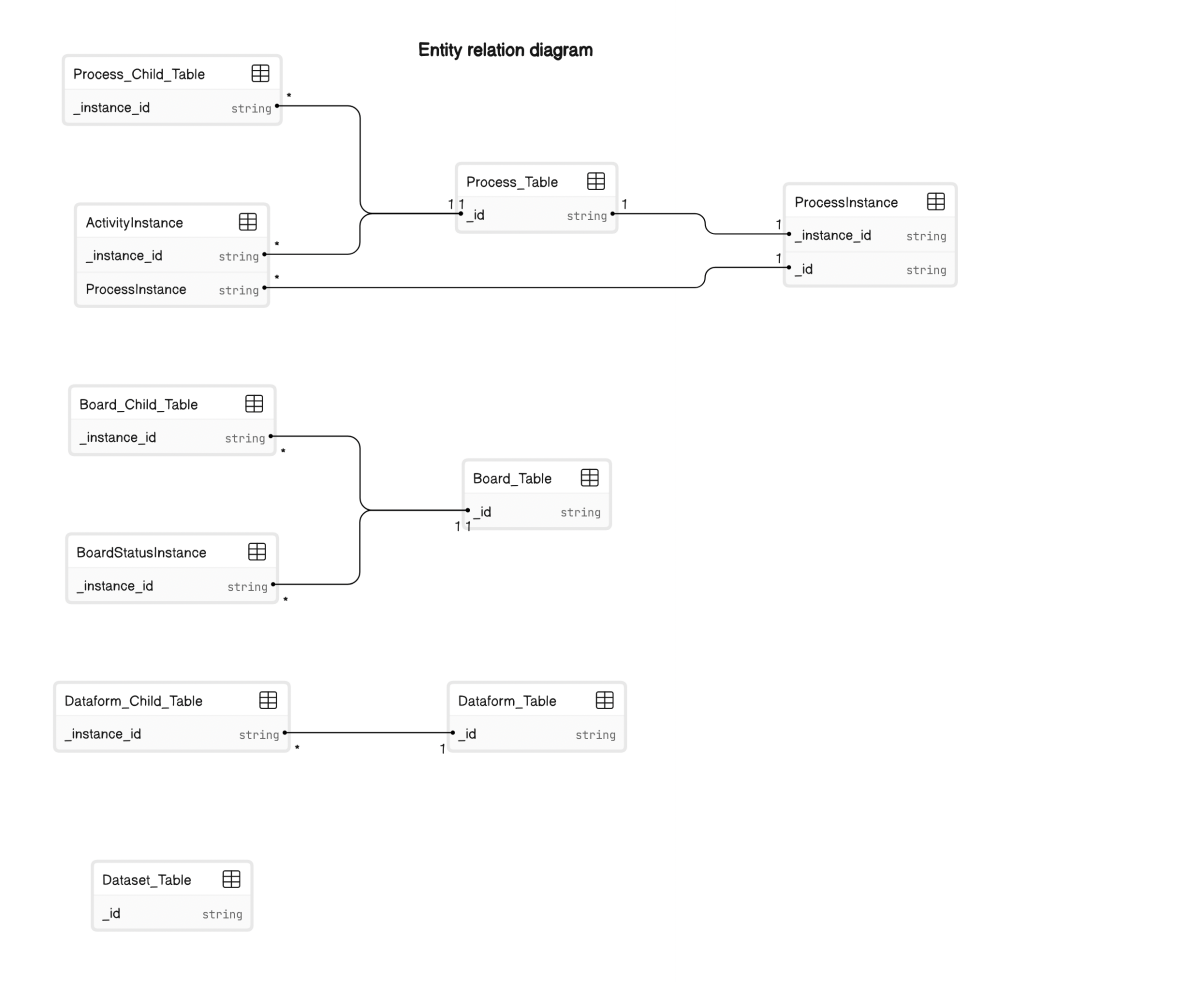
System fields of the dataset table
| Field ID | Field Name | Data type | Description |
|---|---|---|---|
| _id | ID | String | The unique ID of the item. |
| Name | Key | String | The name of the item. |
| _created_by | Created by | JSON | This field stores information about the user who initially created the item. |
| _created_by.Kind | Created by | JSON | A subfield of "_created_by" always contains the value "User," indicating that a user created the item. |
| _created_by.Name | Created by | JSON | Another subfield of "_created_by" displays the name of the user who created the item in a format that includes both the first and last name of the user. |
| _created_by._id | Created by | JSON | The unique ID of the user who created the item. |
| _modified_by | Modified by | JSON | This field stores information about the user who last modified the item. |
| _modified_by.Kind | Modified by | JSON | A subfield of "_modified_by" always contains the value "User," indicating that a user modified the item. |
| _modified_by.Name | Modified by | JSON | Another subfield of "_modified_by" displays the name of the user who last modified the item in a format that includes both the first and last name of the user. |
| _modified_by._id | Modified by | JSON | The unique ID of the user who last modified the item. |
| _created_at.display_value | Created at | DateTime | This represents the date and time of the item’s creation in GMT format in the dataset table. |
| _created_at.timedelta | Created at | DateTime | This field holds the time zone offset duration between Greenwich Mean Time (GMT) and the specific timezone. It remains empty when no such difference exists. |
| _created_at.timezone | Created at | DateTime | This indicates the timezone in GMT format at which the item was created. |
| _created_at.value | Created at | DateTime | This field displays the date and time the item was initially created. The timestamp format is GMT-based. |
| _modified_at.display_value | Modified at | DateTime | This represents the date and time of the item’s last modification in GMT format in the dataset table. |
| _modified_at.timedelta | Modified at | DateTime | This field holds the time zone offset duration between Greenwich Mean Time (GMT) and the specific timezone. It remains empty when no such difference exists. |
| _modified_at.timezone | Modified at | DateTime | This indicates the timezone in GMT format at which the item was last modified. |
| _modified_at.value | Modified at | DateTime | This field displays the date and time when the item was last modified. The timestamp format is GMT-based. |
| _flow_name | Flow name | String | The name of the dataset. |
| _model_id | Text | Model ID | The unique ID of a dataset. |