

Handling input behavior for various fields in AI evaluation
For computed fields, you can use AI Evaluate to test the formulas, created manually or generated using AI prompts, before going live.
BasicEnterprise
For computed fields, you can use AI Evaluate to test the formulas, created manually or generated using AI prompts, before going live. AI Evaluate provides pre-filled sample data for testing. These default inputs are editable, allowing you to modify them.
However, how inputs are typed or selected during testing may differ from how they behave at runtime. This article guides you on handling inputs effectively for each field during testing.
| Field | Description |
|---|---|
| Text | Computed text fields function precisely the same way as runtime text inputs. Type any alternative values to test into the input field and click Results to view the output.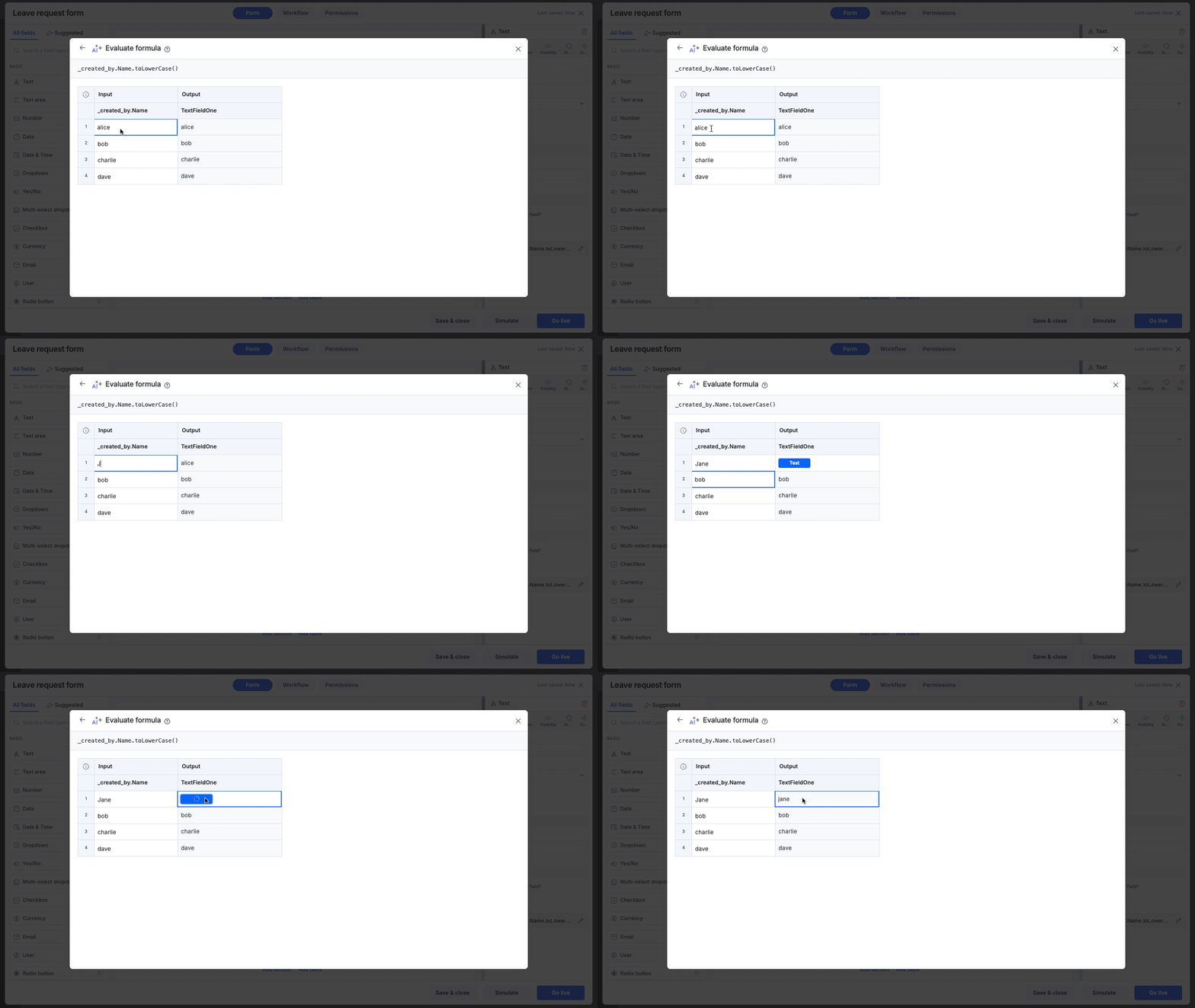 Formula: _created_by.Name.toLowerCase() Input: Jane Output: Jane |
| Number | Number fields function the same as in runtime.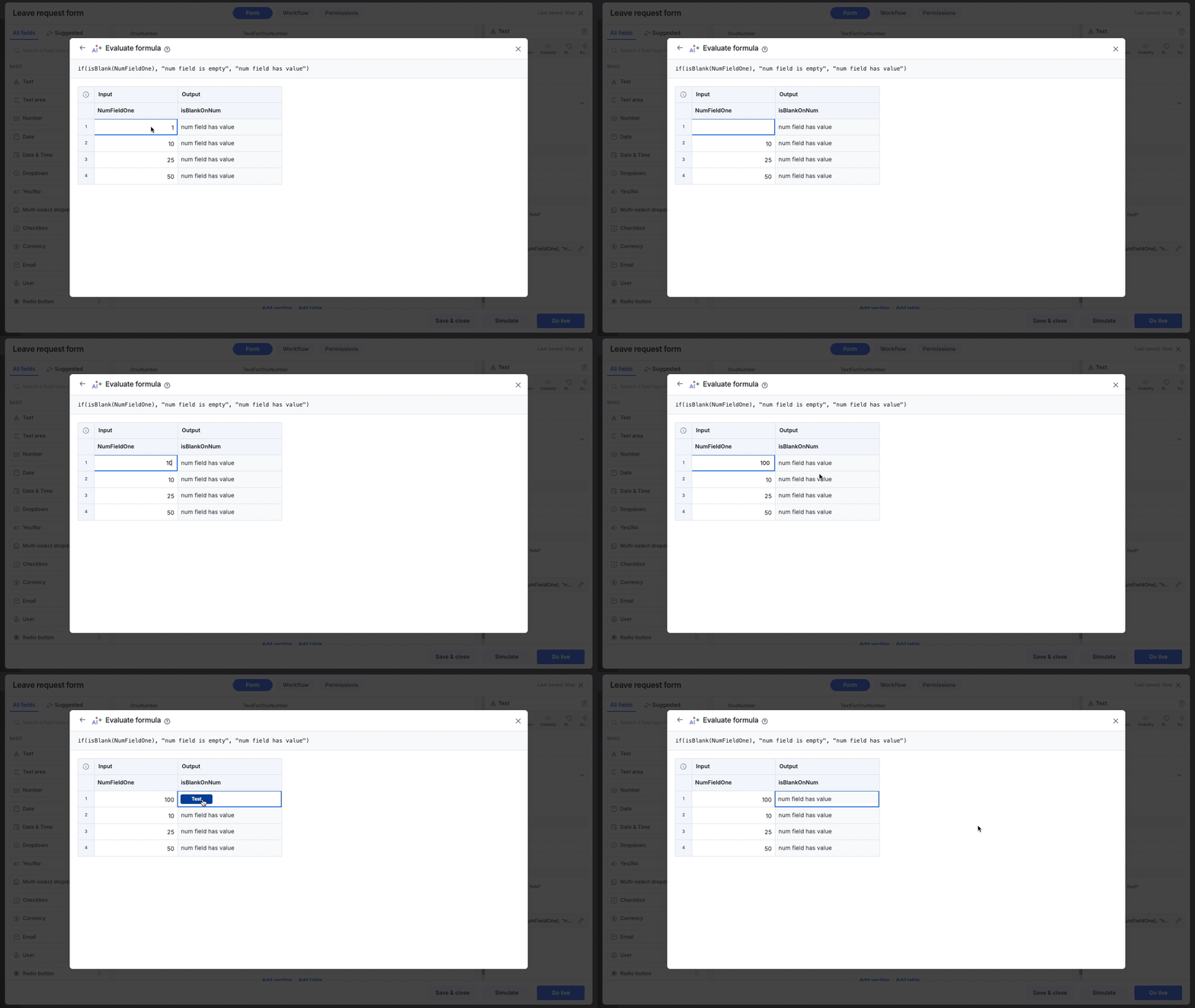 Formula: if(isBlank(NumFieldOne), "num field is empty", "num field has value") Input: 1 Output: num field has value |
| Currency | Currency codes are unavailable as selectable options from a dropdown menu and require manual entry.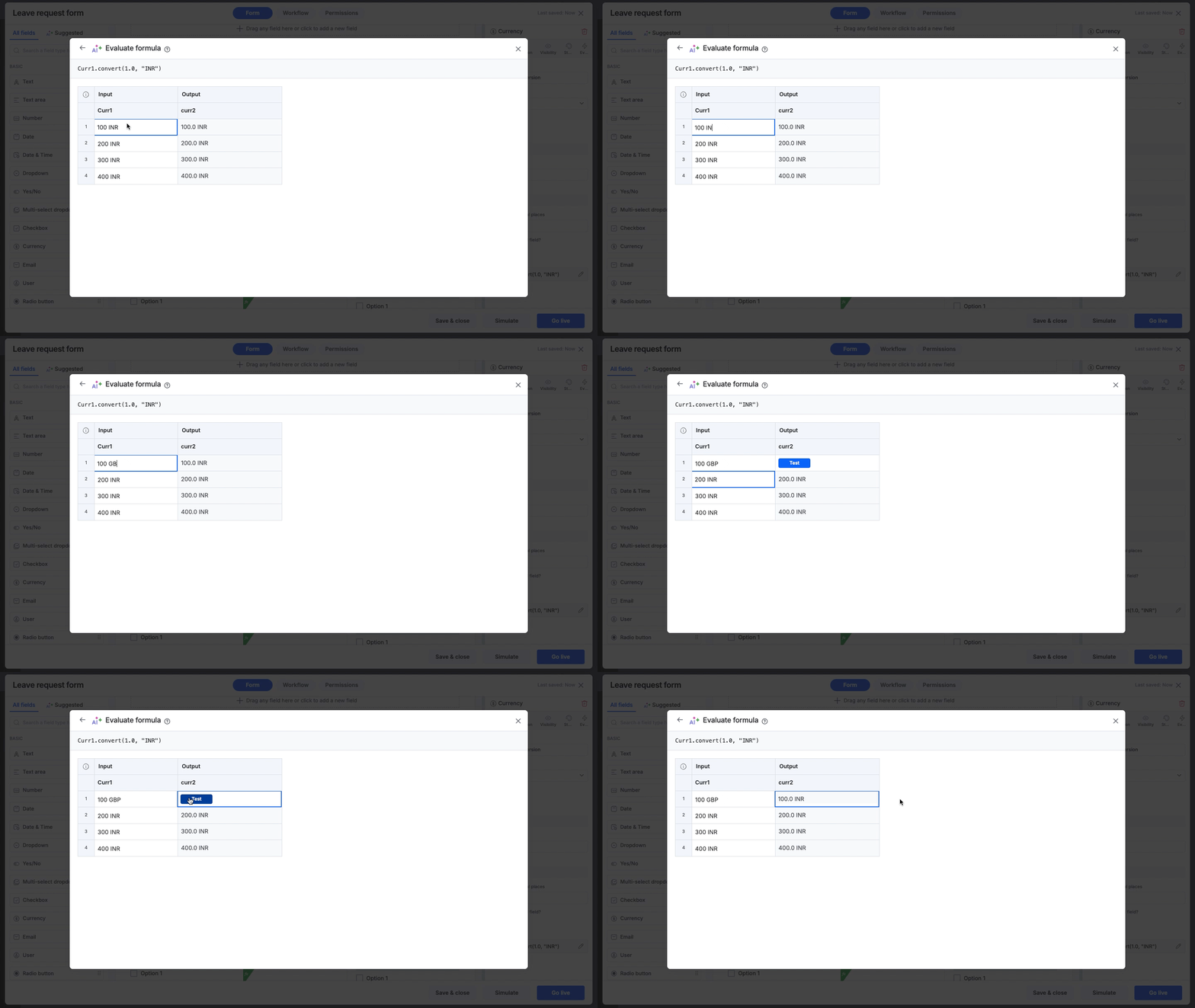 Formula: Curr1.convert(1.0, "INR") Input: 100 GBP Output: 100.0 INR |
| Date | A calendar view appears when editing the sample date, allowing you to conveniently select the day, month, and year.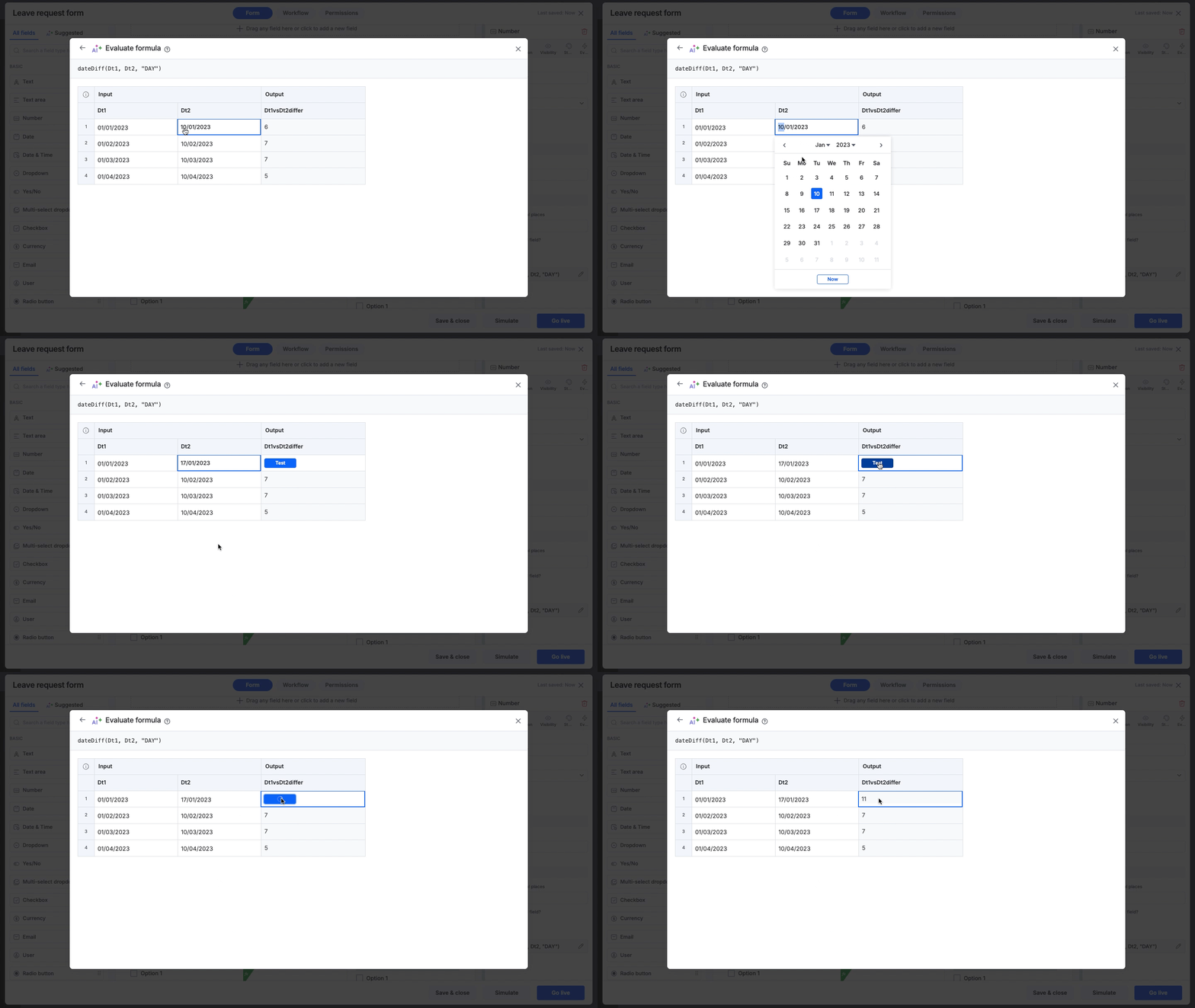 Formula: dateDiff(Dt1, Dt2, "DAY") Input 1: 01/01/2023 Input 2: 17/01/2023 Output: 11 |
| Date and time | A time selector is available alongside the calendar when editing the sample time. It allows you to choose the hour and minute, with AM and PM options.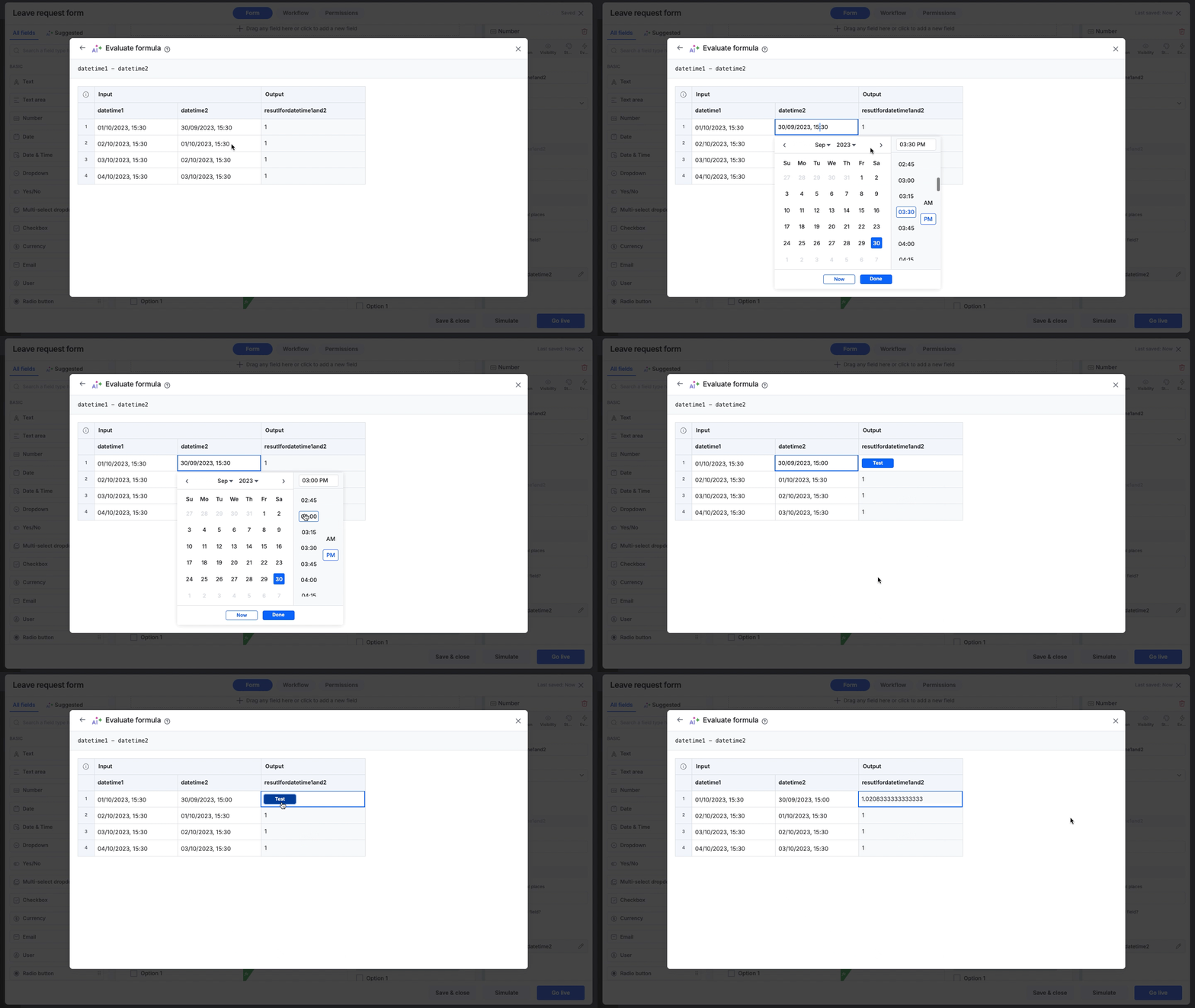 Formula: datetime1 - datetime2 Input 1: 01/10/2023, 15:30 Input 2: 30/09/2023, 15:00 Output: 1.0208333 |
| Dropdown, Checkbox or Checklist, Multiselect | For inputs that allow selecting multiple options from a dropdown or checklist, there is no pull-down menu for selection when using sample data. Instead, you can type the desired inputs, separating them with commas.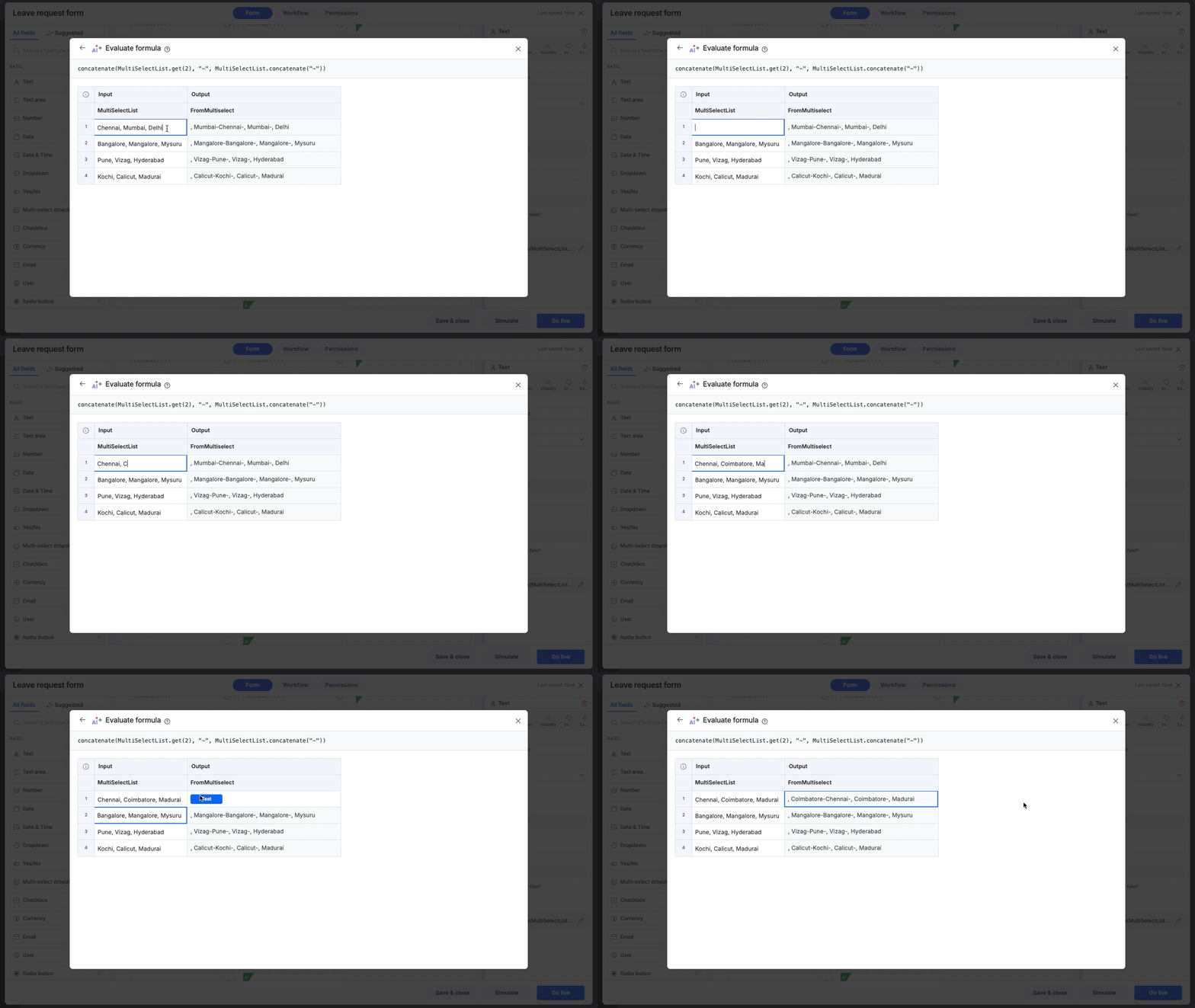 Formula: concatenate(MultiSelectList.get(2), "-", MultiSelectList.concatenate("-")) Input: Chennai, Coimbatore, Madurai Output: ,Coimbatore-Chennai-, Coimbatore-, Madurai |
| User field | Enter the user’s email address manually.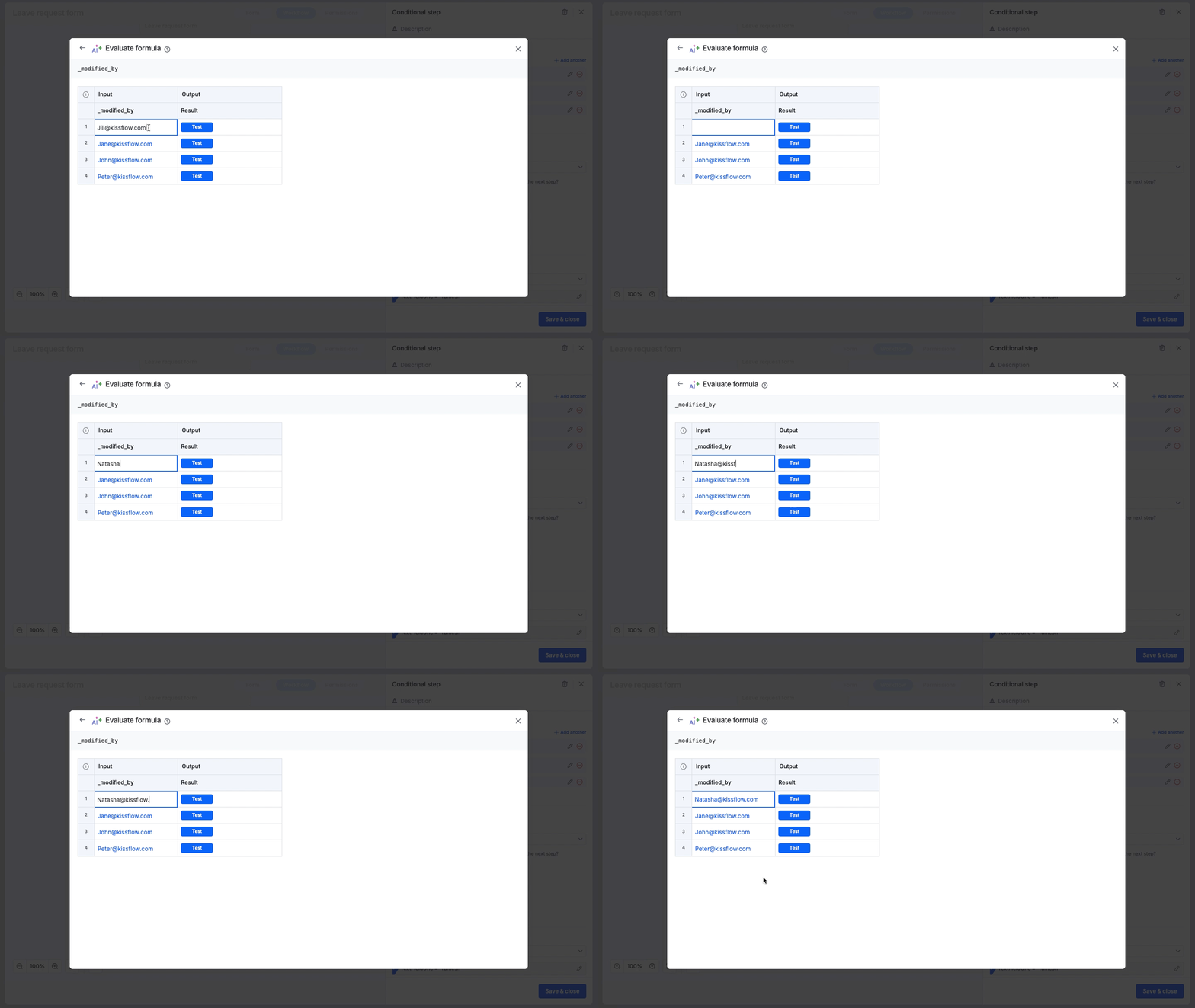 Formula: _modified_by Input: Natasha@kissflow.com Output: Natasha Romanoff |
Note
AI Evaluate does not support simulating Geolocation fields or scenarios involving Multiuser fields.