

Workflow step expressions
The lastCompletedStep() function retrieves information from your workflow's most recently completed step.
BasicEnterprise
The lastCompletedStep() function retrieves information from your workflow's most recently completed step.
You can access the approvers' names, the number of approvers, assignment time, approval time, whether the deadline was breached, and so on.
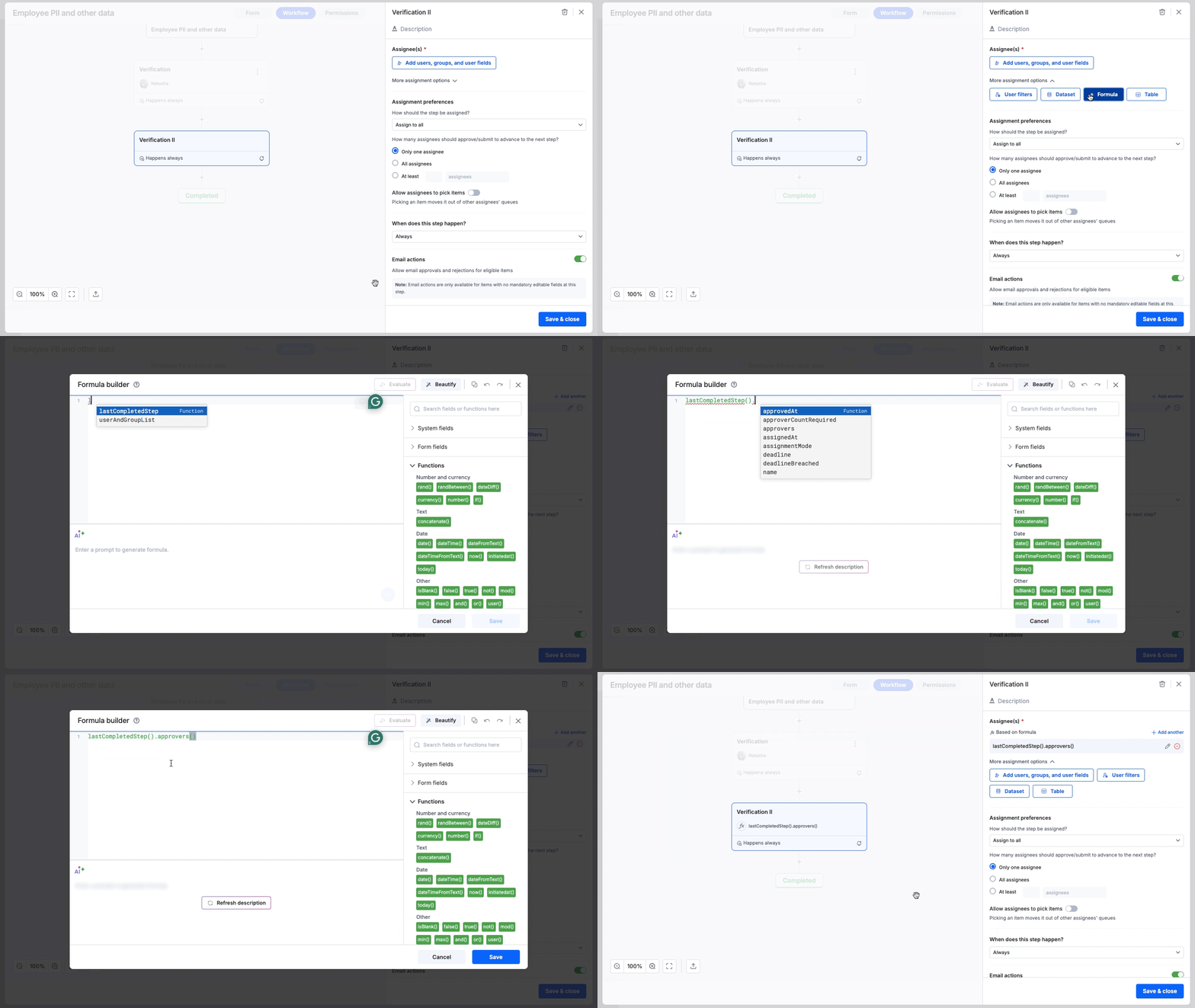
lastcompletedstep()For example, to assign a step to the same approvers as the previously completed step:
- Go to the Assignees section and select More assignment options.
- Click Formula, enter the expression, and Save.
lastCompletedStep().approvers()The current step is assigned to users who approved the previous step.
Available methods
You can use the following methods with the lastCompletedStep() function.
| Method | Data type | Description |
|---|---|---|
| .approvers() | User | Returns the names of the users who approved the previously completed step. |
| .assignmentMode() | Text | Returns the mode of assignment: Round Robin Least Load Normal |
| .approverCountRequired() | Number | Returns the total number of approvals required to complete the previous step. |
| .deadline() | DateTime | Returns the deadline of the previous step |
| .assignedAt() | DateTime | Returns the time at which the previous step was started. |
| .approvedAt() | DateTime | Returns the time at which the previous step was approved. |
| .Name() | Text | Returns the name of the previous step. |
| .deadlineBreached() | Boolean | Returns Yes if the deadline was missed; otherwise, returns No. |