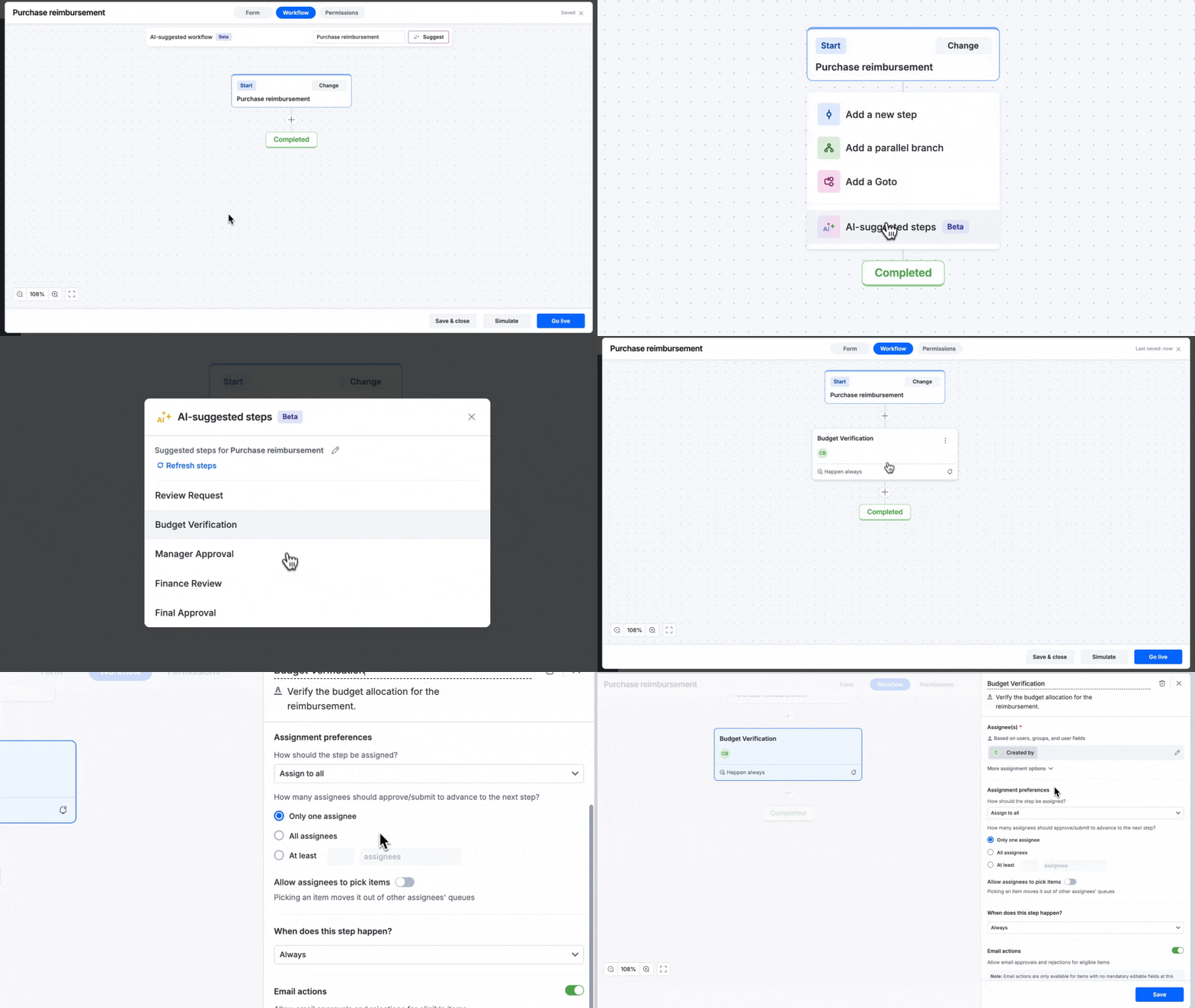
Creating AI-suggested workflow and steps
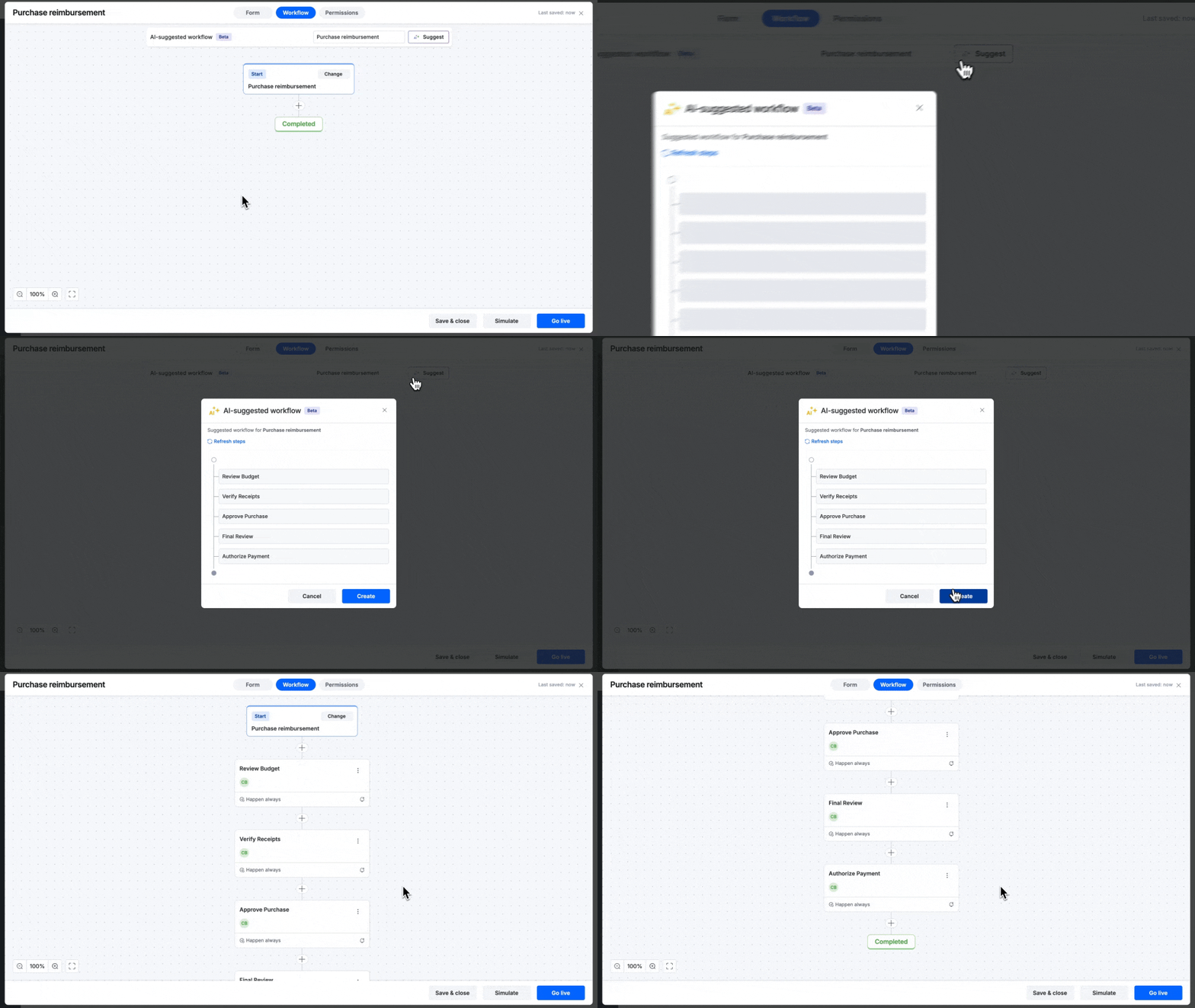
You can create an entire process workflow with the help of AI by clicking the Suggest button in the top panel.
BasicEnterprise
You can create an entire process workflow with the help of AI by clicking the Suggest button in the top panel.
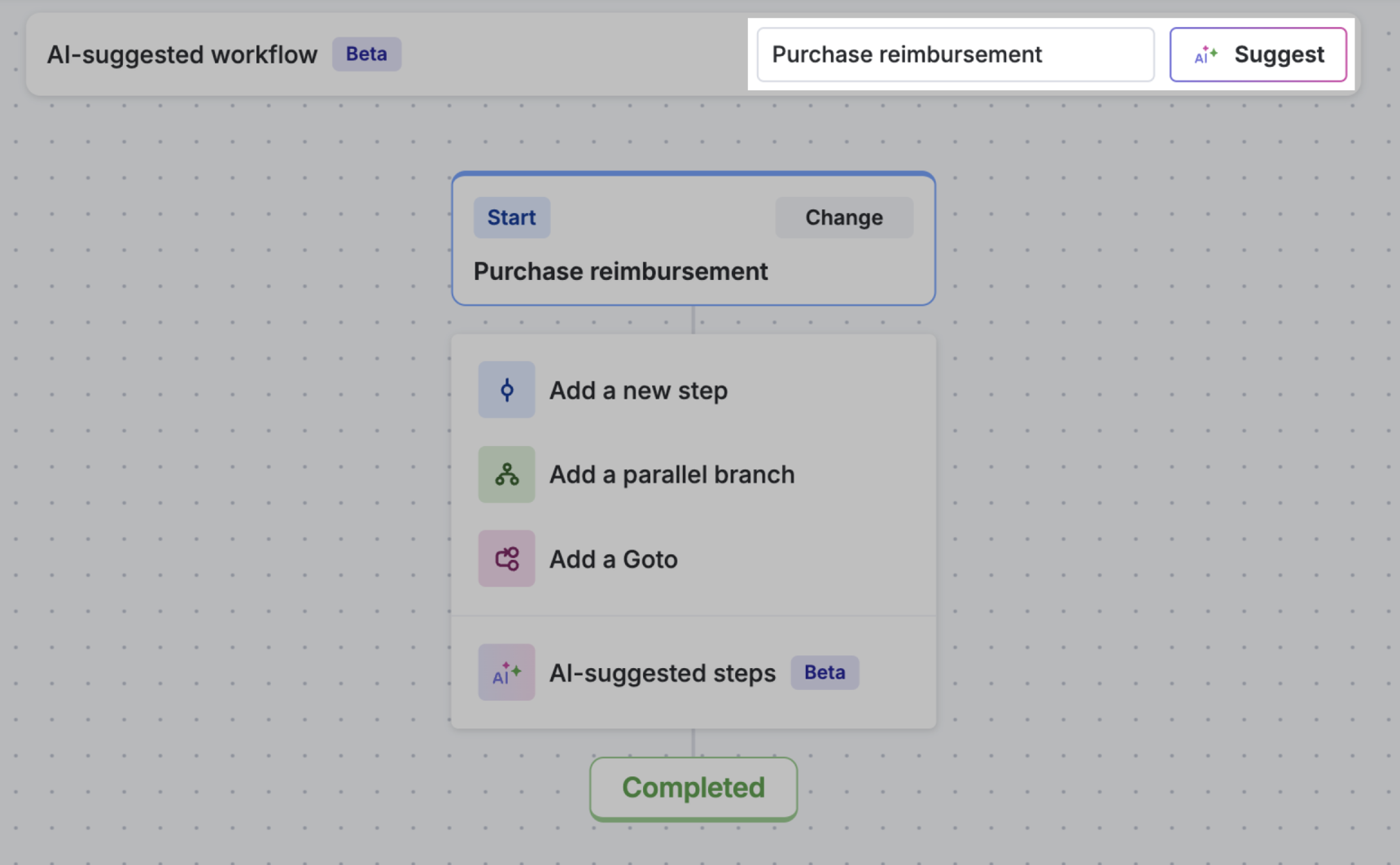
A workflow suggestion based on the title of the process will be generated and displayed in a popup window. If you want to create the workflow based on a different keyword, click the text box in the top panel, enter the keyword, and click Suggest.In the popup window, you can choose to create the AI-suggested workflow or click Refresh workflow for another workflow suggestion.
For individual steps, click the Add button ( ) and click AI-suggested steps. Pick a suggestion or click Refresh steps for different suggestions.