

Settings in apps
General settingsUnder General settings, you can edit basic details of your app including the name, description, and logo.
There are three types of settings in apps:
Managing app settings in the app builder
The App builder comes with three different settings options. The primary one is the App settings. You will find App settings under the Settings icon within the app builder. App settings consists of the following setting options:
- General settings
- Security settings
- Deployment history
- Multilingual settings
General settingsUnder General settings, you can edit basic details of your app including the name, description, and logo.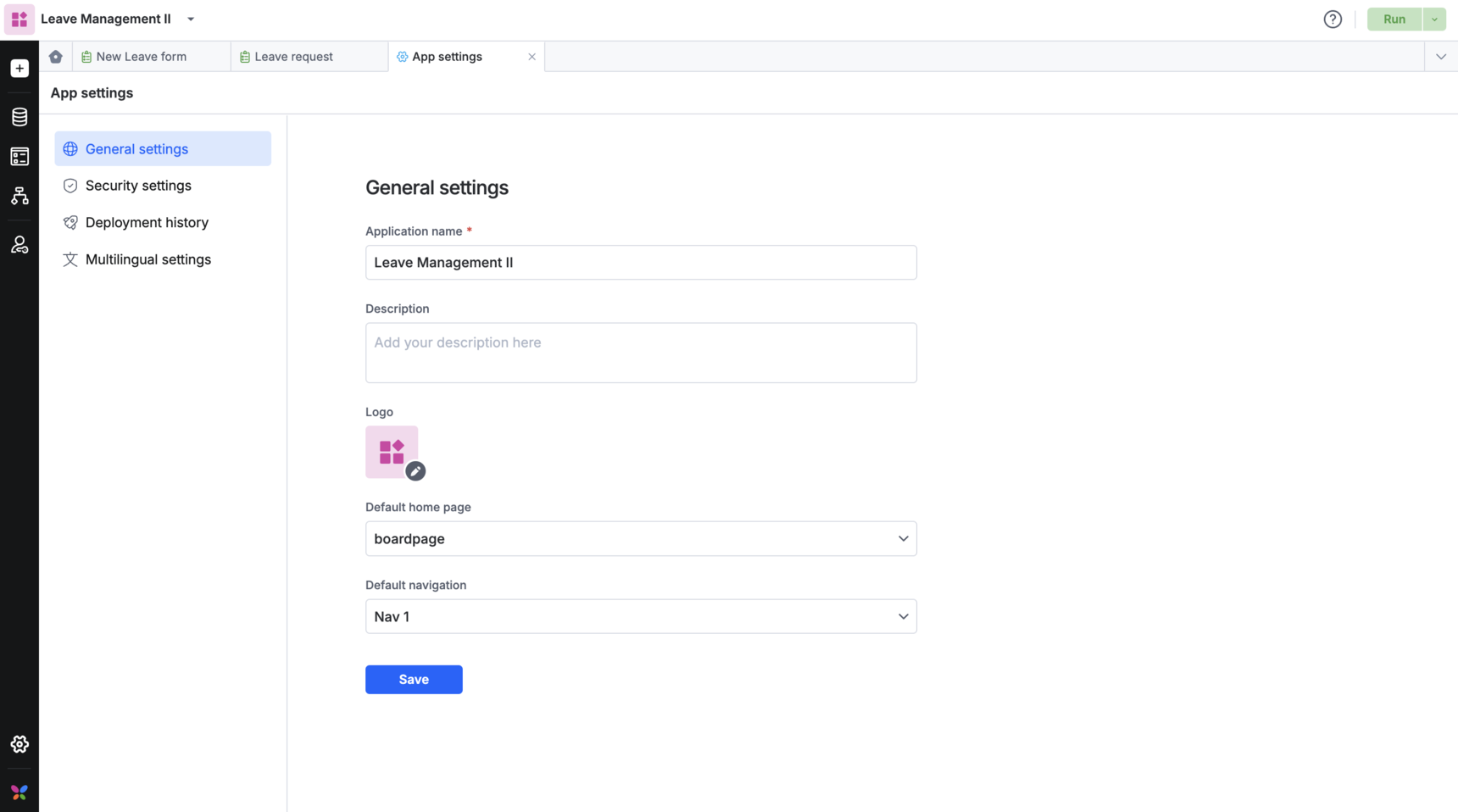
| Field | Purpose |
|---|---|
| Application name | Manage the name of the application |
| Description | Manage your application's description |
| Logo | Upload a logo for your app. File must be less than 250 KB and in JPG or PNG format |
| Home page | The default page for your application |
| Navigation | The default navigation bar for your application |
Security settings
Under Security settings, you can manage what other apps have access to the data in your app through app-to-app linking.
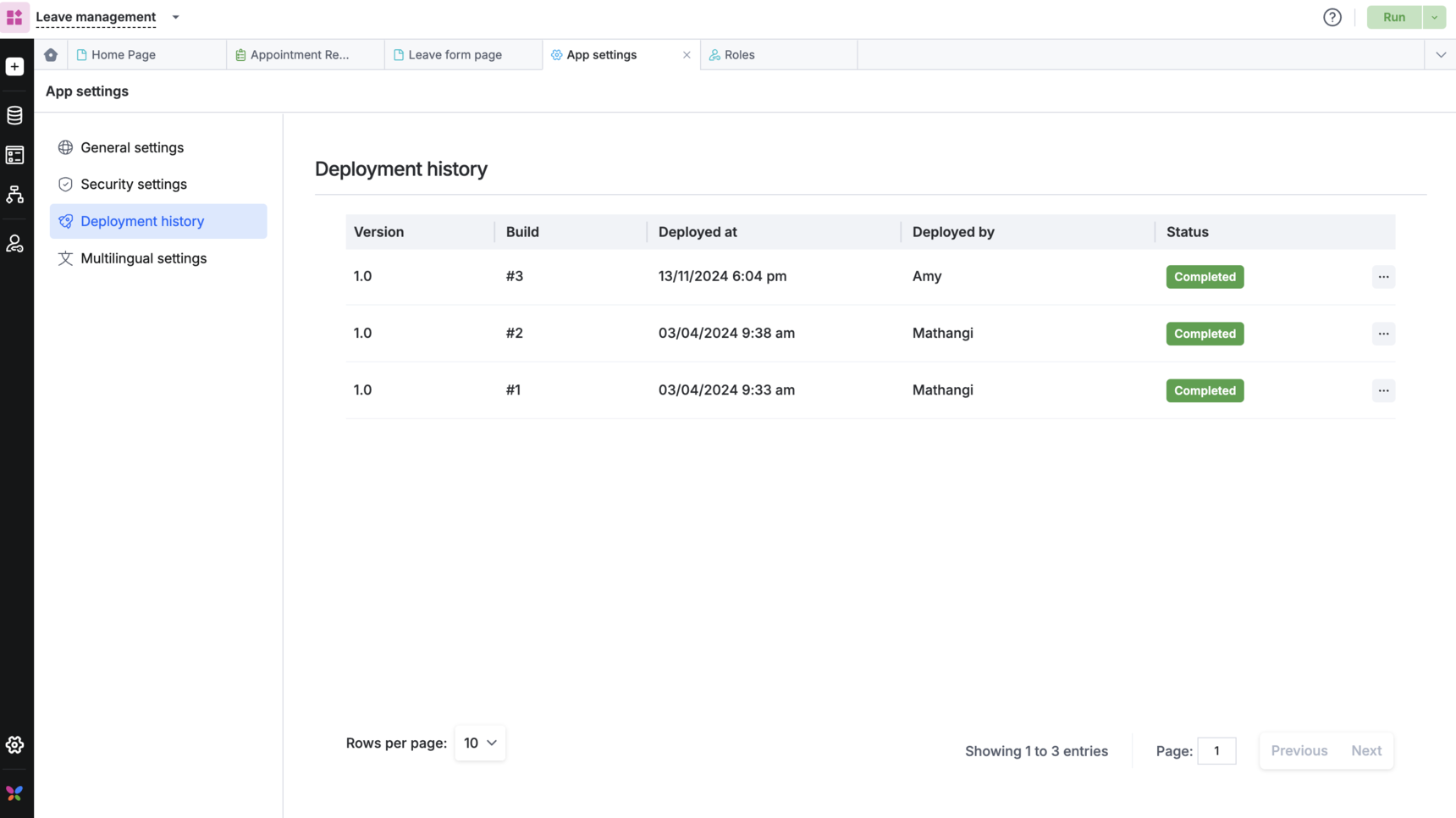
Deployment history
Get detailed deployment log about your app builds. You can also find details like:
- Build version
- Build number
- Deployed date and deployer name
- Status of the application
Detailed deployment log and changes done
Multilingual settings
Multilingual settings allow admins for Kissflow apps to customize their apps to be displayed in languages supported by the platform.