

Auto-generating condition values
Generate every combination of unique condition values automatically instead of entering rows by hand.
Auto-generating condition values
When your logic needs every possible combination of condition values, entering them manually is tedious and error-prone. Auto-generate fills the table with all combinations for you: enter the unique values for each condition once, and Kissflow generates the rows.
Note
Auto-generate requires at least two conditions in your decision table.
Auto-generate condition values
-
Click Auto-generate in the top-right corner of the decision table.
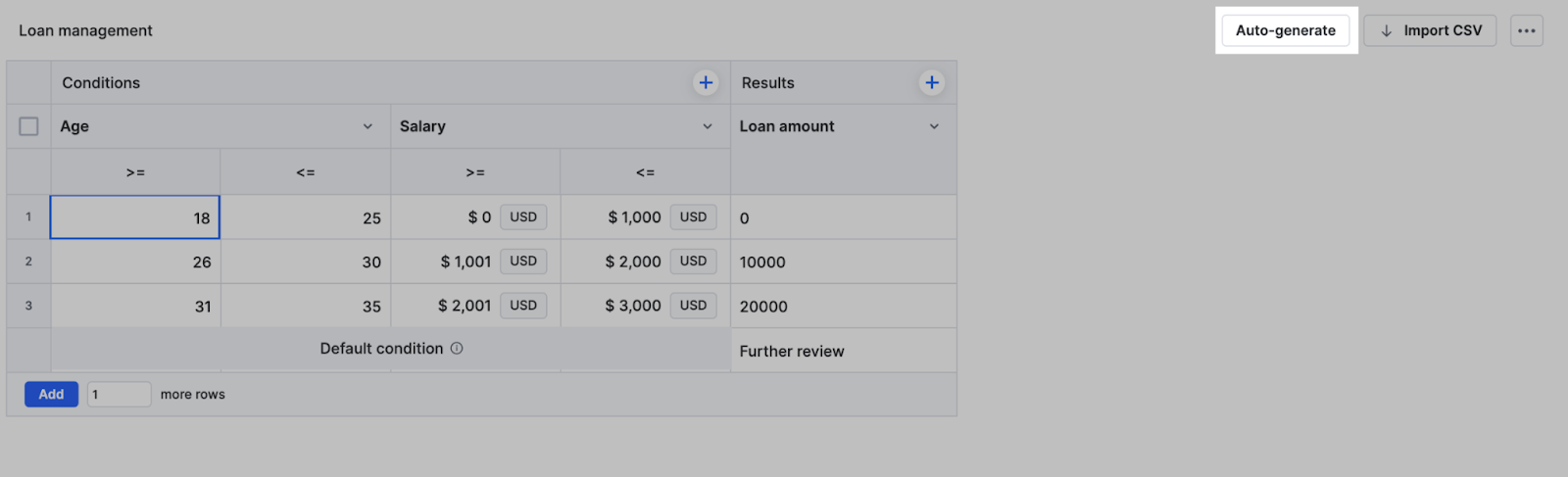
-
In the dialog, enter the unique values for each condition you want to combine.
-
Click Generate.
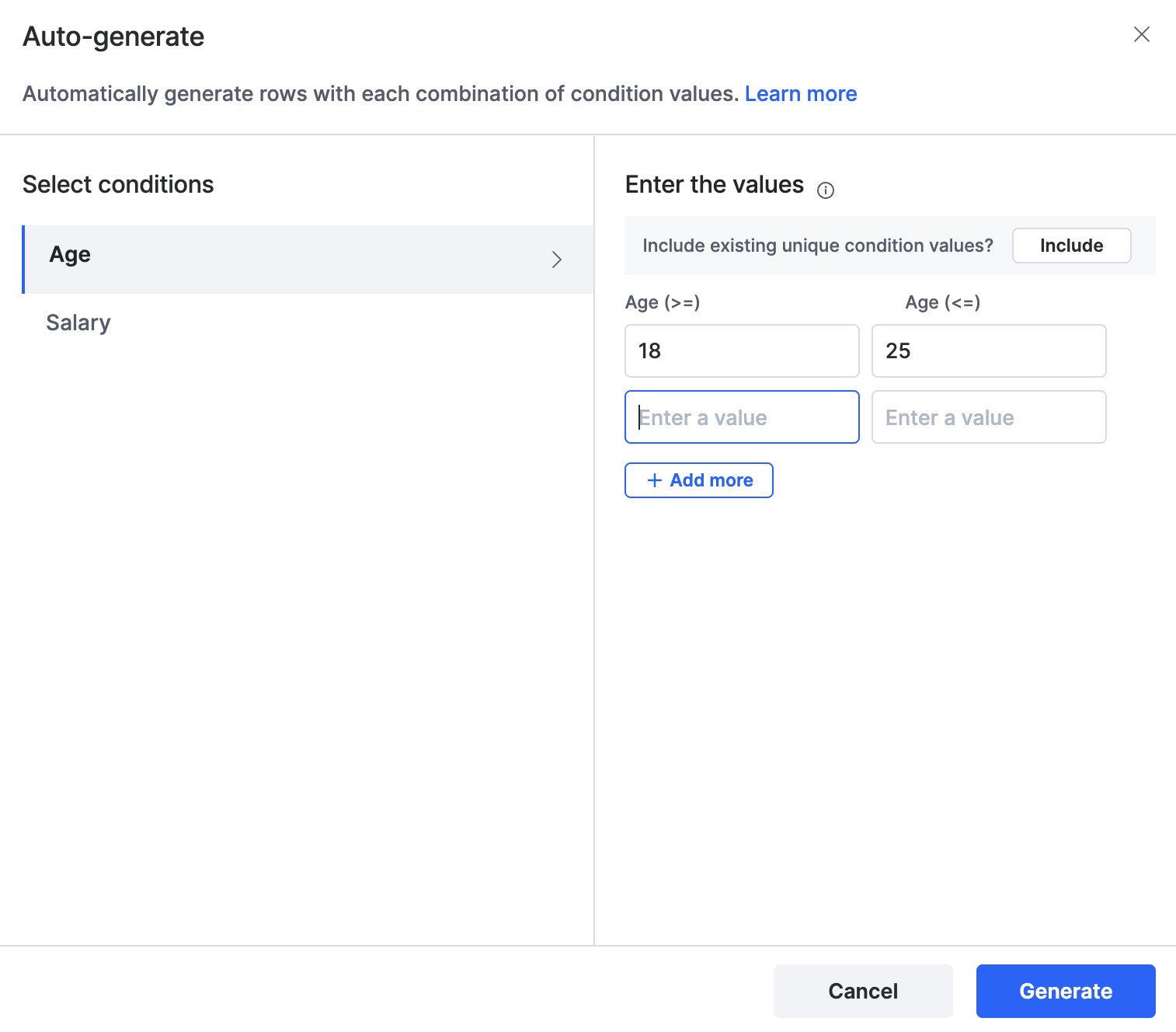
Rows with every combination of the values you entered are added below any existing rows. Combinations that already exist in the table are not duplicated.
Example
A retail business manages product discounts based on customer type, purchase amount, and membership level.
Unique condition values
- Customer type — Regular, Premium
- Purchase amount — > $100, < $100
- Membership — None, Gold
Auto-generated rows
| Customer type | Purchase amount | Membership |
|---|---|---|
| Regular | > $100 | None |
| Regular | > $100 | Gold |
| Regular | < $100 | None |
| Regular | < $100 | Gold |
| Premium | > $100 | None |
| Premium | > $100 | Gold |
| Premium | < $100 | None |
| Premium | < $100 | Gold |