

Evaluation settings
Configure how a decision table evaluates rows — logical operation, evaluation method, and how matched results are returned.
Evaluation settings
BasicEnterprise
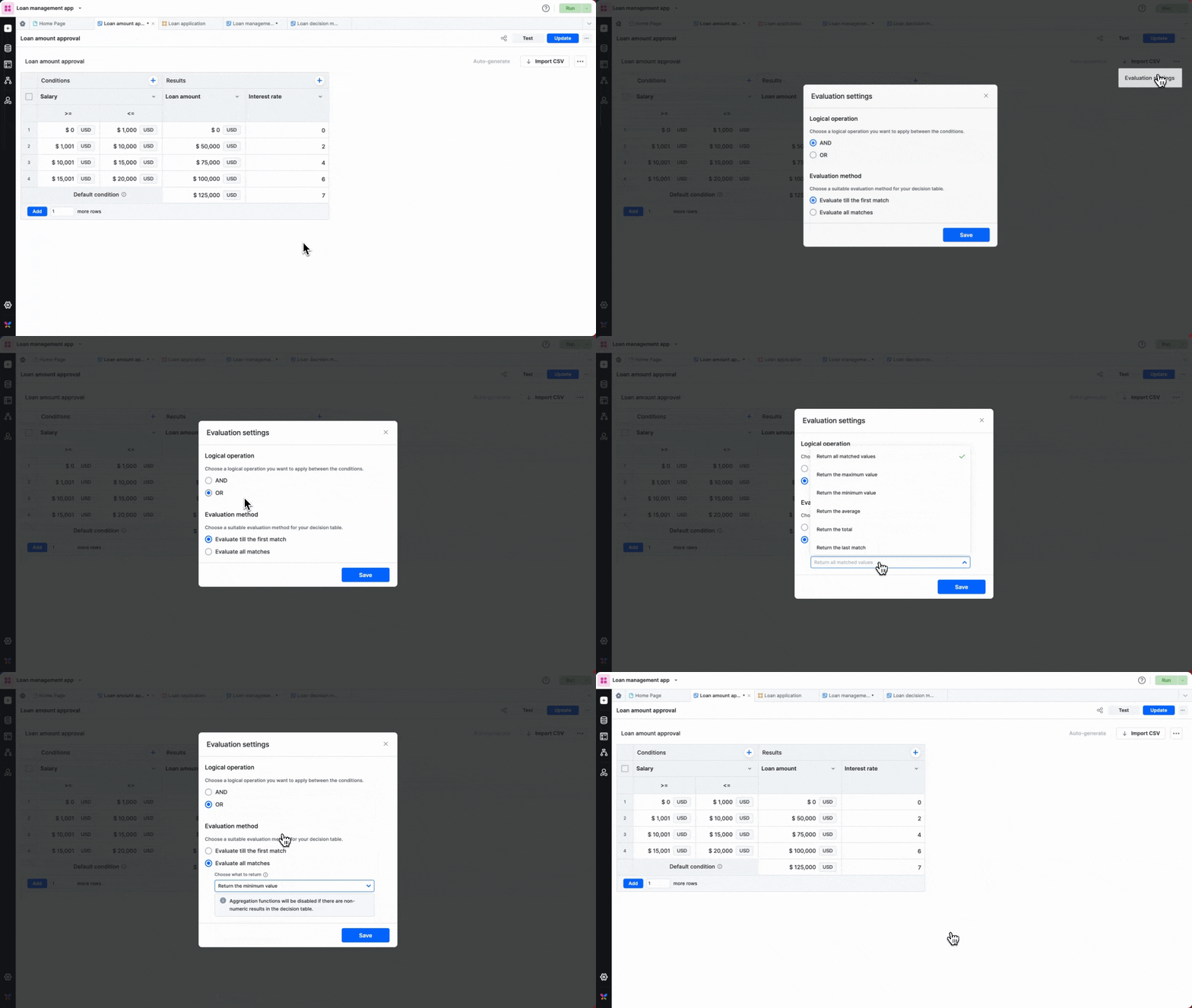
Evaluation settings control how the condition values in each row are combined, and how much of the table is evaluated. To open them, click the More options button at the top right and select Evaluation settings.
Logical operation
Choose how the conditions in a row combine:
- AND — all conditions in a row must be true for its results to be returned.
- OR — any one condition in a row being true returns its results.
Evaluation method
Choose how much of the table is evaluated:
- Evaluate till the first match — evaluation stops at the first matching row and returns its results.
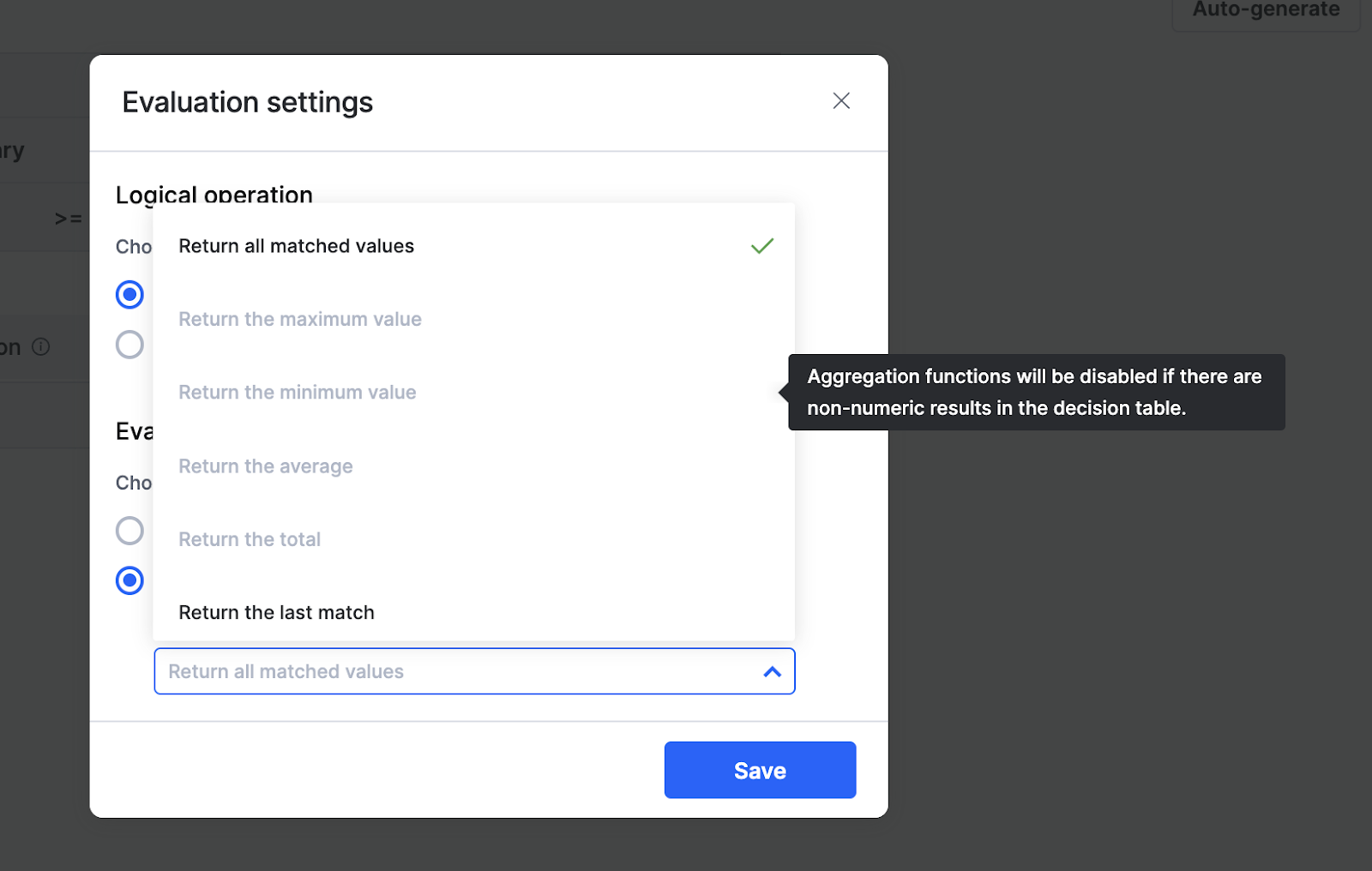
- Evaluate all matches — the entire table is evaluated. Choose how the matched results are returned:
- Return all matched values — returns every matched value (limited to 100 values).
- Return the last match — returns the last matching row's values.
- Return the average — returns the average of the matched values.
- Return the maximum value — returns the largest matched value.
- Return the minimum value — returns the smallest matched value.
- Return the total — returns the sum of the matched values.
Non-numeric results
Aggregation options (average, maximum, minimum, total) are disabled when any result is non-numeric. Numeric result types are Number and Currency.
Click Save to apply your settings.