

Kissflow extension for Gmail
Install the Kissflow for Gmail Chrome extension to view and approve your Kissflow tasks without leaving your inbox.
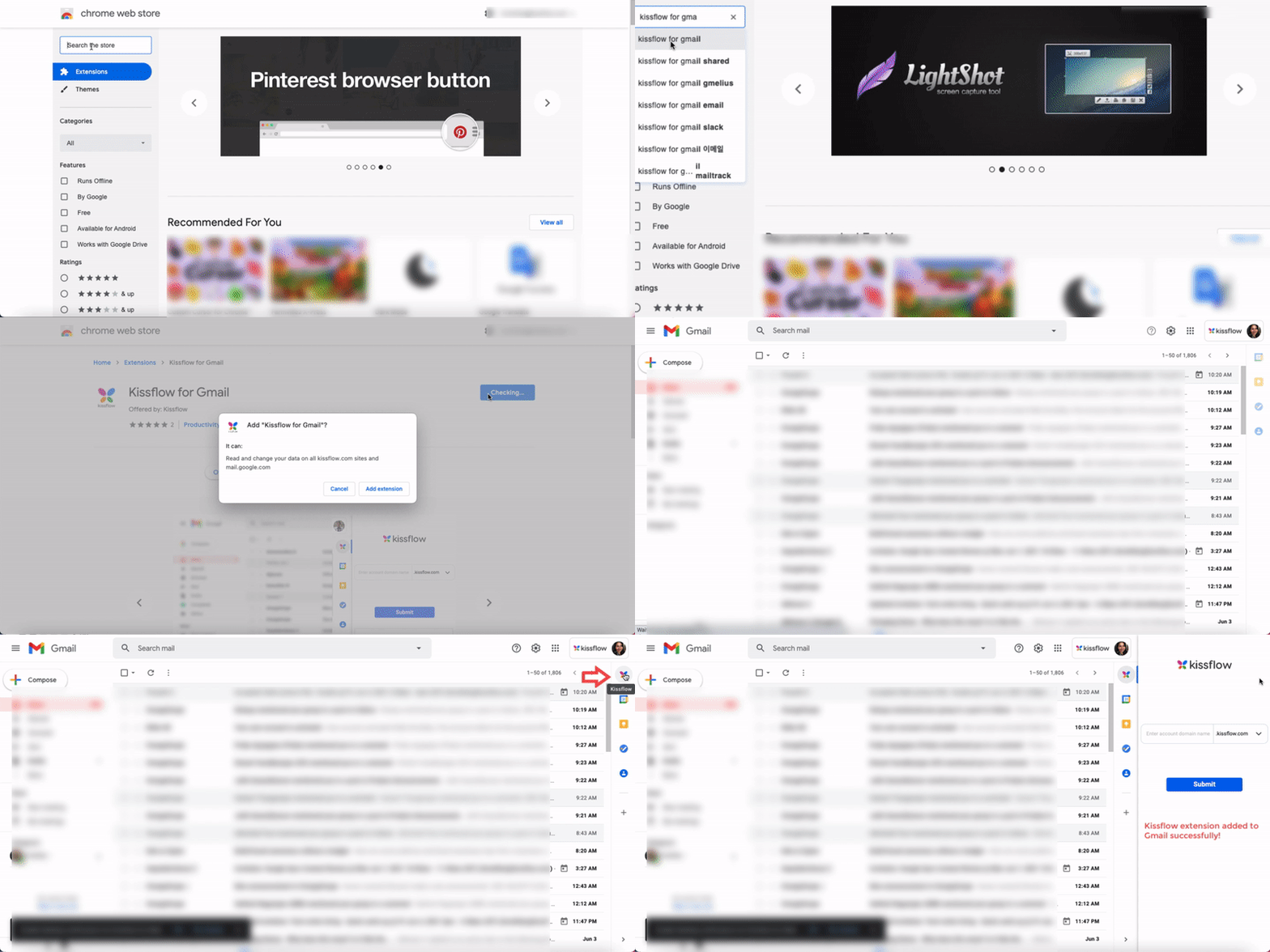
Kissflow extension for Gmail
The Kissflow for Gmail extension lets you view and approve items assigned to you in Kissflow directly from your Gmail inbox, without switching tabs.
Install the extension
- Go to the Kissflow for Gmail listing on the Chrome Web Store.
- Click Add to Chrome.
- Click Add extension to confirm.
Sign in to Kissflow from Gmail
- Open Gmail. A Kissflow icon appears on the right navigation panel.
- Click the Kissflow icon.
- Enter the domain name of your Kissflow account and click Submit.
Note
Already have another Kissflow account signed in? See switch between accounts below.
Approve or act on items
Once signed in, the extension shows two sections:
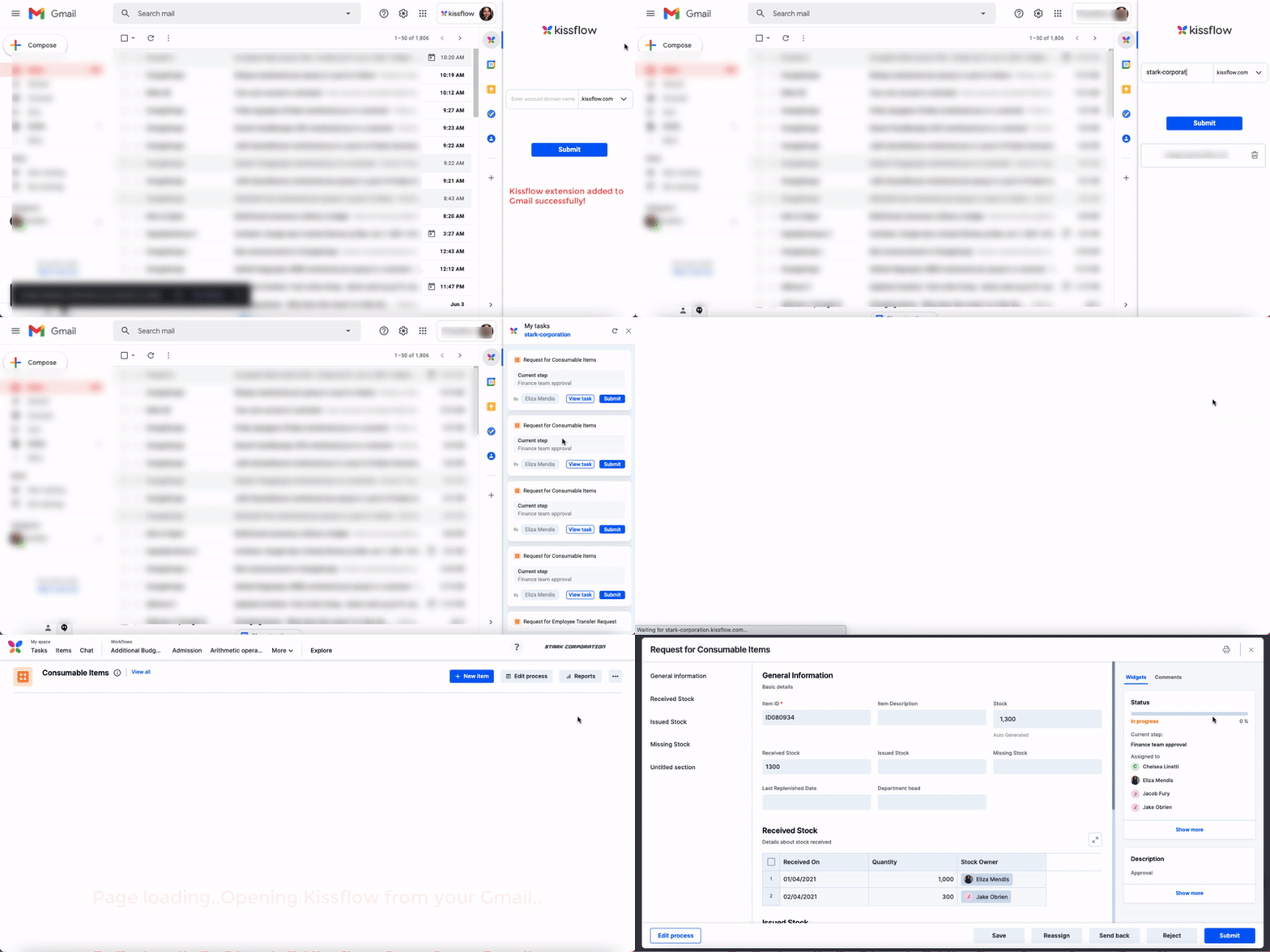
- My tasks — items you can approve instantly.
- Tasks awaiting your action in Kissflow — items that need your input before they can be approved.
To approve an item instantly:
- Under My tasks, find the item.
- Click Approve.
If you want to review the item before approving it, click View task to open it in your Kissflow account.
To act on an item that needs your input:
- Under Tasks awaiting your action in Kissflow, find the item.
- Click Submit to open it in your Kissflow account, where you can provide the required input.
Manage connected accounts
You can connect and switch between multiple Kissflow accounts from the extension.
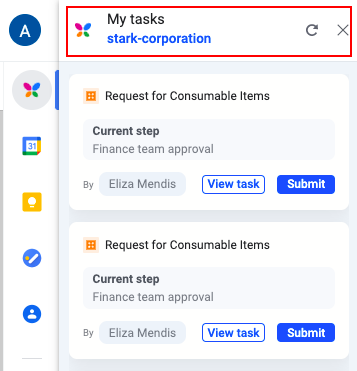
- Click your account name under My tasks to return to the extension's login page.
- Enter the domain name of another Kissflow account and click Submit.
Note
Click the Refresh icon to reload tasks with the latest data from your Kissflow account, the Close icon to exit the widget, or the Trash icon to remove an account from the extension.