Reviewing publish changes
View a consolidated summary of form, workflow, and permission changes since the last publish, get AI-powered explanations of complex updates, and discard changes you don't want to keep.
Reviewing publish changes
The Review changes feature gives Process admins and Developers complete visibility into every update made to a process before it goes live. Instead of manually comparing versions or tracking edits across sessions, you get a clear, consolidated summary of what changed.
Open Review changes
Inside the process editor, you can review changes in two ways:
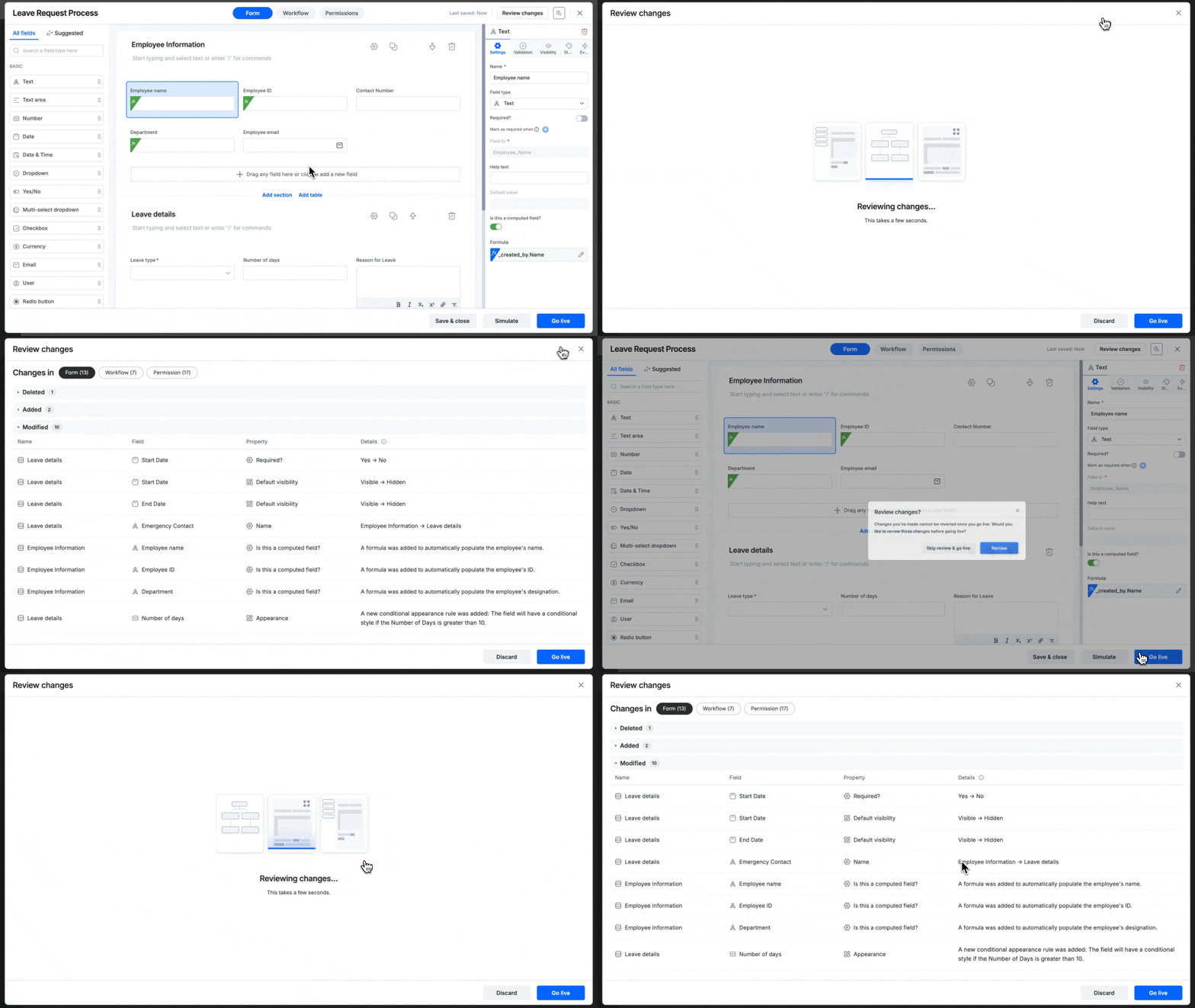
- While editing — Click Review changes at the top-right corner at any time during your editing session, without needing to publish.
- Before publishing — Click Go live at the bottom-right, then select Review changes in the confirmation pop-up.
What the summary shows
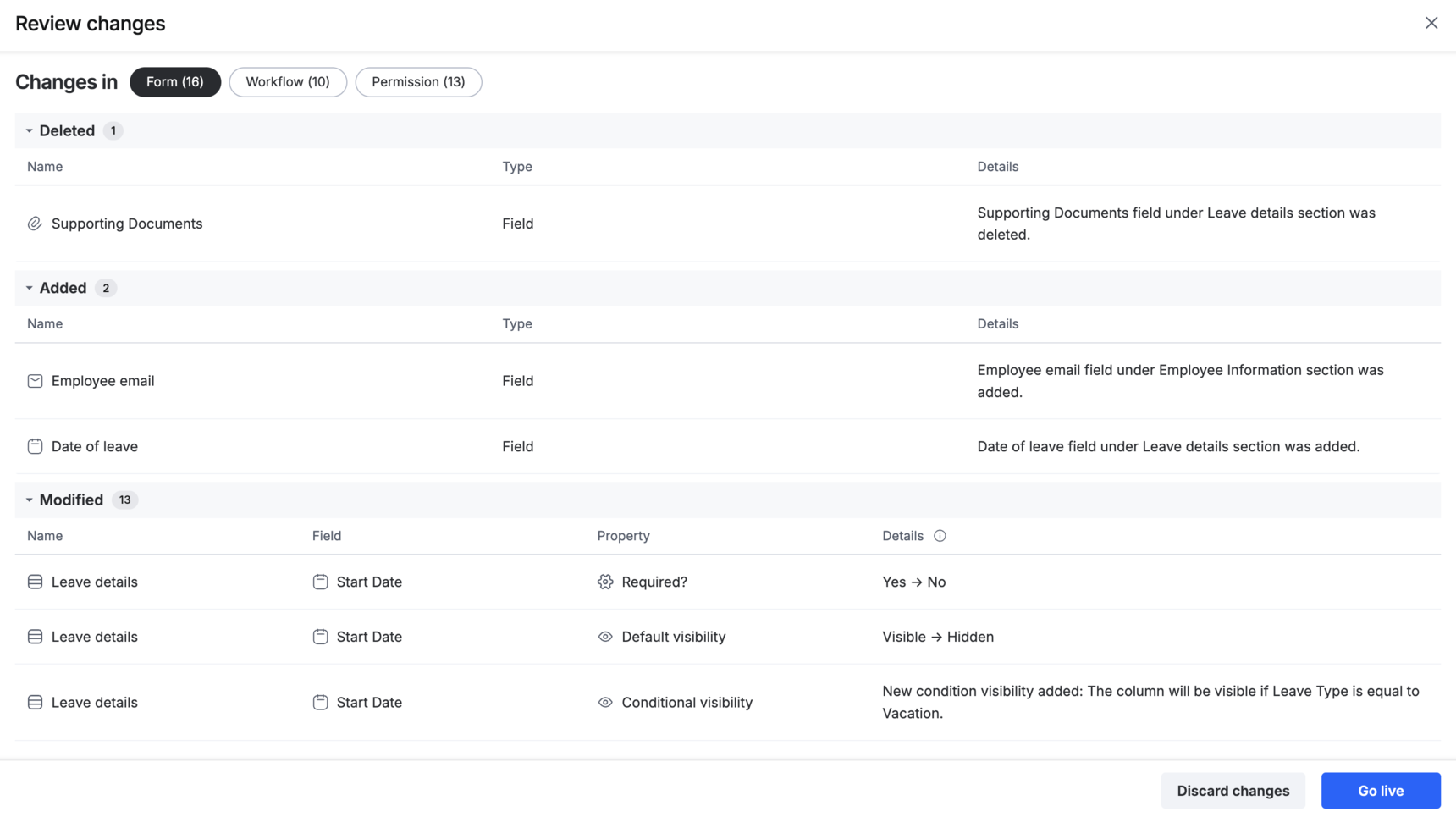
The Review changes page lists everything that's been added, deleted, or modified in your form, workflow, and permissions since the last published version.
Note
On the Enterprise plan, complex changes are also explained in plain language using AI-powered summaries.
Discard changes
If some updates are no longer needed, click Discard changes on the Review changes page. This removes all draft updates made after the last published version and restores the process to its previously published state.
Reviewing changes made by another user
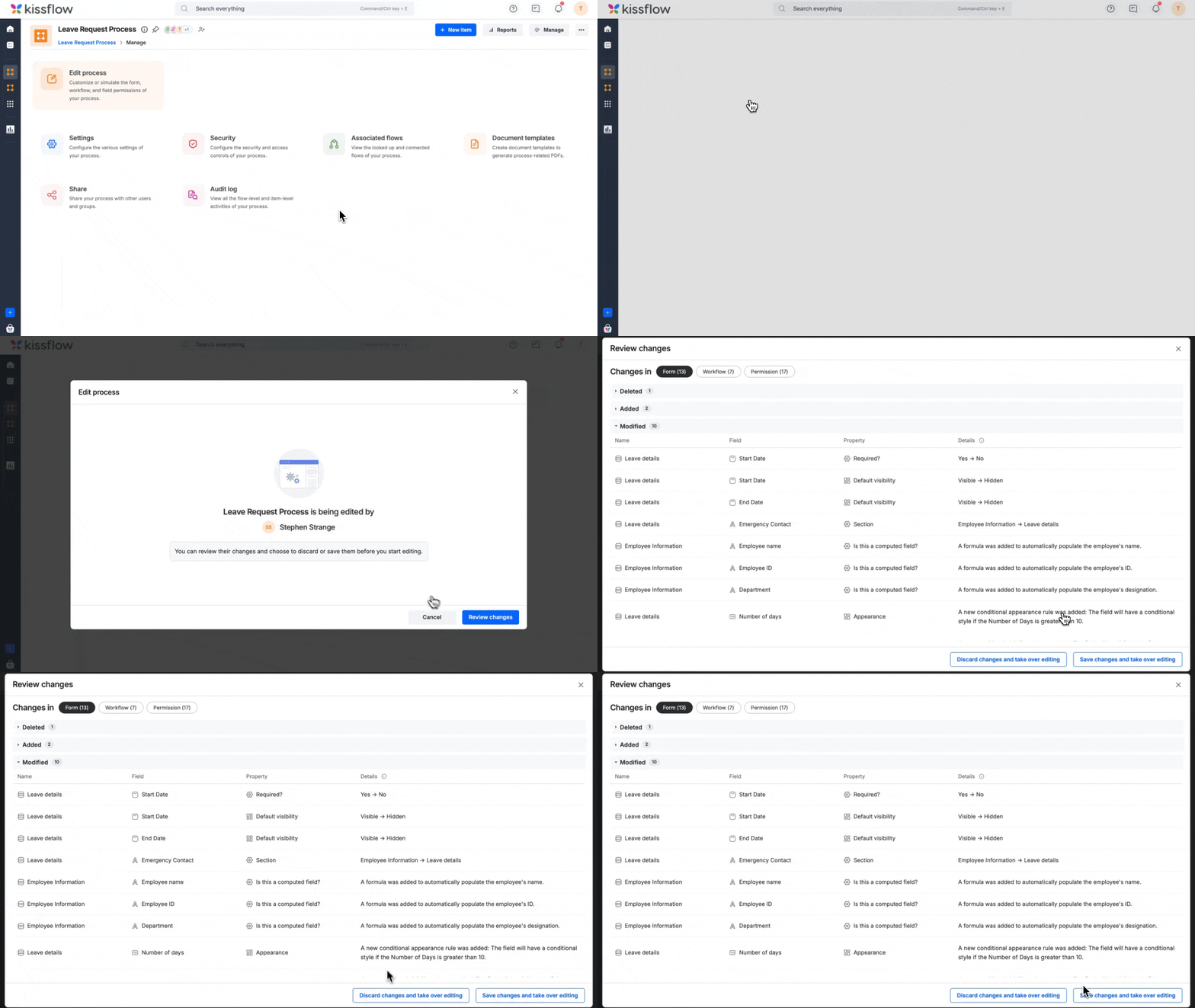
When you take over editing from another Process admin or Developer, you're first asked to review the changes made since the last published version. Choose:
- Discard changes and take over editing — removes all unpublished changes made by the other user and lets you start fresh from the last published version.
- Save changes and take over editing — keeps the other user's changes as your draft so you can continue from where they left off. This doesn't publish the process — you'll still need to click Go live separately when you're ready.