

Watching an item in a board
Watch a board item to stay updated as it progresses, add or remove other watchers, and see everything you are watching from your watchlist.
Watching an item keeps you updated on its progress as assignees and other collaborators modify it. Whether you can watch an item, and add others as watchers, depends on your permissions for that board or view, not simply whether you're an admin or a member.
Watch an item
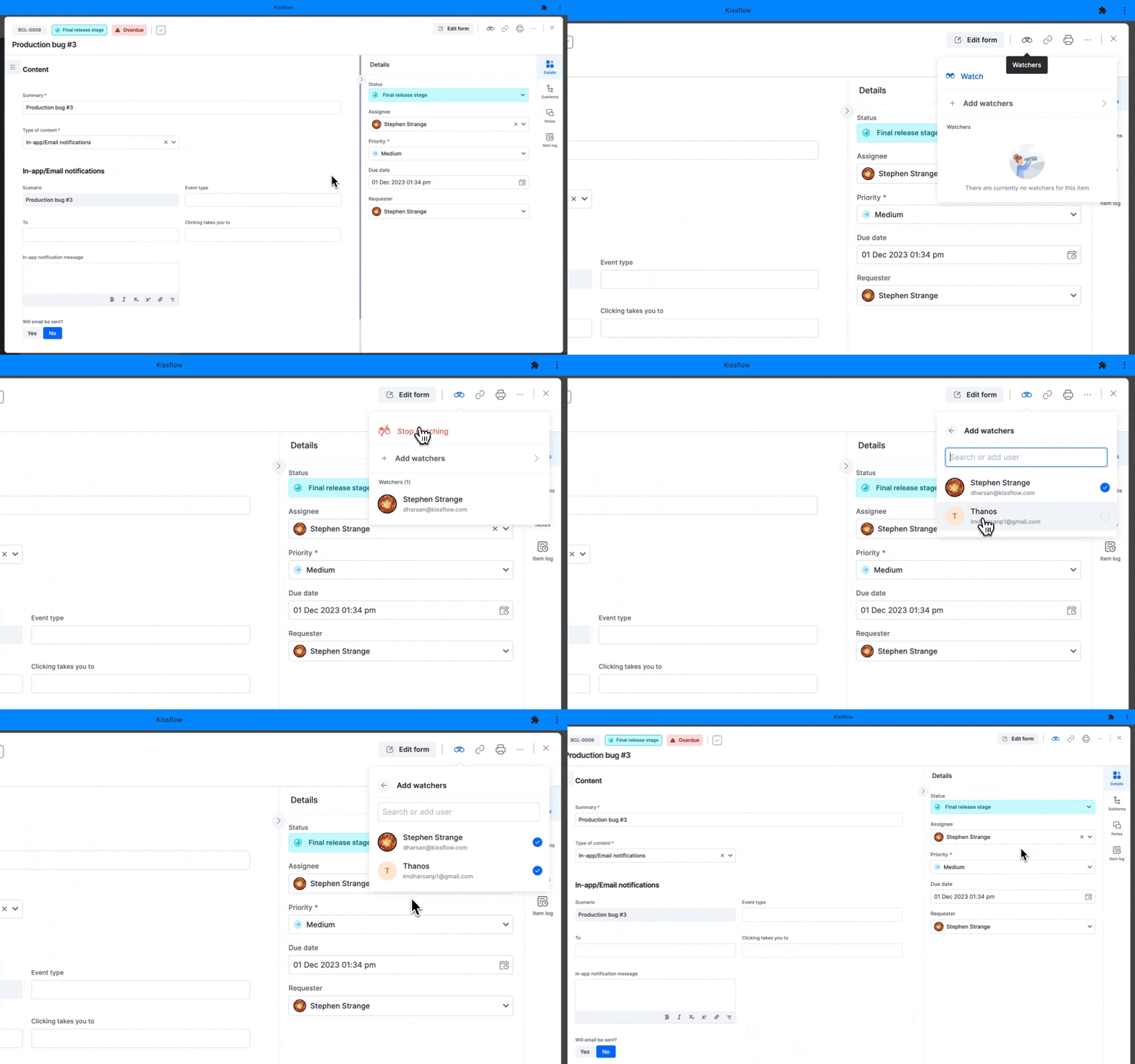
- On the board, open the item you want to watch.
- Click the Watchers button on the top panel of the form.
- Click Watch to receive updates about the item. Click Stop watching when you no longer want to follow it.
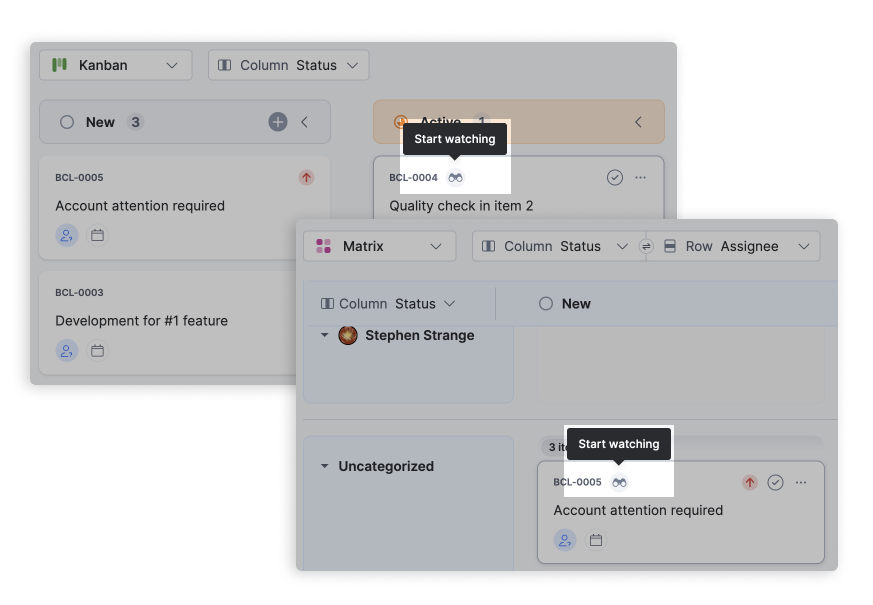
In the kanban or matrix layout, you can also click the Start watching or Stop watching button directly on an item card.
Add others as watchers
- Open the item you want to add watchers to.
- Click the Watchers button on the top panel of the form.
- Click Add watchers and select members from the list. They are added as watchers as soon as you select them.
Note
An item can have only one assignee, but up to 49 watchers.
Becoming a watcher is a great way for multiple stakeholders to stay up to date on an item's progress, even if it isn't assigned to them.
Remove watchers
Removing someone from the watchers list stops them from receiving updates about the item.
- Open the item.
- Click the Watchers button on the top panel of the form.
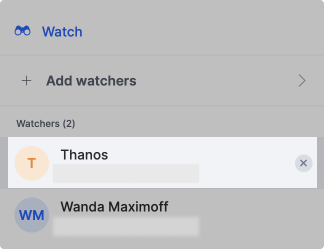
- Under Watchers, hover over a user's name and click the Remove button (
 ).
).
View your watchlist
On your board, click the Watchlist button to see the items you are currently watching across statuses. Click it again to return to the original view.
Board admins control this feature
A board admin can enable or disable the Watchers setting from the board's optional settings. When enabled, admins and members can watch items, and watchers receive notifications on item updates.