

Exporting items from a board
Export board items to a CSV file that is emailed to you, with the fields, filters, and sorting of your current layout applied.
Exporting items from a board
You can export items from a board to a CSV file. The file is emailed to the email address registered with your Kissflow account.
Exporting helps you share information about items with people who may not have access to Kissflow, or move data into other applications.
Export items
-
In any layout — list, kanban, matrix, or timeline — click the More options button in the upper-right corner of the layout and select Export.
Note
The Export option is only available to board admins and members with export permission — if you don't see it, ask your board admin.
-
In the Export data dialog, confirm that only the fields shown in the current layout will be exported, and click Export.
-
Download the exported CSV file from your email.
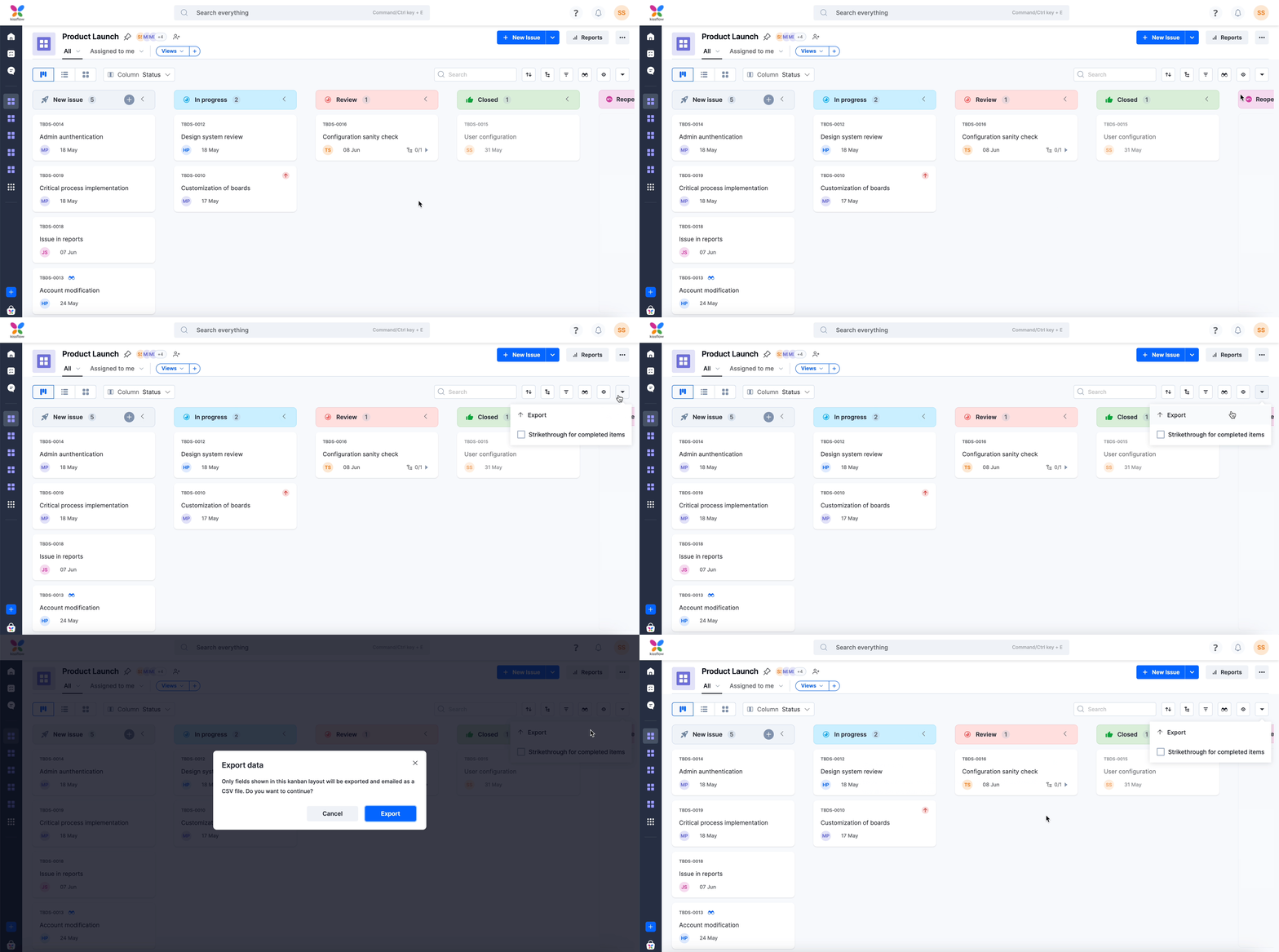
What gets exported
The export includes only the fields visible in your current layout — hidden fields are not exported. If you have applied a filter or sorted the items, the same conditions apply to the exported data. For example, if a filter is active, only the filtered items are exported.
These field types are never included, even if visible:
- Lookup
- Image
- Signature
- Attachment
- Checklist
Note
Remote lookup fields are exported as text values — unlike standard Lookup fields, they aren't excluded.
Fields inside tables (child items) are exported too, but as a separate CSV file. If your export includes table data, you'll receive two files by email: one for the item's own fields and one for its table rows.
Other item details, such as notes, activity logs, and status transitions, are not included in the export.
Note
Currency fields appear as two columns in the exported file: one for the currency code and one for the value.