Product announcements

Everything new in Kissflow, as it ships

Every feature launch, enhancement, and improvement — pulled straight from the Kissflow Community and kept up to date. Newest first.

254 updatesApril 2021 — August 2026

August 2026

Copy link


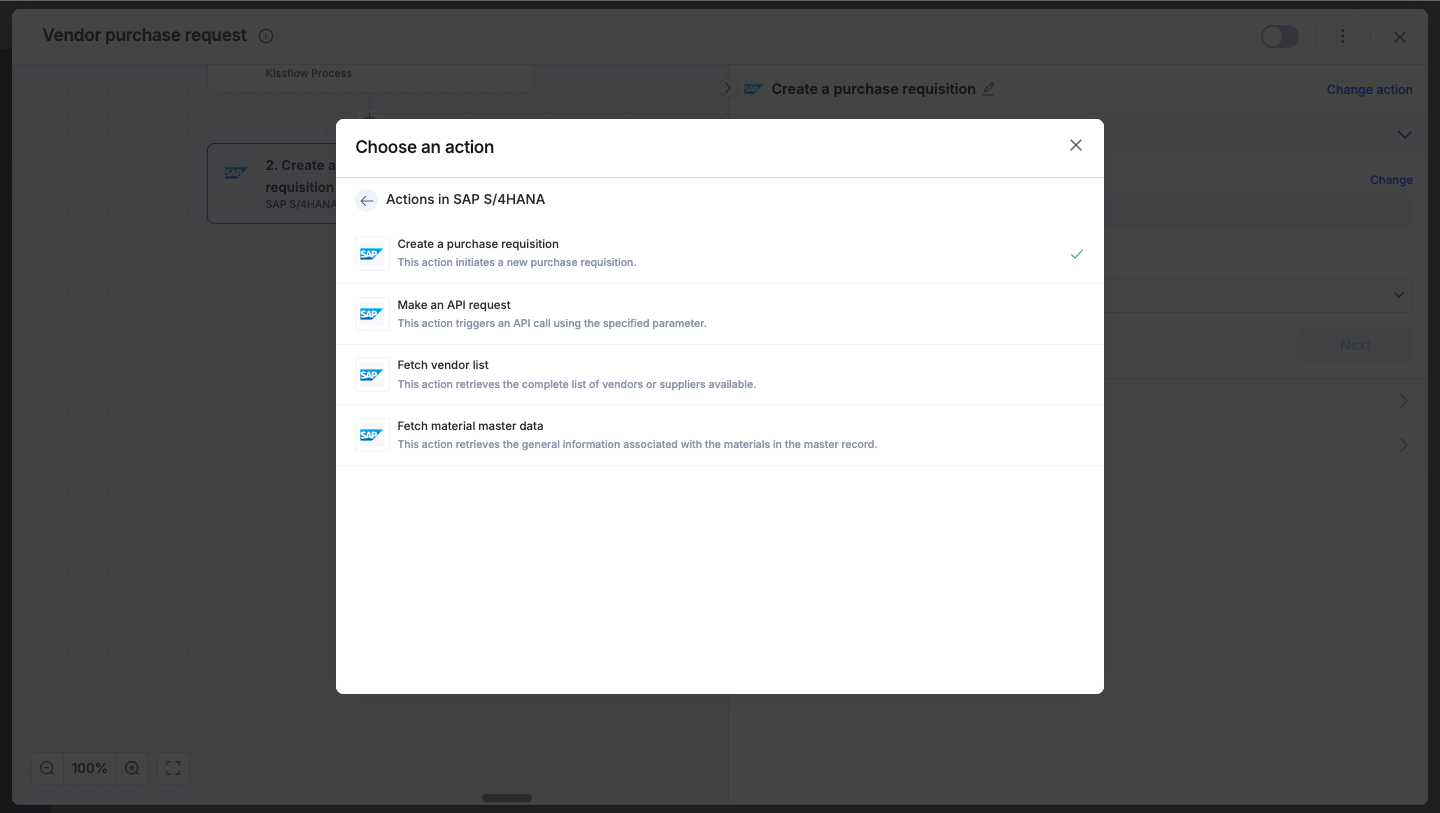
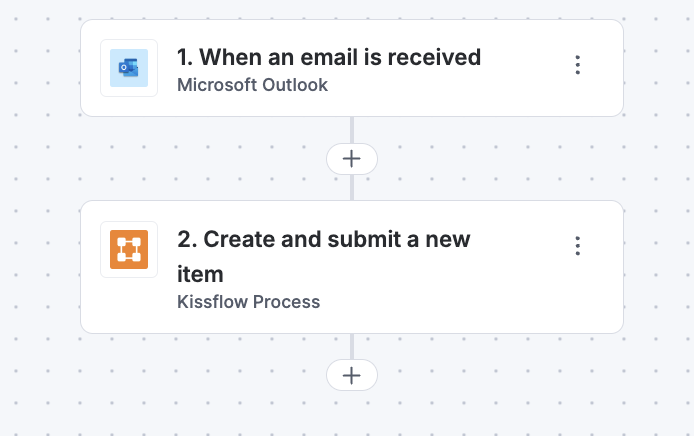
We’re thrilled to announce the launch of the Gemini connector, the latest addition to Kissflow Integrations! This powerful connector brings Google’s advanced generative AI capabilities directly into your Kissflow environment, helping you automate creative tasks, extract critical insights, and supercharge your end-to-end workflows.

Imagine an enterprise vendor management team processing cross-border supplier agreements. When a new vendor contract or inquiry is submitted in a Kissflow process, it can automatically trigger Gemini actions. Using details from the submission, Gemini instantly compares the document against standard policies, translates notes for regional offices, categorizes the request, and drafts an initial email response, all without manual intervention.

This seamless integration accelerates your operations, eliminating repetitive manual reviews so your team can focus on higher-value decisions and strategy.

Available actions in the Gemini connector

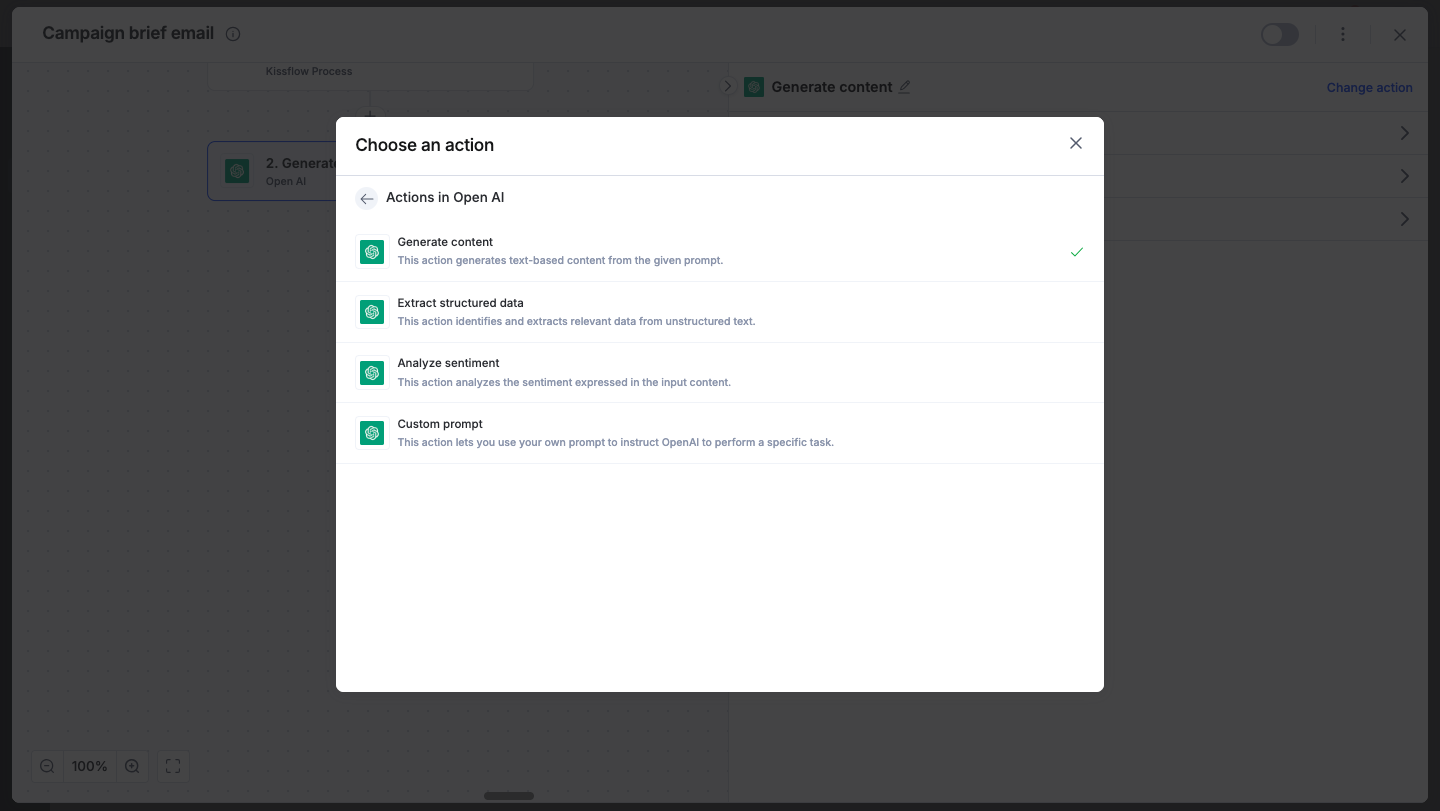
  • Generate content: This action generates text content based on your prompt and context.

  • Generate meeting notes: Extract key discussion points, decisions, action items, and next steps from a meeting transcript.

  • Generate email draft: This action drafts emails including subject lines and calls to action.

  • Categorize content: This action categorizes content and routes it to the appropriate team for handling next steps.

  • Validate data: This action verifies input data against rules to return pass or fail results.

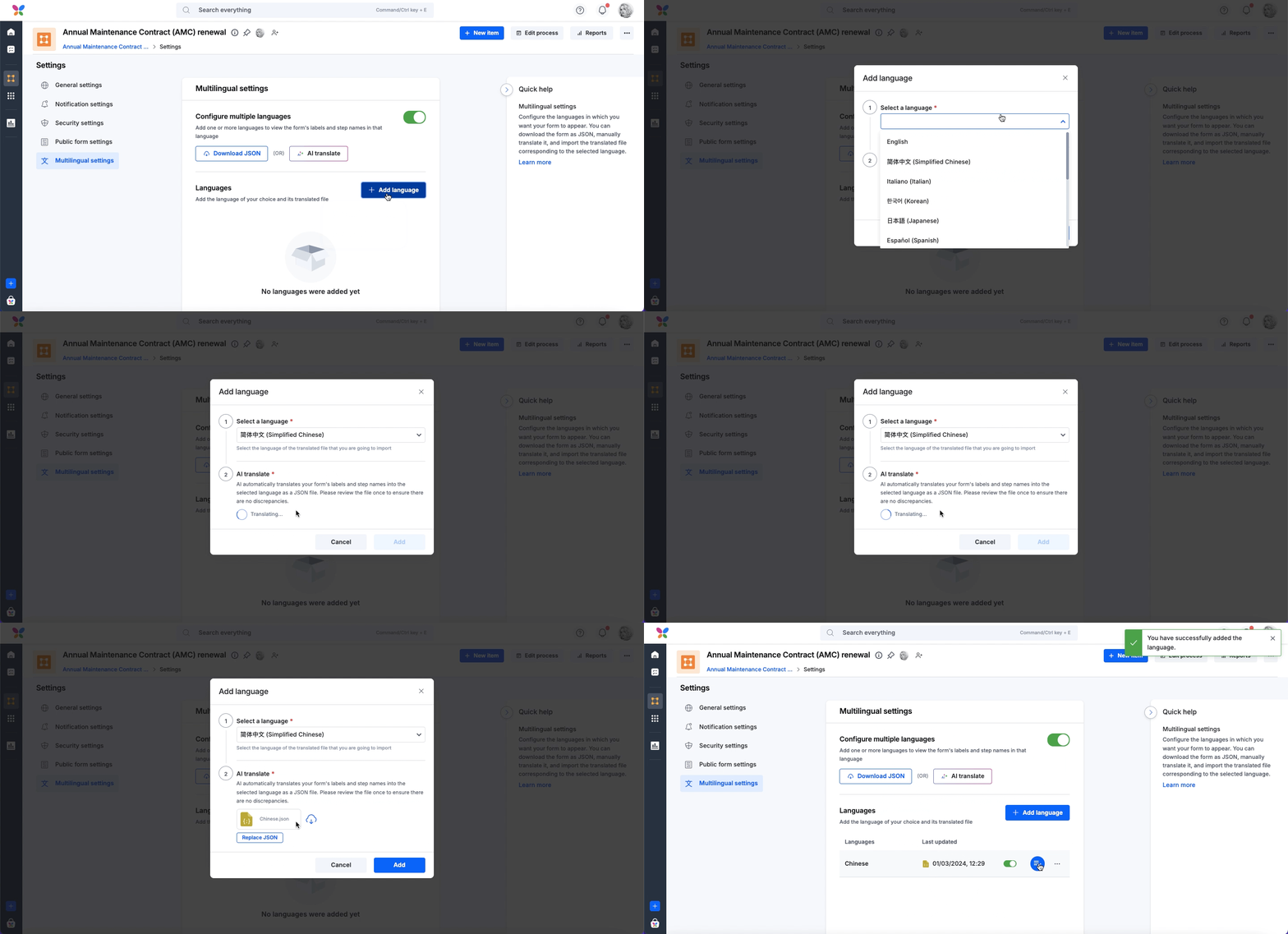
  • Translate content: This action translates the input text into a target language.

  • Compare two documents: This action compares two documents to identify differences and unique elements.

  • Custom prompt: This action sends a specific instruction to the AI to get a tailored response.

  • Summarize content: This action condenses documents, generates meeting notes, or analyzes files.

  • Analyze image: This action analyzes an image file and extracts insights, details, or text based on your prompt.

Availability and support

The Gemini connector is now live to users on all Kissflow plans. To get started, you need a Google account and a Kissflow account. 

Do try these new actions and share your experience in the comments below! Your feedback plays a key role in helping us refine and enhance our integration capabilities.

To learn more about implementing the Gemini connector, refer to our help documentation.

View on Kissflow Community

July 2026

Copy link

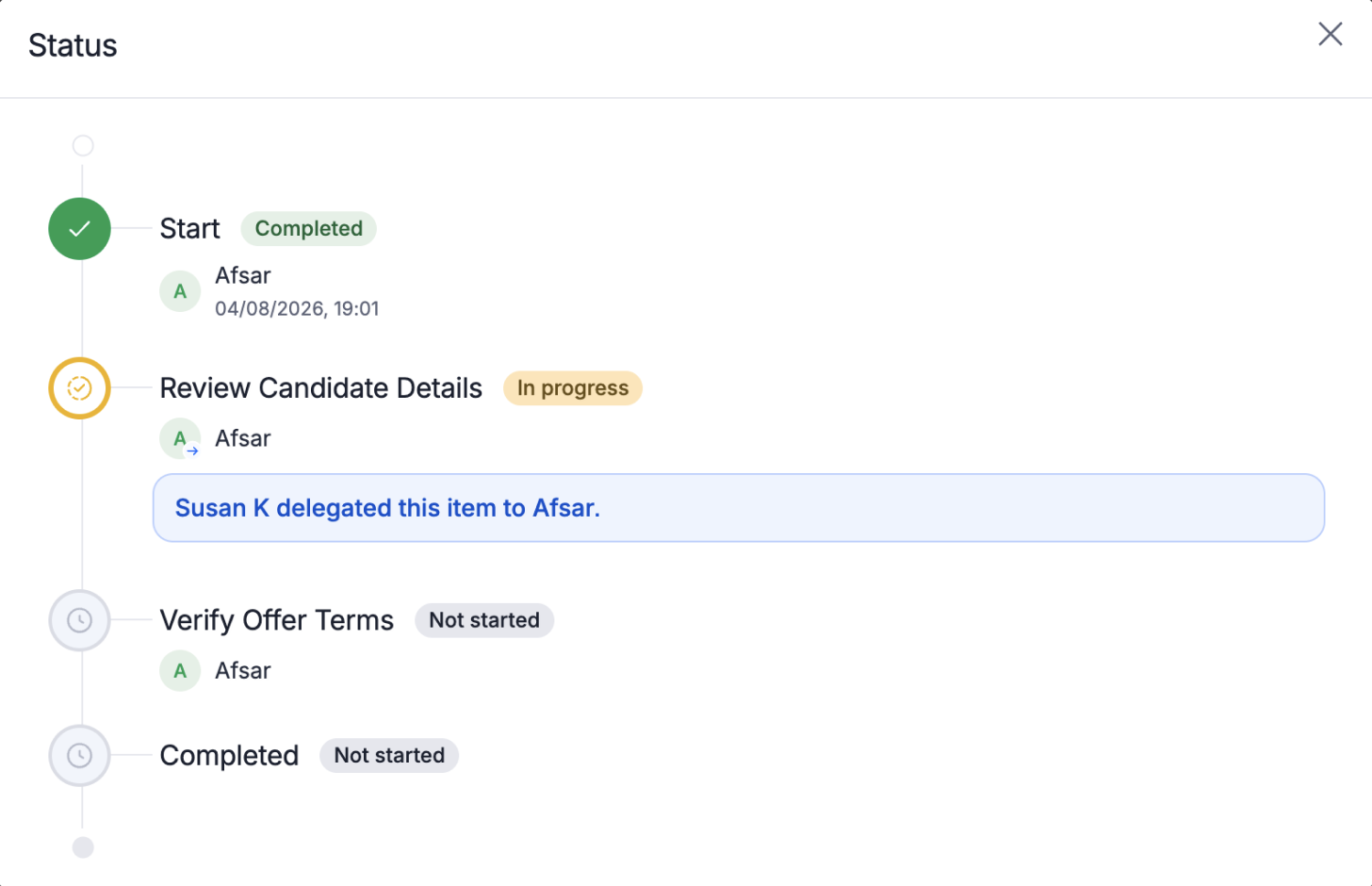

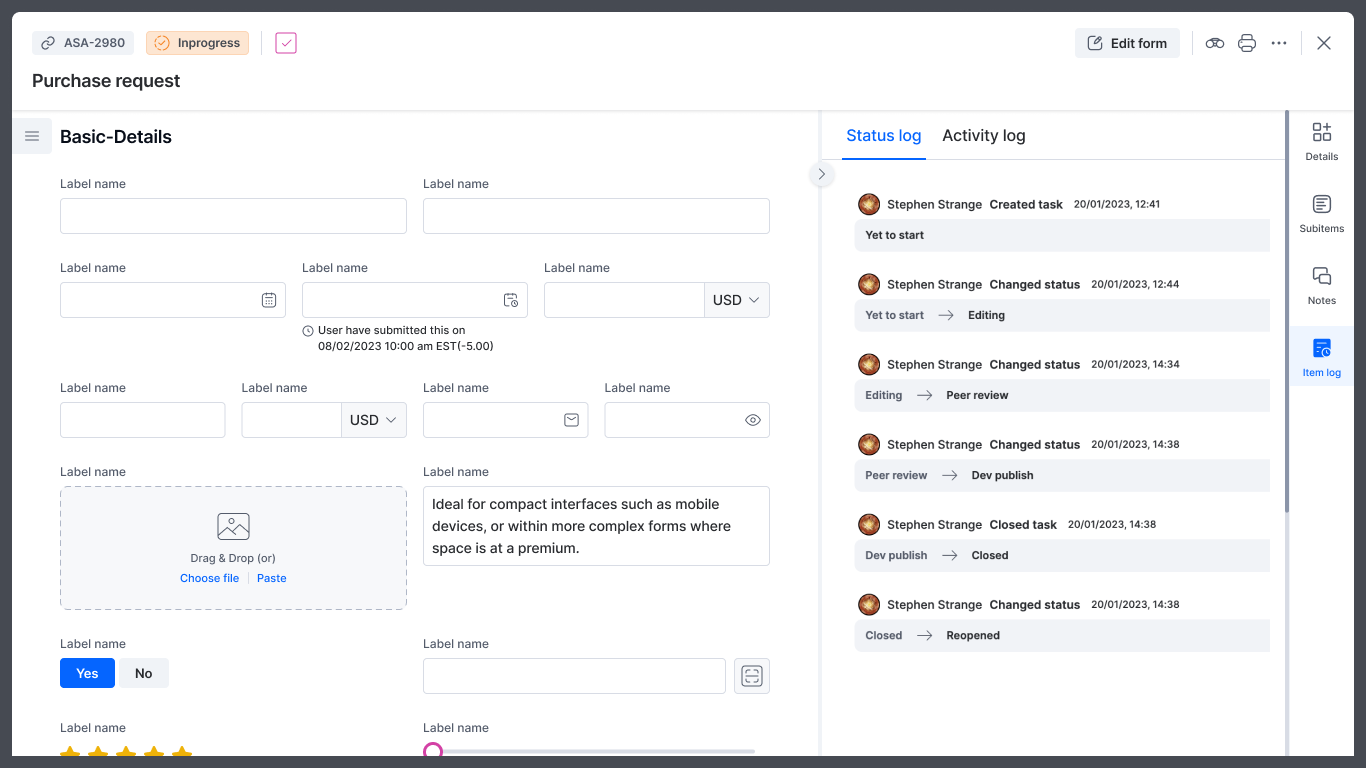
Need to revisit a completed or rejected process item? Process admins can now reopen an item and send it back to a previous process step without creating a new one.

When you reopen an item, it becomes in progress at the selected step, allowing the workflow to continue from that point. This enhancement gives Process admins greater flexibility to correct mistakes, request rework, or restart part of a workflow while maintaining a complete audit trail.

We recommend Process admins to use this feature cautiously, as sending back items re-triggers associated integrations for the selected step.

Learn more about reopening and sending back process items from our help documentation.

View on Kissflow Community
Copy link

As accounts grow, so does the clutter. Processes get duplicated, boards get abandoned, and drafts never get finished. Account admins are left guessing what's still in use while users choose between three versions of the same request form.

That is why we're excited to introduce new enhancements to Account governance that tackle exactly this.

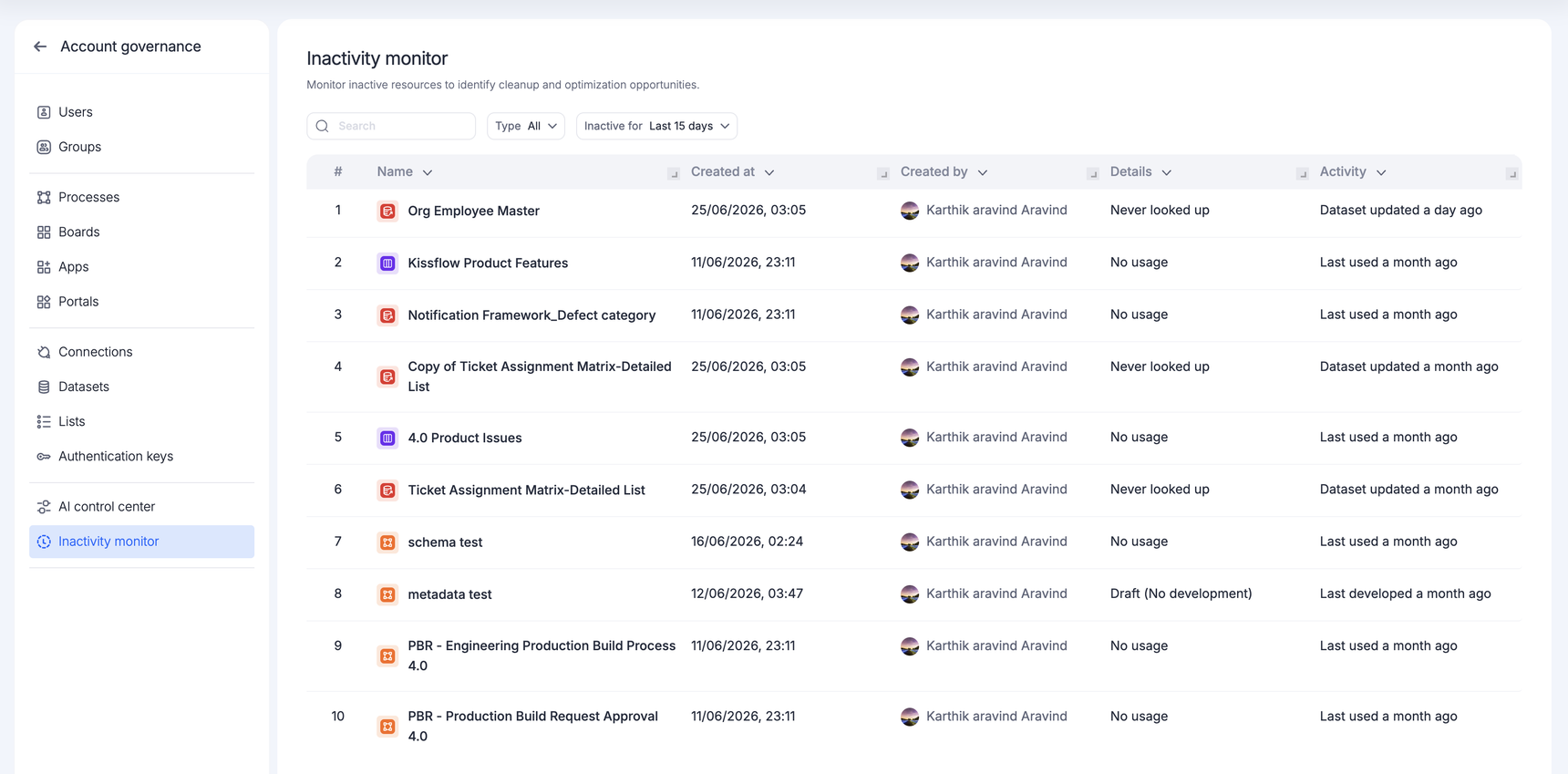
Inactivity monitor

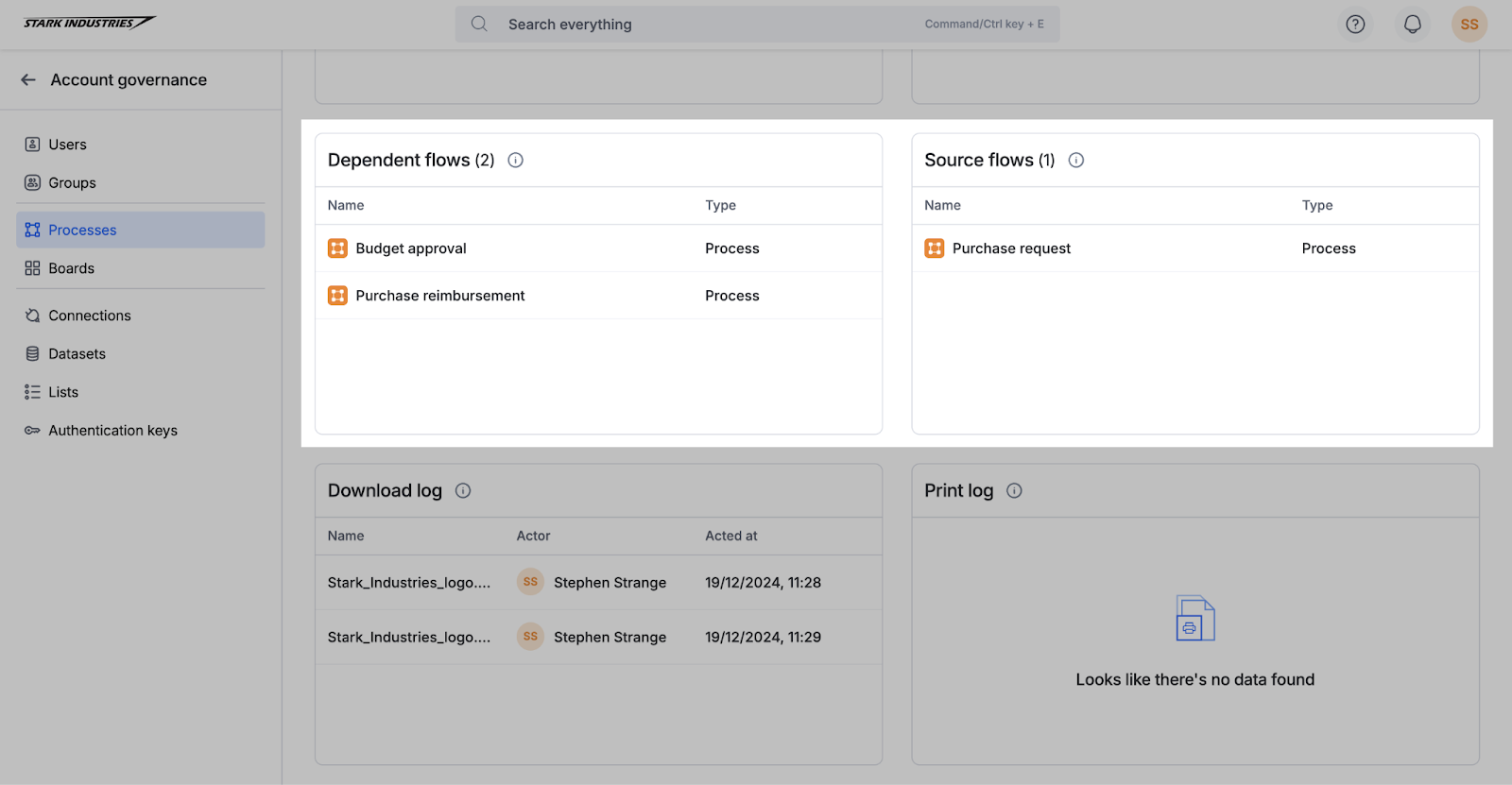
Until now, figuring out what had gone unused meant checking each module separately, one by one. The new Inactivity monitor brings it all together — processes, boards, apps, portals, datasets, lists, and integrations with no recent activity. Super admins and IAM admins get a clear picture of what's gone quiet, without the manual hunt. Learn more from our help documentation.


Similar processes and boards

Redundancy is a harder problem, because duplicate flows rarely share the same name and nobody quite remembers who built what. That's where Similar processes and Similar boards come in: Kissflow now uses AI to group processes and boards that appear to serve the same purpose.

For end users, that means fewer near-identical processes and boards and less second-guessing about which one to submit. Learn more from our help documentation.

Together, these enhancements help Super admins and IAM admins govern with confidence and give every user a workspace where the resources they see matter.

View on Kissflow Community
Copy link

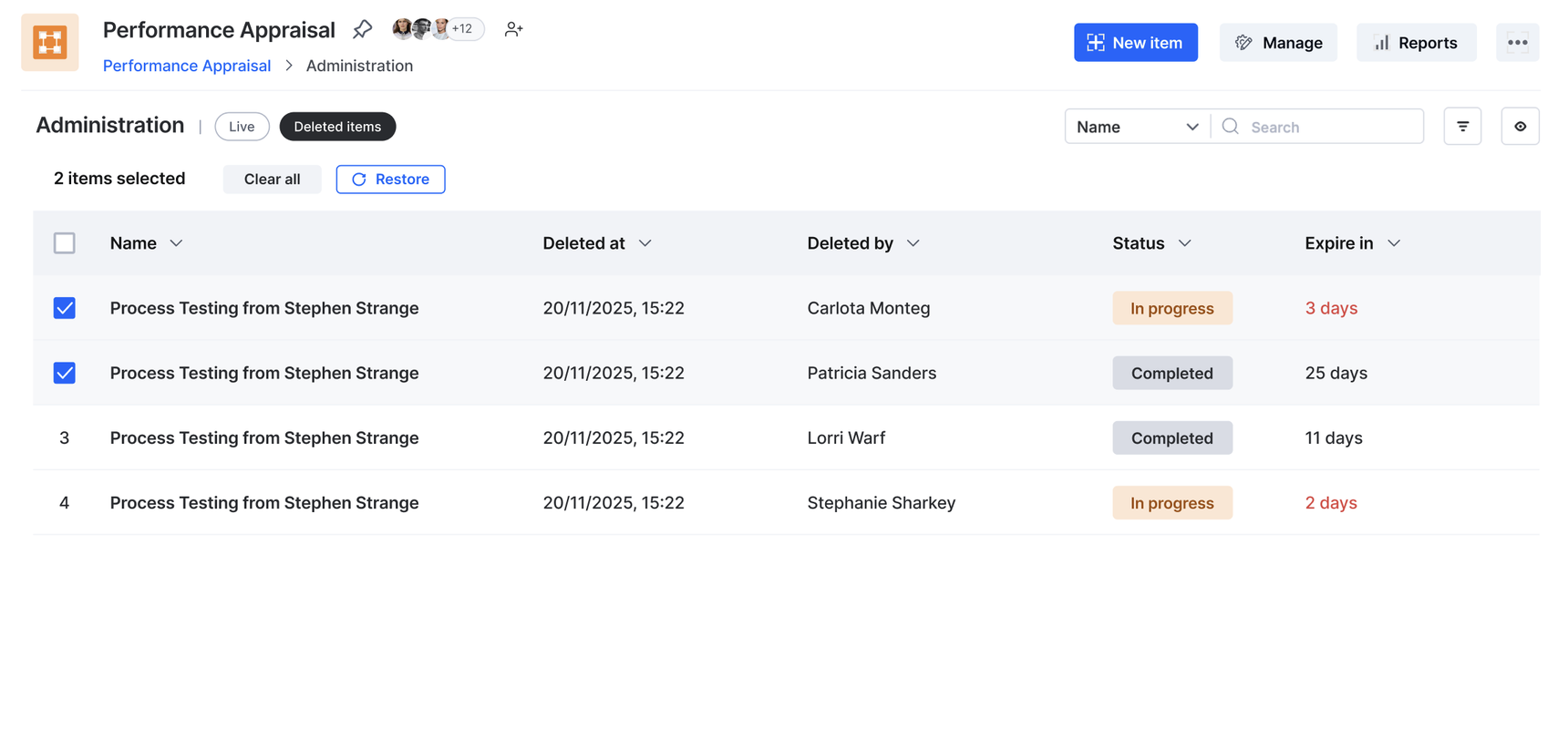
We know that sometimes things get deleted by mistake. That’s why we’re excited to announce an important update that gives Process admins more control and peace of mind over their process data - Item restoration, the 30-day safety net.

  • 30-day restoration window: As a Process Admin, you can restore deleted process items within 30 days of deletion. After this 30-day period, they will be permanently deleted.
     

  • Easy recovery: To restore a deleted item, simply click the Deleted items tab within the Administration page, select the items you need, and click Restore.

This new feature ensures that a simple misclick won't lead to permanent data loss, giving you a full month to recover necessary items.

Visit our help documentation to learn more about restoring deleted process items.

Plans: All plans in Work Platform

View on Kissflow Community
Copy link

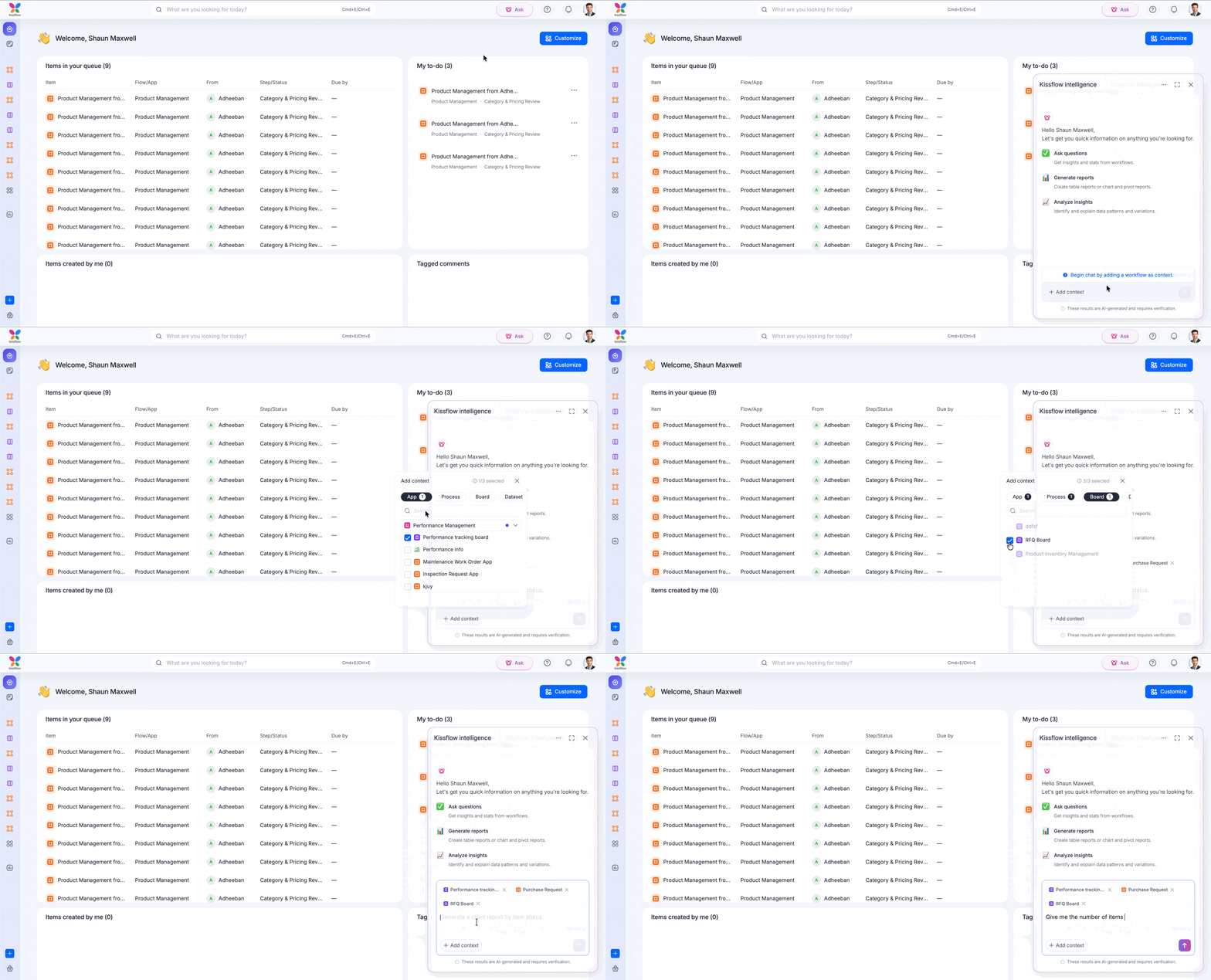
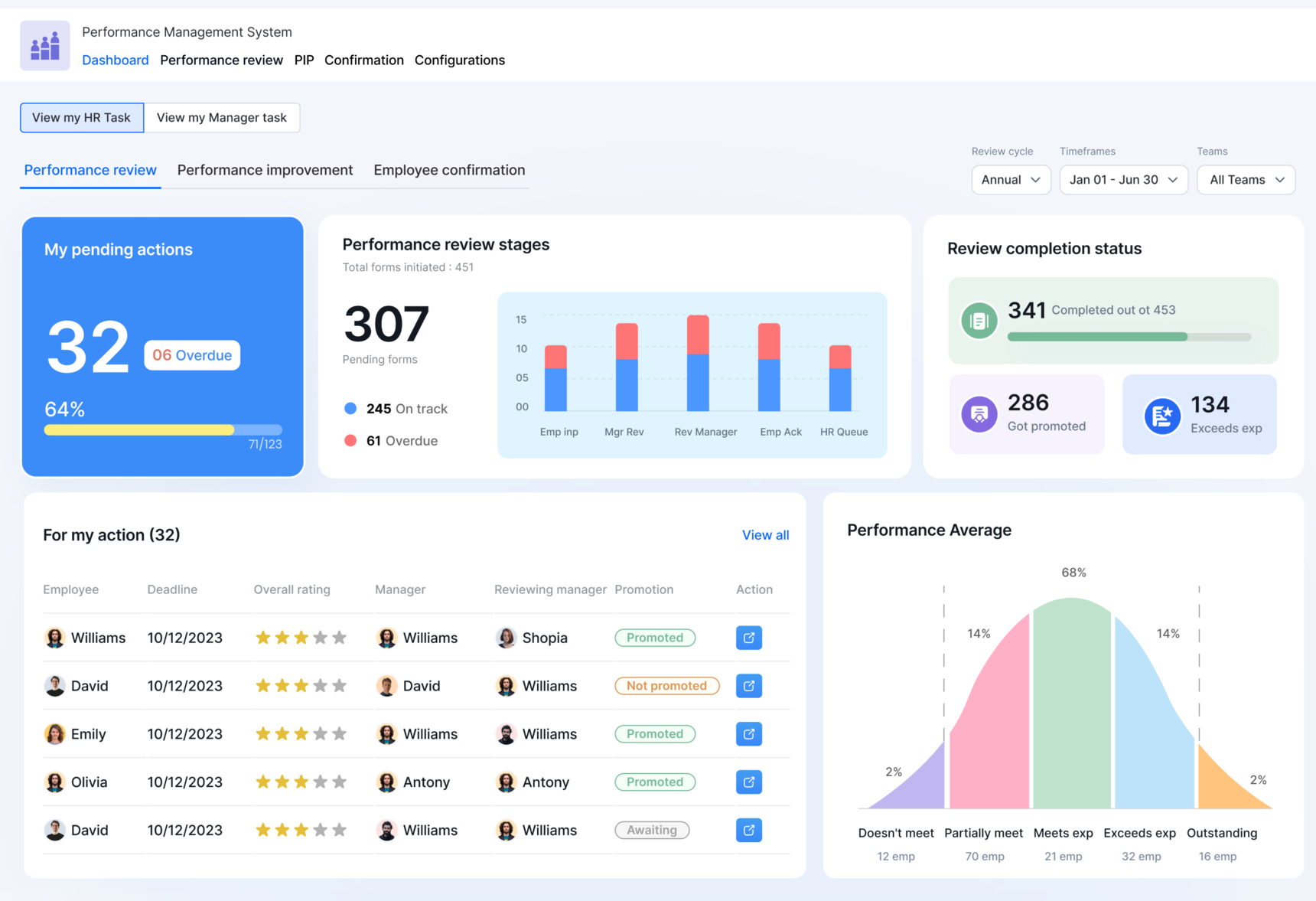
A new addition to your homepage - Meet Ask, Kissflow's AI Agent that helps you analyze workflows, generate reports, and uncover insights using natural language. Whether you're looking for key metrics, trends, or visual reports, our agent helps you get the information you need without manually building reports.

Need answers from your workflow data? Simply ask.

Analyze and discover

Ask brings workflow analytics into a conversational experience, making it easier to explore your data and find answers faster. Here's what you can do:

  • Analyze workflow data by asking questions in natural language.
  • Create reports instantly without manually configuring charts or tables.
  • Explore insights by asking follow-up questions while keeping context.
  • Review how answers were generated with visibility into the workflows, fields, and queries used.

Select up to three workflows as context and start asking questions. Analyze your data instantly, then fine-tune AI-generated reports before saving them to Analytics.

Note:
Only workflows where you are a Process Admin, Report Admin, or Data Admin are available for selection.

Built for faster decision-making

Whether you want to understand averages, totals, distributions, or other key business metrics, Ask helps you move from questions to answers in seconds. It enables users to spend less time building reports and more time acting on insights.

Availability and support

Ask is now available for Enterprise customers. For more information, refer to our help documentation, and let us know your feedback in the comments below.
 

View on Kissflow Community

June 2026

Copy link


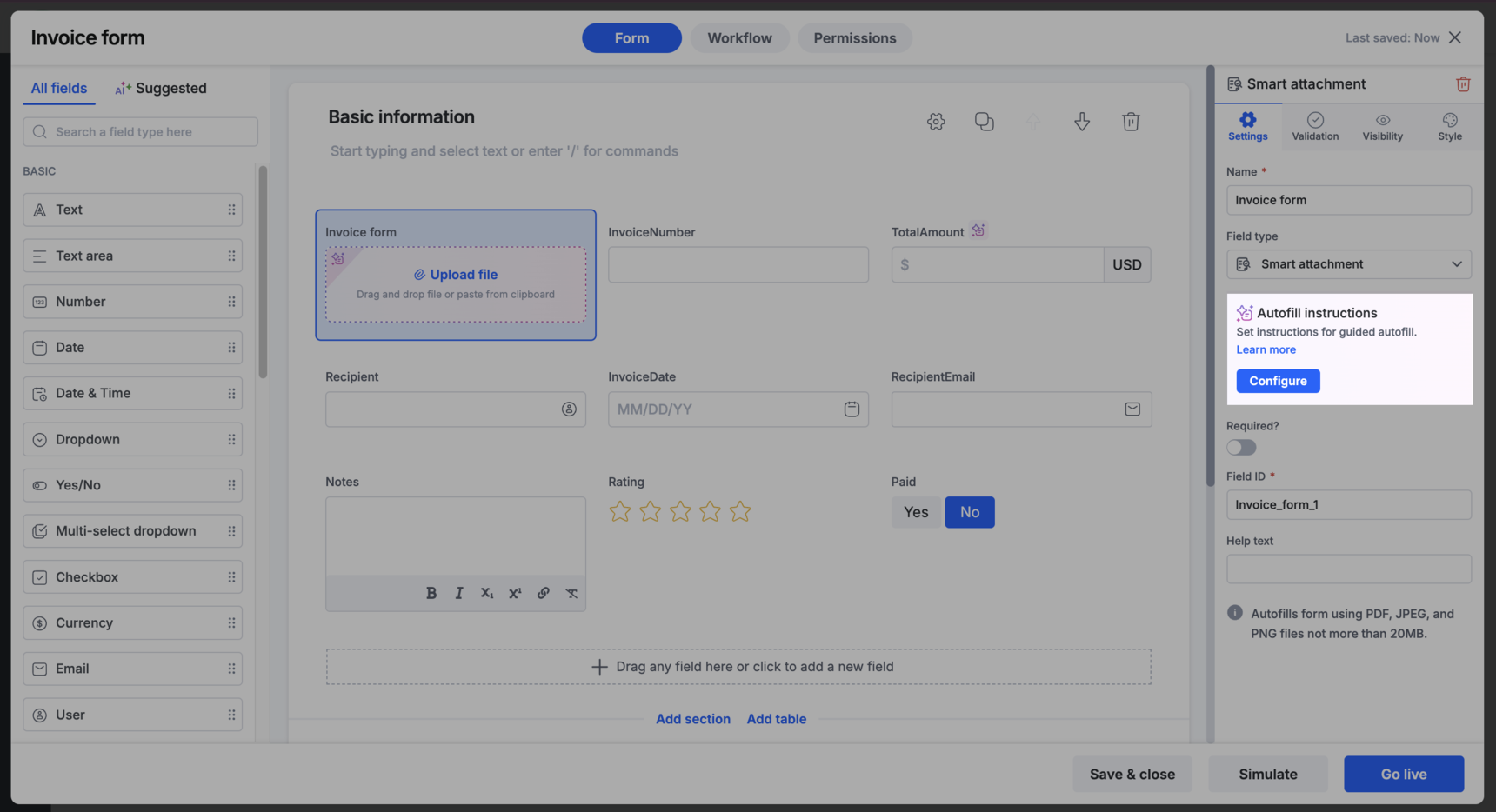
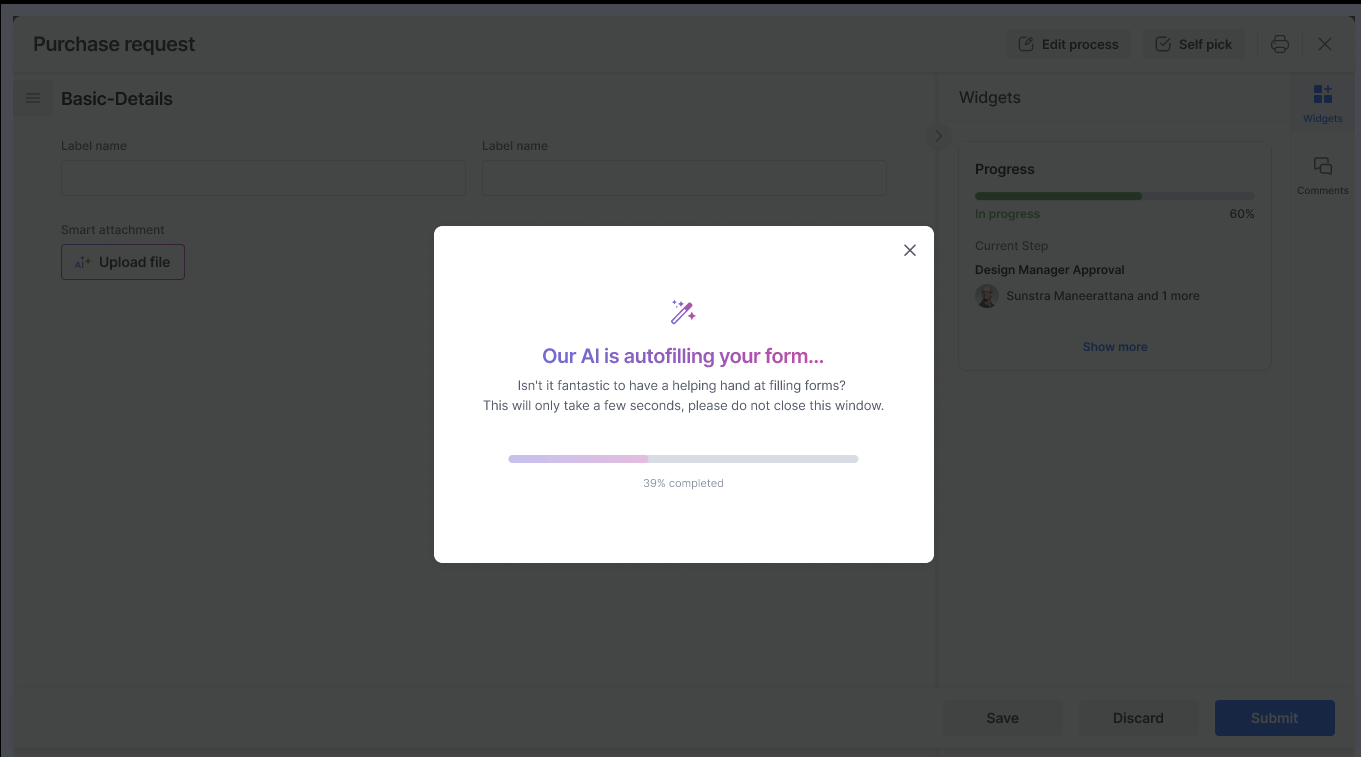
We're excited to announce an enhancement to the smart attachment field that makes document-driven workflows more efficient: you can now upload multiple files to a smart attachment field.

What's new

Previously, smart attachment fields supported processing only one file. With this update, you can upload multiple files to a single smart attachment field and extract information from all of them.

How it works

  • Upload files one at a time to the smart attachment field.

  • Each newly uploaded file automatically triggers AI-powered autofill for empty fields and child table records.

  • Suggested values from all uploaded files are retained, allowing you to review and use information extracted across documents.

This enhancement is especially useful when the information required to complete a form is spread across multiple documents, such as invoices, purchase orders, contracts, receipts, or supporting records.

Try out this feature and let us know your feedback.

View on Kissflow Community
Copy link

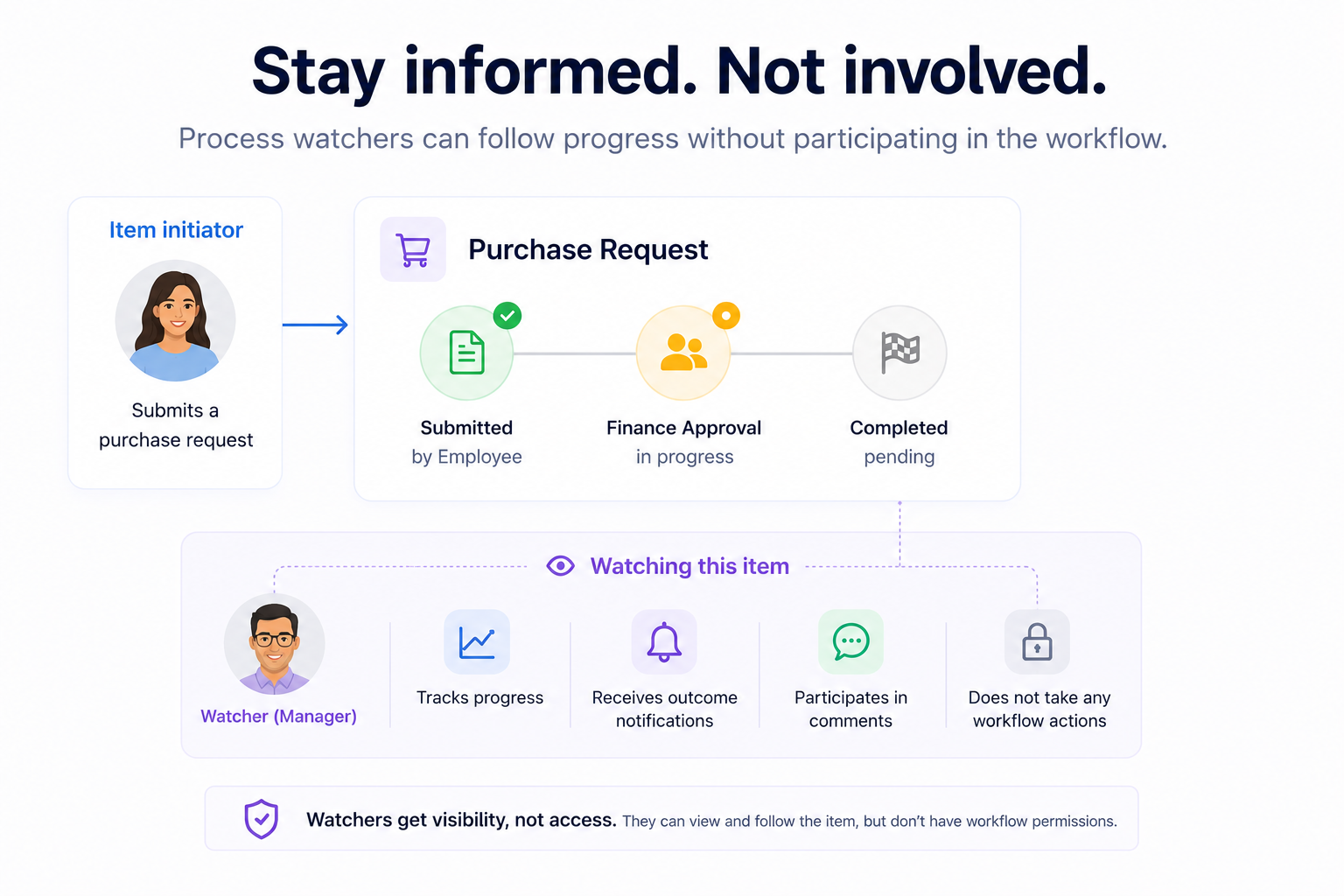
Need to keep people informed about an item's progress without involving them in the workflow?

You can now add them as watchers to process items. Watchers can follow an item's progress, stay informed about its progress, and participate in conversations without being involved in the workflow itself.

Example

An employee wants their manager to stay informed about a purchase request without involving them in the workflow. By adding the manager as a watcher, they can track progress, receive outcome notifications, and participate in comments.

What can process watchers do?

  • View item details in read-only mode
  • Track item progress through the workflow
  • Participate in item comments
  • Receive key item notifications

Key controls and safeguards

  • Only users who already belong to the process can be added as watchers.
  • Watchers cannot perform workflow actions such as approve, reject, or reassign.
  • Process admins can enable or disable watchers for individual processes.

With process watchers, you can keep the right people informed while ensuring workflows remain focused on the users who get work done. Learn more in our help documentation.

Feature availability

This feature is available in standalone processes and processes inside apps.

Plans: Work Platform

Try out this feature and let us know your feedback. 

View on Kissflow Community
Copy link

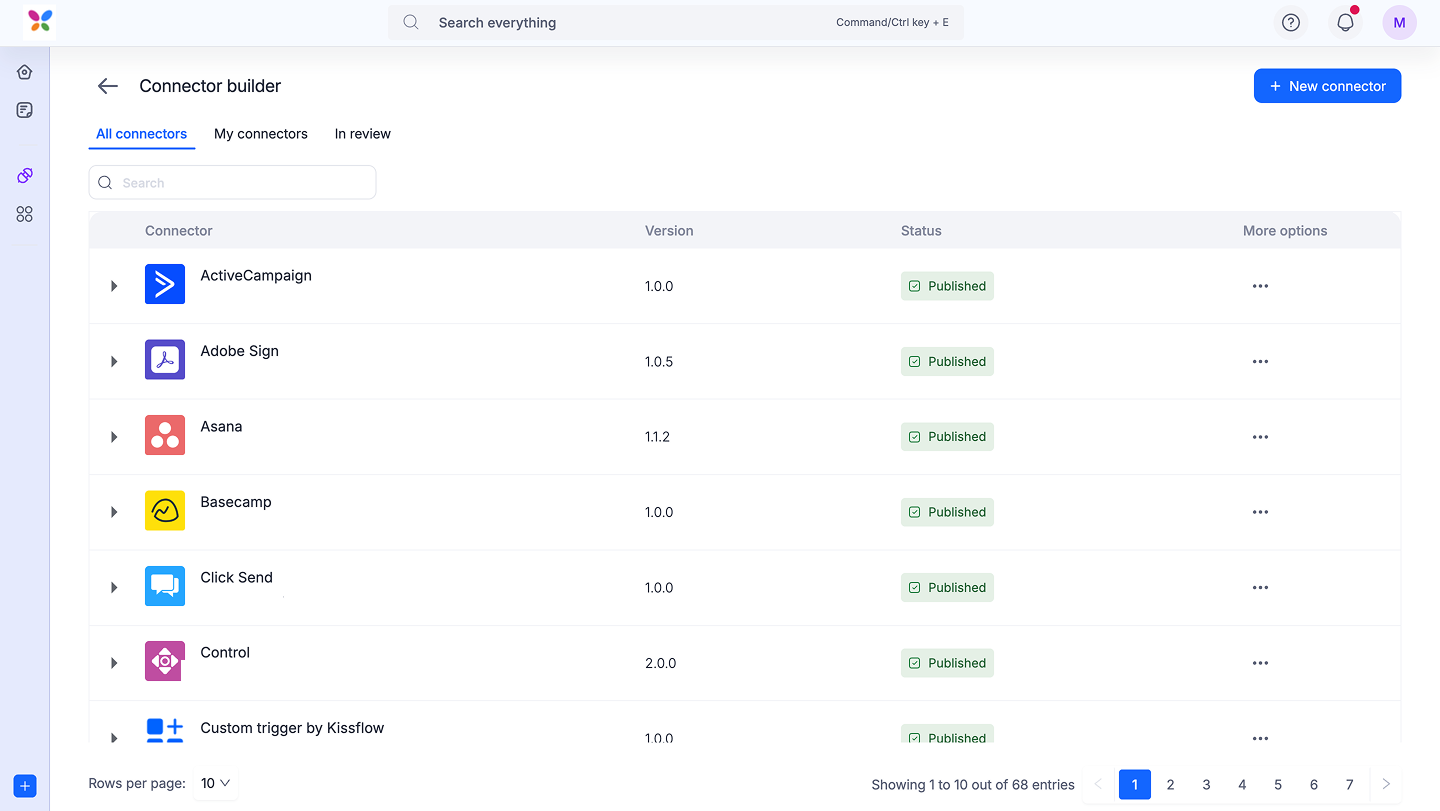
We are thrilled to announce the launch of the Kissflow Connector builder, a powerful new capability that puts the full potential of integration directly into your hands. Now, you can build, manage, and deploy your own custom connectors to integrate Kissflow with virtually any application that has an API.

This isn't just a new feature; it's a new frontier for your workflows.

What is a connector builder?

The Connector Builder is a comprehensive toolkit for developers and IT professionals to create robust, secure, and tailor-made connectors from scratch. You can define your own triggers and actions, manage complex authentication, and configure API calls to meet your exact business needs.

Key features

We've packed the Connector builder with everything you need to create seamless and powerful integrations:

  • Flexible authentication: Natively handle a variety of authentication protocols, with a step-by-step guide for configuring complex flows like OAuth 2.0, ensuring your connections are always secure. You can also manage environment variables for easier testing and deployment.

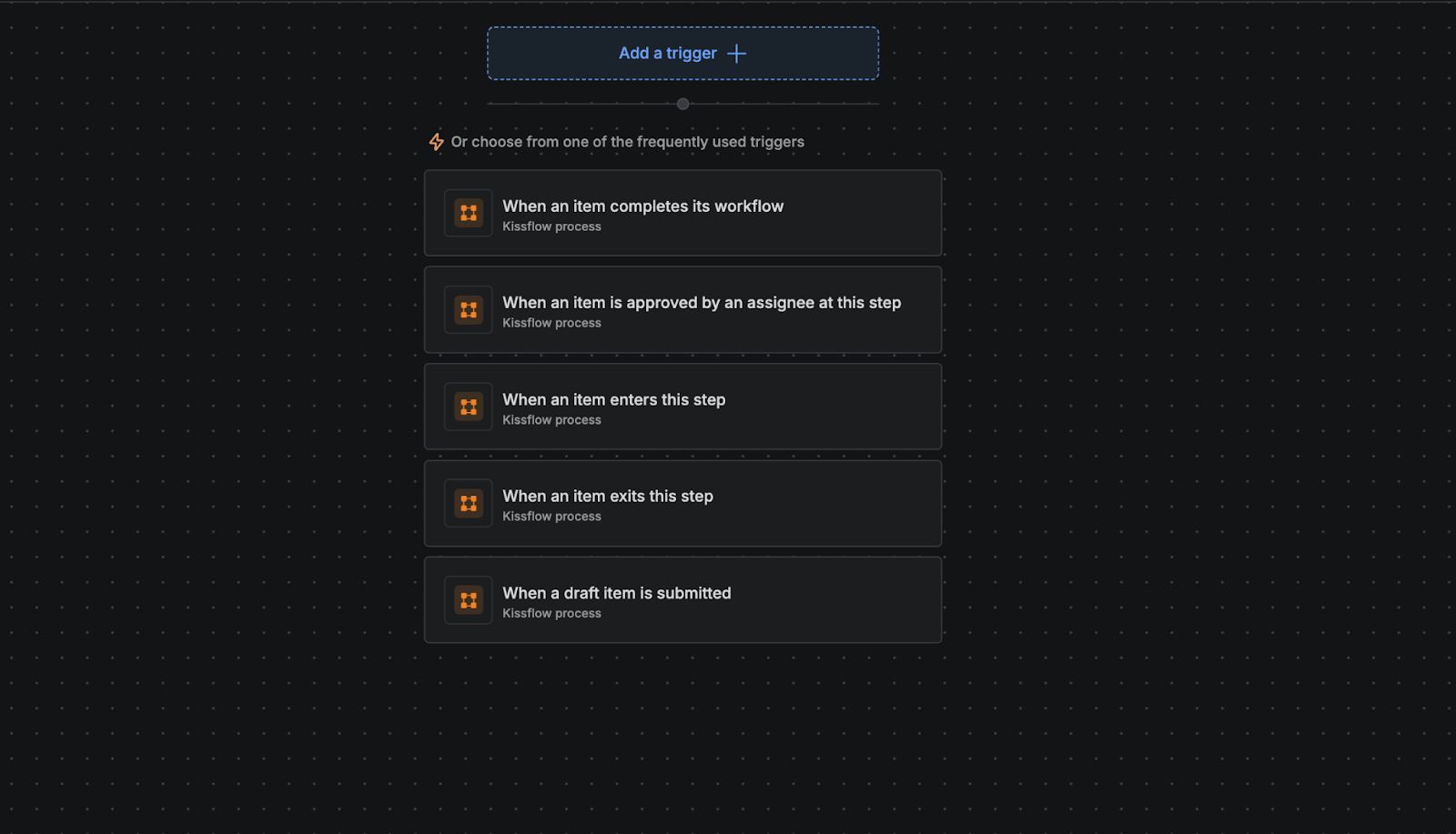
  • Custom triggers and actions: Design your own triggers that start a Kissflow workflow based on an event in an external app, and create actions that push data and complete tasks in other systems

  • Intuitive input designer: Easily configure the input and output fields for your triggers and actions, giving you full control over the data that flows between your applications.

  • Full connector lifecycle management: This is more than just a builder. You can also:

    • Clone connectors: Quickly replicate and modify existing connectors for new use cases.

    • Manage versions: Keep track of changes with detailed version notes.

    • Streamline approvals: Implement an approval process to review and publish new connectors securely within your organization.

  • Advanced configuration: Handle sophisticated integration scenarios with ease, including:

    • Trigger handshake: Configure webhook verification to ensure your triggers are reliable.

    • Attachment handling: Seamlessly pass files and attachments between applications.

    • Subscription renewals: Manage API subscription logic directly within the connector.

Who is this for?

The Connector builder is designed for anyone who wants to push the boundaries of automation:

  • Developers: Build and deploy custom integrations for your teams with a powerful, streamlined toolkit.

  • IT administrators: Centrally manage and approve all third-party integrations, ensuring security and governance.

  • Citizen developers: You now have the power to create the specific connections you've always needed.

Availability and support

This feature is now live for all users on the Enterprise plan. Try it out today and share your experience with us. For more information and step-by-step instructions, visit our help documentation.

If you have any questions, feel free to comment below or reach out to our customer support team.

View on Kissflow Community
Copy link

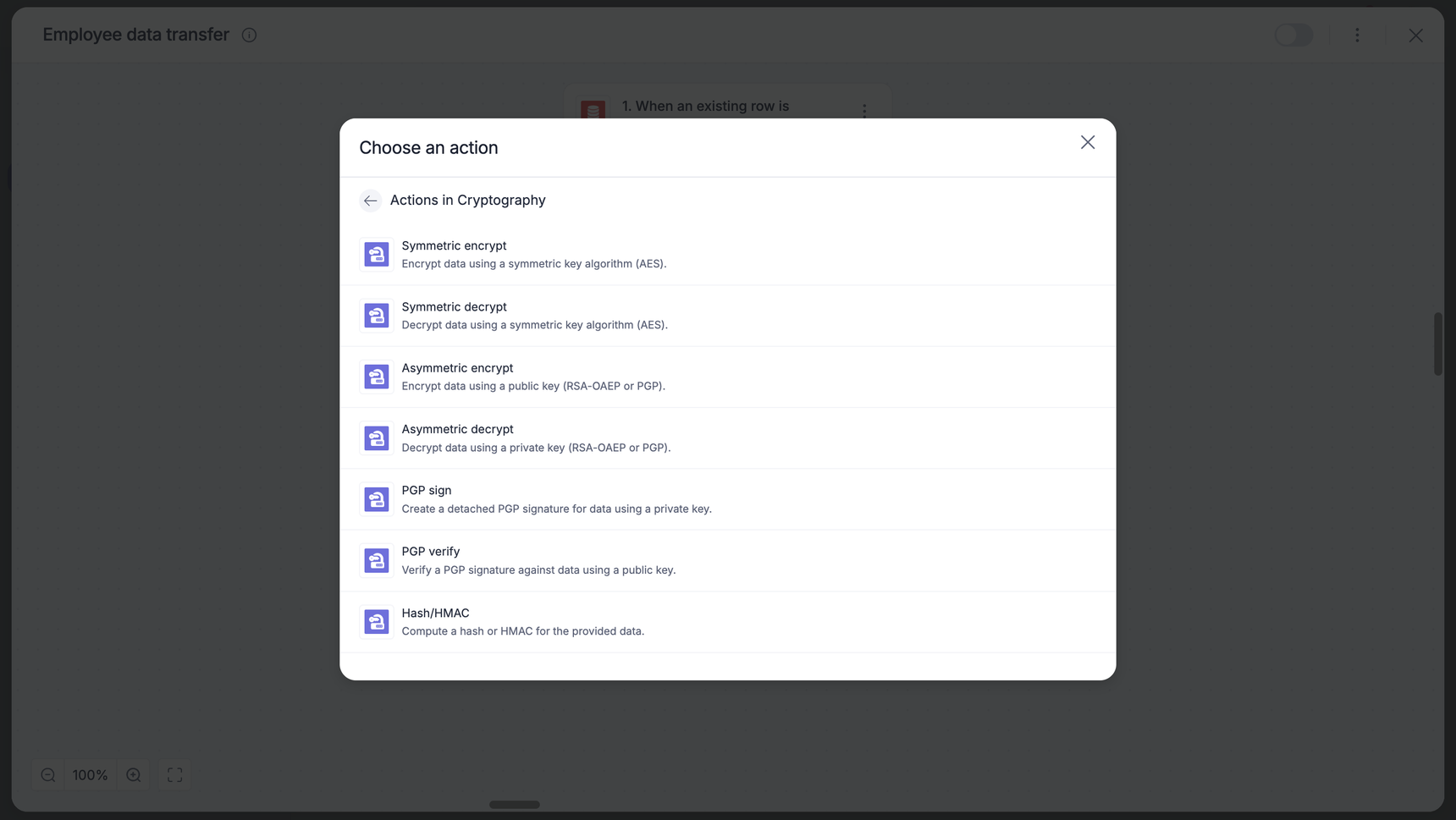
We are thrilled to announce the launch of the Cryptography connector, an in-built security tool now available in Kissflow integrations. While standard connections like HTTPS protect your data while it travels, this connector allows you to protect the data itself.

The cryptography connector acts as a robust privacy filter for your data pipelines. It functions as a middle step in your integration flow, allowing you to scramble sensitive information or verify data integrity before it reaches its destination. Whether you are storing data in a public spreadsheet or sending it to a third-party partner, your information remains unreadable without the proper digital keys.

Key highlights

  • Symmetric and asymmetric encryption: Easily mask PII and secure sensitive records using shared secret keys or public/private key pairs.

  • PGP signing and verification: Create digital seals for your files to prove the sender's identity and ensure documents haven't been altered.

  • Hash/HMAC capabilities: Generate unique digital fingerprints for your data to verify integrity or use secret keys to authenticate messages (ideal for webhook validation).

  • Seamless integration: Designed as an easy-to-use step within your existing workflows, giving you granular control over encryption and decryption.

What this means for you 

This release empowers you to take full control of your data security without leaving the Kissflow ecosystem. You can now handle compliance-sensitive data with confidence, ensure that external B2B transfers are tamper-proof, and validate the source of incoming webhooks with ease.

Availability and support

Cryptography connector is now live and available to users on all Kissflow plans.

Stop worrying about potential data exposure, and start securing your data end to end today. For detailed configuration steps, visit our help documentation. If you have additional questions, feel free to comment below or contact our customer support team.

View on Kissflow Community
Copy link

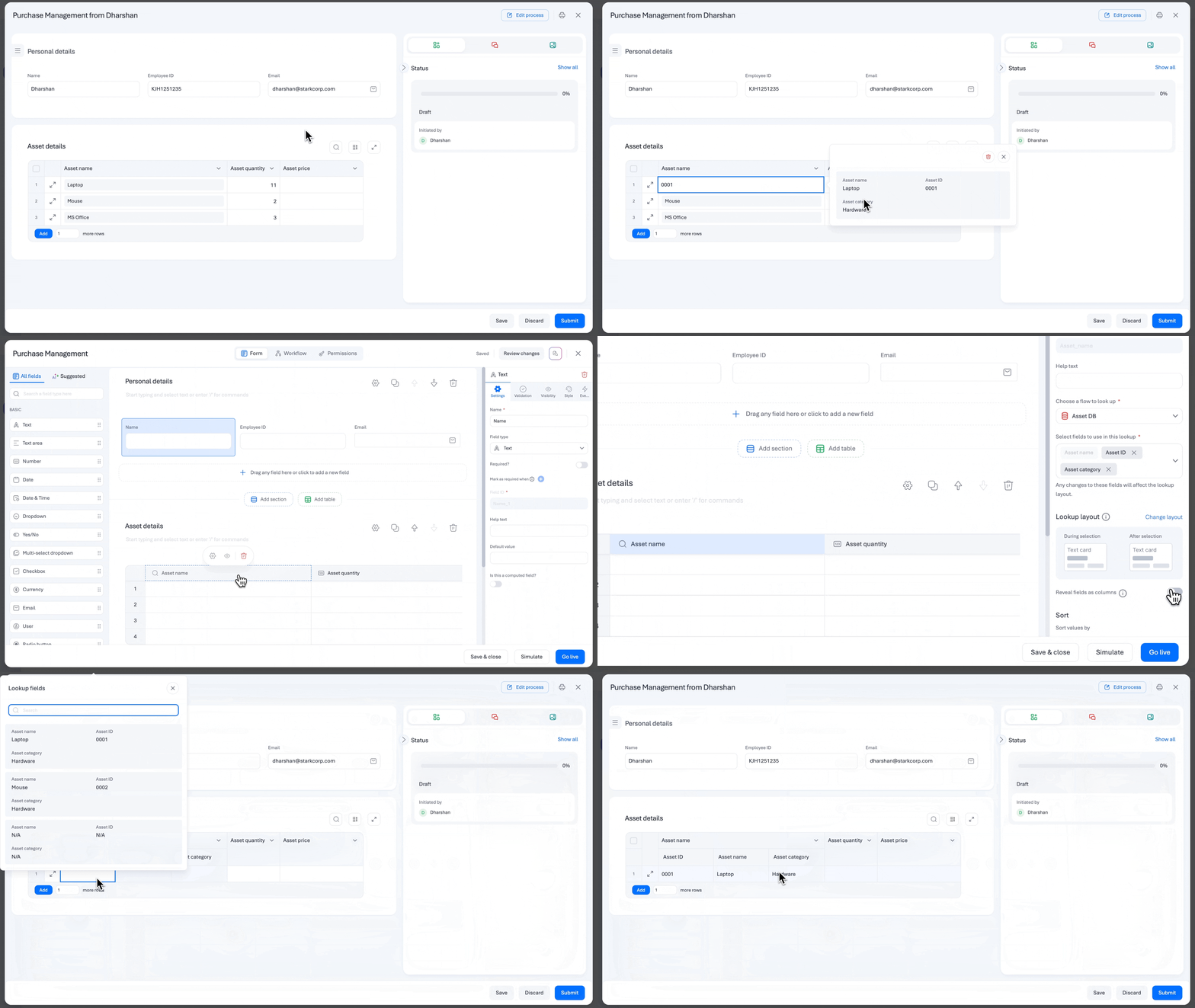
Lookup fields are a great way to bring flow data into your forms. When working with multiple lookup values in a table, having those details visible at a glance can make reviewing and comparing data even more convenient.

That’s why we’ve made lookup fields in form tables easier to read and work with. You can now expand lookup values into separate columns directly within your table, making related data easier to scan without creating additional fields.

Simply enable Reveal fields as columns in the lookup configuration to display selected lookup fields as individual columns while keeping the original lookup field intact.

Plans: All plans

Do try out this feature and let us know your feedback.

View on Kissflow Community

May 2026

Copy link

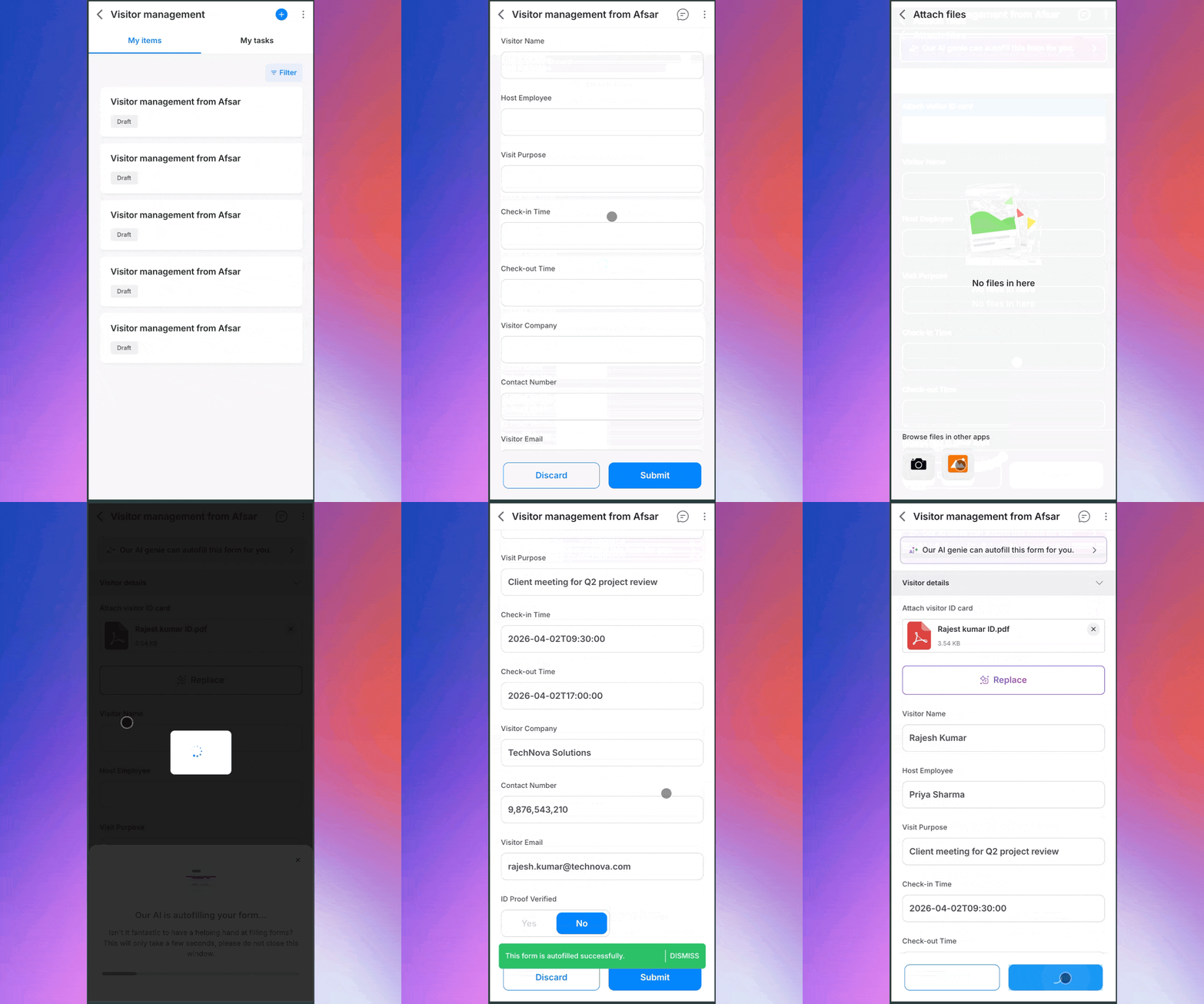
Smart attachment is now available on mobile, bringing form autofill capabilities to users on the go.

A quick recollection

Previously available on web, smart attachments allow users to upload documents and is capable of automatically extracting and populating form fields. Now, the same experience has come to mobile users, making form submissions faster and intuitive than ever. This is how it works:

  • Data extraction: Upload documents like ID cards or PDFs to allow extraction of key information.

  • Form autofill: Extracted data is intelligently mapped to relevant form fields. 

  • Faster submissions: Skip manual entry which is prone to errors and submit forms faster.

Optimized for mobile (PWA)

With smart attachments now available on mobile as PWA (Progressive Web Application), users can complete forms anytime, anywhere using documents as input, without having to switch between apps or manually entering data. 

This enhancement reduces friction, improves accuracy, and speeds up workflows across use cases.

Smart attachment for mobile apps is now live for all users on the enterprise plan. Check it out! For more details, visit our help documentation, or leave a comment below.

View on Kissflow Community
Copy link


Whether you're sharing operational metrics, project insights, or analytics data, you no longer need to take screenshots. You can now export chart reports used in processes, boards, apps, and analytics in just a few clicks.

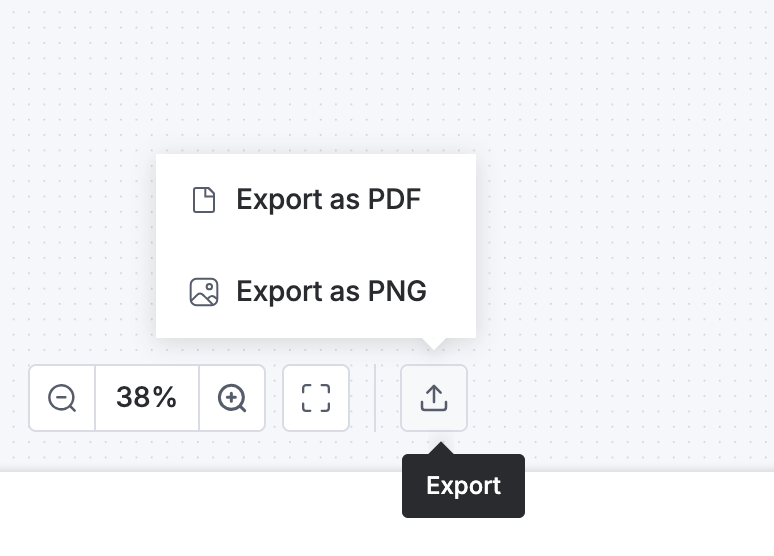
Open a chart report, click Export, choose between PNG or PDF formats, and export the report. The file is automatically downloaded to your local system for easy sharing with teams, stakeholders, and external users.

Try out this feature and let us know your feedback in the comments below.

View on Kissflow Community
Copy link

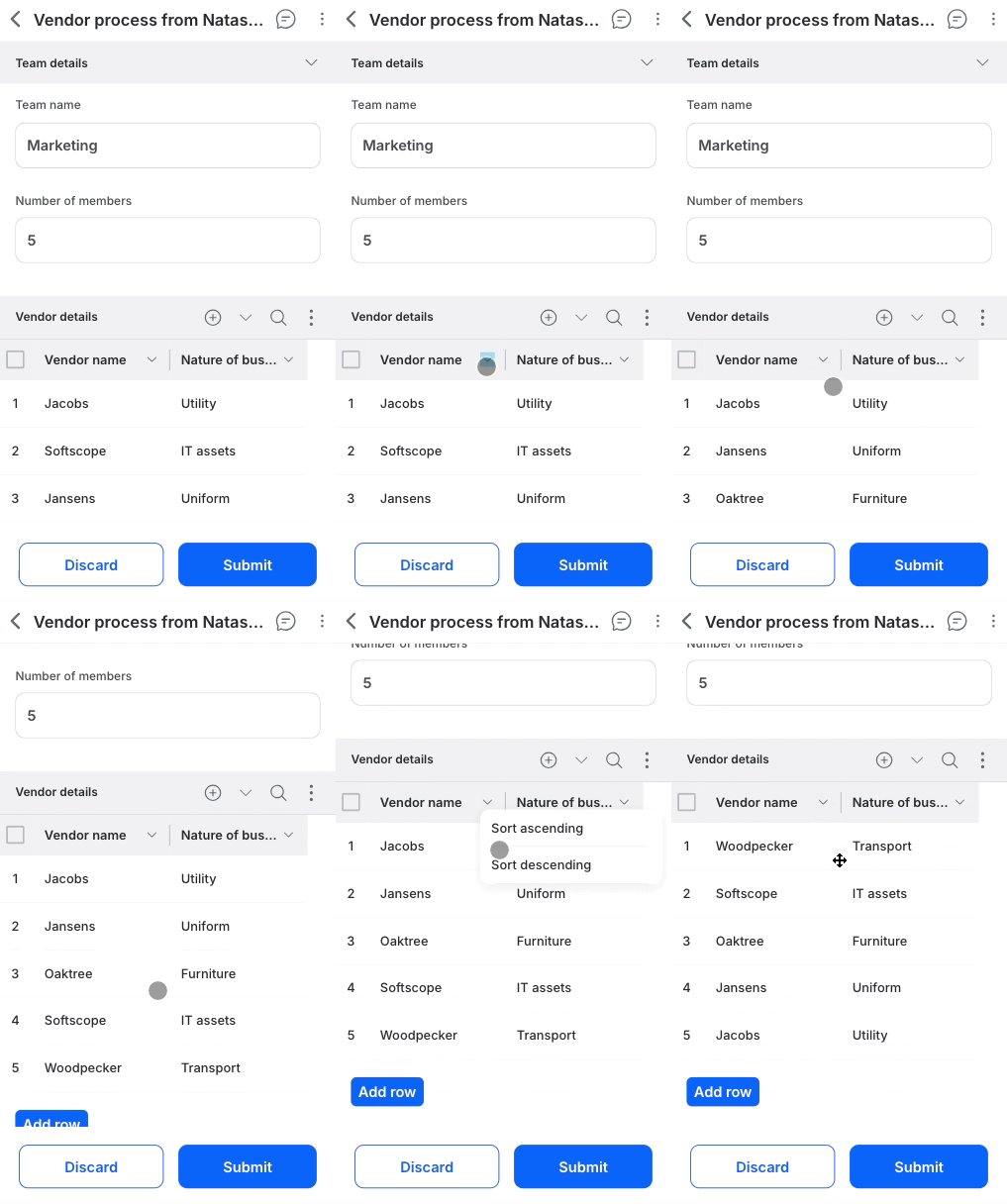
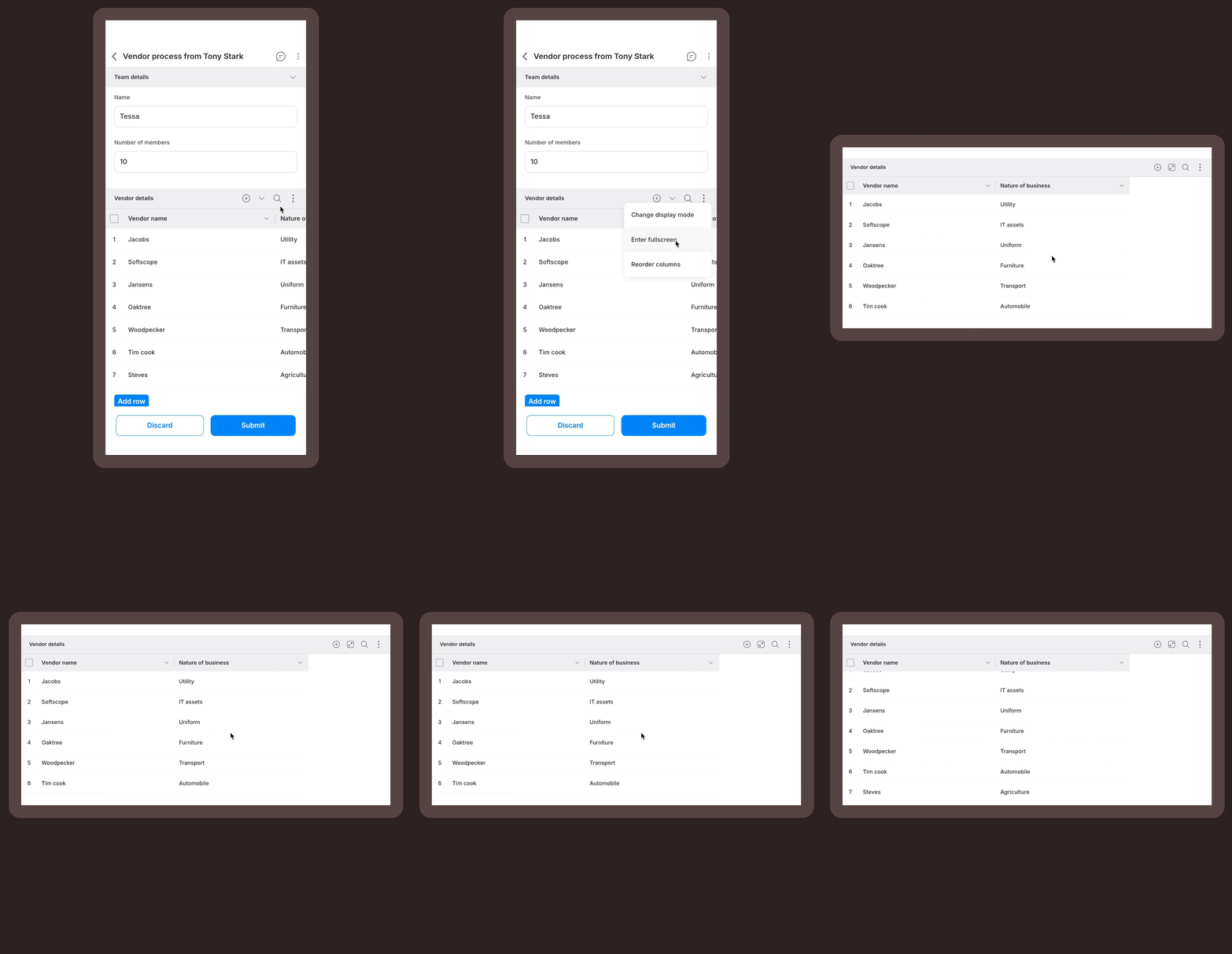
Following our recent mobile release, we are excited to bring the same powerful table management tools to your web forms. Navigating large tables in your browser just got faster, cleaner, and more customizable.

Here is what’s new for the web experience:

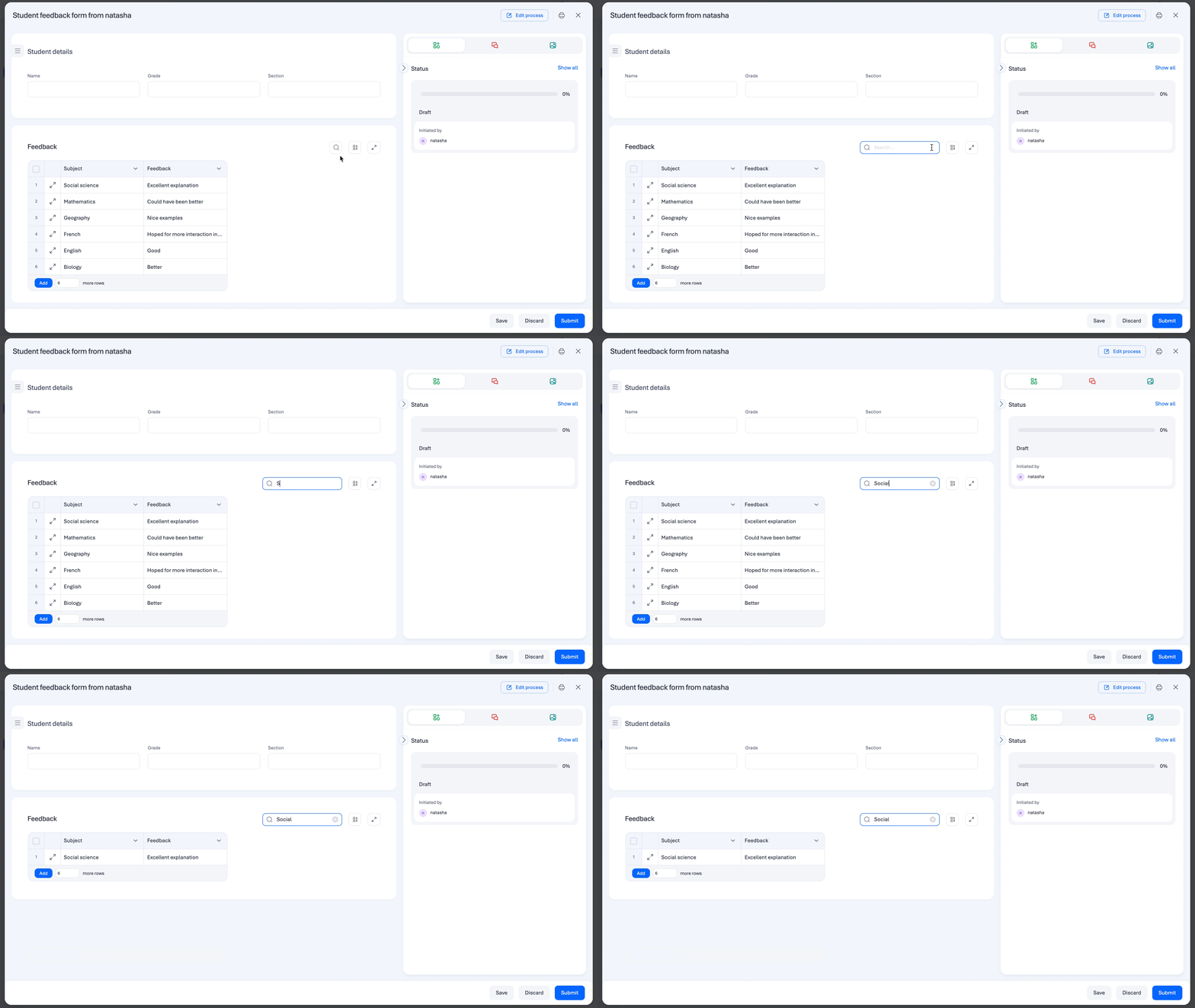
Instant search

No more manual scanning. You can now use the dedicated search bar within form tables to find exactly what you need.

Global filter: Type any keyword, name, or ID, and the table will instantly filter to show only matching records across all columns.

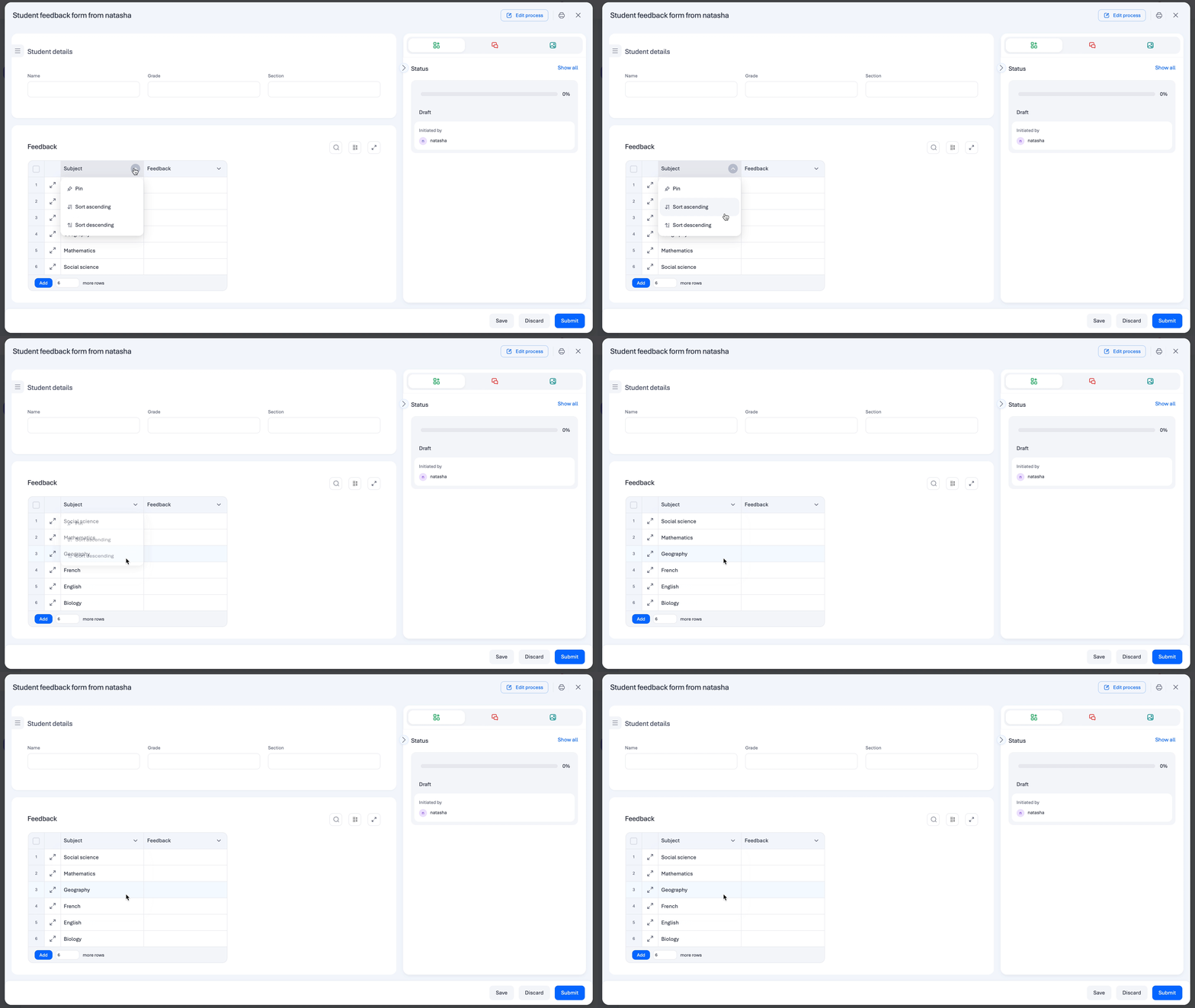
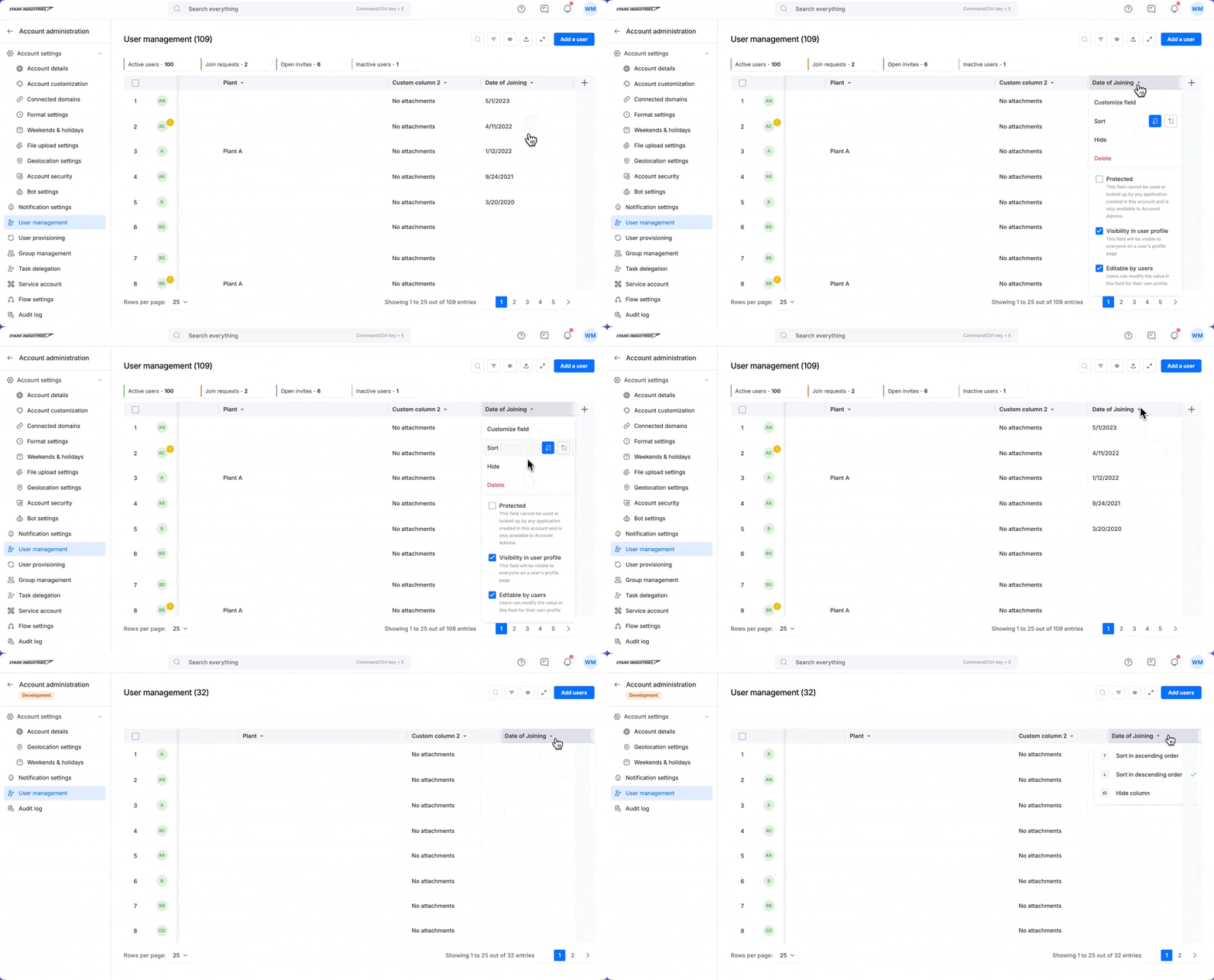
Column sorting

Keep your data organized exactly how you want it. You can now sort table columns in ascending or descending order.

For complex widgets, the system automatically sorts based on primary underlying values to ensure your data stays logical.

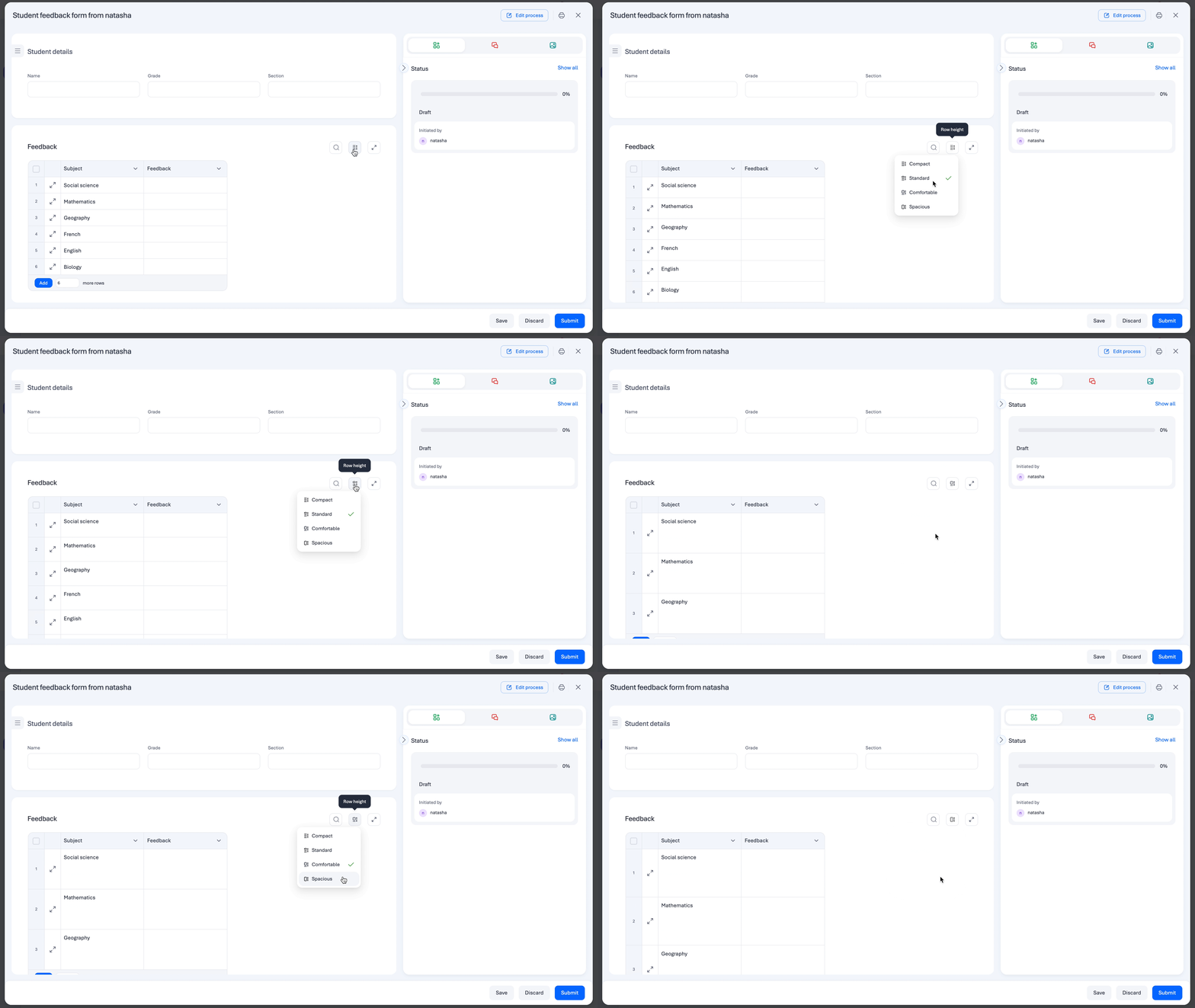
New row height settings

Personalize how you view your data. You can now choose between four distinct row height settings to match your workflow:

  • Compact: Data-dense view.

  • Standard: The standard system balance. 

  • Comfortable: Balanced spacing for easier reading.

  • Spacious: Maximum breathing room for complex entries.

Enhanced error reviewing

To help you maintain data integrity, we’ve streamlined how you handle mistakes. You can now review errors directly within web tables more efficiently, making it easier to identify and fix issues before submission.

Internal table scrolling

Handling massive tables? We’ve added internal table scrolling, allowing you to glide through hundreds of rows while keeping the rest of your form in view. This ensures a smoother navigation experience without losing your place on the page.

Availability and support

These enhancements are now live for all users on the web platform.

Note:
Search and sort cover the majority of field types, including Text, Number, Date, User, and Lookup. Please note that file-based or location-based fields (Attachment, Image, Signature, and Geolocation) are excluded from these features.

Check the enhancements in your web forms today! For more details on supported fields, visit our help documentation, or leave a comment below.

View on Kissflow Community

April 2026

Copy link

We know that data is most powerful when it’s in the right hands at the right time. To help you stay on top of your KPIs without the hassle of manual exports, we are excited to announce Scheduled reports in Kissflow Analytics.

What’s changed?

You can now automate the delivery of your most critical reports directly to your team’s email inbox. 


Key features

  • Custom delivery cadence: Admins of analytics reports can schedule to send reports daily, weekly, or monthly at a specific time and timezone that suits their team’s workflow.

  • Flexible formats: Choose how you want to receive your data. Attachments are supported in CSV, XLSX, PDF, and PNG, depending on the report type.

  • Full Admin oversight: Super admins can view and manage every schedule across the organization to ensure consistent reporting.

  • Complete audit trail: Use the Activity log to verify exactly when reports were sent and track delivery success.

Learn more about scheduling reports. Scheduled reports is available for Enterprise plans. Do try out this feature and let us know your feedback in the comments section.

View on Kissflow Community
Copy link

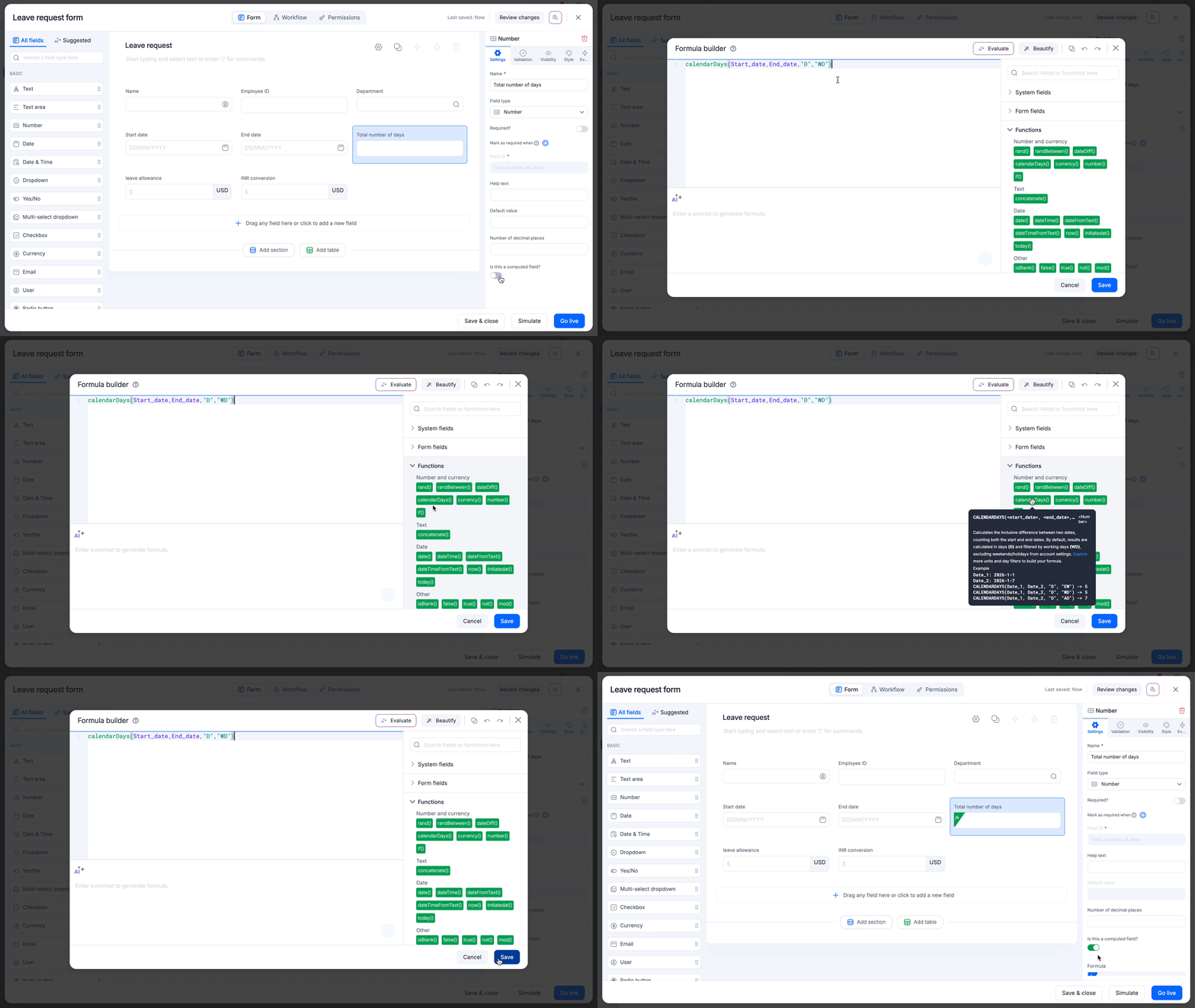
We are excited to introduce calendarDays, a powerful new addition to our formula builder. While dateDiff calculates the standard duration between two dates, calendarDays provides more control and flexibility, designed for use cases like HR leave requests, payroll calculations, and granular time tracking.

Why use calendarDays?

Unlike the dateDiff function that uses exclusive counting, where the start date isn't counted, calendarDays is built for the real world scenarios:

  • Inclusive counting: In calendarDays, Jan 10 to Jan 15 equals 6 days, whereas in dateDiff it will be 5 days (exclusive counting). This ensures that leave requests and work weeks are calculated exactly how your team expects them to be.

  • Smart holiday and weekend awareness: Automatically subtract weekends and holidays based on your account's specific configuration using the day_filter parameter.

  • Advanced units: Support for leftover units like MD (days remaining after full months), YM (months remaining after full years), and YD (days ignoring years).

  • dateTime precision: Switch between simple date counting and high-precision time tracking (hours, minutes, seconds) effortlessly.

The syntax is flexible to meet your needs:

calendarDays(start_date, end_date, “[unit]”, “[day_filter]”)

Where, the accepted parameters are,

unit:

  • D (Default): Returns the total number of days within the range.
  • M: Returns the total number of full months within the range.

  • Y: Returns the total number of full years within the range.

  • HR: Returns the total number of hours between two timestamps.

  • MIN: Returns the total number of minutes between two timestamps.

  • SEC: Returns the total number of seconds between two timestamps.

  • MD: Returns the number of days remaining after full months are subtracted.

  • YM: Returns the number of months remaining after full years are subtracted.

  • YD: Returns the number of days remaining after full years are subtracted.

day_filter:

  • WD (Working days - Default): Skips your account's configured weekends and holidays.
  • AD (All days): Calculates every single calendar day in the range.

  • EW (Exclude weekends): Skips Saturdays and Sundays. Public holidays are treated as working days and included in the count.

  • EH (Exclude holidays): Skips only the holidays configured in your account settings. Saturdays and Sundays are treated as working days and included in the count.

Pro-tips

  • Auto-swap: Don't worry about the order! If your start_date is later than your end_date, the function automatically swaps them to ensure you never get a negative result.

  • date vs. dateTime: Use date fields for inclusive daily counting, perfect for PTO. Use dateTime fields for precise time-based durations, perfect for billable hours.

  • Leap year ready: The function handles leap years (like 2024) automatically, ensuring your February calculations are always accurate.

Availability and support

The calendarDays function is now available to users on all Kissflow plans in your formula editor. Check out the help documentation for more information.

For further questions, comment below, or reach out to our customer support team.

View on Kissflow Community
Copy link

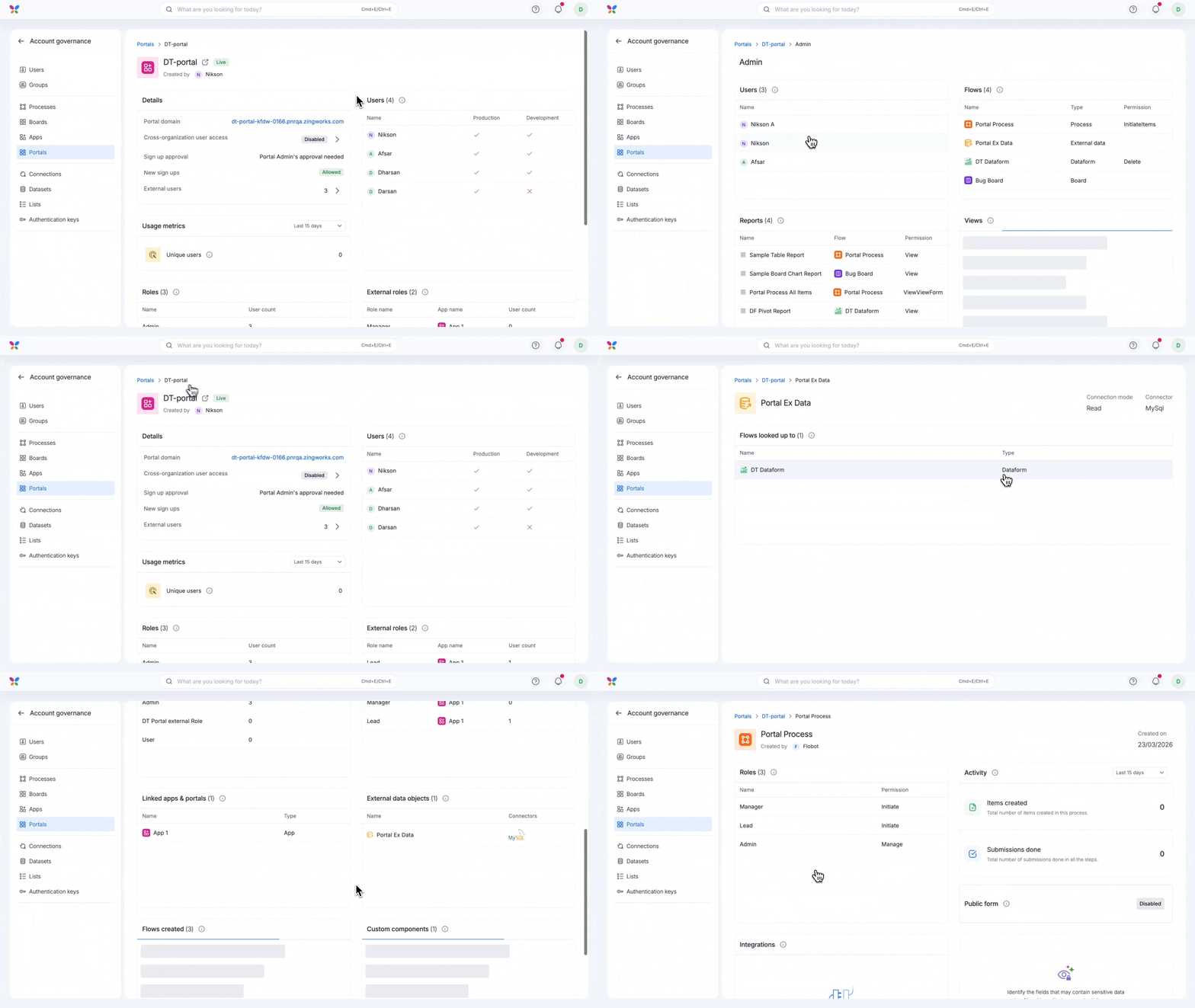
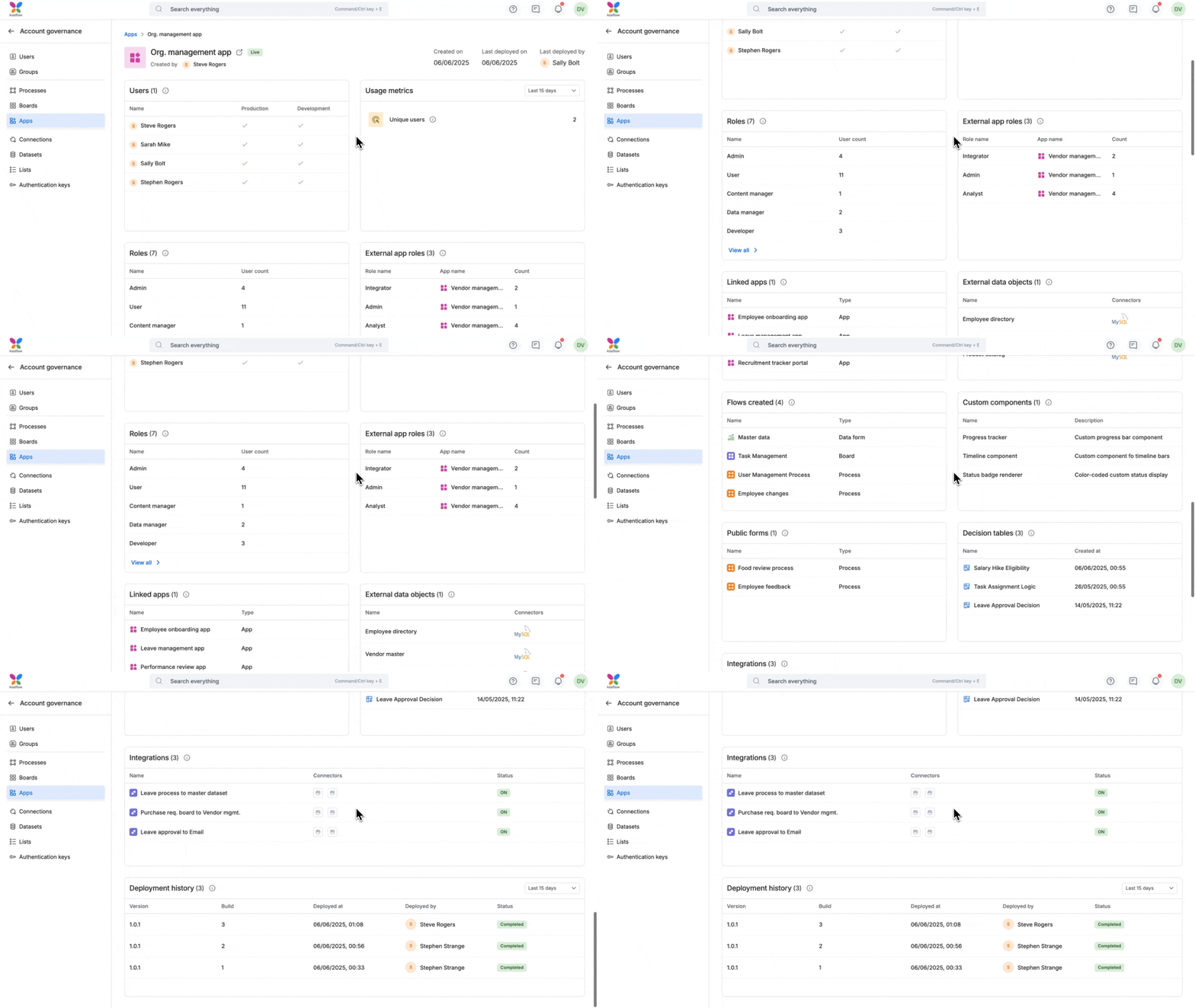
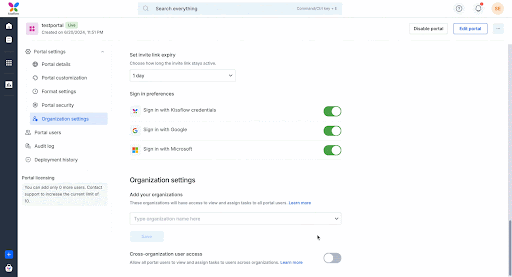
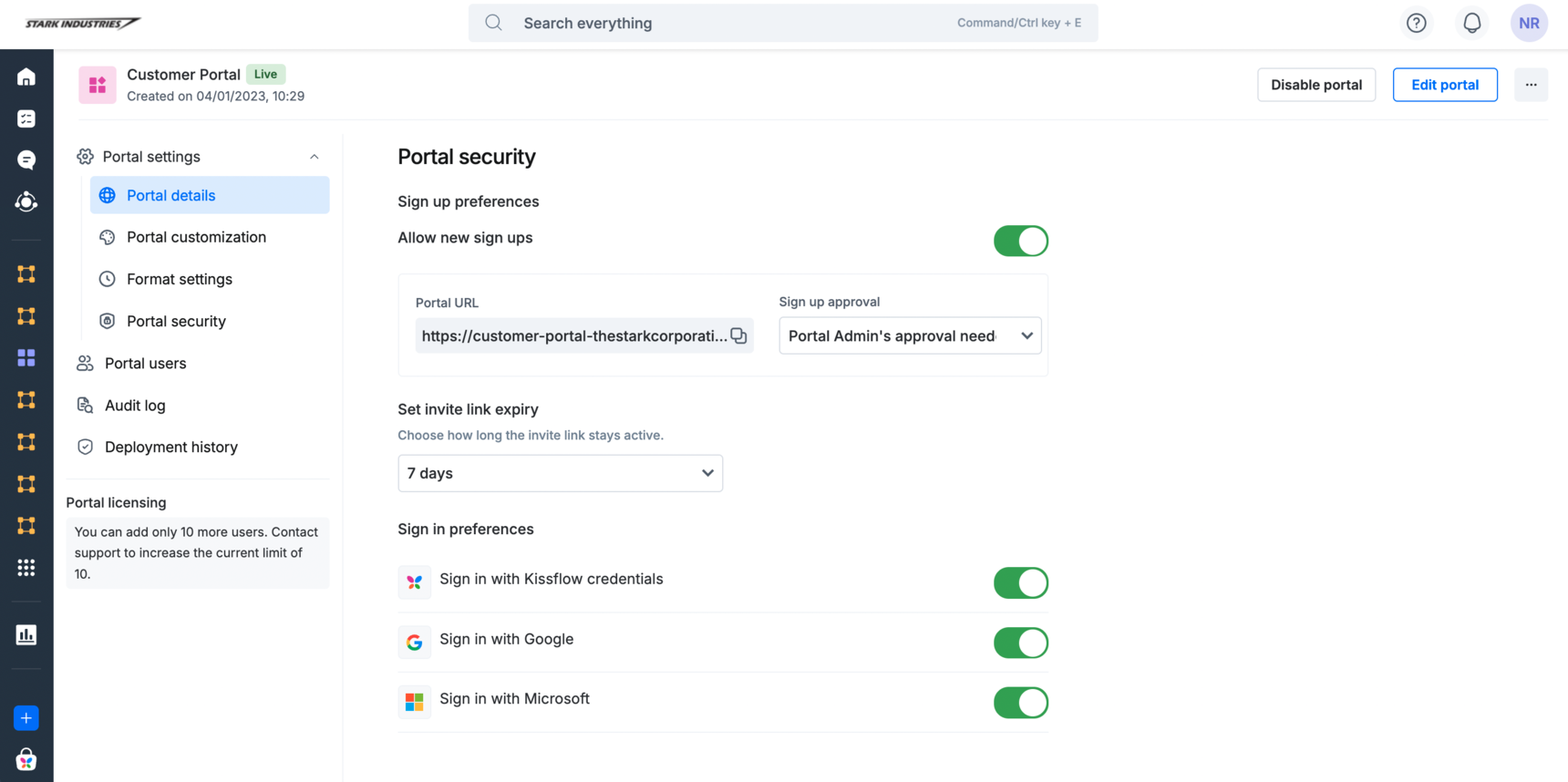
We’re excited to roll out portal governance, a powerful new addition to your account governance module, giving you greater visibility over your portals within Kissflow.


Building on the foundation of account governance, this feature enables Super admins and IAM admins to monitor a live portal’s connections, user roles, data access, deployment history, and more, all from a single place.

Go deeper with granular insights across your apps and portals

Alongside portal governance, you now get detailed visibility across apps and portals for the widgets below:

  • Roles 

  • External roles

  • External data objects

  • Flows created (Process, Board, and Dataform)

  • Public forms


With portal governance and these enhanced insights, you can confidently manage your portals and apps, ensure data security, and maintain compliance with ease.

Visit our help documentation to dive deeper into portal governance.

Check them out today and experience smarter governance across Kissflow.

View on Kissflow Community
Copy link

We're absolutely thrilled to unveil a modernization of Kissflow's interface!  We've poured our hearts into refining your workspace to make your experience feel smoother, intuitive, and joyful!


Rest assured, all the powerful features and functionalities you love and rely on are staying right where they are! It’s the same great Kissflow, just dressed up for success!

Plans: All plans in Work Platform.

Do let us know your feedback in the comments. 

View on Kissflow Community
Copy link

If you’ve ever felt like your Kissflow tables’ conditions were on a deserted island, they no more are. We’re officially removing the barriers between your section and your table fields' logic.

Previously, referencing section fields inside tables required workarounds and hidden helper columns. With our latest update, context-aware tables are here to streamline your workflows.

What’s changing?

You can now reference section fields (the fields in your main form sections) directly within your table. Key capabilities now live:

  • Dynamic visibility: Hide the Flight number column unless the section field Travel type is set to International.

  • Smart validations: Set custom error rules in a table based on a Total budget field in the section.

  • Conditional requirements: Make Client name mandatory in a table only if the section’s Project category is External.

  • Advanced filtering: Use section field values to filter lookups within the table.

What this means for you

  • Cleaner forms: Eliminate helper columns that only existed to bridge data, resulting in a better UI for your users.

  • Faster building: Save development time by applying logic directly without complex workarounds.

  • Better data integrity: Ensure your table data is always in sync with the overall context of the form.

Availability and support

This update is live for users across all Kissflow plans, in both platform and apps. You can start referencing section fields in your table settings immediately!

Pro tip: Check your existing complex forms. You'll be able to delete those old hidden helper columns and simplify your logic today.

For any questions, comment below, or reach out to our customer support team.

View on Kissflow Community
Copy link

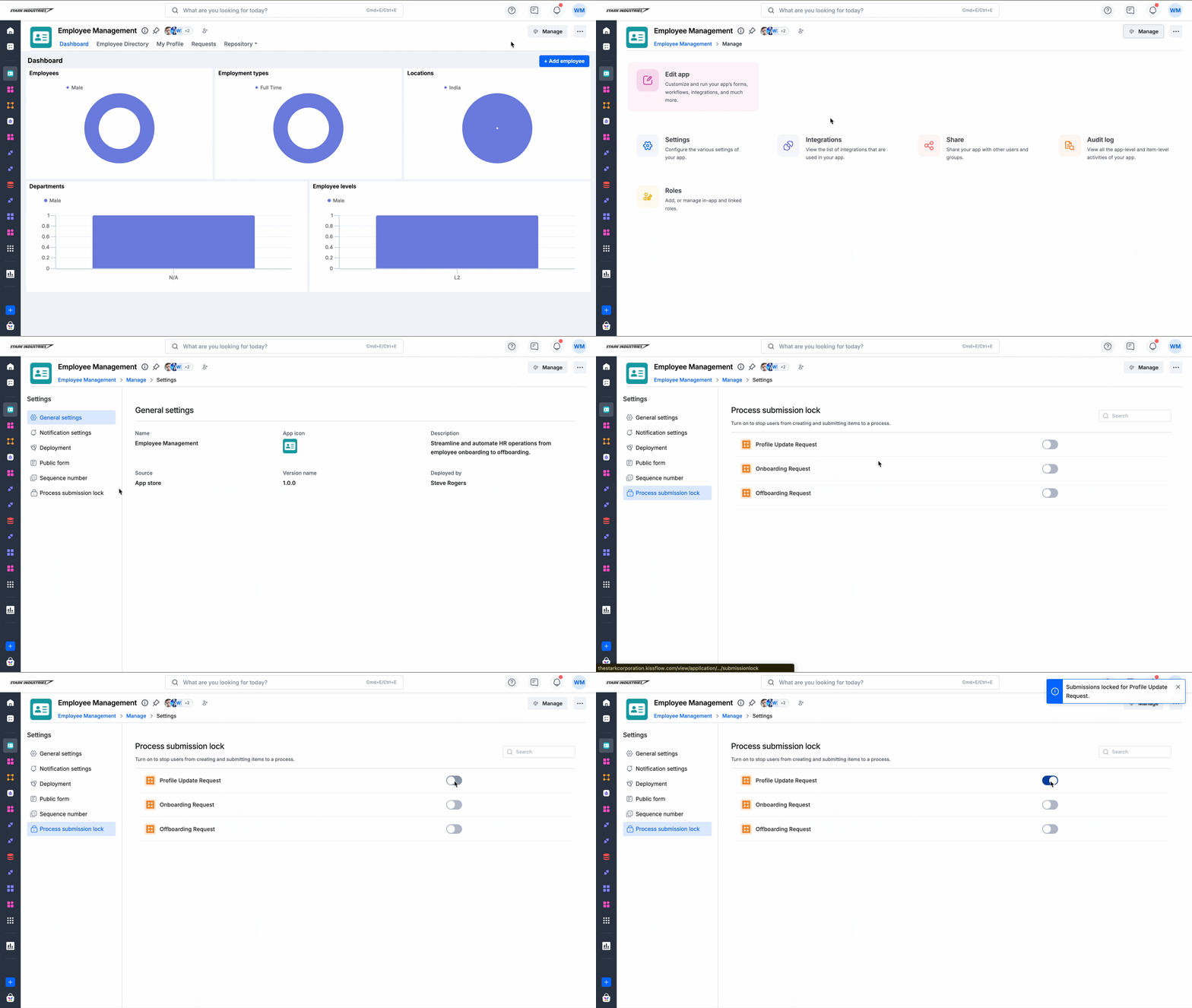
Process submission lock allows administrators lock a process workflow. When the lock is enabled, users are unable to create new items or submit items in draft until the lock is removed. The process remains locked until an administrator disables it.

What has changed?

Previously in Kissflow Apps, you could lock submissions for a process from its individual settings within the app builder.

With this update, the configuration is now also accessible from the Manage page of an app: Manage > Settings > Process submission lock, where app administrators can lock or unlock any process instantly, without deploying the app again.

The setting remains available for individual processes in the app builder as well, so existing workflows are not affected.

What this means for you

  • Administrators can now lock or unlock a process at any time directly from an app's Manage > Settings, with changes taking effect immediately.

  • Changes made in Manage > Settings are reflected in the process' individual settings within the app builder, and vice versa.

  • The setting is environment-specific. Process submission locks applied in development, staging, or production environments are independent of one another and must be managed separately in each environment.

Check out the help documentation for more information. If you have any queries, please feel free to reach out to us!

View on Kissflow Community

March 2026

Copy link

We are excited to announce that you can now build custom page components using AI in Kissflow Apps. Describe what you'd like to build, and the AI generates a component tailored to your exact requirements — covering layout, features, visual style, and your app data. It's a fast, flexible addition to the ways you can already design and customise your app pages.

Key highlights

  • AI-assisted building: Describe what you need in plain language and the AI generates a component for you. Refine it further at any time through the chatbot.

  • Built-in Kissflow SDK integration: The AI automatically incorporates Kissflow's SDK methods into the generated component, so your component can interact with the other native components on the page seamlessly.

  • Live preview: See your component take shape in real time as soon as it's generated.

  • Connect your data: Link directly to your existing process, board, or data forms as the data source for each component.

  • Flexible input parameters: Add three types of input parameters to make your components dynamic and reusable.

  • Publish and revert: Publish your component when it's ready, and roll back to any previously published version whenever you need to.

What this means for you

This is a significant upgrade in how page components can be built. Alongside the existing ability to write and upload your own manually coded component, you can now describe what you want in plain language and let the AI generate a fully functional page component for you.

Here's what that unlocks:

  • Accessible to everyone: You have the freedom to build sophisticated, tailored components without writing a single line of code. If you can describe what you want, the AI can build it.

  • Faster turnaround: Components that would have taken hours to code manually can now be generated and refined in minutes.

  • More creative control: You can ask for exactly the layout, interactions, and visual style you have in mind, rather than adapting to what's technically feasible for you to build yourself.

  • Iterative by design: Refining a component is as simple as describing the change. There's no need to dig into code to tweak a colour, adjust a layout, or add a new filter.

This feature is available for all apps under the Kissflow Work Platform Enterprise plan.

Try out this feature and let us know your thoughts below! Check out the help documentation for more details.

View on Kissflow Community
Copy link

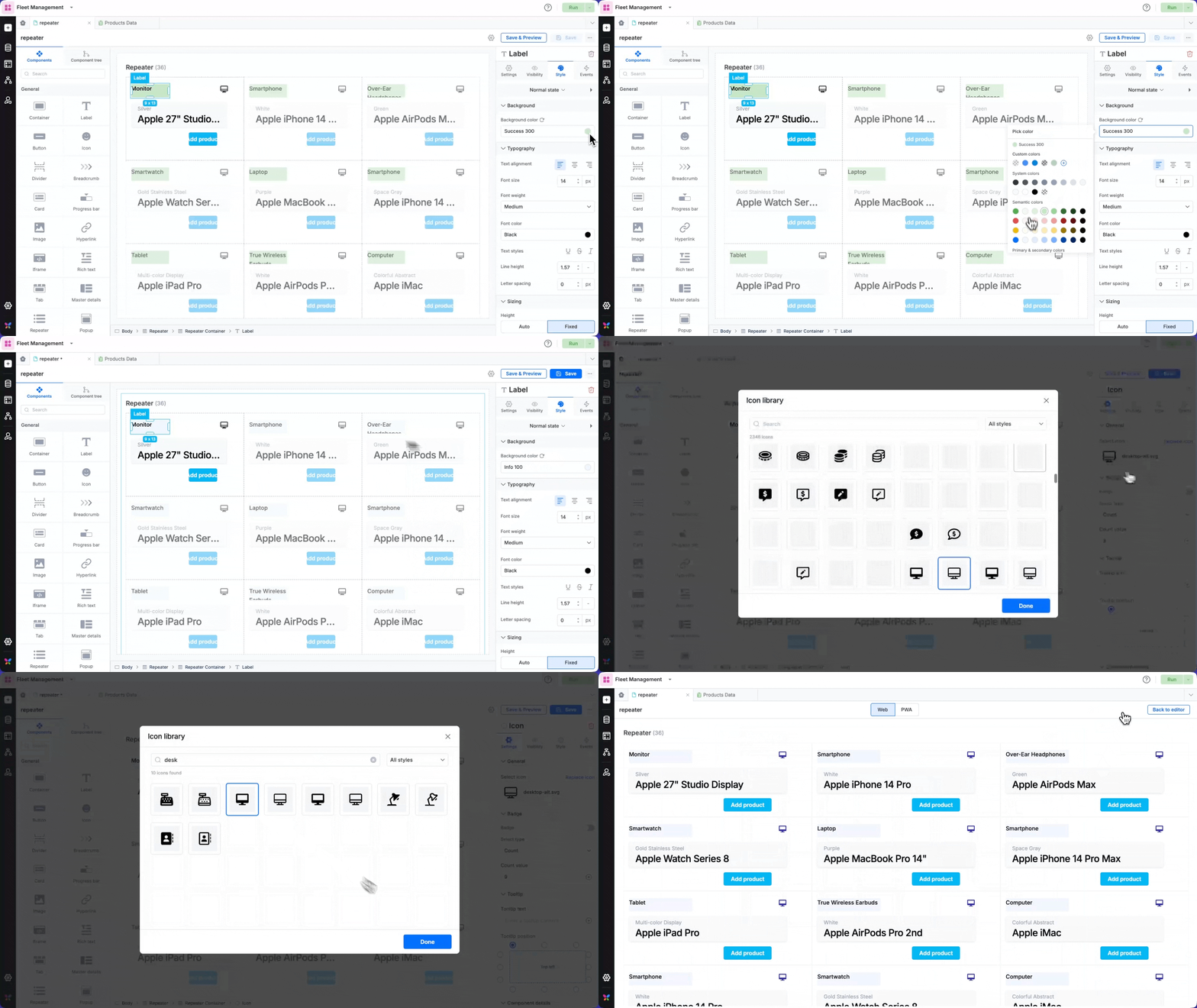
We are thrilled to announce a new component in Kissflow Apps: Repeater.

The Repeater is a powerful, configurable data display component that lets you design a layout template once and automatically repeat it for every record in your data source.

Connect it to any data source: forms, processes, or boards: and it renders each item using the same template, keeping your UI consistent without manual effort.

Key features

  • Virtualized rendering: Handles large data sources without performance impact.

  • Infinite scroll: Automatically loads more records as users scroll.

  • Drag-and-drop integration: Seamlessly works with the page builder interface.

  • Template-based design: Create once, applies to all data records.

  • Performance optimization: Maintains smooth scrolling regardless of data source size.

  • Multi-source support: Connect to data forms, processes, boards, and variables.

What this means for you

Faster development: Build beautiful, data-driven interfaces quicker. Design your template once and let the Repeater handle the rest automatically.

Consistent user experience: Every data record displays with the same polished design, ensuring your users get a cohesive experience across all content.

Effortless scaling: Whether you have 10 or 10,000 records, the Repeater maintains peak performance through intelligent virtualization and loading strategies.

Enhanced productivity: Focus on your business logic instead of repetitive UI work. The Repeater eliminates the need to manually create layouts for each data item.

Design flexibility: From simple lists to complex grid layouts, the Repeater adapts to your design vision while maintaining optimal performance and user experience.

Availability

This component is available for all apps under the Kissflow Work Platform Enterprise plan.


Try out this feature and let us know your thoughts below! Check out the help documentation for more details.

View on Kissflow Community
Copy link

AI features across the account help users automate tasks, generate insights, and work more efficiently. As users adopt these capabilities, administrators may need greater control over how AI is used across their account.

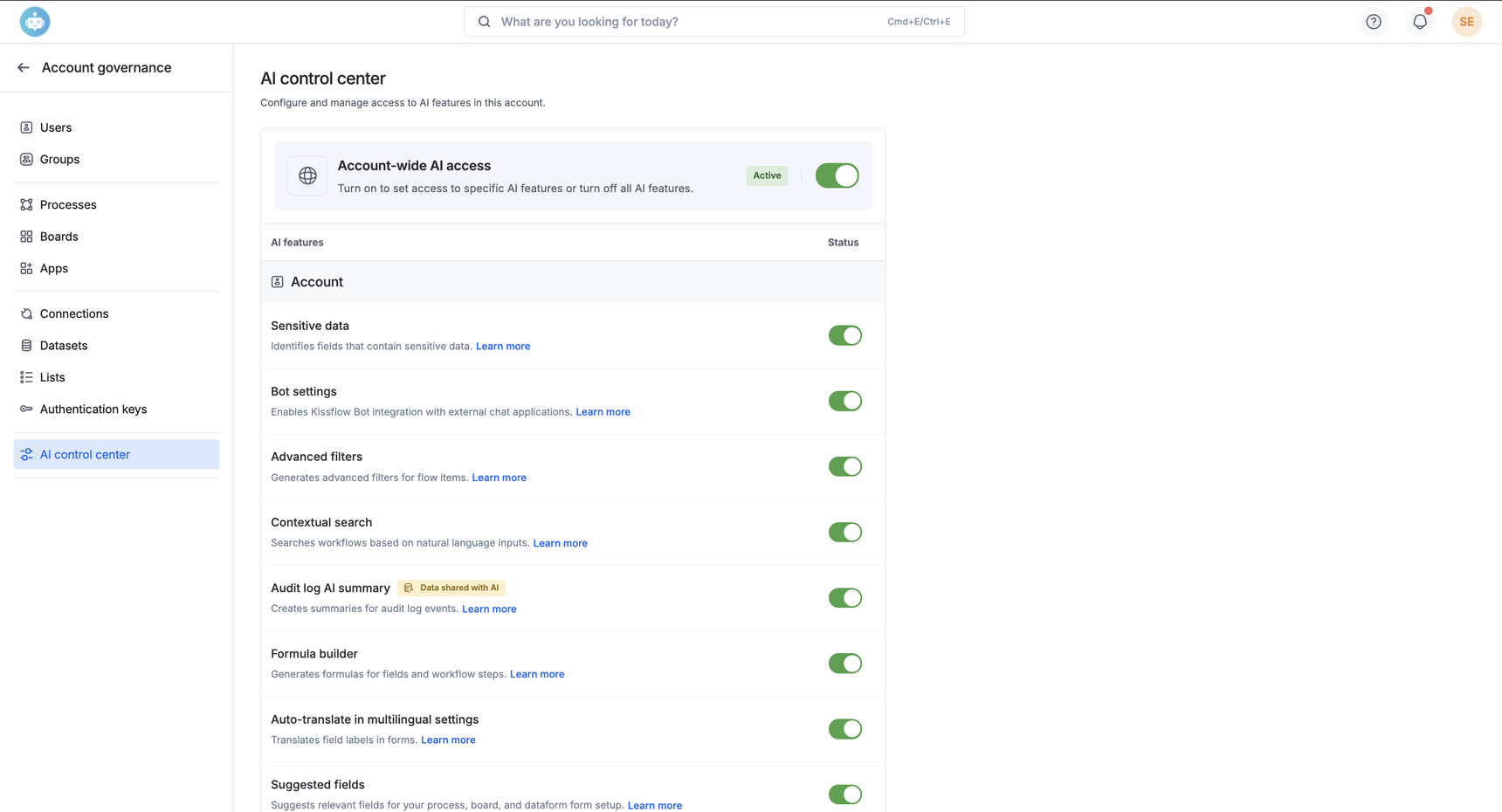
We’re excited to introduce the AI control center, a centralized place where administrators can manage AI access across their Kissflow account.

What’s in it?

Super admins can now enable or disable AI services for their account and control access to individual AI features from a single place. This makes it easier for organizations to manage AI adoption while aligning with internal governance and compliance requirements.
 

Note: This feature is available for Enterprise Work Platform customers.

Admins, use this feature to control everything AI in your account, refer to our help documentation and leave us your feedback.

View on Kissflow Community
Copy link

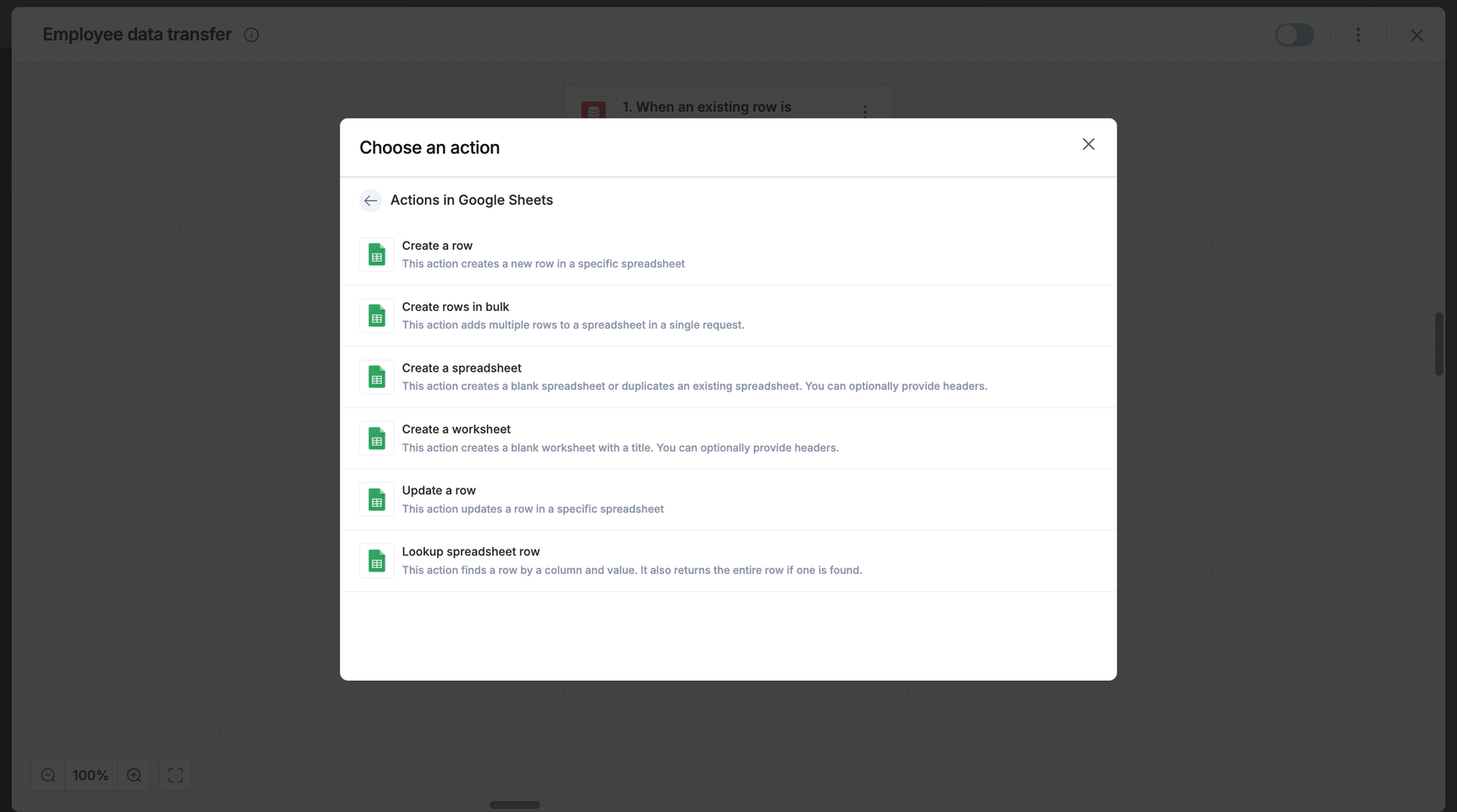
Managing large amounts of data just got a whole lot faster! We’ve upgraded our Google Sheets connector with a highly requested action: Create rows in bulk.

Instead of sending data one row at a time, you can now push multiple rows into your spreadsheet in a single request. Whether you're syncing weekly reports or migrating task lists, this addition significantly reduces integration runtimes and keeps your workflows snappy.

What this means for you

  • Efficiency: You can add dozens of rows instantly.

  • Simple setup: Just select your source sheet and map your columns to the corresponding fields.

This feature is now available to users on all Kissflow plans. For any questions, comment below, or reach out to our customer support team.

View on Kissflow Community

February 2026

Copy link

We know the struggle: You are ready to approve a request, but first, you have to dig through a 30-page vendor quote to find the payment terms. It’s time-consuming and slows down your entire workflow.

Our latest update, AI summarizer for attachments, removes this friction, speeding up the way you work. This feature supports files uploaded to your Image, Attachment, and Smart attachment fields.

What’s new? 

  • Instant overview: When you preview an attachment, you will see a new Generate summary button. With one click, the AI generates an instant summary based on a standard, pre-fed prompt, providing you with a concise overview of the attachment.

  • Drill down for details: You can edit the prompt to ask for exactly what you need. The AI re-scans the attachment based on your custom prompt and delivers the specific data you requested.

Availability and support

Speed up your approvals today! This feature is available to the Enterprise plan users across the Kissflow platform and Apps: Process, Board, and Dataform.

For more information, visit our help documentation. If you have any questions, comment below or reach out to our customer support team.

View on Kissflow Community
Copy link

What's new?

We are thrilled to introduce three new variable types for JSON variables across apps:

  • Object
  • Array of objects
  • Array of strings

What has changed?

In addition, we have implemented new limits for JSON variable data and schema in to ensure system stability and better performance. Now, the following limits apply to new and existing JSON variables in Kissflow Apps across all environments.

  • Root object keys: 100 maximum (top level)

  • Nesting depth: 2 levels

  • Nested object keys in level 1: 20 maximum

  • Nested object keys in level 2: 10 maximum

  • Array items: 10 per array

  • Array item object keys: 10 per array

Example JSON for object

{
  "orderId": "po1001",
  "productName": "Laptop",
  "category": "Electronics",
  "quantity": 5,
  "status": "active",
  "createdAt": "2026-01-15T10:30:00Z",
  "customer": {
    "customerId": "cust001",
    "name": "Alice Johnson",
    "email": "alice@example.com",
    "phone": "555-1234",
    "address": {
      "street": "123 Main St",
      "city": "New York",
      "zip": "10001"
    }
  },
  "payment": {
    "method": "credit_card",
    "amount": 4999.95,
    "currency": "USD",
    "status": "paid"
  },
  "tags": ["priority", "fragile", "express"]
}
  • Root array items: 100 maximum

  • Nesting depth: 3 levels

  • Nested object keys in level 1: 30 maximum

  • Nested object keys in level 2: 20 maximum

  • Nested object keys in level 3: 10 maximum

  • Array items: 10 per array

  • Array item object keys: 10 per array

Example JSON for array of objects
[
{
"orderId": "po1001",
"customer": {
"customerId": "cust001",
"name": "Alice Johnson",
"email": "alice@example.com",
"phone": "555-1234",
"address": {
"street": "123 Main St",
"city": "New York",
"state": "NY",
"zip": "10001",
"country": "US"
}
},
"items": [
{
"itemId": "item001",
"productName": "Laptop",
"quantity": 2,
"unitPrice": 999.99,
"discount": 50.00
},
{
"itemId": "item002",
"productName": "Mouse",
"quantity": 3,
"unitPrice": 29.99,
"discount": 0
}
],
"status": "shipped",
"createdAt": "2026-01-15T10:30:00Z",
"updatedAt": "2026-01-16T08:00:00Z",
"totalAmount": 2039.95,
"currency": "USD",
"paymentMethod": "credit_card",
"notes": "Handle with care",
"tags": ["priority", "fragile"]
},
{
"orderId": "po1002",
"customer": {
"customerId": "cust002",
"name": "Bob Smith",
"email": "bob@example.com",
"phone": "555-5678",
"address": {
"street": "456 Oak Ave",
"city": "Los Angeles",
"state": "CA",
"zip": "90001",
"country": "US"
}
},
"items": [
{
"itemId": "item003",
"productName": "Monitor",
"quantity": 1,
"unitPrice": 349.99,
"discount": 20.00
},
{
"itemId": "item004",
"productName": "Keyboard",
"quantity": 1,
"unitPrice": 79.99,
"discount": 0
}
],
"status": "pending",
"createdAt": "2026-02-10T14:00:00Z",
"updatedAt": "2026-02-10T14:00:00Z",
"totalAmount": 409.98,
"currency": "USD",
"paymentMethod": "paypal",
"notes": "",
"tags": ["standard"]
}
]
  • Root array items: 30 maximum

Example JSON for array of strings

["electronics", "clothing", "furniture", "sports", "books"]

As previously notified here, the new variable limits will affect your existing JSON variable data.

We recommend auditing and editing your JSON variable data to comply with these limits to avoid disruption in your apps.

Read more about the variable types and the schema here. Please feel free to contact our support team in case of any queries.

View on Kissflow Community
Copy link

While the Run script connector has always offered unmatched flexibility, we’re ensuring it’s accessible to everyone, regardless of their coding background.

Say hello to a world where your creativity is the only limit, not your knowledge of JavaScript;  introducing AI-assisted code generation for the Run script connector.

Key highlights

  • Natural language prompting: Describe your logic in plain English and watch AI generate the JavaScript instantly.

  • Intelligent refinement: Ask the RunJS assistant to optimize, or completely rewrite existing code to meet new requirements.

  • Context-aware mapping: The AI assistant automatically creates or references existing input data directly within your code logic.

What this means for you

Whether you're a pro coder or a first-time user, this update changes the way you work. From conquering complex data transformations like date formatting and JSON parsing to automating the repetitive boilerplate, the RunJS assistant handles the technical heavy lifting, letting you focus on high-level logic and architecture.

The possibilities are truly endless. Here are a few use-cases for you to explore:

Use case

What the RunJS assistant can do for you

Data shaping

Reshape JSON payloads, merge or split fields (for example, names/addresses), and convert data types.

Date & time

Handle timezone conversions, calculate SLAs or business days, and compare date ranges.

Lists & arrays

Filter or deduplicate records, split large batches for APIs, and perform advanced lookups.

Availability and support

The RunJS assistant is live and available to users on the Enterprise plan. Open any Integration in your Kissflow platform or Apps and add a Run script action to start using the feature. 

If you have any questions, visit our help documentation, comment below, or reach out to our support team.

View on Kissflow Community
Copy link


Here’s a quick revamp to how users interact with the slider field in your forms.

Previously, you had to drag the slider to find that sweet spot value. Now, we’ve added more ways to get the job done:

  • Direct input: Type your exact number into the new input box, and the slider will jump to that position.

  • Precision stepping: Use the up and down arrows in the input box to increase or decrease the value.

  • Classic slide: If you prefer the old way, you can still drag the slider as usual, the input box value will update in real-time to match.

This update, available to users on all Kissflow plans, is about providing a more inclusive, keyboard-friendly experience that boosts your overall efficiency.

For any questions, feel free to comment below.

View on Kissflow Community
Copy link

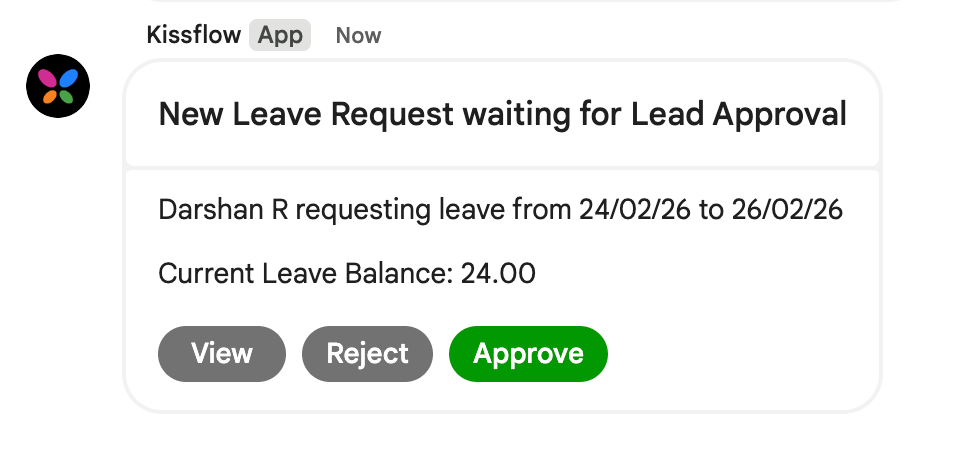
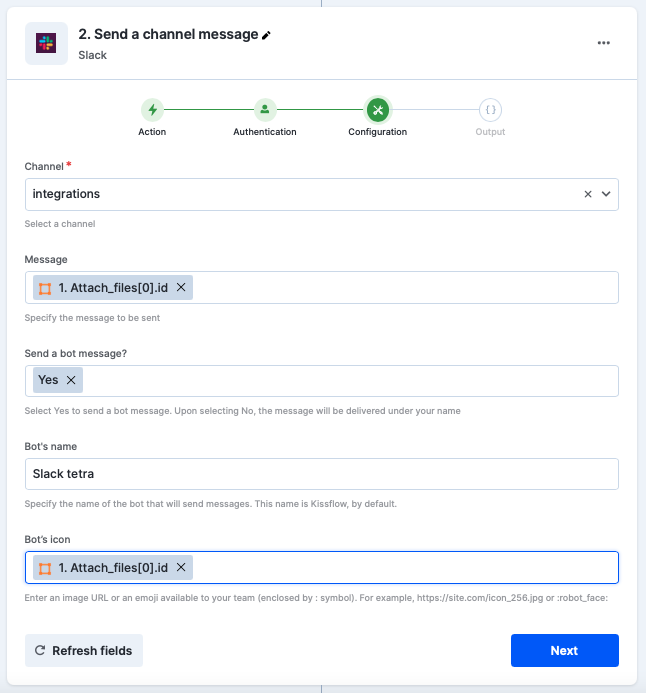
Notification customization in Kissflow was available only for Email, Web app, and Push channels, where you could include relevant field data from the item to provide context. 

However, notifications delivered to external chat applications such as Microsoft Teams, Google Chat, and Slack were limited to basic updates, without the ability to include item data or tailor the content.

As a result, you often needed to open the item to understand the full context before taking action. That has changed now.

What’s new

We’ve enhanced chat app notifications to be more contextual and actionable. You can now customize and include relevant item data in notifications sent via the Kissflow Bot.


Instead of receiving generic updates in chat apps, you can now see the key information you need, right inside Microsoft Teams, Google Chat, and Slack. This helps you make faster, more reliable decisions without leaving the conversation.

With this enhancement, you can:

  • Include relevant item data directly in chat notifications, so you have the context you need at a glance.
     
  • Customize which Kissflow notifications are sent to MS Teams, Google Chat, and Slack.
     
  • Apply the same notification customization logic used for Email and Web app notifications.
     
  • Preview how these notifications will appear in the respective chat apps before enabling them.

This brings external chat apps into Kissflow’s unified notification framework, with richer, more contextual updates.

What this means for you

  • More informed, faster decisions
    By bringing key item data into chat notifications, you can understand the context immediately without opening the item first.
     

  • Reduced back-and-forth
    Relevant details in notifications mean fewer follow-up messages and quicker actions.
     

  • Cleaner, more purposeful chat updates
    Control both when notifications are sent and what information they include.

Plans: Work Platform Enterprise


Learn how to customize notifications for processes, boards, and apps.

We encourage you to start using chat app notifications over email channels, as more enhancements are on the way. Stay tuned!

View on Kissflow Community
Copy link

We are excited to introduce the Breadcrumb component, a secondary navigation tool designed for multi-layered applications. Whether you are managing deep data hierarchies, departmental structures, or intricate administrative settings, the Breadcrumb component ensures your users always know exactly where they are—and how to get back.

Key features

  • Dynamic paths: Create clear trails like Department > Team > Employee Profile with just a few clicks.

  • Flexible layouts: Choose from standard separators like slashes (/) and chevrons (>) or upload a custom icon to match your brand.

  • Smart truncation: Maintain a clean UI by setting display limits. If a path gets too long, you can choose to collapse it from the start, middle, or end.

  • Action-based events: Configure breadcrumb items to trigger page redirections, open specific popups, or execute custom JavaScript.

What this means for you

For app builders, this component reduces the need for manual "Back" buttons and complex menu logic, saving development time. For your end-users, it significantly improves "findability" and reduces navigation fatigue.

This component is available for all apps under the Kissflow Work Platform Enterprise plan.

Try out this feature and let us know your thoughts below! Check out the help documentation for more details.

View on Kissflow Community
Copy link

We build the tools, but you build the impact. Here is a first look at the new capabilities we’re handing over to you this year.

Our 2026 product roadmap for the first two quarters is officially live! This year, we are doubling down on AI-driven agility. From building custom components in plain English to AI agents that handle your heavy lifting, we’re making No code feel like No effort.

To help you plan your year, we’ve structured our 2026 releases into two core areas:

  • AI everywhere: A dedicated AI tag featuring plain-English builders, AI Agents, Apps co-pilot, and more. 

  • Module-based labels: To make it easier to find updates relevant to you, we’ve labeled every feature by its module: Apps, Platform, Integration, Form, Data, and UX.

Explore the 2026 roadmap and let us know what you’re looking forward to. We encourage you to keep a close eye on the roadmap for upcoming plans in the next quarters, as we continue to build our vision for Q3, Q4, and beyond.

View on Kissflow Community
Copy link

Building a fully functional page in Kissflow Apps often involves setting up layouts, workflows, reports, and access—steps that can quickly take more time than expected. With AI, that process can now be simpler and more streamlined.

We’re excited to introduce a new way to create pages in Kissflow Apps using AI!

What’s new?

Along with creating pages manually, you can now generate pages for your app using AI.

To get started, you only need two inputs:

  • A description of the page you want to build

  • The roles the page is intended for

Using this information, AI scans your app and brings together the most relevant existing elements—such as workflows, forms, views, and reports—to assemble a ready-to-use page.

Once the page is generated, you can review it, make changes, and continue refining it using the page builder.

What this means for you

  • Spend less time setting up pages manually

  • Get a working page in minutes instead of hours

  • Move faster from idea to launch, using the existing workflows in your app

This feature is available under the Kissflow Work Platform Enterprise plan.

Try creating an app page using AI and let us know what you think in the comments below! If you need help, feel free to reach out to our support team. For more information, check out our help documentation.

View on Kissflow Community
Copy link

Have you ever found yourself ready to build a workflow, only to realize there isn’t a native connector for the app you need? The wait is over.

We are thrilled to introduce Smart link, an AI-powered bridge, that turns plain-English descriptions into fully functional custom actions. You no longer have to hunt for APIs; if you can describe it, Kissflow Integration’s Smart link can build it for you.

How it works

Smart link leverages AI to handle the technical heavy lifting. Here’s how you can go from idea to action in seconds:

  1. Describe your goal: Simply type what you want to do. For example, Post a message to a Discord channel.

  2. Let AI configure: Smart link automatically identifies the correct method, endpoint URL, and payload structure.

  3. Authenticate and go: Choose from four secure authentication methods, No auth, Basic, API key, or OAuth 2.0, to lock in your connection.

Key highlights

  • AI-generated configuration: Review configuration details at a glance, all pre-filled by AI.

  • Total flexibility: Need to tweak the AI-generated results? You can edit the configuration anytime. To sharpen the output, you can enter a completely different prompt or switch the app, integration's context, and functionality entirely.

  • Guided troubleshooting: The Payload description badge provides a reference guide for field names and data types, ensuring your JSON is perfect every time.

Availability and support

Inside your Integration, add a step. If your app doesn't appear in the search, use Smart link to build your action. You can also find it tucked under the HTTP connector list.

Stop waiting for ready-made connectors and start building. Whether it's a niche tool or a custom internal API, Smart link ensures your workflows never skip a beat. 

Smart link is available to users on all Kissflow plans in both Platform and Apps. For more information, visit our help documentation. If you have any questions, comment below or reach out to our customer support team.

View on Kissflow Community
Copy link

Previously, you had to manually click Print inside each item and save the document as a PDF to generate a PDF from a process item. 

Automation was possible via integrations only to generate the PDF from a process document template. That has changed now.

What’s new

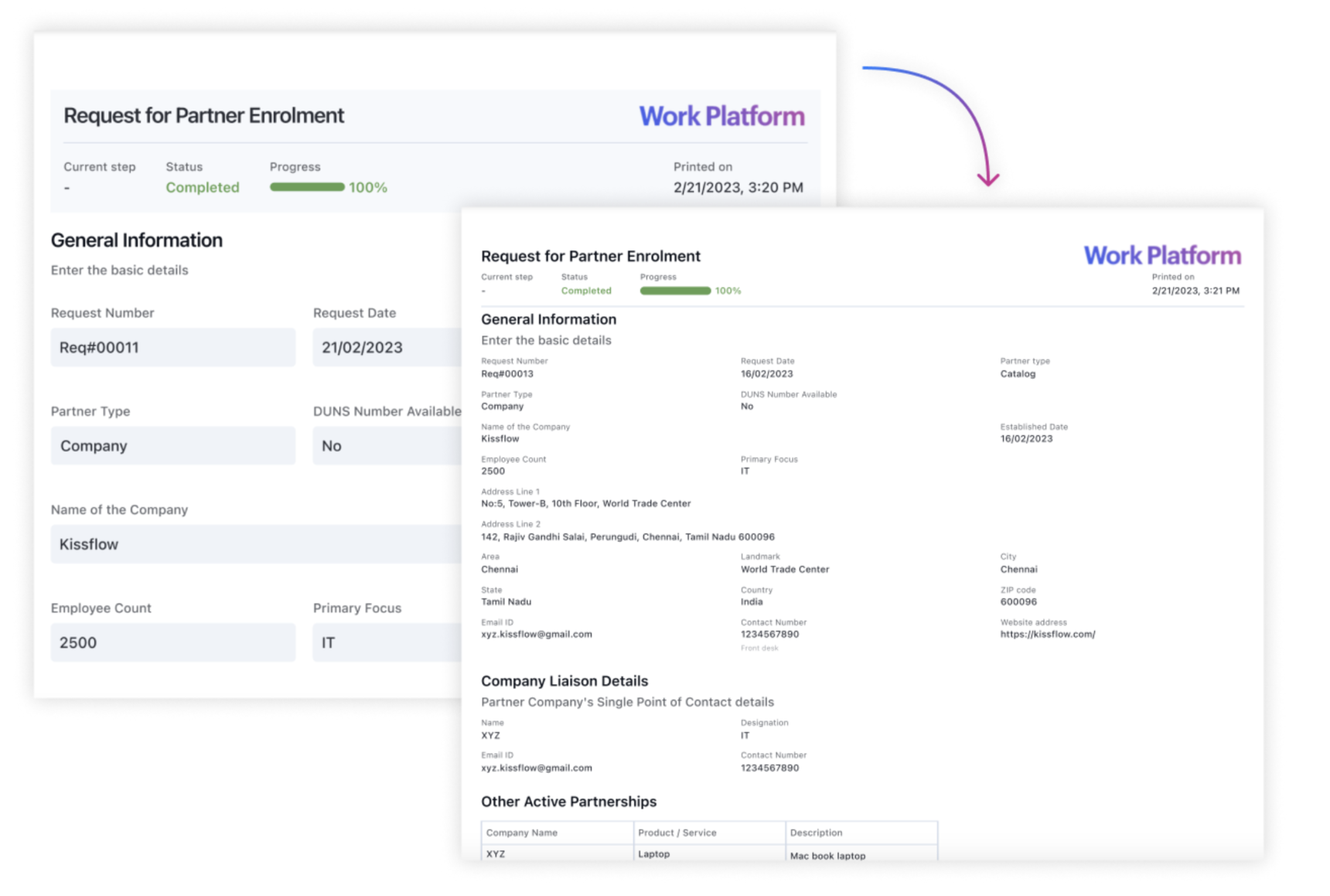
We’ve introduced a new source type in the Generate a PDF document action within integrations. This generates PDFs directly from process items, making documents automation-ready the moment they’re created. These documents can be automated to be printed, emailed, uploaded, or stored as part of your workflow.


What this means for you

  • Faster document-based automations.

  • Fewer manual steps before printing or sharing.

  • Consistent PDF generation across processes and boards.

Learn more about generating a PDF document. Do try out this feature and let us know your thoughts in the comments.

New action in Kissflow Boards connector

We’ve also brought the Generate a PDF document action to the Kissflow Boards connector, enabling the same seamless automation, whether you’re working in a process or a board.

View on Kissflow Community
Copy link

Managing field operations, whether it’s site inspection, delivery confirmation, or safety audit, requires trust. You need to know that the images submitted by your team are current, authentic, and captured exactly where they claim to be.

To help you secure this data, we are excited to introduce Mobile settings for Image and Attachment fields in Kissflow.

What’s New?

These settings apply specifically to mobile users to boost compliance and data integrity.

1. Allow camera captures only

This option disables the ability to upload images from the device gallery or cloud storage, ensuring your users capture images in real-time.

2. Add watermark to captured image

You can now verify the when and where of every image. By enabling Add watermark to captured images, metadata is overlaid directly on the image in the bottom-right corner.

You can choose to display:

  • Timestamp: The exact date and time the image was captured.

  • Location: GPS coordinates are shown by default. By adding your Google Maps API key to Account settings, the actual physical address of the image’s location can be displayed.

Availability and support

To access this feature, open your Form builder, select an existing Image/Attachment field or add a new one, and look for Mobile settings in the field settings panel. For more information, visit our help documentation.

These settings are available to users across all plans for Process, Board, and Dataform forms.

Update your forms today to bring a new level of transparency to your field operations! For any questions, comment below or reach out to our customer support team.

View on Kissflow Community
Copy link

Say goodbye to manual data entry in form tables!

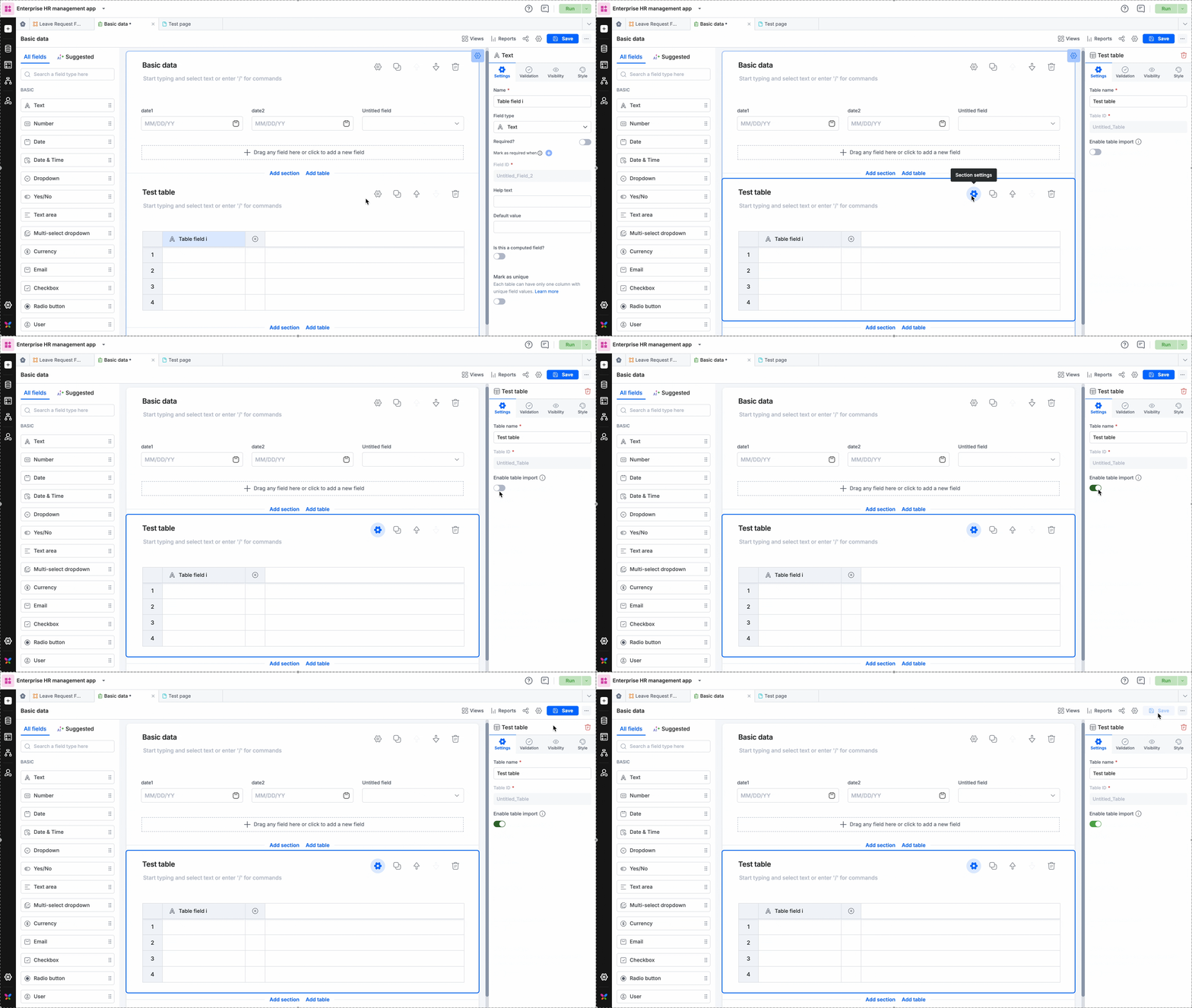
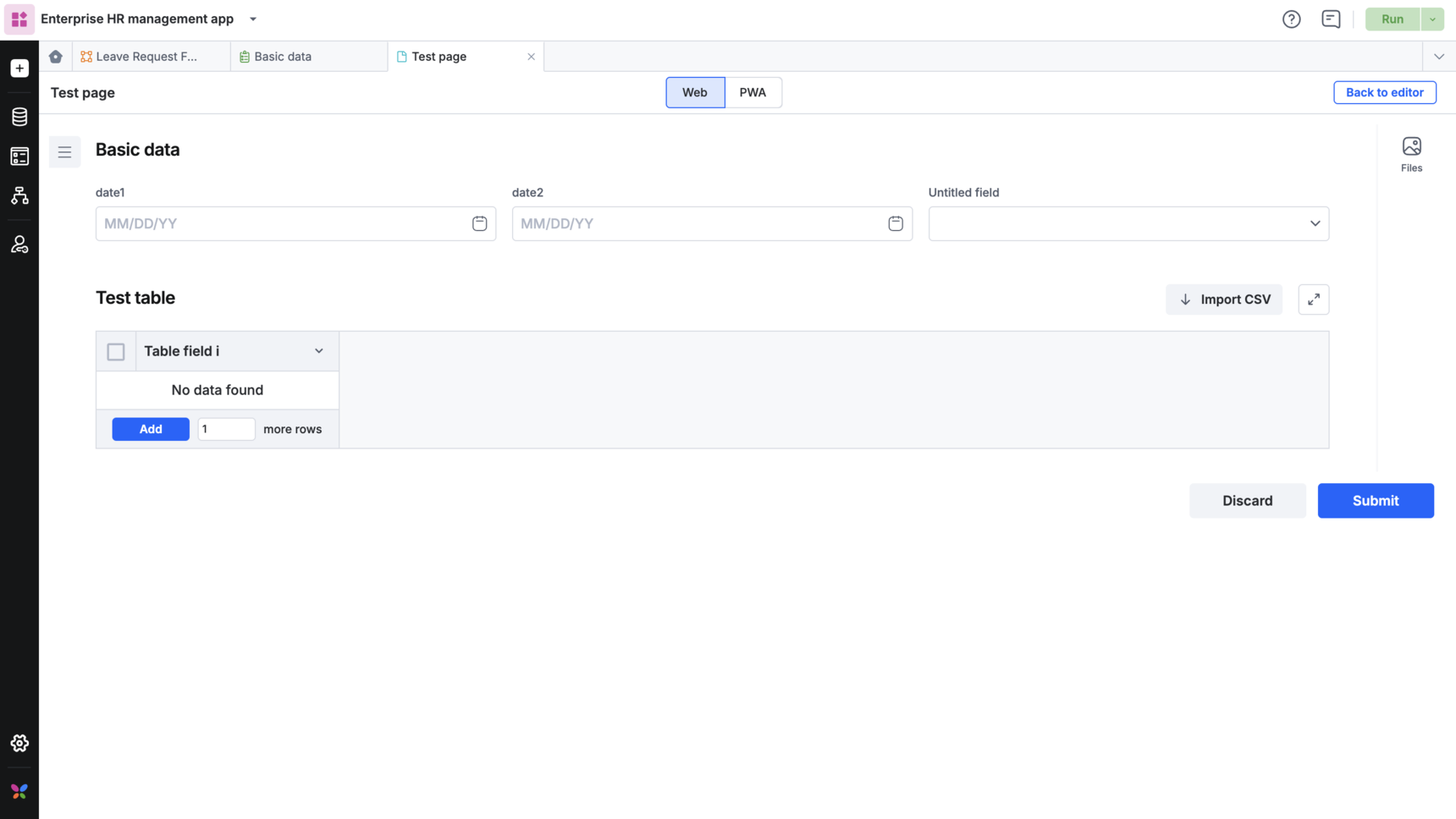
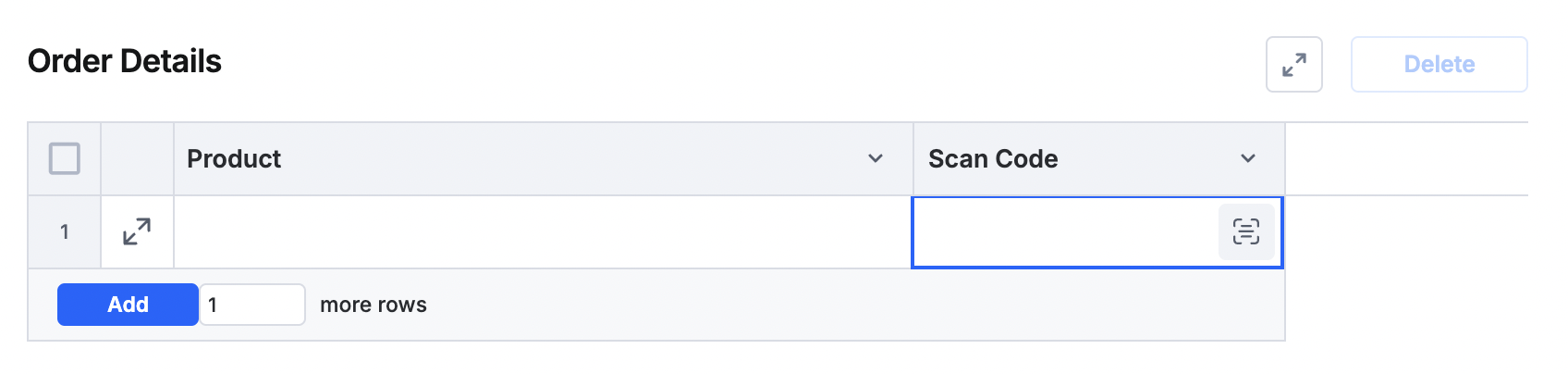
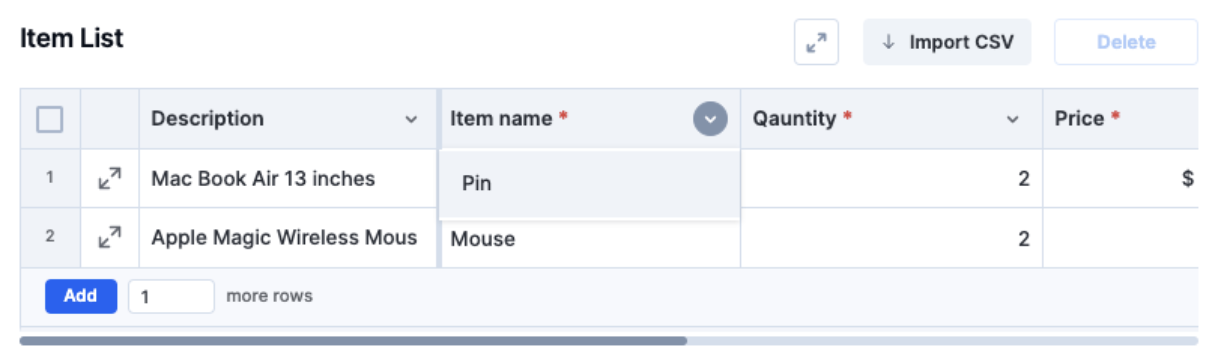
Earlier in Kissflow Apps, bulk data import via a CSV file was limited to the main forms. We are excited to announce that we have extended that capability to the tables within forms!

What has changed

You can now import data from a CSV file directly into a table within a form.

  • Import CSVs directly into tables in Dataforms & Process forms.

  • Works in all views in dataforms.

  • Supports up to 1,000 rows per table.

At run time, you will see an Import CSV option for this table.

What this means for you

Manually entering large amounts of data into tables within a form is no longer necessary. You can now solve this challenge by preparing your data in a CSV file and importing it in just a few seconds. This update significantly speeds up data entry for complex forms.

Check out our help documentation for more information. Dataforms  | Process forms

Do try out this feature and leave your comments below!

View on Kissflow Community

January 2026

Copy link

Process assignees were able to mention only item initiators and previous-step assignees (participants) in comments. To involve a non-process user, you typically had to switch to chat or other communication tools.

That changes now, as you’ll be able to mention users from larger pools, without adding them to the workflow.

What’s new


With this update, assignees can mention any user in the process/account (non-participant) for quick reviews or expert opinions. This brings the right people into comment threads without expanding workflow access to them. They can view the item as it appears at the step where they were mentioned.


Process admins can enable these permissions and choose to:

  • Allow assignees to mention any user in a process.

  • Allow assignees to mention any user in the account.

Inside apps

You can also mention non-participants in comments within Kissflow Apps, enabling the same contextual collaboration inside processes part of apps.

App Admins can control this by choosing to:

  • Allow assignees to mention any user in the app’s process

  • Allow assignees to mention any user in the app

What this means for you

  • Faster decisions: Get instant feedback from users without requiring them to be formal assignees.

  • Controlled access: Non-participants can react and reply only in the specific comment thread where they were mentioned.

Learn more about comment permissions for standalone processes and processes inside apps.

Plans

All plans under Work Platform.

View on Kissflow Community
Copy link

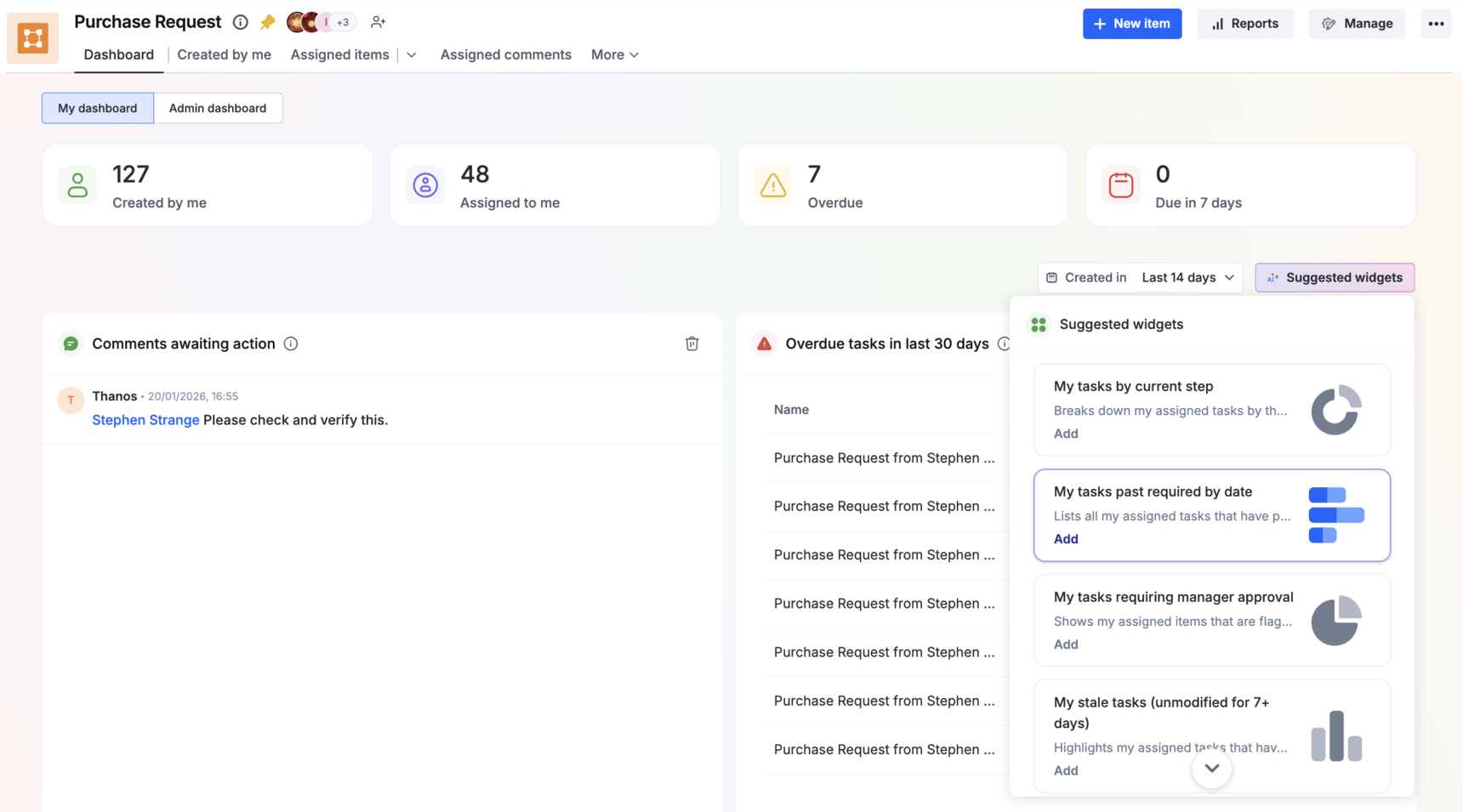
We’re super thrilled to introduce brand-new AI-powered dashboards designed to personalize your processes and boards. These dashboards give both team managers and individual users a clearer view of their work — making it easier to oversee tasks, get actionable insights, and act on them promptly.


✨ What’s new

Here’s the list of default widgets.

Process dashboards

  • For team managers:

    • AI insights

    • Average time in each step

    • Overdue in last 30 days

    • Sent back items

    • Rejected items

  • For individual team members:

    • Comments awaiting action

    • Overdue tasks in last 30 days

    • Escalated tasks

    • Due within 48 hours

Board dashboards

  • For team managers:

    • AI insights

    • Workload distribution

    • Due within 7 days

    • Overdue in last 30 days

    • Priority distribution

  • For individual team members:

    • Notes awaiting action

    • Overdue tasks in last 30 days

    • Due within 48 hours

    • Items I’m watching

AI-suggested widgets

In addition to the default widgets above, AI will suggest additional widgets tailored to your tasks and priorities, helping you see what’s most relevant to your work.

Learn more about smart dashboards.

Plans

Work Platform Enterprise

View on Kissflow Community
Copy link

Whether you are fetching live exchange rates, validating vendor IDs, or pulling customer details from a CRM, you need a tool that is fast, visible, and reliable.

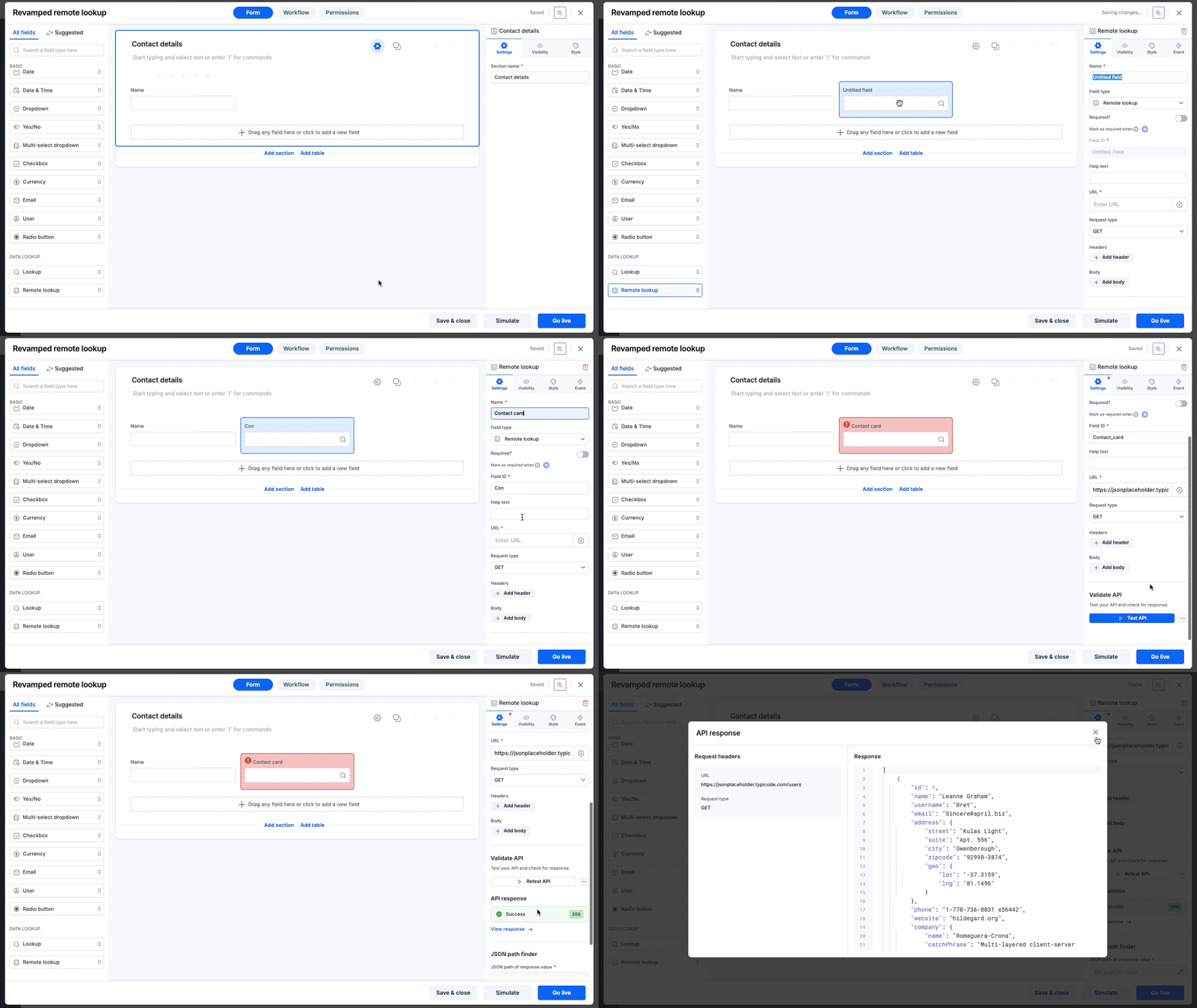
We have completely revamped the Remote lookup field in Kissflow forms by replacing the current approach with a streamlined, interactive experience that lets you build, test, and debug API connections entirely within the form builder.

What’s new?

Here is how we are making third-party data accessibility effortless:

Test before going live

Previously, testing an API meant switching to tools like Postman or running a live request after going live. Now, you can test APIs directly inside the Field properties panel.

  • Instant validation: Click Test API to fire a real request (GET or POST) and immediately see if you get a Success (200) status or an error.

  • Debug on the spot: If a connection fails, you can inspect the error details to fix URL, Header, or Body issues.

  • Test dynamic fields: If your API request relies on data from other fields in your form (like a Department ID or Vendor name), you can input temporary sample values for these dynamic fields while testing to verify the connection works as expected.

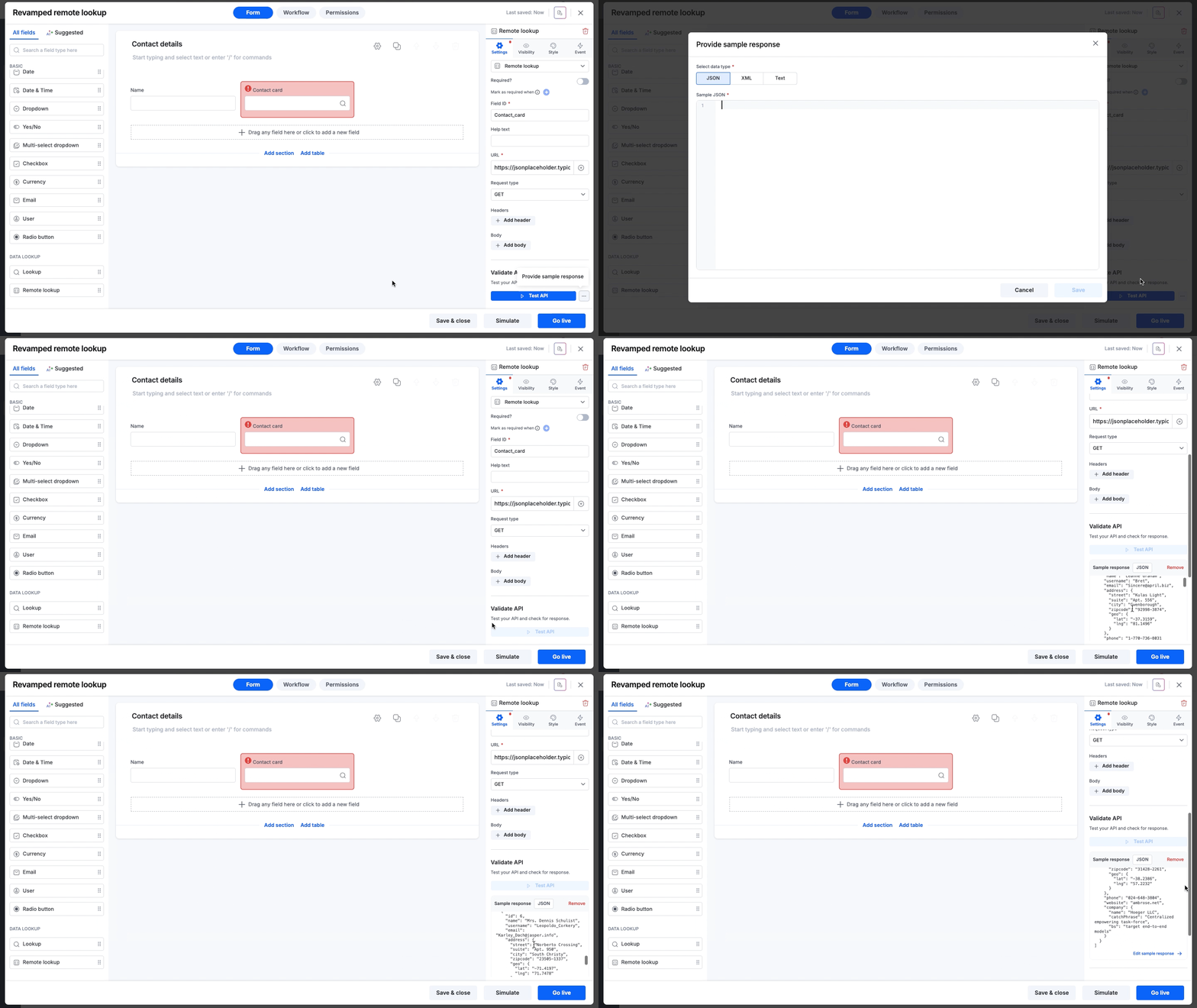
  • Work with sample data: If you’re working behind a firewall or don’t want to create dummy data in your live database, you can paste a sample response to configure the field without triggering a live API call.

Minimal configuration

Previously, you had to define your data type and configure the result format, a multi-step process.

Automated data type detection: Now as soon as you test an API or provide a sample response, we analyze the response to automatically detect the data type (JSON, XML, or Text) and apply the correct format settings.

Simplified JSON/XML path setup

Extracting the exact data point you need (like a specific city name from a list) used to require writing complex path syntax. We have introduced two new ways to handle this:

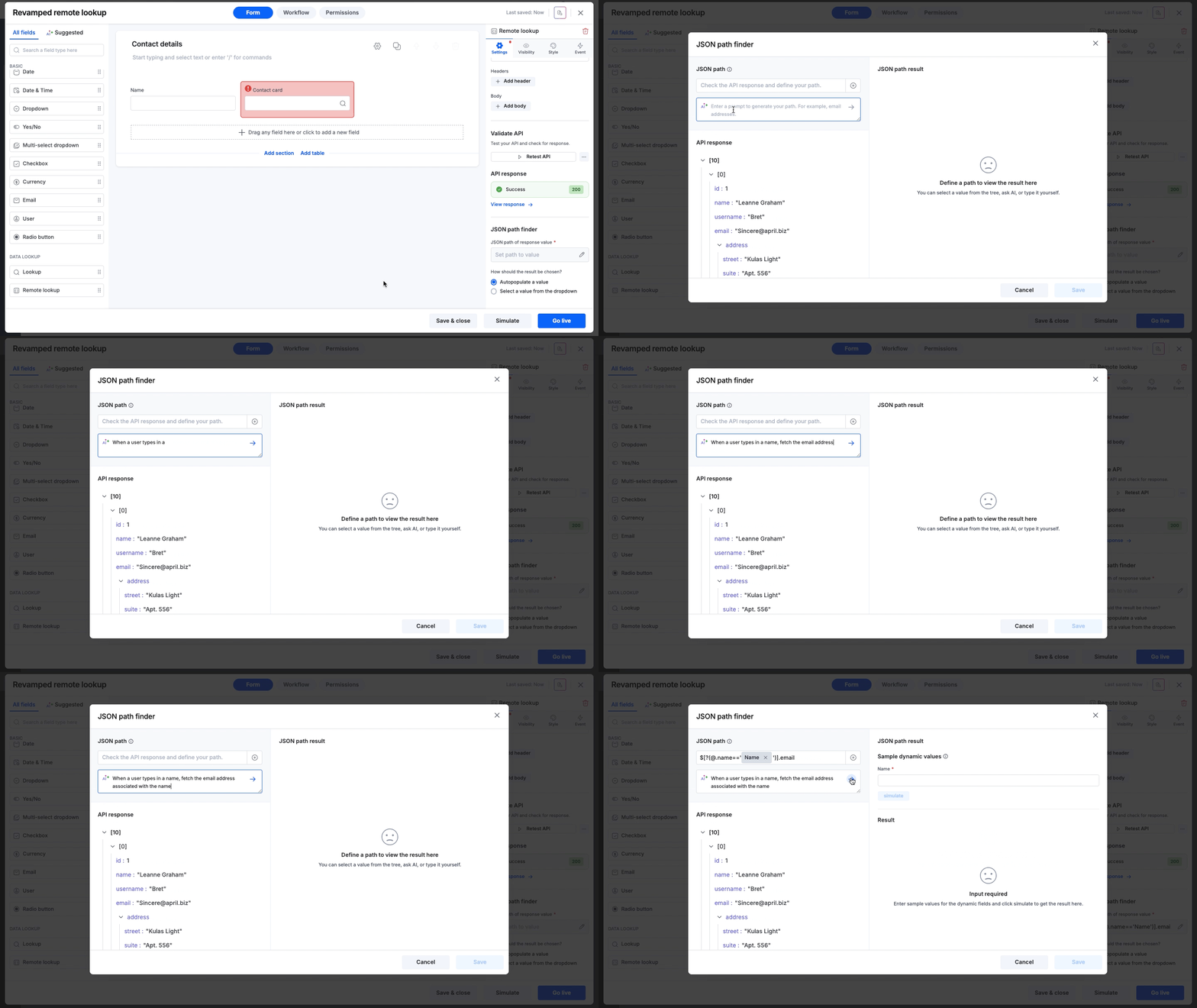
  • AI path finder: Just use plain-English. Type a prompt like Get the post office name or Give me user emails, and AI will analyze the response and generate the correct path syntax automatically.

  • Visual tree selection: Browse the API response tree and simply click the value you want to capture.

For technical experts, manual input is still available for full control.

If you’ve included dynamic fields in your JSON/XML path, you can assign sample values and simulate the request to preview the path’s result before going live.

Smarter editing

We’ve added guardrails to ensure your live forms never break.

Dependency locking: If other fields or formulas rely on your remote lookup field, we prevent accidental edits to critical settings (like when you test the API after changing the URL, or modify the current JSON/XML path). You’ll see exactly which dependencies need to be cleared before making changes.

What this means for you

Here’s a high-level summary of why this revamp adds value to your operations:

  • Reduced setup time: Automated data type detection and AI path finding remove the manual grunt work, saving you countless clicks and configurations.

  • Higher reliability: Testing inside the builder and dependency locking ensures that when you finally go live, your form works perfectly the first time.

  • Zero-code accessibility: By removing the need to write JSON/XML syntax manually, integrations are now accessible to business users, not just IT specialists.

Availability and support

These enhancements are designed to simplify configuring remote lookup fields. You no longer need robust backend development knowledge to set up real-time data lookups.

The revamped Remote lookup field is now available to users on all Kissflow plans and accessible across all Process, Board, and Dataform forms. Go ahead. Drag, drop, and connect with confidence!

For more information, visit our help documentation. If you have any questions, feel free to comment below or reach out to our customer support team.

View on Kissflow Community

December 2025

Copy link

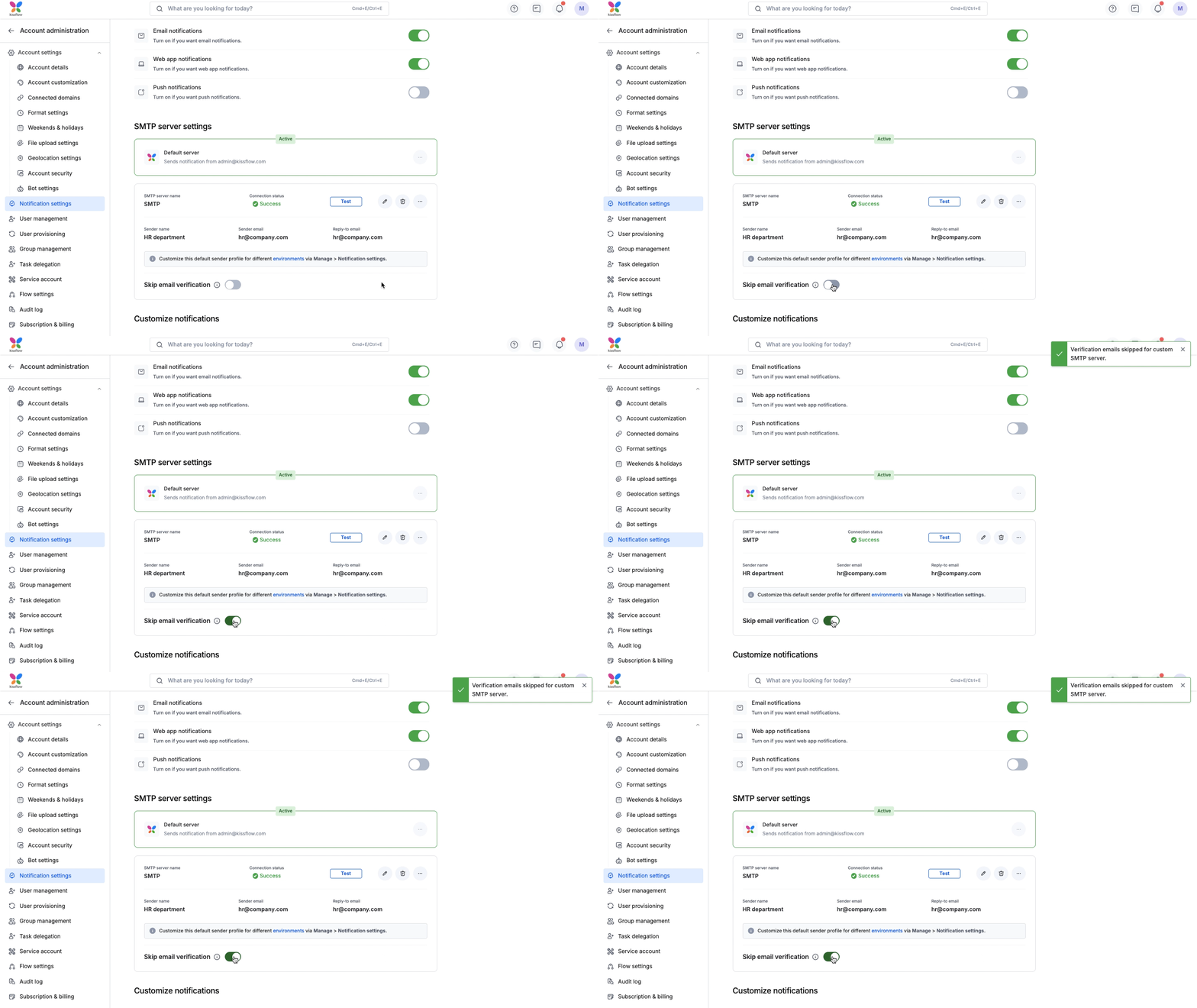
We are excited to announce a powerful new addition to your Kissflow notification settings! You can now move beyond Kissflow's default email server and configure your custom SMTP server.

This highly requested feature gives you full control over your email delivery infrastructure, sender identity across environments, and user verification.

Why set up a custom SMTP server?

Previously, all notification emails were sent via the default Kissflow server. With this update, you can align email notifications with your organization's policies and branding.

  • Seamless user onboarding: When using your custom server, you have the option to skip email verification. While a verification email will still be sent, users are no longer required to click the link to receive notifications. Verified or not, the emails will flow!

  • Complete sender control: Customize the Sender name, Sender email, and Reply-to email. Make sure your users recognize exactly who is contacting them.

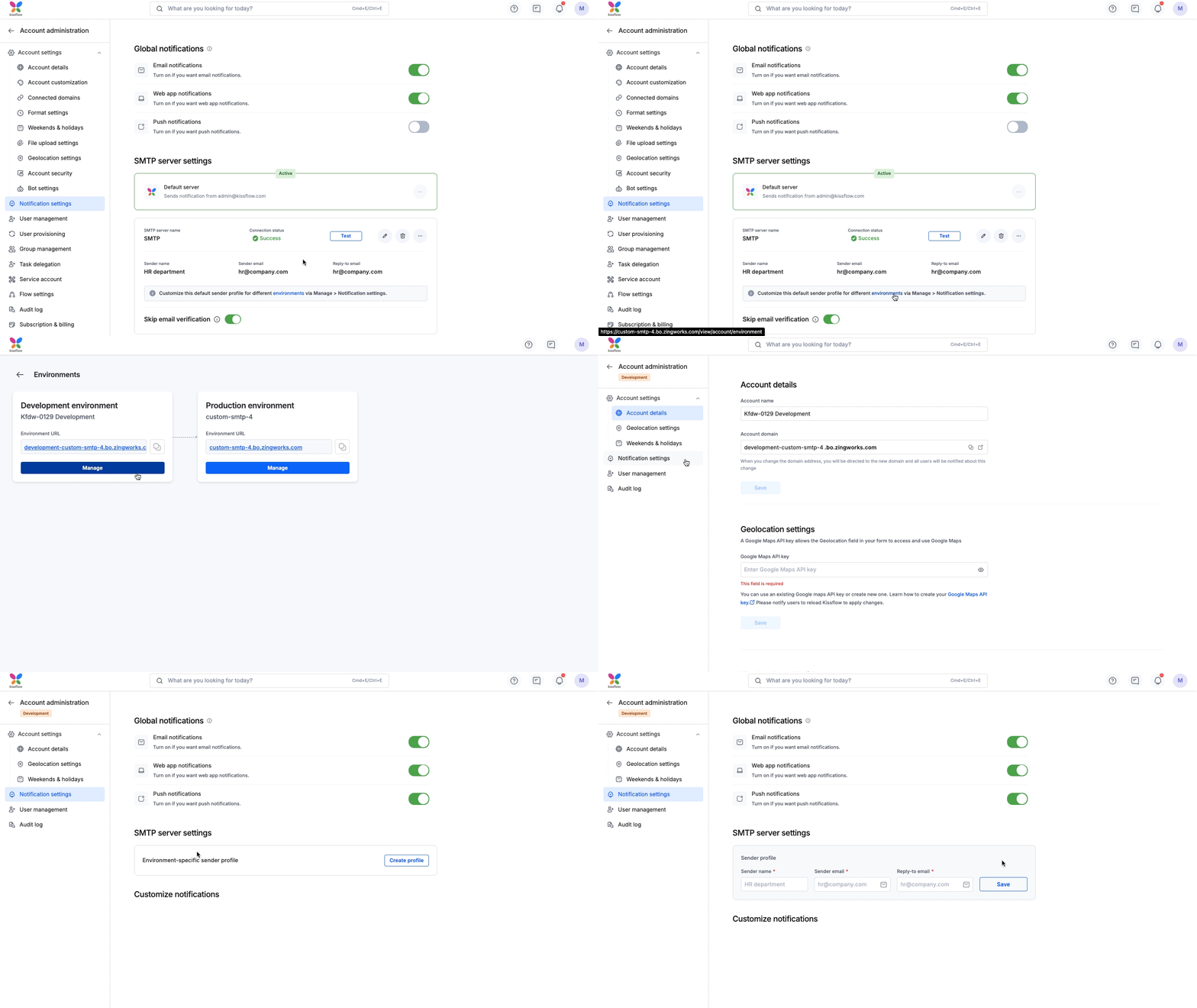
  • Environment-specific profiles: You now have the flexibility to configure unique sender profiles for different app environments (DevelopmentTest, and Production). This helps your team easily distinguish between a test notification and a live production alert, preventing confusion during the development lifecycle.

  • Reliability and monitoring: In the unlikely event of delivery issues, you can configure Server failure alerts to be sent directly to a specific email address, ensuring you never miss a beat.

How it works

We’ve designed this feature with flexibility and uptime in mind:

  • Test and activate: Configure and switch to your custom SMTP server after a successful connection test.

  • Switch anytime: Switch between your custom and default servers at any time.

  • Safe updates: Disable the server to edit or delete it, ensuring automatic fallback to the default server and no emails are missed.

Availability and support

This feature is available to Super Admins on the Enterprise plan. You can access these new settings immediately by navigating to: Account administration > Notification settings

For more information, visit our help documentation. If you have any questions, comment below or reach out to our support team.

View on Kissflow Community
Copy link

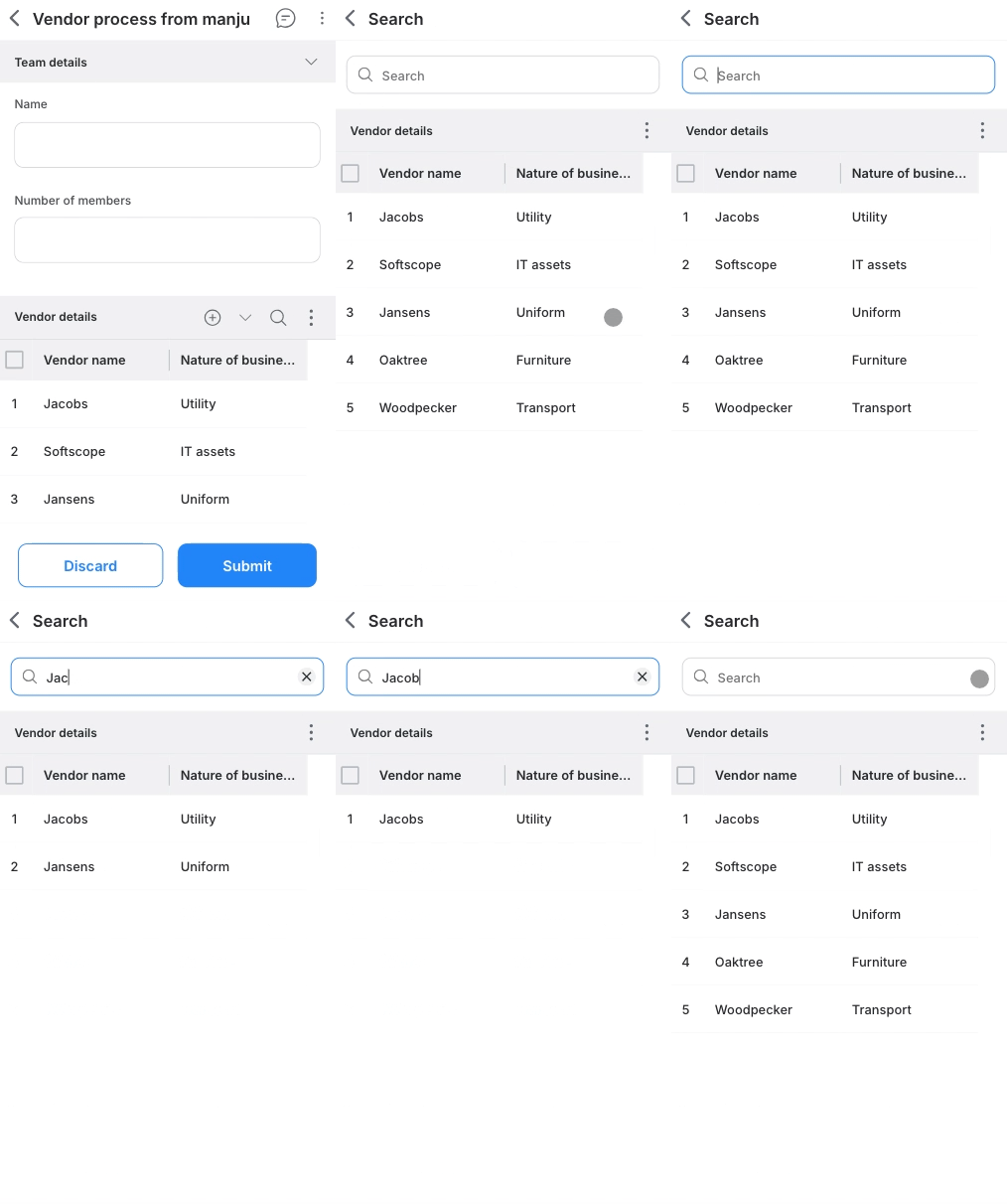
Managing large tables on mobile devices just got a lot easier. We know that navigating tables in your forms can be tricky on smaller screens. We’re excited to roll out a set of enhancements for our Progressive Web App (PWA) designed to help you locate, organize, and view your records more efficiently.

What’s new?

Instant search

You no longer need to sift through the entire table to find what you are looking for. We have added a dedicated search bar to form tables.

Search checks all cells across columns. Simply type a keyword, like a name or ID, and the table will instantly filter to show only the matching records.


Column sorting

You can organize your data exactly how you need it using the new ascending and descending sort options.

For complex widgets, sorting is performed based on the underlying primary values.

Fixed headers

We have improved the scrolling experience for large tables in full-screen mode.

The column headers now remain fixed at the top when you scroll down through a long list of items in full-screen mode. You will never lose context of which column you are looking at.

Availability and support

These enhancements are live in the PWA today, available to users on all plans across the Kissflow platform and Apps. We are actively working to enhance the web experience with the search and sort capabilities as well. Stay tuned for updates.

Note that search and sort cover the majority of field types, like Text, Number, Date, User, Lookup, and so on. File-based fields like Attachment and Image, Signature, and Geolocation are excluded.

For more information and a full list of supported fields, visit our help documentation. If you have any questions, feel free to comment below or reach out to our customer support team.

View on Kissflow Community
Copy link


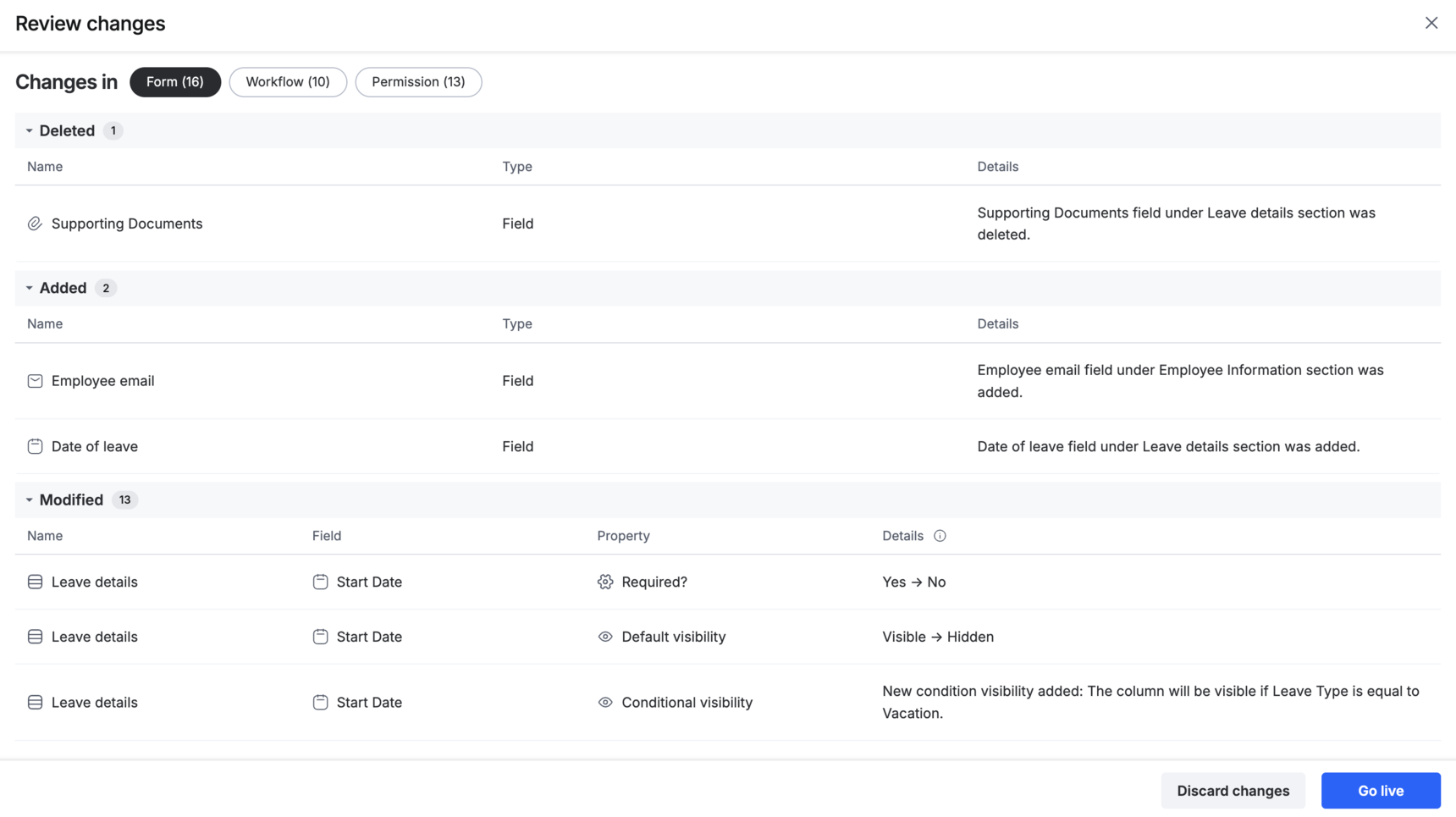
Publishing a process is about to get smarter as we’re thrilled to introduce Review changes for Process admins and Developers.


The new Review changes feature summarizes every update made to your form, workflow, and permissions since the last published version. Whether a field was added, a workflow step modified, or a validation removed, you get a clear, easy-to-read summary. 

You can review changes anytime during your editing session, even before publishing. This makes it easy to keep track of your edits and stay in control as you build.

When you take over editing from another user, you can review the changes made after the last published version and decide whether to save those changes or discard them. This ensures complete control and transparency when collaborating.

Think of the Review changes view as your final checkpoint before publishing. From here, you can go live with your changes or discard them if not needed. 

No more manual comparisons or second-guessing. Just a clear, comprehensive overview of your process updates, right where you need it. To learn more, visit our help documentation. Give it a try and let us know your feedback in the comments section.

View on Kissflow Community
Copy link

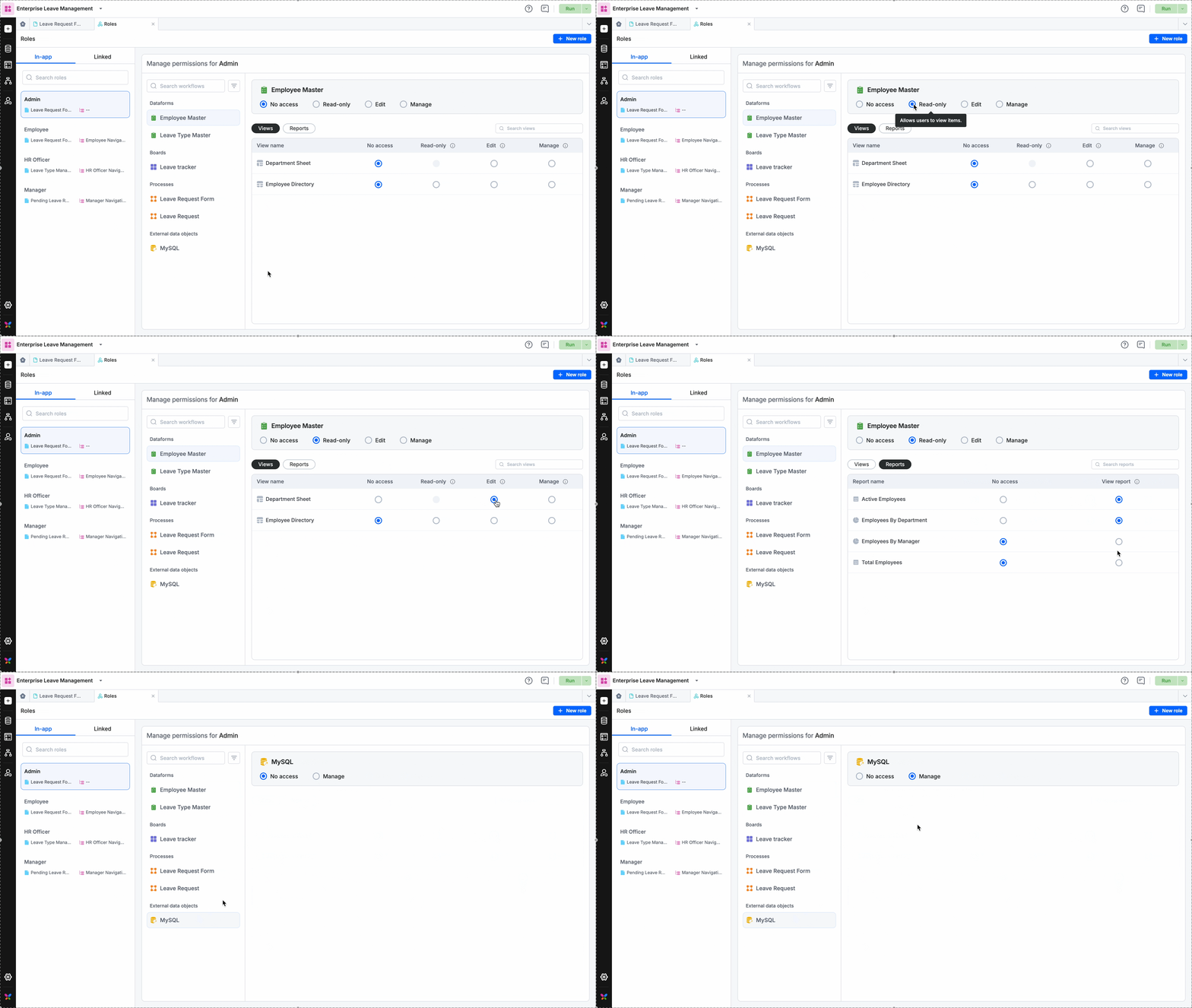
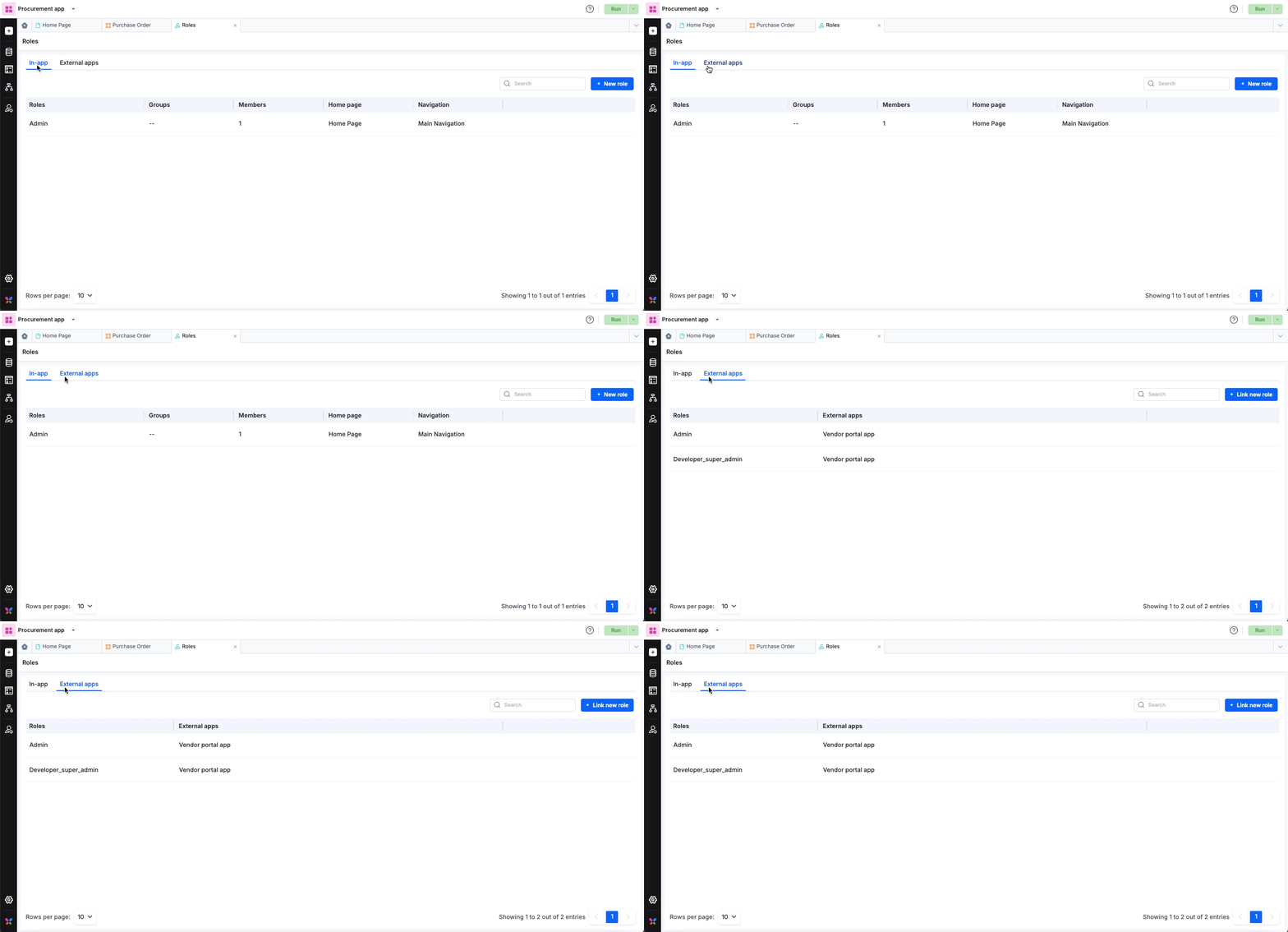
We’re excited to introduce the all-new Roles page in Kissflow Apps!

Featuring a revamped UI design, it offers a centralized, intuitive way to share workflows and configure permissions. While you can continue to configure role permissions within individual workflows just as before, you now have the convenient option to manage it all from one place.

What’s new?

  • One hub for all permissions: The completely redesigned Roles tab lets you configure permissions for dataform, process, board, analytics, external data object, and decision table—all in a single view.
  • In-app & Linked roles: Create new in-app roles or link external roles from other apps. You can now manage permissions for both types directly here.

  • Bulk vs. Individual: Continue using the dedicated share icon for individual workflows, or use the Roles tab to perform bulk sharing actions.

  • Instant sync: You can now manage permissions in two places:

    1. The centralized Roles tab.
    2. The individual Share settings of a specific workflow. Changes made in one location are immediately reflected in the other.

What this means for you

  • Centralized control: Configure everything from one tab instead of navigating through multiple flows.

  • Faster setup: Extend and edit role permissions directly as you create them.

  • Clearer interface: The Roles page now puts your most important details front and center.

The new Roles experience is live across Apps. This is as simple as it gets!

For more details, check out the help documentation for roles and permissions. Feel free to comment below for any queries.

View on Kissflow Community
Copy link

Searching for the right workflows is now simpler than ever!

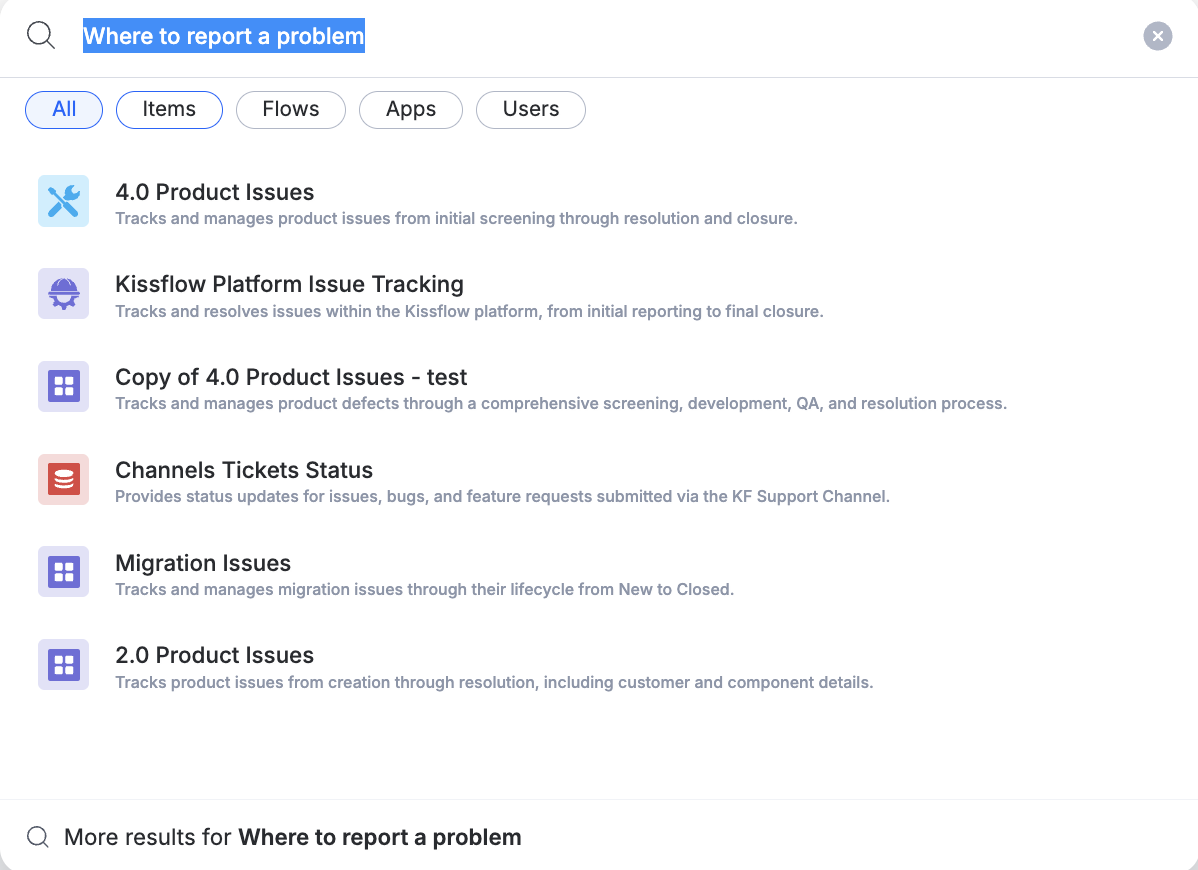
The upgraded AI-powered contextual search is live for all Enterprise users. Just describe what you’re trying to find, and the search brings the most relevant processes, boards and datasets right to the top of the search results.

Highlights to explore

  • AI contextual understanding – Type what you are looking for in plain language, for example, I am trying to find workflows for expense approvals, and the search intelligently surfaces the closest matches, so even if you don’t know the exact name of the workflow, you are saved.

  • New filters – Quickly refine your results with filters for Items, Flows, Apps, and Users, making it easier to locate what you need.

  • Recently accessed via search – Workflows you previously opened from search now appear automatically, helping you pick up right where you left off.

Note: This release of contextual search does not support apps and portals. 

Try out the AI-powered global search today and discover how fast it is to find workflows you need, and we’d love to hear your feedback.

View on Kissflow Community
Copy link


Reviewing complex workflows shouldn't feel like a scavenger hunt. When attachments are buried in different sections, you spend more time scrolling instead of focusing on the decision at hand.

That changes today.

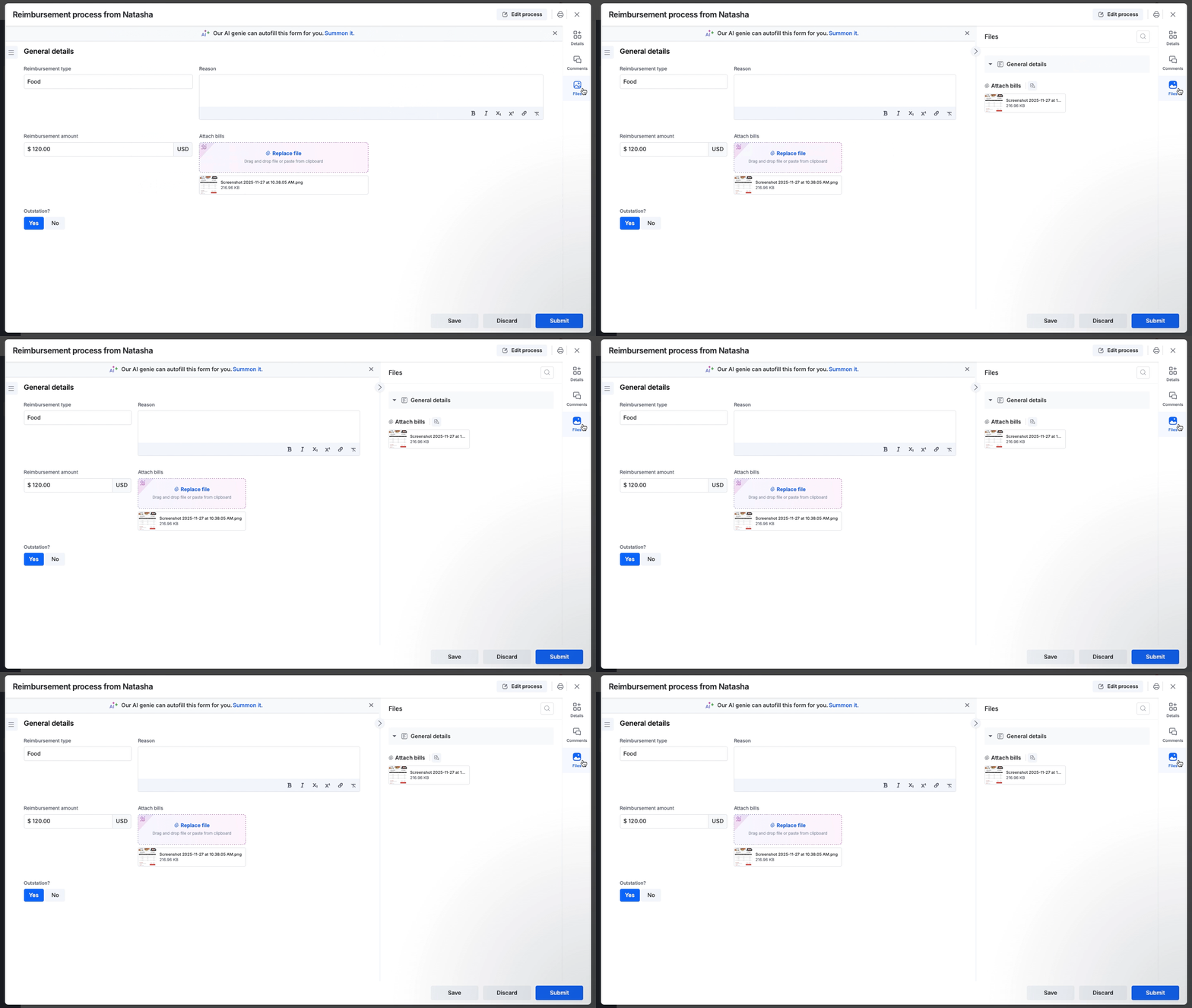

We are thrilled to announce that the Files panel is now live! It's a dedicated space designed to streamline your review and approval process instantly.

Why you should try it:

  • Centralized hub: Find every attachment in one consolidated panel, categorized section-wise.


    For items with many attachments, you can search by field name to narrow down the list and find exactly what you need.
     
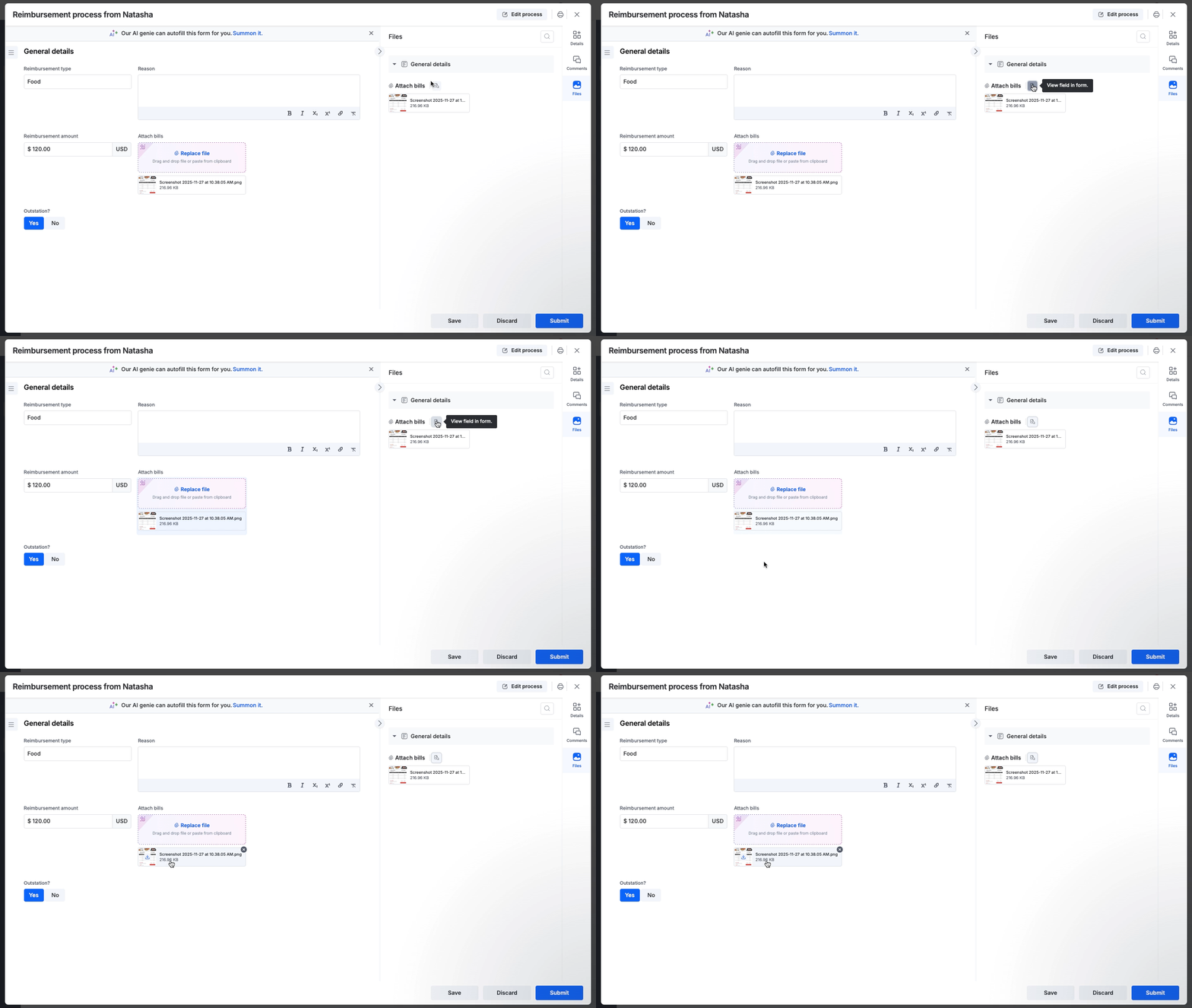
  • Seamless previewing: Navigate through files one after the other using our built-in viewer without ever leaving the form.

     
    If you need more context, click View field in form icon right next to your attachment to instantly jump to the specific field where the file is attached

  • Smart permissions: The panel automatically adheres to your workflow settings. If a field is hidden at a specific step, its attachments will not be shown in the Files panel.
     

  • Available everywhere: Access the panel on any item, whether it's a Draft, In Progress, Rejected, or Completed workflow.

Availability and support

This feature is available to users on all Kissflow plans and accessible across the platform and Apps for Process, Board, and Dataform.

For more information on using this feature, refer to our help documentation. If you have any questions, please feel free to leave a comment below or contact our customer support team.

View on Kissflow Community

November 2025

Copy link


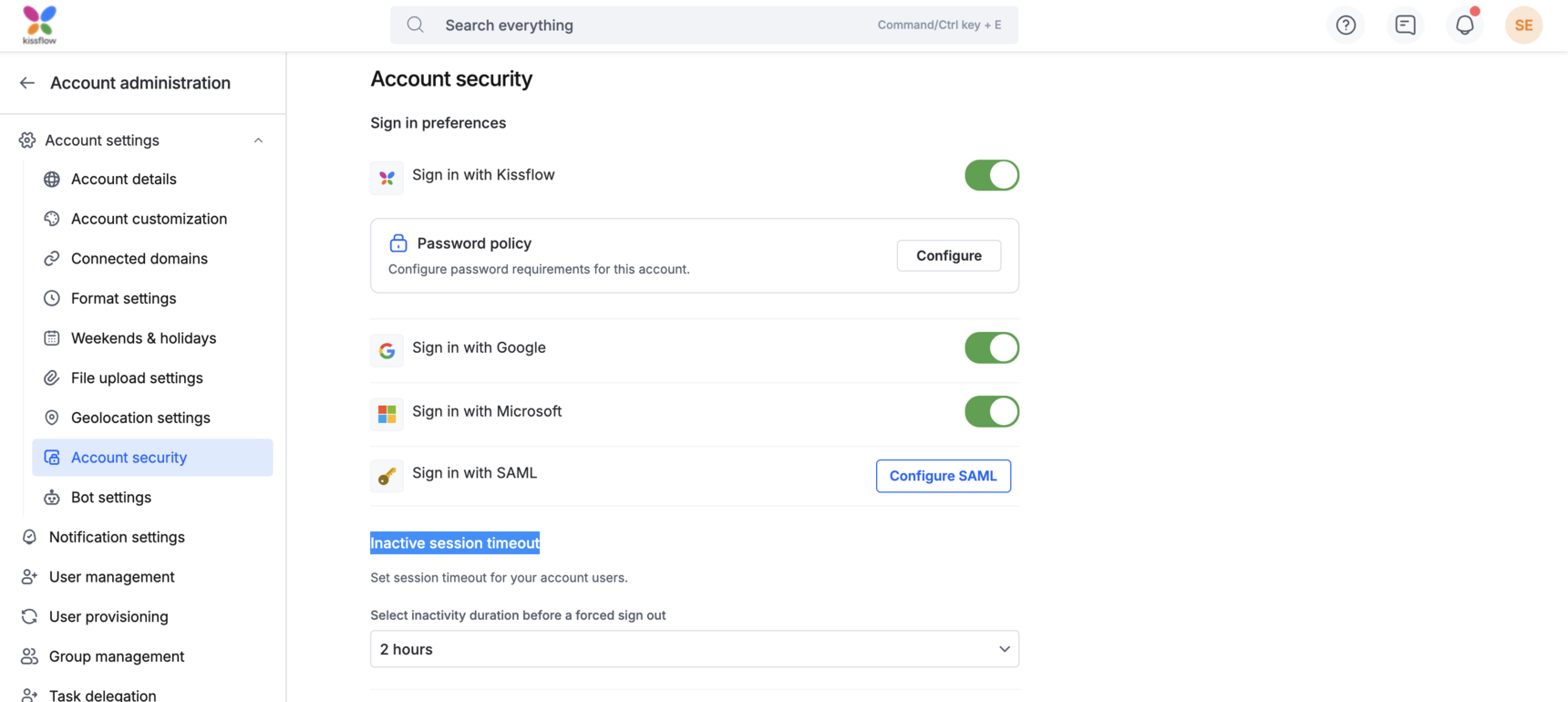
Account admins can now control the inactive session timeout, allowing you to set how long a user can remain inactive before a forced sign-out. Earlier, the timeout was fixed at 24 hours—now you can customize it.

What it does

  • Lets you define the inactivity duration for all user sessions.
  • Allows you to choose from preset time intervals ranging from 1 to 24 hours to help match your security or compliance needs.
  • The session timer runs only when the user is inactive and resets the moment activity resumes.

Why it matters

Setting an inactive session timeout enhances account security by preventing unauthorized access if a user leaves their session open and unattended. This feature gives admins the flexibility to align session behavior with internal policies and safety requirements.

Admins, start configuring inactive session timeout!

View on Kissflow Community
Copy link



We've updated the Currency field in Kissflow Forms to support the new Sierra Leonean Leone (SLE), reflecting the country's 2022 redenomination.

The new currency is listed as SLE. The old currency, also called the Sierra Leonean Leone (SLL), will henceforth be listed as SLL (1964 → 2022).

What does this mean for you?

  • New configurations: All new currency fields feature SLE as one of the options to choose from. This new format simplifies the currency by removing three zeros from the old Leone. For example, 1,000 SLL is 1 SLE.

  • Existing forms: There is no impact on your current forms. Fields already configured with SLL will continue to function as is.

  • Continued support for old currency: If you still need to use the old currency, it is listed as SLL (1964 → 2022), and you can work with it as usual.

This update is now live. If you have any questions, please drop a comment below.

View on Kissflow Community
Copy link

We are delighted to introduce Smart advanced filters, a feature that enables you to create complex data views in Kissflow Processes and Boards using AI. Get ready to experience a smarter, faster, and more intuitive way to filter your data. 


What's new

The advanced filter panel inside processes and boards includes a new Generate advanced filter using AI capability. You can simply type a prompt, and the AI will instantly translate it into filter conditions.

Key highlights:

  • Natural Language Processing: Just type what you're looking for in plain English, such as "My high priority assigned items" or "Show me all tasks that are overdue." Our AI understands your intent and builds the filter for you.

  • Filter summary: Instantly generate a summary of the filter so that you can quickly understand the filter conditions, no matter how complex it is.

  • Iterate with ease: Edit your summary and regenerate a new set of filter conditions without starting from scratch.

Stop clicking through menus and building manual logic. Now, you can just tell AI what you want to see, and it will do the rest. Do try this feature out and let us know in the comments below.

View on Kissflow Community
Copy link

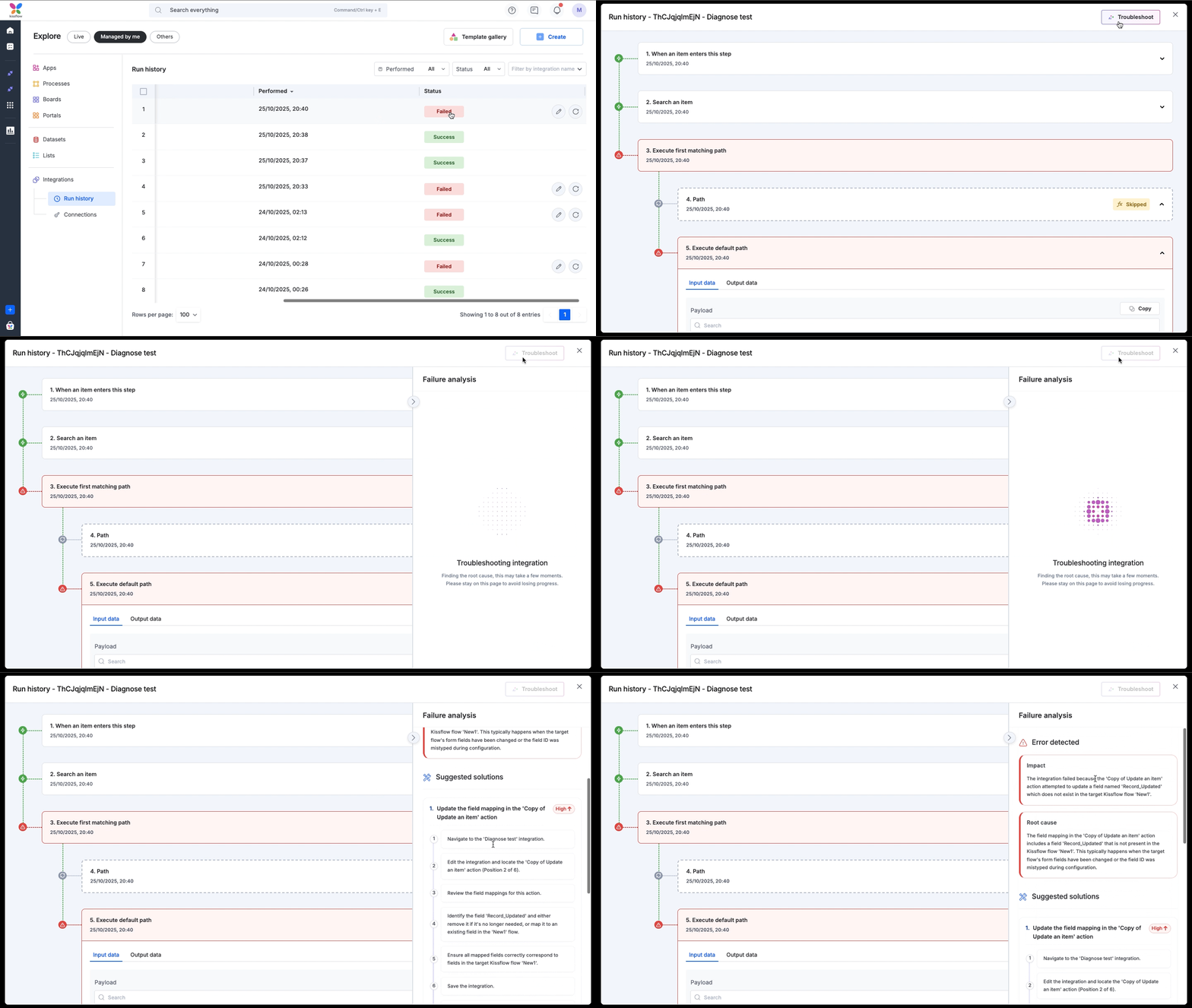
When an integration fails, your workflow grinds to a halt. What follows is a frustrating and time-consuming hunt through logs to decipher error messages and find the root cause. 

To solve this problem, we're thrilled to announce the launch of AI troubleshoot, your new troubleshooting expert built right into the platform.

What’s new?

You'll now see an AI Troubleshoot button when you open a failed integration from your Run history page. In just a few moments, AI will analyze the entire run, pinpoint the exact cause of failure, and provide you with a clear, actionable analysis.

What you'll see in the failure analysis

  1. The error’s impact: A simple, plain-English summary of what went wrong with the connection.

  2. The root cause: Detailed technical reason for the failure. 

  3. Suggested solutions: A prioritized list of solutions (ranked high, medium, or low) to help you fix the problem immediately.

This feature is designed to solve complex problems faster, reduce downtime, and boost your team's productivity.

Availability and support

The AI Troubleshoot feature is live and accessible to users of all plans across the Kissflow Platform and Apps. Try it out on your failed integrations and let us know what you think in the comments below.

For more information, visit our help documentation, and if you have any questions, contact our support team. 

View on Kissflow Community

October 2025

Copy link

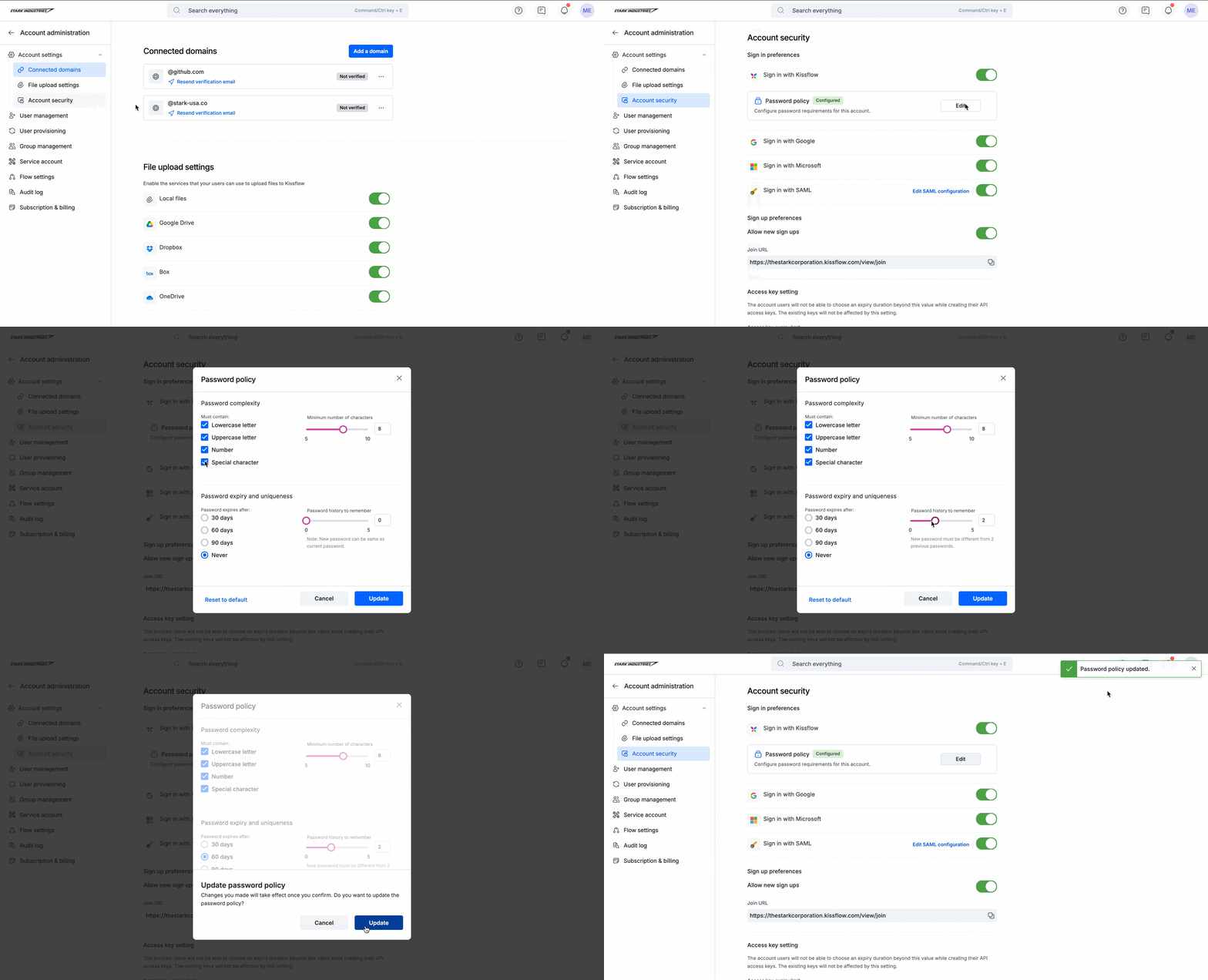
Account admins now have the flexibility to customize password policies for their account. With this feature, you can set rules for password length, complexity, history, and expiry.

What it does

  • Lets you define the minimum number of characters required in a password.
  • Lets you define rules for passwords, such as requiring uppercase and lowercase letters, numbers, or special characters.
  • Lets you to restrict users from reusing recent passwords.
  • Lets you define password expiry timelines according to your account requirements.

Why it matters

This feature gives admins control and flexibility to tailor password policies to their account’s needs. You can always stick with the default settings provided by Kissflow or customize them to match your administrative preferences.

Learn more in our help documentation and start configuring your password policy today.

View on Kissflow Community
Copy link

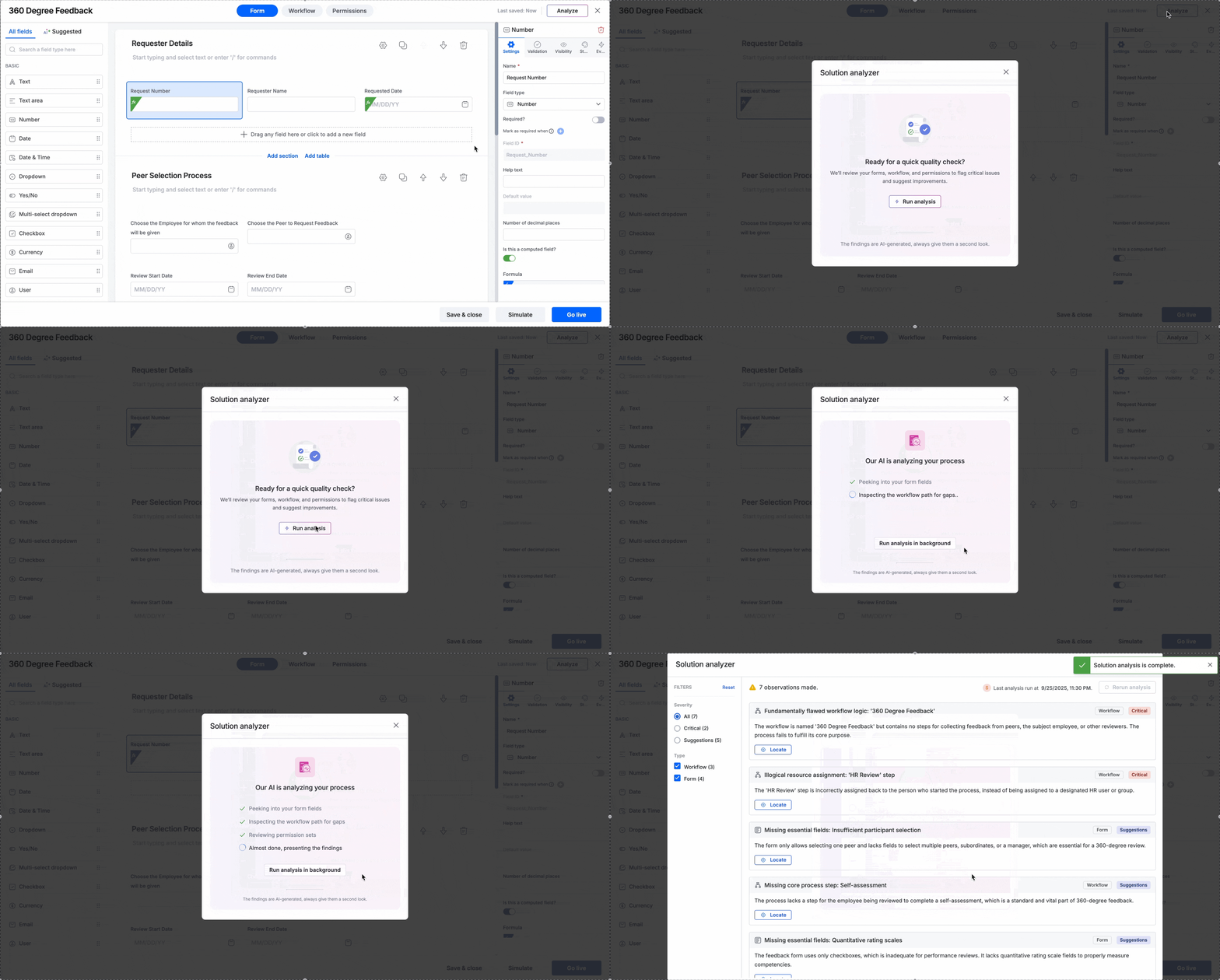
Every solution starts with a layout, often on a whiteboard, a spreadsheet, or even a paper. But turning that vision into a workflow involves manual work. With this launch, that barrier is gone. We’re excited to introduce a new way to build: documents to workflows with AI.

What’s new?

Imagine turning a handwritten note into a ready-to-use solution. Now you can!

Upload an image of a digital or handwritten form, or a spreadsheet, and watch as the AI instantly generates a fully functional form with a basic, editable workflow. 

The best of both worlds: Documents + prompts

While you can still build everything with a classic AI prompt, this feature gives you an incredible advantage. It’s a true win-win.

Use your document as a visual blueprint for the foundation, then use prompts to refine your workflow to perfection. It combines the clarity of seeing your plan on paper with the power and flexibility of AI.

What this means for you

  • Cut down on manual work: Building solutions from scratch is now automated with a single click, letting you skip the most time-consuming parts of development and get straight to the results.

  • You're always in control: The AI provides a head start, but you have the final say. Every field, condition, and step is yours to review, edit, and fine-tune until it’s perfect.

Availability and support

This powerful new feature, exclusive to the Enterprise plan, is now live and available across the platform and Apps for Process, Board, and Dataform.

In this initial release, Business Requirement Documents (BRDs) and specification documents are not supported. We are actively working on this capability and plan to include it in the second development phase.

Even with more to come in the next phase, we're thrilled to offer you a much easier and faster way to build your workflows today. For more information, visit our help documentation, and if you have any questions, feel free to drop a comment below or contact our customer support team.

View on Kissflow Community
Copy link

Ever felt that your powerful, custom-built solutions are contextual to only a handful of technical experts? Where the complete picture, from the initial form to the final integration is clear to only a handful of technical experts?

Workflows, datasources, and integrations can often feel fragmented, making it difficult to see the full picture and track dependencies.

That will change now as we’ve launched the AI-powered Solution Overview for Kissflow Processes, a feature designed to bring comprehensive visibility to complex processes with a single click.

What’s new

Solution overview auto-generates a complete, easy-to-read guide for any process. Process Admins and Developers get a written breakdown of how each component of the process form, workflow, and permissions is structured and connected with external flows and integrations.

Get up to speed on any solution's architecture in minutes. To know more about the solution overview, visit our help documentation.

Supported plans: Corporate and Enterprise

View on Kissflow Community
Copy link

We know process developers juggle dozens of fields, permissions, and steps, and even the smallest slip can cause big trouble. That’s where the AI solution analyzer steps in, it is a built-in safeguard that helps you spot flaws.

Have it review your process setup, scan for misconfigurations, and point out risks that could compromise data integrity, compliance, or workflow accuracy.


What it does

  • Reviews all elements of a process: Form fields, workflow routing, and permissions to ensure they align with intent.
  • Flags sensitive fields that are wrongly editable, misrouted approvals, or role access issues that expose critical data.
  • Groups findings into critical and suggestions for clear prioritization.
  • Provides smart filters and a locator, so admins can quickly locate and edit issues in context.
  • Delivers actionable recommendations alongside flagged issues, guiding you on how to fix them.
  • Acts as a safeguard against compliance risks, data leaks, and broken workflows.

Why it matters

Think of solution analyzer as a second opinion on your process. It complements your work by highlighting things you might not notice right away, helping you double-check configurations, spot risks, and move forward with greater clarity.

Note:
As the analysis results are AI-generated, they may not always be accurate and require human review.

Learn more about this AI feature from our help documentation. Explore the feature today and share your feedback, we would love to hear how solution analyzer helps you with Kissflow processes!

View on Kissflow Community
Copy link

You can now archive items in your Kissflow Board to keep things clean and focused. No more worrying about sifting through a sea of old or inactive tasks. Archiving lets you hide items that are no longer active, without permanently deleting them. It’s perfect for wrapping up completed or inactive work while still keeping a record for future reference.

To archive multiple items in a single go, select them and click Archive at the top.

Archived items are read-only and can be restored anytime if needed. To learn more, visit our help documentation. Give it a try and let us know your feedback in the comments section.

View on Kissflow Community

September 2025

Copy link

We know everyone works differently, and home pages are meant to reflect just that!

The all new customizable homepage is live now! Whether it’s tracking items due today, monitoring requests, or keeping an eye on reports, you’re in control of what you see first!

Highlights to explore

  • Widget gallery with drag-and-drop layout – Browse the widget gallery and add widgets that suit your work. Rearrange them with a simple drag-and-drop interface to build your own personalized dashboard.

  • Default widgets – By default, your homepage comes with five key widgets: Items in your queue, Items created by you, Recently accessed, Tagged comments, and My to-do. You can add more to suit your workflow.

  • Flow-specific widgets – Along with standard widgets, these let you bring in tasks, items, or reports from a particular flow, giving you deeper visibility into flows that matters most.

  • User access requests and flow creation requests – This one is for the admins, stay on top of access requests with dedicated widgets. The Access requests widget lets you act on user requests to join your account, while the Flow creation requests widget helps you review and approve new flow creation requests.

  • AI auto suggest – Let AI help. Widgets can be auto-suggested based on your activity, saving you setup time. If the suggestions don’t cover what you’re looking for, you can simply type a prompt. AI will then bring up the most relevant widgets, already configured, so you just need to review and place them where they fit best.

  • Widget limits – Your homepage can hold up to 15 widgets in total, with a maximum of 3 report widgets.

Explore the feature today and make your homepage truly yours. Learn more about using this feature in our help documentation and leave us know your feedback.

View on Kissflow Community
Copy link

Audit log is now live with handy enhancements!

We know how important it is for admins to have clarity on who did what, when, and from where. We’ve made a few thoughtful enhancements to make reviewing and investigating audit events smoother.

  • AI-powered summaries: Get a quick grasp of any event before digging into raw details.
  • Easier navigation: Use the previous/next arrows to move across log entries without closing the details view. This makes it simpler to trace related activities.

  • Field name filtering option: In addition to filters such as user, object, event category, platform, IP address, and Audit/Batch IDs, you can now filter by field name. This allows you to narrow down results to specific attributes of an event and combine them with other filters for more precise tracking. It offers a clear way to identify what was changed and by whom.

  • Extended audit period support: The audit log now supports tracking events up to 90 days, extending beyond the previous 30-day limit. You can choose Last 7 days, Last 30 days, or Last 90 days, and still set a custom date range within the last 30 days.

  • Export updates: Download just what you need. You can now export filtered logs for targeted reviews, or export the full 90-day history as always.

  • Pin columns: Keep the details that matter most in view while scrolling.

These small but useful enhancements make it easier to scrutinize log details and follow up on security investigations without losing context.
 

Availability

  • Account-level logs are available to Super admins, IAM admins (account management logs) and User admins.

  • Flow-level logs are accessible to flow admins across processes, boards, datasets, integrations, apps, and portals.

Whether you’re troubleshooting, auditing for compliance, or simply keeping tabs, these updates are designed to make every review clearer, more traceable, and easier to act on.

Start exploring the new audit log today, check out our detailed help documentation. And as always, our support team is here if you need any assistance.

View on Kissflow Community
Copy link

We're excited to announce a new enhancement to your forms: marking fields as required based on certain conditions. This feature gives you better flexibility, allowing you to create logical and more user-friendly forms.

What does this mean for you?

Have you ever wanted to make a field required, but only in certain situations? Now you can! Based on the values entered in other fields, you can dynamically change whether or not a field must be required. 

For example, you can configure a form where the Attach bill field is only required if the Reimbursement amount exceeds $1000. This keeps the form simple for smaller transactions while ensuring you collect all necessary data for larger ones.

Required fields will be marked with a small red asterisk on the live form, so users will know exactly what is needed.

You can easily add more conditions or remove existing ones directly from the field's settings anytime.

Key advantages

This enhancement offers practical benefits for your forms:

  • Improved data quality: By asking for information only when necessary, you ensure the data you collect is relevant for specific scenarios, reducing errors and the need for manual follow-ups.

  • Better user experience: Your users will appreciate a more adaptive experience. The form intelligently adjusts to their inputs, making the process feel less rigid and much faster.

Availability and support

This new functionality is available across all subscription plans, making your forms more efficient and intuitive. For more information, visit our help documentation.

If you have any further questions, please leave a comment below or reach out to our customer support team for assistance.

View on Kissflow Community
Copy link

Have you ever spent too much time scrolling through a dataset to find one record? We’ve all been there. In large datasets, finding a specific record, whether an employee, a product, or a vendor, often requires scrolling or setting up filters, which can be time-consuming for a simple lookup.

To make this easier, we’re rolling out the new enhancement: a search bar in datasets.

What’s new?

You can now search datasets and dataset views using the new search bar. This isn't just a generic overall search; it allows you to target your query to a specific field for precise results.

Simply click the field dropdown menu to select any supported field within which you wish to search. Type your query and instantly see the results.

This update is designed to search the dataset effortlessly, removing the need for complex filters to query data.

Availability and support

We’ve enabled search across the following list of field types:

  • Text, Text Area, Number, Dropdown, Yes/No, Multi-select, Checkbox, Currency, Email, Slider, and User fields.

  • System fields: Key, Created by, and Modified by.

This enhancement is now live for users of all Kissflow plans. We can't wait for you to experience how much easier managing your data can be! 

For more information, visit our help documentation, and if you have any questions, feel free to drop a comment below or contact our customer support team.

View on Kissflow Community

August 2025

Copy link

We’ve rolled out a new update to improve the performance and reliability of CSV exports from dataforms in Kissflow Apps.

What’s new?

CSV exports are now capped at 100,000 rows per file. If your dataform exceeds this limit, the export will be automatically split into multiple CSV files and bundled into a single ZIP file for easy download.

Example:
If your dataform contains 110,000 rows, your export will include two CSV files:

  • One with 100,000 rows

  • One with the remaining 10,000 rows

This update ensures smoother and more reliable exports, especially when handling large datasets.


Click here to learn how to export a dataform as a CSV file.

Try it out and let us know your thoughts in the comments!

View on Kissflow Community
Copy link

We're excited to announce two useful updates to the dataset's Export feature that are now available to all users.

What's new?

Row limit for exports

Each CSV export is now capped at 100,000 rows per file. If your dataset exceeds this limit, the export will automatically split into multiple CSV files and be bundled into a single ZIP folder.

For example, if your dataset has 110,000 rows, you'll receive file_1.csv with 100,000 rows and file_2.csv with the remaining 10,000 rows.

What does it mean for you?

  • Improved export performance and reliability.

  • Reduced risk of timeouts.

  • Easier to manage, review, and share large datasets.

  • Exported CSV files are smaller and easier to open, especially in tools like Excel.

Enhanced user fields in exports

We've added a new column to user fields in exported datasets. In addition to the User ID and User name, you’ll also get the User email ID.

Benefits of the newly added field

  • Makes re-importing data smoother and more accurate.

  • Supports better user identification and mapping.

  • Enhances overall data clarity and context.

These enhancements are designed to make your data exports faster, cleaner, and more actionable. Try them out today, and if you have any questions, drop a comment below or contact our customer support team.

View on Kissflow Community
Copy link

We’re thrilled to announce the launch of the OpenAI connector, the latest addition to Kissflow Integrations! This powerful connector brings generative AI capabilities directly into your Kissflow environment, helping you automate creative tasks, analyze data, and supercharge your workflows.

To get started, you need an OpenAI account and a Kissflow account.

For example, meet a marketing team launching a new product. When the campaign brief is approved in a Kissflow process, it can automatically trigger an OpenAI action to generate content. Using key details from the brief like the topic, target audience, and tone, OpenAI instantly drafts social media posts, ad copy, and email announcements.

This seamless integration accelerates your content creation process, allowing your team to focus on strategy and outreach.

Available actions in the OpenAI connector:

  • Generate content: Automatically create text-based content from any prompt.

  • Extract structured data: Identify and pull specific information from unstructured text.

  • Analyze sentiment: Instantly gauge the sentiment (positive, negative, or neutral) of customer feedback, reviews, or any other text.

  • Custom prompt: Use your custom prompts to instruct OpenAI to perform any specific task you need.

To learn more about implementing the OpenAI connector, refer to our help documentation.

Do try the new actions and share your experience in the comments. Your feedback plays a key role in helping us refine and enhance our integration capabilities.

View on Kissflow Community
Copy link

 What’s new

The Participated section, which is currently located inside the Created by me tab and My Items view (apps), has been moved to convenient spots for easier access. 

In standalone processes

You can find the Participated items tab in the top navigation bar, under the newly added More dropdown.

Inside apps

We've introduced a new Participated items table view for the Table component inside apps.


This update ensures that all the process items you've participated in are quicker to locate and better organized under a clearly labeled and dedicated space. 

Addition of filters and Show/hide fields

We’ve also introduced filters and the capability to show and hide fields inside the new Participated items section, so it's easier to narrow down and customize your view of participated items.

View on Kissflow Community

July 2025

Copy link

We’re thrilled to announce that the Kissflow platform is now more flexible than ever. With enhanced support for advanced custom components, you can extend and tailor the platform to meet even the most sophisticated application needs. As part of this upgrade, we’ve released the custom field component — a powerful new addition to our custom component lineup.

With this release, you can now build custom form fields – allowing you to design and reuse tailored form fields across all forms within an app. To help you get started, we’ve introduced a dedicated set of SDK commands to build robust and functional custom form fields with ease.

In addition to field components, we’ve also enhanced support for page components, giving you greater flexibility to customize the platform to fit your exact requirements.

Key features

Custom field components: You can build and upload custom form fields to use across all forms in your app.

Manage components: A unified page to view and manage both page and field components.

What this means for you

  • When creating a new custom component in the app, you can choose either Field or Page as the component type, based on your need.

  • The Manage components page is now the centralized space to view, sort, and manage all your custom components. The component management options in the app builder’s left navigation panel have been removed.

  • In the form builder, you’ll see a new Custom category among the other field types. All published custom field components will appear here, ready for use.

  • No changes have been made to how page components behave or how you use them.

This release marks a significant step forward in making Kissflow more extensible and customizable. And this is just the beginning — soon, custom component capabilities will extend beyond forms and pages, opening up even more possibilities.

Try building a custom form field today and let us know your thoughts in the comments below!

Check out our help documentation for more information.

View on Kissflow Community
Copy link

We're thrilled to announce that our highly anticipated form lookup field enhancements are now available in your form builder . This update brings new customization options that streamline how users interact with lookup fields in forms during runtime.

Key Highlights

The customizable lookup field offers flexibility in both selection and display modes, allowing you to create more intuitive forms. You can now:

  • Choose from multiple selection interfaces, including Text card, Visual card, Table, and Value

  • Customize how lookup results are to be displayed after selection. 

  • Preview your configurations in real-time for immediate visual feedback.

What does it mean for you?

This update brings several practical benefits to your workflow:

  • Optimized space usage: Choose compact or expanded views, creating cleaner and more efficient form layouts.

  • Enhanced visuals: View images, attachments, and critical data directly within lookup fields.

  • Improved decision-making: Compare multiple values more easily with the table layout.

  • Consistent user experience: Maintain uniform layouts across different forms.

  • Greater flexibility: Customize lookup experience to match your specific use cases and preferences.

Note

This enhancement will not affect your current settings but simply adds more flexibility in how you want lookup data to appear.

How does it work?

Open any form in the form builder, 

  1. Add a new Lookup field or edit an existing one.

  2. Configure how the lookup results appear during and after selection from the right-side field properties.

For more information, refer to the help documentation

Availability and support

The enhanced lookup field is available to all Kissflow plans’ users. You can access this feature on both web and mobile platforms, ensuring a consistent experience across all devices. 

If you have any questions or need assistance, feel free to comment below or contact our support team.

View on Kissflow Community
Copy link

We are excited to introduce Grid layout in Kissflow Apps—a more visual and intuitive way to design app interfaces. With drag-and-drop placement and alignment, the grid layout makes building clean, consistent layouts easier in less time.

Until now, the page builder has only supported the Flex layout, where you manually configure component sizes and positions through the Style tab. While flex offers precision for complex page designs, grid layout is ideal for simpler dashboards and quick builds, allowing you to resize and rearrange components directly on the canvas.

With this update, you can now choose between Grid and Flex layouts and switch between them anytime, depending on what best suits your workflow.

Key features

  • The grid layout provides a row-and-column-based design experience. You can place components freely on the canvas without constraints, supporting highly customized layouts.

  • You can use a single layout style for the entire page or combine both flex and grid layouts using containers, giving you greater precision and flexibility for more complex page designs.

  • Components can be resized and rearranged directly with your mouse, offering precise control over height and spacing from the Style tab in both the layouts.

  • For the grid layout, you can configure boundary space for each component using the Space around property to achieve better alignment and visual balance.

  • The grid layout allows you to visually define maximum and minimum height limits for components using drag handles on the canvas, allowing them to auto-adjust within these boundaries.

What has changed

  • In Flex, you can now resize components directly using the mouse, in addition to the existing option to configure sizes through the Style tab.

  • The Column components section has been removed from the page builder. However, existing pages that use columns will continue functioning as usual without any issues.

What this means for you

The page builder now offers both Flex and Grid layouts. We are retaining flex as the default layout style, however, you can choose a single layout style for the entire page or use a combination of both styles—whichever suits your design needs and comfort level.

Try the new grid layout today and share your feedback in the comments below! To learn more, check out our help documentation.

View on Kissflow Community
Copy link

We're excited to announce an enhancement to Dataforms in Apps! As part of our ongoing commitment to providing enterprise-grade security and control, we've expanded our data access controls. The same powerful field-level permissions you use in Process and Board forms are now available in Dataform views!

This means you can now control access to individual fields within your views, making managing and safeguarding sensitive information across your applications easier than ever.

Once field-level permissions are configured, you can share the view with specific roles, ensuring that only the permitted fields are visible or editable by those roles.

With this enhancement, your teams can confidently collaborate, knowing that data visibility stays tightly controlled and aligned with your organization’s policies.

What’s new?

App developers can set one of three access levels for each field within a dataform view:

  • Editable: Users can view and modify the field's content.

  • Read-only: Users can see the field's information but cannot make any changes.

  • Hidden: The field will be completely concealed from the user's view.

Note
You can configure permission levels for all the fields in a section using the permission icons at the top right corner of the section.

What it means for you

Building on our existing role-based permissions, this new layer of control allows you to define access for each specific field. This ensures:

  • Tighter data privacy: Keep sensitive information completely hidden from users who don't need to see it.

  • Streamlined user experience: Declutter views by showing users only the fields relevant to their tasks, improving focus and efficiency.

  • Enhanced security: Prevent accidental or unauthorized edits by setting crucial data to Read-only.

Support and availability

This feature is now live for all users. Head into your Kissflow App to start customizing access and deliver a more secure, tailored, and efficient experience for your teams. 

If you have any questions, feel free to comment below or reach out to our customer support team.

View on Kissflow Community
Copy link

Hello everyone,

We have updated our Terms of Service, effective 01 July 2025. This update is part of our ongoing commitment to enhance our services, ensure clarity in our agreements, and, most importantly, provide you with the best possible experience.

Summary of change: Refined indemnification clause

We have updated the indemnification clause to clarify the allocation of responsibilities, particularly concerning end-user actions, use of third-party services or applications, and directions provided by you, our customer. This revision, which aligns with industry best practices, is designed to provide a clearer understanding of our shared roles and obligations, enhancing your sense of security and reassurance.

Effective date and your acceptance

These updated terms are effective starting today, 01 July 2025.

We encourage you to review the updated Terms of Service to familiarize yourself with the changes. The complete document can be viewed here.

Your continued use of Kissflow's services on or after this date will constitute your acceptance of the updated Terms of Service.

We're here to help

If you have any questions or concerns about these changes, please get in touch with our team at legal@kissflow.com. Thank you for your continued trust and for being a valued member of Kissflow. Your trust is the cornerstone of our relationship, and we sincerely appreciate it.

View on Kissflow Community

June 2025

Copy link

We’re thrilled to introduce public form customization in dataforms, a highly requested feature that brings the same level of flexibility you enjoy in Process public forms to Apps.

With this update, you now have greater control over how your public data forms look and behave. This makes it easier to align forms with your brand and provides a smoother experience for your users.

Key features

  • Customize appearance: Display your account logo, set a form title, and choose a background color.

  • Define post-submission behavior: Show a confirmation message or redirect users to another page

     
  • Handle inaccessible forms: Display custom messages when a form is disabled or unavailable


To explore the new customization options, go to your App’s Dataform, then navigate to Settings > Public Form Settings. For more information, visit our help documentation.

If you have any questions, feel free to comment below or contact our customer support team. We’re happy to help! 

View on Kissflow Community
Copy link

We are excited to announce significant enhancements to how lists work in Kissflow Apps.

What’s new?

  • New home for lists in apps

A new Lists section in the left navigation menu allows you to manage all the lists created in your app. You can review, edit, sort, and rename lists exclusively within the app builder.

  • Now, you can create a new list directly from the left navigation menu in the app builder.


  • You can still create lists through forms, and they will also appear in the left navigation menu for you to manage.


What has changed

  • If any form in your app references lists from sources outside the app, the lists will no longer be functional.

  • Externally created lists will not appear in the app builder and cannot be used in your app.

  • This change will not affect lists referenced in apps that are already live and in the production environment.

Give it a try and let us know how it works for you! For more details, check out our help documentation.

View on Kissflow Community
Copy link

We’re excited to announce the launch of the SAP S/4HANA connector, the latest addition to Kissflow Integrations! This powerful connector enables real-time data operations between SAP S/4HANA’s database and Kissflow, helping you streamline complex business processes and make faster, data-driven decisions.

All you need is access to a valid SAP S/4HANA account and a Kissflow enterprise account to get started.

For example, meet Morgan, a procurement executive at Wayne Industries, who submits a vendor purchase request in a  Kissflow process to source materials for an urgent manufacturing run. After the request is approved internally, Kissflow automatically triggers an API call to SAP S/4HANA, creating a new purchase requisition that includes key details like vendor name, material specs, pricing, delivery dates, and associated documentation.

This seamless integration ensures that the approved purchase request is instantly available in SAP S/4HANA, enabling accurate tracking, real-time reporting, and timely supplier engagement.

Available actions in the SAP S/4HANA connector

  • Create a purchase requisition: Automatically initiate new purchase requests.
     

  • Make an API request: Interact with your SAP S/4HANA account using custom API calls.
     

  • Fetch vendor list: Retrieve your complete list of suppliers from SAP S/4HANA.
     

  • Fetch material master data: Get detailed material info from the master database.

Note:
There are no triggers currently available for the SAP S/4HANA connector.

To learn more about implementing the SAP S/4HANA connector, please take a look at the help documentation.

Do try the new actions and share your experience in the comments. Your feedback plays a key role in helping us refine and enhance our integration capabilities.

View on Kissflow Community
Copy link

We’re excited to roll out app governance, a powerful new addition to your account governance module to give you greater visibility and control over your apps within Kissflow.

Building on the foundation of account governance, this new addition lets Super admins and IAM admins monitor a live app’s connections, user roles, data access, deployment history, and much more — all from a single place.


With app governance, you can confidently manage your apps’ lifecycle, ensure data security, and maintain compliance with ease. Visit our help documentation to learn more.

Check it out today and experience smarter app management across Kissflow.

View on Kissflow Community

May 2025

Copy link

We’re excited to roll out enhancements to custom columns in user management, making it easier than ever to manage user data across environments.

What’s new

  • Automatic sync with sub-environments
    Custom columns created or updated in the production environment will now automatically sync with all sub-environments. This includes field metadata like field types and validation rules.
     

Note: Data values entered in production will not be copied to the sub-environments.

  • Editable fields across environments
    Custom columns are now editable in sub-environments for both simple (e.g., Text, Number, Date) and complex field types (e.g., Dropdown, Attachment, Signature). 

What this means for you

  • Centralized control: Create and manage custom columns in production and have those changes reflected instantly across sub-environments.

  • Local flexibility: Sub-environments can still store unique data values without affecting production.

  • Any custom column previously created only in the sub-environments and not in production will no longer be available.

Give it a try and let us know how it works for you! For more details, check out our help documentation.
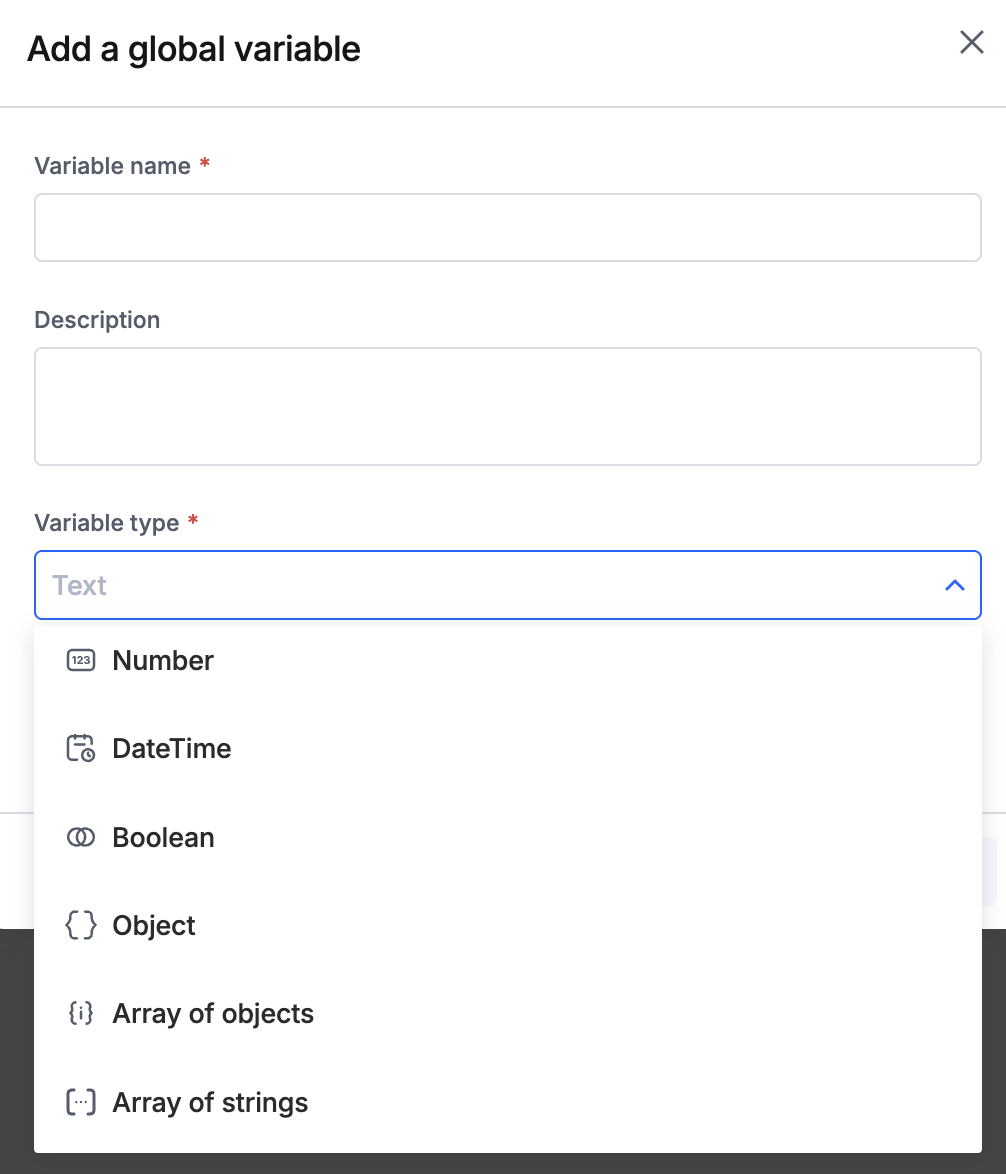
View on Kissflow Community
Copy link

 We’re excited to announce a significant enhancement to the list layout within Kissflow Boards. You can now enjoy the convenience of editing fields right from the layout, eliminating the need to open individual items. This improvement streamlines workflows and enhances productivity, allowing for quicker updates and more efficient management of tasks.

Do try this feature out and let us know your feedback in the comments below.

View on Kissflow Community
Copy link

We’ve made a few thoughtful updates to enhance your experience with the Details tab inside process items.

  • Clearer step visibility in parallel branches

  • New icons to indicate item statuses

  • Details tab behavior: For smaller screens, the Details panel will be collapsed by default for an expanded form view.

  • Cleaner layout for step details: The step description widget is now tucked inside an info panel. Click the Info icon next to a step’s name to view the description.
     

  • Improved participation visibility: You’ll now see clear indications when you’ve participated in a step in the past, making it easier to trace your involvement.

Experience a smoother, more polished interface with subtle aesthetic upgrades in the Details tab. Let us know your feedback in the comments section.

View on Kissflow Community

April 2025

Copy link

We’re thrilled to announce that Kissflow now integrates with Slack, Google Chat, and Microsoft Teams, bringing workflow updates and task management right into your favorite chat platforms. Stay updated and take action without switching apps!


✨ Why integrate Kissflow with your chat platform?

✔ Real-time notifications – Get instant updates on tasks, approvals, and workflow changes.
✔ Take action instantly – Approve, reject, or view tasks without leaving your chat window.
✔ Seamless collaboration – Keep your team aligned with centralized workflow communications.

⚡ How to set it up

Getting started is easy! Follow these simple steps:


1️⃣ Enable your preferred chat app

  1. Go to Account Administration > Bot settings and enable your preferred chat application.
     

2️⃣ Install the Kissflow App

  1. Open your preferred chat app (Slack, Google Chat, or Microsoft Teams).
     
  2. Search for Kissflow in the App Store/Marketplace and install it.
     

3️⃣ Sign in to your account

  1. Open the Kissflow app inside your chat app.
     
  2. Enter /login and press the Enter/Return key.
     
  3. Click the generated login URL and enter your Kissflow domain to authorize the connection.
     

Once authorized, you’ll get real-time workflow updates. Approve, reject, or manage tasks - all without switching apps! Connect Kissflow with your favorite chat app today and streamline your workflow! 

For more details, visit our help documentation. Do try this feature and let us know your feedback in the comments below.

View on Kissflow Community
Copy link

Tired of scrolling through endless item notes? We’ve got your back!

Introducing AI notes summary in Kissflow Boards – a smart way to instantly distill lengthy notes into crisp, clear summaries. Whether you're catching up on a project or handing off work, our AI helps you focus on what matters most.

No more TL;DR moments. Just actionable insights when you need them.

Try it out on any board item with notes and let us know your feedback in the comments!


View on Kissflow Community
Copy link

We’ve rolled out enhancements to make task delegation more flexible and powerful for Super Admins.

🌟 What’s new

  • Separate tabs for better visibility - Super Admins can now view delegations set by themselves and users in separate tabs for easier tracking.


  • Add end dates with ease - Super Admins can specify an end date while setting up a delegation, giving them more control over delegation timelines.


  • Easy overrides for user delegations - Super Admins can hover over user-set delegations and easily override and edit them.

These updates help streamline task management and ensure smooth handoffs during user absences. Visit our help documentation to learn more.

Start using the enhanced delegation feature today and keep your workflows moving effortlessly!

View on Kissflow Community
Copy link

Hello everyone,

We have updated the Kissflow Terms of Service (ToS) as of 01 April 2025.

We periodically review and update our terms to reflect our services, improve clarity, and ensure we provide you with the best platform experience.

You can find the latest version of the Terms of Service here.

Please take a moment to read through them. As is standard practice, continuing to use Kissflow means you agree to the updated terms. If you have any questions or concerns regarding these changes, please don't hesitate to contact our team directly at legal@kissflow.com.

Thanks for being part of the Kissflow community!

View on Kissflow Community

March 2025

Copy link

We're thrilled to introduce AI-powered process creation – a brand-new way to design your workflows effortlessly. Building process workflows just got smarter, faster, and easier!


Simply describe your process in a few words, and let AI generate the entire workflow structure for you – including forms, steps, and fields – all in one go. You can always tweak the details before you take it live.

No more starting from scratch or spending hours setting things up — now you can turn your ideas into workflows in seconds. Do try this feature and let us know your feedback in the comments below.

Note:

This feature is exclusive to the Enterprise plan. If you're on a different plan, please contact our support team.

View on Kissflow Community

February 2025

Copy link

We're thrilled to announce a game-changing upgrade to Kissflow’s formula builder, simplifying the creation of complex formulas like never before. This enhancement allows users to enter prompts to generate formulas, eliminating the learning curve for citizen developers. With this intuitive, AI-driven experience, you can build and evaluate formulas seamlessly, making the entire process faster and more accessible to everyone.

Key highlights

  • Direct access to formula builder: Formulas can now only be edited within the dedicated formula builder, and not in the form’s formula field. This streamlined approach lets you jump straight into devising your computational logic.
  • AI-assisted formula generation: Enter a prompt in plain English, and the AI will generate the corresponding formula. For example, type “Calculate the date difference between start and end date”, and the AI will generate the correct syntax. 
  • AI evaluation: Test and refine your formulas instantly. The AI evaluate feature allows you to auto-evaluate your logic using editable sample data, complete with input fields and output results. This makes it easy to fine-tune your formula on the spot, ensuring it works perfectly before you go live. 
  • Clear descriptions for formulas: Get real-time explanations of what your formula does, within the AI-powered space. Whether you're working on an existing formula or one that's still in progress, this feature helps you understand the logic applied.

Availability

Supported for enterprise plans exclusively, this feature includes text, number, date, date & time, currency, workflow steps, and more (excluding integration modules).

We can’t wait for you to try it out and experience the simplicity and power of AI-driven formula building! If you have any questions or need assistance, feel free to comment below or reach out to our support team.

View on Kissflow Community
Copy link

We’re thrilled to announce the expansion of connected flows to bring you a powerful new capability - Board-to-process connection.

Previously, you could make board-to-board and process-to-process connections. Now, you can seamlessly connect a board to a process and automate item creation between them.

For example, when an onboarding task reaches a certain status in your Employee onboarding board, an IT asset request process item can be triggered automatically and instantly. No manual handoffs needed!

This update enhances workflow automation, reduces manual effort, and enhances synergy between your boards and processes. Check out the help documentation and try it out today! 

View on Kissflow Community
Copy link

We’re making process workflows more intuitive and efficient with updates to Send back and Reassign actions.

🔄 Flexible send back actions

Process Admins/Developers can configure who should be assigned when an item is sent back to a step in a process workflow.

  • Approver – Assigns to only the user who last approved it at that step, ensuring continuity.

  • Original assignees – Assigns to all users and groups originally assigned to that step, keeping collaboration seamless.

Process Admins/Developers can make this configuration in the process workflow settings. Check out the help documentation to learn more.

🔒 Reassignment restrictions

  • Restrict reassignment – Limit item reassignments only to specific users and individual users part of a selected group to ensure tasks stay on track.


  • Inside apps – Limit item reassignments only to users in specific roles, giving teams more control over task handovers.

Check out the help documentation to learn more.

These updates make your workflows smoother, smarter, and more secure! 🚀✨Do try this feature and let us know your feedback in the comments below.

View on Kissflow Community

January 2025

Copy link

We are excited to announce a completely redesigned app deployment flow, crafted to make the app deployment process faster, more transparent, and easier than ever.

What’s new?

The revamped deployment process comes with meticulous pre-deployment validation steps that verify the data in the app and checks for unresolved dependencies before deployment:

  • Flow validation: Validates both newly added flows and existing ones if they are modified.

  • Integration actions: Verifies the integrations added in a particular deployment.

  • Dependencies with other apps: Verifies if data consumed from other apps is published and ensures there are no cross-app dependencies.

  • Data type validation: Validates whether the form field data types perfectly match the entered information, preventing potential runtime errors.

What this means for you

  • Faster deployments: The enhanced deployment process cuts deployment time by up to 50%, thanks to comprehensive validation checks and actionable error resolutions that streamline the workflow.

  • Greater transparency: Gain better visibility into your deployment process with detailed previews of changes before deployment. The updated deployment history page provides a clear record of overall changes and error logs for failed deployments, giving you better insights for greater control.

  • Intuitive user interface: The redesigned deployment window comes with a sleek and intuitive interface that makes it easy to navigate through action items, access essential information, and find support when needed.

With this release, we are making deployments simpler, more transparent, and actionable. We hope to empower you to identify and troubleshoot deployment issues independently and reduce the reliance on engineering teams.

Try out the new deployment process and let us know what you think! For more information, check out the help documentation.

View on Kissflow Community
Copy link

In addition to our linear progress bar, we're thrilled to announce that we have expanded our visualization options for the progress bar.

What’s new?

We are introducing two new types of progress bars: Circular and Semicircular.

  • Circular: A complete circular design that provides a compact and visually appealing progress indicator.
  • Semicircular: A curved, half-circle representation of progress.

On-click event capabilities

The progress bar component now supports configurable on-click events with the following capabilities:

  • Redirection: Enables navigation to a specific page in the app or return to the current page.

  • Open popup: Opens a popup created using the Popup component, providing quick access to additional context or information.

  • JavaScript action: Provides the flexibility to define custom actions using JavaScript, allowing you to implement complex interactions and logic specific to your app’s requirements.

How it helps

These enhancements provide more design flexibility and offer a compact visualization for mobile and constrained interfaces, enabling developers to represent progress more dynamically and add interactive elements through configurable events.

Example: In a project management dashboard, clicking a progress bar could redirect to a page that has additional task details or return a variable via the custom JavaScript code.

Give it a try, and let us know what you think. For more information, visit our help documentation.

View on Kissflow Community
Copy link

We’re delighted to introduce a dedicated Connected flows section to streamline how you manage and oversee your workflows.

Inside Associated flows widget

As a Process Admin, you’ll now find a new Connected flows section that lets you see all the processes connected with your process. Head to Associated flows under the Managed by me page to access it and make use of the following two sections:


Dependent flows - View the connected processes that can automatically initiate items from your current process' items.

Source flows - View the connected processes that can automatically initiate items in your current process.


This addition gives you quick and easy access to all the processes linked to the processes you manage, giving you more control.

Inside Account governance

Super Admins can now oversee all connected workflows directly from the Account governance menu. With this new capability, you gain complete visibility into all the connected processes, making it simpler to audit, monitor, and manage organizational workflows.
 

These updates are designed to improve efficiency, and give you a holistic view of your workflows. Explore the Connected flows section today and take your process management to the next level!


Do try this feature and let us know your feedback in the comments below.

View on Kissflow Community
Copy link

We’re excited to introduce an enhancement to filter parameters in the page builder. Until now, when you added a view or report to a page, all associated parameters appeared in the Filter Parameters section, allowing you to type in or assign a single filter parameter to refine the view or report.

What’s new?

Now you can use up to 10 parameter values, be it self-defined, or local or global variables, to refine your view or report. Simply separate all values with commas, regardless of their nesting properties, and you are good to go.

This enhancement is only applicable when the advanced filter’s configuration contains the following operators: Part of, Not part of, Contains, Not contains, and In. For all other operators, the behavior remains as it was previously.

How it helps

Imagine you’re creating an employee attendance report. With the new filter parameter feature, you can refine the data to show attendance percentages based on selected departments. 

Enter the department names, separated by commas.

For example: HR, Marketing, Sales


This feature helps app developers to create more targeted views or reports with ease. Give it a try and let us know your feedback. For more information, visit our help documentation.

View on Kissflow Community
Copy link

We’re excited to announce some powerful updates to board views that take your Kissflow experience to a next level. These features are designed to make your workflows more dynamic, collaborative, and tailored to your needs, all while adding a touch of sophistication to your boards. Here’s what’s new:


Expanded view sharing

View sharing is more flexible than ever. You can share a view with individual board users as well as account users and groups who are not part of the board. You can make them viewers or members for each view. This flexibility allows you to bring the right people into the loop, whether they’re part of the board or not.

Inside apps, you can share views with app roles as well. 


Show/hide fields on item cards and layouts

You have the ability to control which fields are displayed in the layout for each view.

This functionality is available for both boards inside and outside apps, giving you more control over how your data is displayed.

Field permissions inside board views

Take control over how users interact with various item fields in a particular view by setting permissions for fields, tables, and sections in the item form. You can set the below permissions:


Editable - The field in the selected view can be edited.

Read-only - The field can only be viewed and not edited in the selected view.

Hidden - The field will be hidden and cannot be viewed or edited.


New Edit access permission 

We’re introducing a new Edit access permission while sharing a board inside apps for more flexibility and control.


Revamped view configuration panel

The View configuration panel is getting a fresh look with a more streamlined design, making it easier to manage and customize your views.


These enhancements are designed to give you more control, flexibility, and ease of use when working with board views. Check out our help documentation to learn more on board views.

Do try this feature and let us know your feedback in the comments below.

View on Kissflow Community

December 2024

Copy link

We are excited to announce recent updates designed to enhance application development and user management, providing a more seamless and secure user experience.

Unified application development process

The new app creation process addresses a key limitation we had earlier with respect to flows outside of the apps.

Previously, apps created in the development environment could not access other flows like processes, boards, and master datasets that were present in the production environment. Due to this, app developers were unable to reference the data from other flows inside apps. 

Following this update, apps will be created directly in the production environment, allowing direct access to other flows present in production. To do so, app developers will need access to both the production and development environments. 

Once created, a copy of the app will automatically be generated in the development environment for further building and testing. This change ensures smoother integration with other flows and helps maintain a streamlined workflow across environments.

Enhanced user management

Super administrators can map active users in the production environment to the development or testing environments as required. Please note that adding users directly to the development environment has been discontinued.

Key changes

Application sharing: Application sharing, editing, and management exclusively occur within the production environment. 

Unified access: To access the development environment, users must navigate to Profile settings > Environments within the production environment. It is mandatory to sign into the production environment first.

What does this mean for developers?

Developers designated solely for the development environment will be removed from the user management list. Adding them to the production environment and mapping them to the development environment is necessary to reinstate access. Additionally, draft applications that still need to be deployed will now be visible solely in the production environment. Super administrators may share these drafts with developers as needed.


These changes are implemented to make the application development and management processes more efficient and streamlined. Try out the new app creation method and let us know your thoughts! Check out the documentation to learn more.

View on Kissflow Community
Copy link

You can now customize form fields with autofill instructions, making AI parsing and autofill more precise and tailored to your needs.


How it helps

Guided autofill allows you to set instructions to form fields, guiding our AI to extract data from documents uploaded to smart attachment fields. 


Key features

  • Enhanced data extraction, extract specific information and let AI automatically format, translate, or apply logic to the data before autofilling fields. For example, the AI can calculate percentages on extracted numerical data or translate extracted text into a preferred language before autofill.
  • Field specific autofill control, take more control on how each field in your form is filled enabling fine-tuned autofilling.

Next steps

Start using guided autofill in your forms today. Check out our help documentation.

View on Kissflow Community
Copy link

With this upgrade, app developers can configure app flows to automatically fetch fields and configuration data from datasets while building an app. Once deployed to production, these form fields will dynamically retrieve live, up-to-date records from the synced datasets.

How it helps

If you’re building an employee performance management app and need to retrieve details from your employee PII dataset, simply grant app access to the dataset. Once shared, app developers can easily configure flows to lookup data from the shared dataset directly within the app.

Key features

  • Sync datasets: Dataset admins can grant datasets with app access by turning on the toggle button.

  • Customize permissions: Dataset Admins can restrict dataset access to specific apps by adding customized permissions in security settings.

  • Simulate testing: App users can auto-populate sample dataset records using AI or import data via CSV for realistic app behavior testing.

Next steps

Start accessing datasets inside apps to streamline your app development process! Visit our help documentation for step-by-step instructions.

View on Kissflow Community

November 2024

Copy link

We're thrilled to introduce the all-new Kissflow homepage, designed to make your workflow more efficient and user-friendly. This update provides you with quicker access to key information and simplifies how you manage your tasks and projects.

Here's what's new!


Streamlined Access: You can now view pending tasks, track items in progress, and easily access recently used workflows—all from a single, convenient location. You don't have to navigate to the "Created By Me" or "Assigned To Me" sections to see your items; instead, you'll find a list of relevant tasks right on the homepage.

User-friendly Design: We have redesigned the homepage to display all activities related to your account directly on it. This includes viewing items with a breakdown of their due dates and workflow statuses, providing you with greater clarity and easy access to monitor each item's status.

We'd love to hear your thoughts on this. Share your feedback in the comments below.

View on Kissflow Community
Copy link


We’re excited to announce new improvements to the document templates, available in processes, apps, and notification settings across processes, boards, and apps. These updates aim to improve user experience, and provide greater flexibility when working with document templates.

Improving table formatting options

Previously, formatting controls for tables were placed inline, as shown in the image below:

  Now, we’ve introduced an intuitive UI for these table formatting options,

  • Column width 
  • Table border
  • Table header
  • Delete table


Additional table formatting options

We now have six new table styling properties in the template editor:

  • Cell padding
  • Cell spacing
  • Cell color
  • Border color
  • Border width
  • Border stroke


Added to this users can now:

1. Access a contextual menu by right-clicking on a table, making it easier to manage tables.

2. View last edited information as to when the document template was last updated and by whom.

3. Rename the document template directly from the editor.

4. Text format multiple rows and columns.

5. Resize and reorder cells as shown in the gif below.


We hope these enhancements to the document template feature improve the user experience and offer more flexibility for users working with templates.

As always, we’re here to support you—feel free to share feedback or suggestions for further improvements. Let us know how these updates are helping streamline your work!

View on Kissflow Community
Copy link

We have introduced exciting enhancements in Kissflow Processes! These updates allow effective task prioritization with improved visibility and enhanced management of time-sensitive items.

Here’s what’s new and improved:

SLA visibility: View due date indicators directly within the Assigned items section on the web interface.


Filters for overdue items: Easily filter overdue items using basic and advanced filters in the Assigned items section.


PWA enhancements: 

  • Workflow step filter:  Prioritize tasks by filtering critical workflow steps. 

  • Deadline filter: Sort items based on their deadlines for improved organization.  

Details view: The form details view now includes a due date indicator for Initiators, Admins, and Assignees.  


Alert for overdue items: Receive immediate alerts when accessing overdue assigned items.

Overdue and Items due toggle: Quickly access all overdue and upcoming items directly from the process homepage. 


These enhancements are designed to streamline your workflow and ensure that important deadlines are met.

View on Kissflow Community
Copy link

We have made some changes to how you access integrations in Kissflow, as detailed in the changelog. Here’s what’s changed:

New location for integrations

Integrations are no longer accessible from your profile in the top-right corner of Kissflow. They can now be found inside the explorer.


  • Integrations that you are a part of, or created by you are available in the Managed by me tab inside the Explorer.

  • Super Admins can see all their account’s integrations under the Others tab in the Explorer.


Creating new integrations
 

To create new integrations, go to Create > Integration from the main menu or, navigate to Explorer > Create and select Integration.

This update is designed to streamline your experience and make managing and creating integrations even more intuitive.

View on Kissflow Community

October 2024

Copy link

We've introduced new enhancements to public forms in Kissflow processes, allowing you to customize the end-user experience. Here's what's new! 

Post Submission Actions:

You have more control over what happens after a user submits a form:

  • Show Confirmation Message: Create a custom message for users after form submission. You can edit the title and description to provide the next steps or a thank-you note. Optionally, include a button to redirect users to a specific URL.

  • Redirect to URL: Automatically redirect users to a chosen URL after they submit the form.

Customizable Message for Inaccessible Form:

If a public form is disabled, customize the description to explain why it's unavailable. You can also add a button to direct users to your preferred page.

Form Customization:

You can now preview and customize your public form's title and choose a background color that aligns with your brand. Additionally, you can display your account's logo for a more professional look.

For example, when creating a public form—like for event registration—you can set a custom confirmation message for users after they submit their details, providing them with event information or a link to download a ticket.

When registration closes, you can display a message letting users know the event is closed or redirect them to a page with similar upcoming events.

We're eager to hear your thoughts on this. Please let us know in the comments below!

View on Kissflow Community
Copy link

We're excited to introduce Conditional Visibility for page widgets in Kissflow Apps! You no longer need to rely on custom code to control the visibility of page components. With this new feature, you can hide or show widgets based on various conditions, such as app roles, user fields, device type, or page parameters—no coding required.

Previously, you may have had to work with JavaScript snippets and manual adjustments to achieve something as simple as hiding a widget for a specific role. Now, it's all part of a no-code interface, streamlining your app-building experience and making it more accessible to everyone.

This is another step toward simplifying app creation. It allows you to manage visibility conditions seamlessly without needing external support or technical knowledge.

Read more about this here.

We'd love to hear your thoughts on how this simplifies your app experience. Please let us know in the comments below. 

View on Kissflow Community
Copy link

We are excited to announce the release of our latest enhancement - Dataset lookup support for Radio, Checkbox, and Multi-Select fields. For Multi-Select, the behavior will be similar to the existing Dropdown behavior, while the Radio and Checkbox fields will display a maximum of 250 values based on the defined sort order. This feature is also available in child tables.

Imagine effortlessly displaying a dynamic list of values in Radio, Checkbox, or Multiselect fields, which wasn't possible with just Lists. Now, with dataset support, you can create all possible combinations, just like Dropdowns. For example, if a dataset lists all roles associated with each department, then upon selecting a department in the form, only the relevant roles are dynamically displayed. If a user selects "Marketing" as the department, only roles like "Marketing Manager" or "Content Strategist" will appear, avoiding irrelevant options like "Software Engineer." This enhances accuracy and improves the overall user experience.

Read more here

We're excited to hear your thoughts on this simple yet significant enhancement. Tell us in the comments below.

View on Kissflow Community

September 2024

Copy link

Improve the clarity of your workflow reviews by exporting your process workflows. We are thrilled to announce the new capability to export workflows as PDF or PNG files. This feature removes the need to take screenshots of intricate workflows, consistently guaranteeing high-quality, non-pixelated images.

Consider a scenario where you have a detailed workflow for managing leave requests. Rather than sending unclear, pixelated screenshots to HR, you can easily export the workflow as a PDF or PNG. This lets you share the file with people who aren't directly involved, allowing them to review it without needing access to the workflow.

Start exporting your workflows today and experience a more efficient way to manage approvals. Let us know what you think of this new enhancement. We'd love to hear your thoughts on this!

View on Kissflow Community
Copy link

We're excited to introduce the Connector Deprecation and Migration feature, designed to simplify your transition to updated connector versions within Kissflow.

This new feature allows you to seamlessly migrate integrations that rely on deprecated connectors to their upgraded versions, ensuring uninterrupted performance and better security.

Here's what's new:

  • Automatic Migration: Easily upgrade deprecated connectors to the latest versions within your integrations with minimal effort.

  • Stay Current: Keep your integrations running on the most advanced versions with the latest features and security enhancements.

  • Optimized Performance: Leverage improved functionality to make your processes more efficient and future-proof.

Here's what you need to know when a connector is deprecated:

  • When a connector is deprecated, you will receive an email and an in-app notification to update your integration to the latest version.


  • Navigate to the integration builder by clicking on the particular integration that you would like to migrate. 

  • Update your integrations to use the latest version, ensuring optimal performance and avoiding any issues with deprecated versions.


If you are using a deprecated version, updating to the latest version is essential. Deprecated versions have a specific end-of-life date and will stop working after that date. Any integration using deprecated versions will be turned off on that date.

Read more about this here.

We've made this migration process effortless. You'll receive notifications when a connector is nearing deprecation and be guided through the transition to keep your integrations running smoothly with minimal downtime.

View on Kissflow Community

August 2024

Copy link

Do you need help streamlining precise image feedback that simplifies review processes? Do you wish to edit images directly within Kissflow, eliminating the need for downloading and external editing?

We've added an exciting dimension to your collaborative experience with the all-new image annotation feature, enabling you to give precise and context-specific feedback on images.

  • Customization at Your Fingertips: Adjust the color and thickness of the pen tool to suit your preferences for precise annotations.

  • Shapes and Text Annotation: Add shapes, change colors, apply fill colors, and modify thickness. Write comments, format text, and customize text color.

  • Crop and Rotate: Crop and rotate to ensure annotations are precise and visually appealing.

  • Highlight and Focus: Zoom in and zoom out the image and highlight specific areas, making your feedback crystal clear.

  • Simplified Editing: Select all annotations at once and edit them together for a more streamlined experience.

https://vimeo.com/1000270587

Imagine you’re managing a design review process for a new marketing campaign. You’ve received an image of the latest design draft and need to provide detailed feedback. With Kissflow's new image annotation feature, you can streamline this process effortlessly. Using the pen tool, you can draw precise lines and shapes directly on the image to highlight areas that need changes, such as adjusting the placement of text or modifying colors. Additionally, the text annotation feature allows you to add comments directly on the image, specifying the exact modifications required. This approach eliminates the need for external editing tools, making your feedback clear, direct, and easy to understand, all within the Kissflow platform.

Read more about this here


Note: This is available for attachments in forms only in draft status, in process comments, and in board notes.

Please sign in to give the post a thumbs up and express your excitement by adding emojis or GIFs in the comments section. We would love to hear your feedback, so feel free to share your thoughts in the comments.

View on Kissflow Community
Copy link

We’ve made a simple yet efficient improvement to the file picker feature in Kissflow to improve your user experience. 

Previously, file uploads were limited to local system sources. We are excited to introduce expanded capabilities to this feature — users can now employ the options of copy and paste along with the drag and drop functionality and the traditional file selection. 

We are excited about these updates, as they offer a more intuitive and user-friendly experience, enriching your interactions with the platform.

If you're excited about this new enhancement, please sign in and like this post. Tell us what you like and what could be improved.

View on Kissflow Community
Copy link

Introducing the newest addition to Kissflow Integrations: the Delay connector is designed to enable you to control the timing of your actions by adding pauses between steps in your integration.

This connector offers three types of delays:

  • Delay for: Pauses your integration for a specified duration.

  • Delay until: Pauses your integration until a specified date and time.

  • Delay on occurrence: Delays based on specific events or conditions.

Let's consider an example. When automating a customer onboarding process using Kissflow Integrations, you can set up a welcome email to be sent two days after a new customer signs up. By using the "Delay for" connector, you can pause the integration for 48 hours before triggering the email action. This ensures that the email is sent at the appropriate time.

We encourage you to explore these new actions and provide your feedback in the comments. Your input is crucial, as it allows us to enhance our integration connectors to better meet your requirements.

Read more about this here

Please let us know which delay action you are most excited to configure with this new connector and share your use case.

View on Kissflow Community
Copy link

We've introduced a new connector to Kissflow Integrations, and we can't wait for you to try it!

Introducing the SFTP connector! This addition facilitates the seamless connection and synchronization of an SFTP server with Kissflow apps. 

To share files using SFTP, users must have a valid SFTP server and be a paid Kissflow customer.

The different actions available in this connector are:

  • Create a directory

  • Delete a file

  • Fetch a file 

  • Update or upload a file

Let's say your organization regularly receives large data files via SFTP and needs to process them automatically within Kissflow. Using the new SFTP Connector's "Fetch a file" action, you can seamlessly pull the latest files from your SFTP server into Kissflow. This allows you to automate data processing tasks without manual intervention, ensuring your workflows are always up-to-date with the latest information.

Note: The SFTP connector currently does not support any trigger events.

Read more about this connector here.

Please show your excitement by liking this post. We'd love to hear your thoughts! Let us know your feedback in the comments below. We're all ears! 

Tell us which trigger or action you are most excited to configure with this new connector.

View on Kissflow Community

July 2024

Copy link

Do you find it time-consuming to create integrations from scratch? 
We have the right solution for you - build integrations in Kissflow with the help of AI.

Here's how it works:

  • Create a new integration and you will find the AI prompt window on the right.

  • Fill in the input field with specific details about the actions you want to automate and click Generate

  • If the generated output is unsatisfactory, you can modify the prompt and regenerate the integration preview for a better result and click Save & continue to proceed. 


Let's consider a scenario. Carol wants to create an integration where when an item is approved in the procurement order, an email should be sent to the head of procurement, and the billing details should be uploaded as an attachment to the respective Google Drive folder. She simply inputs the trigger details, followed by the subsequent actions. The AI generates the integration preview based on the details she inputs. 

Note: This is available only for creating new integrations. Editing existing integrations using AI is not supported at this time. 

To know more, click here.

We hope this feature helps you speed up the process of building integrations and assist non-developers in building integrations independently without requiring much support.

Let us know how excited you are about this new feature by liking this post and adding emojis or GIFs in the comments below. We'd love to hear your feedback as well, so be sure to try this feature and let us know your thoughts. Your input will help us fine-tune this feature for an even better experience.

Please post your Kissflow support queries in the Get Help section. Our support team is always ready to assist you.

View on Kissflow Community
Copy link

We have introduced the organization settings to Kissflow Portals to give users more control over their access and enhance overall accessibility.

Previously, portals did not offer the option to assign an item to a specific user, which limited users' access and item assignment. To address this issue, we have introduced portal settings with two major advantages.

1. It allows users from your organization to assign items to users within and outside the organization.

2. It provides access to users from external organizations to assign tasks across organizations.

Here's how it works:

  • By default, the user's organization is detected from the email address. Admins can also modify the users' organizations.

  • To grant users from your organization access to assign tasks to users from your organization and other organizations, add the list of organizations under "Add your organizations."

  • To allow users from other organizations to assign tasks to users from different organizations, enable "Cross-organization user access."

Let's consider a scenario.

Sarah manages two portals, one for Asset Procurement and another for Billing Management. Since she sources assets from multiple vendors who collaborate, she has enabled Cross-Organization user access to allow vendors from different organizations to access and assign items as needed.

However, for the billing invoices, she only requires users from her organization to assign items to vendors. In this case, she simply adds the organizations that permit her users to assign users from within and outside the organization and restricts access to external users.

Learn more about organization settings here

As a portal user, we hope this addition makes your portal management easier. We'd love to hear your thoughts on this addition and how it improves your portal usage.

If you're excited about this new addition, please sign in and like this post. Tell us what you like about these enhancements and what could be improved.

View on Kissflow Community

June 2024

Copy link

We are pleased to announce the latest addition to Kissflow - Flow-Based Access Control, designed to enhance integration and authentication processes within Kissflow.

What is Flow-Based Access Control (FBAC)?
With Flow-Based Access Control (FBAC), administrators can whitelist specific data flows, thereby eliminating the need for user authentication when configuring actions in integrations. 

Key Enhancements to Security Settings with Flow-Based Access Control

We have incorporated flow-based access control into security settings, resulting in a complete revamp of security settings across all Apps and the platform.

Permissions for Kissflow Artifacts: Admins can now manage permissions for the following artifacts from the security settings page:

  • Lookup

  • Integration

  • Impersonation

Global Permissions: These general access rules apply to all flows within an account. Permissions are enabled by default for all artifacts except Integration and Impersonation, which can be managed through the Global Permissions section on the security settings page.

Customized Permissions: Flow admins can now set granular controls for individual flows, overriding global permissions when configured. This provides precise control over which flows and fields can be accessed.

Lookup Field Selection: Admins can expose only a specific set of fields to a particular flow, enhancing security and data control.

Apps Behavior: App admins can link apps together and specify which fields from the source flow are accessible to the destination app, improving integration and data sharing.

Integration Flexibility: Integrations with third-party triggers, such as DocuSign and Webhooks, can be incorporated as workflows under custom permissions, enhancing flexibility and functionality. 

Dependency Alerts on Removing Access: When a flow admin revokes permission, a dependency dialog with a warning is displayed to the administrator.

Here's an instance. Sarah, the HR admin at Stark Corporation, uses flow-based access control to securely integrate data from an external recruitment platform into their HR system for employee onboarding. She has customized permissions to only allow the HR team to access sensitive fields such as social security numbers and bank details. Lookup fields like job title and department are selectively exposed to other departments for necessary access.

Read more about this here

Your feedback is important to us. Please log in to like this post if you found these enhancements useful, and leave your feedback in the comments below.

We recommend you post your Kissflow support queries in the Get Help section. Rest assured, you'll receive immediate attention and assistance from our support team.

View on Kissflow Community
Copy link

We've made some new updates to the Kissflow Process Document Template. The Page Setup feature brings a new level of customization, letting you tailor your templates precisely to your liking.

Here's what's new:

  • Page Orientation: You can choose between portrait and landscape modes to present your document template data.

  • Page Color: You can customize the page color to adjust the template's appearance to suit your needs.

  • Margins: You can now add margins to your templates. You can select either the auto margin, which is readily available or customize the margin based on your preferred dimensions.

For instance, Sarah, the HR Admin at Stark Corporation, creates a document template for Employee Onboarding. To modify the template with the brand colors, she edits the template color and changes the layout to landscape mode for a more effective data presentation.

Read more about customizing document templates here

Explore these latest additions and personalize your process document templates. We're excited to hear your thoughts on these enhancements. Please share your feedback in the comments below and tell us what you like and what could be improved :)

View on Kissflow Community
Copy link

We are delighted to introduce significant improvements to the Workflow Builder, enhancing your experience by making it smoother and more intuitive.

Here's what's new:

  • Infinite Canvas Area: An expanded infinite canvas area offering effortless navigation with an option to zoom in and out. This provides an improved perspective, from viewing the entire workflow to concentrating on specific details.
  • Side Panel for Configuration: The step configuration menu is now located in a panel on the right, facilitating uninterrupted workflow management.
  • Indication Labels: To simplify workflow comprehension, we have incorporated labels for each step type, such as Start, Branch, and Goto.

Let's consider a scenario where Stark Tech has developed a workflow involving multiple approval steps. Leveraging the new infinite canvas area, the workflow developer can seamlessly progress through the workflow steps with the zoom functionality to focus on specific steps or gain a comprehensive overview. Labels on the workflow steps, such as "Start," "Branch," and "Goto," facilitate easy comprehension of the workflow's structure and progression, enabling the developer to grasp the sequence of required actions at a glance.

We hope these additions make your workflow experience more seamless and user-friendly.

If you're excited about this new addition, please sign in and like this post. Tell us what you like about these enhancements and what could be improved.

Got any questions about this feature? Don’t hesitate to drop them in the comments below, and we'll be happy to answer them. 

View on Kissflow Community

May 2024

Copy link

Discover deeper insights and gain more control over your pivot and chart reports: the Drilldown capability. With this feature, you can now view the underlying data from pivot and chart reports in a tabular view, providing a more granular look. 

Here’s how it works:

  • Drilldown Capability: You can quickly drill down into your pivot or chart report by hovering over and clicking on a section or a cell in the pivot table. In the tabular view, you can sort, show, and hide fields and customize it to your preferences. You can also export the detailed data in formats like CSV and JSON for easy sharing. 

  • Extended Drilldown - On Click Event() in Apps: In apps, you can define target actions with on-click event support, linking reports with other components for deeper exploration of related data.

Imagine Sarah has a pie chart to analyze the budget spent for the year 2023. The chart shows the budget split across different teams. Sarah wants to see a detailed breakdown of the budget spent by the Admin team. She accesses a detailed tabular view of the data by hovering over and clicking on the Admin team section of the chart. 

Similarly on apps, when clicking on a pie chart component, Sarah can configure the target component to be a page, a popup, or to reload another component on the same page.

Note: For new reports, drilldown will be enabled by default. For reports created before this release, it needs to be enabled by editing the report.

Try out the Drilldown & On Click() capability in your pivot and chart reports today and experience new levels of data insight with Kissflow. Let us know your feedback about this addition in the comments below!

Check out the latest product tips here:

View on Kissflow Community
Copy link

Are you looking for a way to enhance your data entry process in Kissflow form tables? 
We're excited to announce the addition of the scanner widget in form tables. This update extends our powerful barcode and QR code scanning capabilities to streamline your workflow.

Scanner Widget Integration: The scanner field can now be added to form tables, supporting field ID, help text, image upload toggle, and required field settings.

Unique Field Option: The scanner field can be marked as unique to ensure each scanned value is distinct within the table.

User-Friendly Interaction: When focused during runtime, the scanner field appears as a text field with a scanner icon. Clicking the icon activates the camera or, if enabled, allows image uploads. Scanned values populate the field and can be manually overridden if needed.

Validation and Error Handling: Duplicate entries in fields marked as unique will be highlighted in red, maintaining data integrity.

Let's consider a scenario where employees in a retail store must regularly update product information in the inventory management system using Kissflow forms. With the new Scanner Widget for Form Tables, employees can easily input product details, such as SKU numbers or serial numbers, by scanning barcodes or QR codes. This saves time, reduces manual data entry errors, and accurately records each product's information. The unique field option also helps prevent duplicate entries, maintain data integrity, and streamline inventory management processes.

This update enhances efficiency and flexibility in data entry tasks across all segments and user plans. Experience the improved functionality of the scanner widget in form tables on your mobile and web devices!

We'd love to hear your thoughts on this enhancement. Leave your feedback in the comments below. 

View on Kissflow Community
Copy link

Introducing the latest addition to Kissflow Integrations: the SAP Business ByDesign connector. This connector enables seamless integration and synchronization between SAP Business ByDesign modules, various third-party applications, and Kissflow's suite of applications. All you need is a valid SAP Business ByDesign account to integrate it with your Kissflow account.

Let's take a look at Pepper, the sales representative at Stark Corporation, who submits a request for approval for a discount on a client deal. The request goes through an approval process involving the sales and finance teams. Once the discount is approved, Kissflow triggers an API call to SAP Business ByDesign to create a sales entry that includes the discount percentage, product details, total amount, client information, and any attached approval documentation.

Note: There are no triggers for the SAP Business ByDesign connector. 

Read more about this connector here:

We encourage you to explore these new actions and share your feedback in the comments. Your feedback is essential, as it helps us improve our integration connectors to better suit your needs. 

Let us know which action you are most excited to configure with this new connector.

Check out the latest product tips here:

View on Kissflow Community
Copy link

Exciting news! We're delighted to introduce Kissflow Smart Attachment, an innovative AI-powered feature designed to elevate your document-filling experience.

  • High Accuracy Form Filling: Enjoy precise form filling without the need to fill out fields manually.

  • Multi-Language Support: Seamlessly manage documents in multiple languages, breaking down language barriers.

  • Document Type Support: Handle various document types, including handwritten notes, with ease and efficiency.

This feature will be available on Corporate and above plans. The first 500 documents are free. Beyond that, charges will be based on the volume of documents. Please comment on this post for further details.

This feature was our first to undergo an Early Access program, with 7 users participating in the closed beta before the official launch. Their valuable feedback and requests helped us significantly enhance this feature.

To know more, click here.

Do try this feature and let us know your feedback in the comments below. 

View on Kissflow Community
Copy link

We're pleased to announce the release of anticipated updates for child tables on Kissflow’s Progressive Web Application (PWA) and native iOS and Android mobile apps. These updates enhance productivity by providing intuitive and flexible data viewing and interaction options.

Here's what's new!

Default Tabular View: Tabular view is now the default for child tables, providing an overview of data at a glance. The accordion view remains available for those preferring a different layout.

Enhanced Editing Capabilities: You can quickly edit data by tapping a cell to open a modal window. The changes are autosaved, ensuring no data loss.

Customizable Columns: You can reorder columns in child tables to suit your preferences. These custom configurations will be saved for future sessions.

Fullscreen Mode: On native apps, you can expand your view in fullscreen mode. This feature is ideal for managing extensive data sets on devices with limited screen space. Please note that this is not available on the PWA app.

Bulk Deletion: You can efficiently manage large child tables by selecting and deleting multiple rows simultaneously, simplifying data handling tasks. You could also long press on a row to trigger the bulk delete action.

Enhance Your Mobile Experience
These features are designed to improve efficiency and user-friendliness for data interactions on mobile devices. 

You can read more about these enhancements here

Update your Kissflow mobile app today to benefit from the new child table functionalities. Experience the enhanced flexibility and efficiency firsthand!

Please show your excitement by liking this post. We'd love to hear your thoughts! Let us know your feedback in the comments below. We're all ears! 

Check out the new product tips here:

View on Kissflow Community
Copy link

We've made some exciting enhancements to the Kissflow notification system, providing a more seamless and efficient experience.

App Notifications:
Kissflow Apps now feature a comprehensive notification system comprising email, web app, and push notifications. This enhancement facilitates easy tracking of crucial app updates and activities. You can control the notifications related to transactions and flow administration notifications. 

Notification Customization:
Our notification customization options have now extended beyond Kissflow Processes to include Kissflow Boards and Apps. This broader scope enables you to tailor notifications, adjust them based on your preferences, and define recipients and delivery conditions. Similar to apps, boards provide item and board management notifications specifically for administrators.

Take Pepper Potts, the Procurement Manager at Stark Corporation, for example. In the procurement order process, various steps demand approval from different approvers. Pepper has personalized the notification system by establishing conditions that prompt notifications according to the current workflow stage. For instance, when an item reaches the finance approver stage, tailored notifications are exclusively sent to the finance approvers. Likewise, as it progresses to the department approvers, a separate customized notification is dispatched to them.

Read more about these enhancements here:

Please log in and give this post a like if you find these new enhancements useful. Share your feedback on what you liked and what could be improved. 

Check out the latest product tips here:

Catch a glimpse of all the features we released in April:

View on Kissflow Community

April 2024

Copy link

Introducing a new addition to the Kissflow Integrations lineup: the Microsoft Dynamics 365 Business Central connector. This connector allows real-time synchronization of crucial business data like purchase and sales orders, invoices, and vendor information between Kissflow and Microsoft Dynamics 365 Business Central, improving operational efficiency and accuracy.

You'll need a valid Microsoft Dynamics 365 Business Central account to use this connector. Once connected, you can perform actions like creating and finding customers and vendors, creating purchase and sales orders, and more.

Let's take a look at Pepper, who oversees the Sales Order process at Stark Corporation. After a sales order item receives approval in Kissflow, an automated process generates a sales invoice in the Microsoft Dynamics 365 Business Central account using the "Create a sales invoice" action. This integration allows Pepper to efficiently create sales orders in the 365 Business Central account immediately after approval in Kissflow.

Read more about this connector here

Please show your excitement by liking this post. We'd love to hear your thoughts! Let us know your feedback in the comments below. We're all ears! 

Tell us which trigger or action you are most excited to configure with this new connector.

Check out the new product tips here:

View on Kissflow Community
Copy link

Introducing smart attachments powered by AI with added capabilities!
Here's what you can look forward to:

  • Support for all document types 
  • Automatic autofill for most data fields upon document upload 
  • Multi-language support

This feature is expected to go live in just two weeks! Get ready to experience smoother and faster form filling in Kissflow.

Do you have any questions or need more details about this upcoming feature? Feel free to leave your queries in the comments section below, and we'll be delighted to assist you. Show your excitement for the upcoming AI-powered smart attachment field in Kissflow by giving this post a like, and stay tuned for further updates on its release!

View on Kissflow Community
Copy link

Do you build or manage multiple apps in Kissflow? Do you find it challenging to access data across different applications because of siloed data within each app? 
Introducing widget referencing for better connectivity and control across apps, making it easier to grant access privileges and consume data.

Here's what you can achieve with this latest addition:

  • Access views and reports from one app within another app.

  • Perform actions on workflow steps from one app in another app.

  • Initiate items within an app's flow from another app.

This functionality extends across Processes, Boards, and Dataforms within apps and portals, streamlining your workflow and improving overall efficiency.

Consider an HR team using an Internal ATS (Applicant Tracking System) app to manage interview appointments for job candidates. They also have a Candidate Portal app for candidates' updates and assignment submissions.

In the Internal ATS app, HR inputs interview schedules, and hiring managers review submissions. The app includes a dataform for schedules and a workflow for assignments. Widget referencing allows sharing data from both flows with limited access in the Candidate Portal App, enabling candidates to view and respond to information.

To know more, click here

If you're excited about this new addition, please sign in and like this post! 

Got any questions about this feature? Don’t hesitate to drop them in the comments below, and we'll be happy to answer them. 

We have some exciting sessions on Citizen Development with Kissflow lined up for you. You can learn more about these sessions here. Don't forget to register. 

Check out the latest product tip here: 

View on Kissflow Community
Copy link

Introducing the latest addition to Kissflow Integrations: the Zendesk Connector! This new connector enhances data sharing and workflow automation by seamlessly linking Zendesk with Kissflow and other popular third-party applications.

To integrate with Zendesk, ensure you have a valid Zendesk account and are a paid Kissflow customer. Once set up, you can perform various actions using the Zendesk Connector, including raising or updating tickets, creating users, adding comments, and accessing all tickets, users, and groups.

Natasha oversees the Customer Support team at Stark Corporation, employing Kissflow Boards and Zendesk to optimize ticketing workflows. Utilizing the new Zendesk Connector, high-priority tickets in the Bug Tracker board trigger automatic ticket creation in Zendesk, ensuring swift resolution of critical customer issues and enhancing overall satisfaction.

Note:  Zendesk Connector does not support trigger events at the moment. However, you can still perform other actions and search operations using the connector.

Read more about this connector here

Please show your excitement by liking this post and adding emojis or GIFs in the comments below. Let us know your feedback in the comments as well. Your input will help us fine-tune this feature for an even better experience

Check out the latest product tips here: 

View on Kissflow Community
Copy link

Hey Kissflow Community,
Exciting news! Our Early Access Program is now live, offering an exclusive sneak peek at some of our most prominent features before their official release to all customers.

What is the Early Access Program?
It's a closed beta initiative where we handpick 5-10 customers to test and provide feedback on upcoming features. You'll see a closed demo by our product manager before gaining access to the feature.

What to Expect:

  • Closed Demo: Our product manager will showcase the feature's benefits in a closed session.
  • Access to the Feature: Following the demo, you'll get hands-on access for testing.
  • Feedback Exchange: We'll sync up after a week to gather your valuable feedback.
  • Community Involvement: One participant will share their thoughts in the Kissflow community.

If you're interested in being a part of this exclusive program and getting early access to features, let us know in the comments and we'll add you to this Early Access Program channel so you get to know the updates.

Stay tuned for more updates and announcements about our Early Access Program.

View on Kissflow Community
Copy link

Upgrade your app reporting capabilities with Card Report for Apps, designed to enhance your app reporting experience. With this new addition, you can now create visually engaging cards that represent essential metrics and KPIs.

Our Card Report feature offers four distinct card types: Simple Card, Icon Card, KPI Card, and Comparison Card.

Simple Card:

  • Streamlined and concise representation of aggregated numerical data.
  • Ideal for presenting straightforward metrics with ease.


Icon Card:

  • Enhanced visual representation with icons associated with numerical values.
  • Perfect for highlighting key metrics using intuitive icons.


KPI Card:

  • Detailed presentation of key performance indicators, showcasing progress from actual values to target values.
  • Users can choose from four different KPI card types to visualize alignment with targets, providing a comprehensive view of performance.


Comparison Card:

  • Facilitates side-by-side comparison of two metrics for informed decision-making.
  • Simplifies comparison and aids in quick analysis.


With these versatile card types, you can effortlessly communicate essential metrics and KPIs to stakeholders, allowing them to make data-driven decisions.

Here are two examples of how you can use these cards. 

KPI Card: Tony uses the KPI card to monitor Iron Man suit sales. The actual sales volume is 500 suits, while the annual target is 600 suits. The KPI card shows a shortfall of 100 suits to reach the target. The remaining 100 suits to be sold are indicated by a red downward arrow on the card. This helps Tony plan and bridge the gap to meet the sales target. The KPI card provides actionable insights for informed decisions and drives sales success for Stark Industries.

Comparison Card: Suppose Pepper Potts needs to compare the number of leaves taken by Bucky and the total number of leaves for the year. To compare and generate a report, he can include the total number of leaves in the Target value field and the availed leaves in the Actual value field. This will provide a direct comparison of the values side by side.

Read more about this here

Note: This is available on the Enterprise plan for App users. 

Please log in and give this post a like if you find this new addition valuable. Share in the comments which type of card you intend to use in your reports today and what specific use case you aim to address.

Check out the latest product tips here: 

View on Kissflow Community
Copy link

Kissflow Apps has enhanced its data access capabilities with the addition of the MS SQL connector for External Data Object, alongside the existing MySQL connector. This addition broadens Kissflow's database integration options, significantly improving its ability to manage enterprise-grade data.

With this connector, you now have the power to seamlessly integrate your external MS SQL databases with Kissflow, enabling a more fluid and dynamic data flow. This feature enhances data access and streamlines workflows, boosting productivity and decision-making by ensuring critical business information is always at your fingertips.

Let’s say Bucky, the Sales Manager at Stark Corporation, uses Kissflow Apps to track customer orders. With the new MS SQL connector, he can instantly access sales data stored in their MS SQL database, streamlining the sales process and making quick data-driven decisions. 

Read more about setting up an external data connection here.

Explore the capabilities of the MS SQL connector today. Your feedback and enthusiasm drive us forward, so don't hesitate to sign in, like this announcement, and share your thoughts in the comments. To request access for the same, please do comment below. 

Check out our latest product tips here:

View on Kissflow Community
Copy link

We've made a significant update to our Rating Field feature: now supporting half star ratings! Your feedback has been invaluable, and we've listened closely to your needs to enhance your user experience.

With this update, you now have even more flexibility in recording ratings across various parameters. Whether you're assessing interview performance in an Applicant Tracking System or managing reviews in a library management app, you'll appreciate the ability to provide more nuanced evaluations.

Let's delve into a real-world example: Consider an Applicant Tracking System used by a company's HR department. When evaluating candidates, it's often necessary to provide detailed feedback on various aspects of their performance. Previously, the Rating Field only allowed whole star increments, which could oversimplify the evaluation process. Now, with half star rating support, HR managers can provide more precise ratings.

For example, when assessing candidates, they can assign ratings like 4.5 for technical skills and 3.5 for communication, offering a more accurate reflection of strengths and areas for improvement.

Other real-time examples:

  • Education: Enhancing student evaluation for subject mastery and learning progress.

  • Hospitality: Improving service quality assessment for cleanliness and customer service.

  • Finance: Strengthening risk assessment for market volatility and investment risk.

  • Human Resources: Enhancing employee performance appraisal for job proficiency and teamwork.

  • Healthcare: Optimizing patient care assessment for symptom severity and treatment effectiveness.

  • Sales: Enhancing lead evaluation accuracy for lead quality and deal potential.

  • Project Management: Improving project performance assessment for task completion and team collaboration.

To know more, click here.

Rest assured, this update seamlessly integrates into your existing workflows. Ready to experience the power of half-star rating support for yourself? Simply update your Rating Field settings to start enjoying greater precision and accuracy in your evaluations.

Please do login to like this post and share your feedback in the comments section. We would love to hear from you.

Check out our latest product tips here:

View on Kissflow Community
Copy link

Kissflow Apps can now trigger dataform imports through an SDK method that can be called from scripts within the app builder.

With this enhancement, developers can now place importers anywhere on a page instead of being fixed at the top right of a table view. Additionally, the import SDK also enables the passing of specific form fields with preset values from variables or parameters. This update allows showing the import option above custom views of a data form with a button component. Previously, this feature was only supported for the default All items view of a data form.

Application developers can now design applications that leverage user actions to minimize end-user input requirements. This allows for tailoring applications to meet specific needs while reducing the need for extensive user input. 

Read more about this here. We're eager to hear your thoughts about this new addition. If you have any inquiries or feedback, please comment below. Don't forget to like this post to show us your support.

Check out our latest product tips here:

View on Kissflow Community
Copy link

Discover the latest features rolled out in Kissflow last month! From forms to apps to integrations, there's something for everyone. Watch this video to catch up on all the latest releases.

https://www.youtube.com/watch?v=zrcn1t8G-gM


Learn more about these features:

We're keen to hear your thoughts on these new features. Share your feedback in the comments section below. Let us know which one you found most exciting and useful, and any suggestions for improvement.

View on Kissflow Community
Copy link

Kissflow Apps now offers support for multiple languages, including English and 13 others. This update empowers developers to activate multi-lingual features in their applications through App Settings, aligning Kissflow Apps with our platform's linguistic versatility.

With this enhancement, developers can create a more inclusive and accessible application environment, catering to diverse user bases and enriching the overall user experience. This capability seamlessly integrates into both web and mobile versions of the application, ensuring a consistent and engaging experience across all platforms.

Upgrade your apps with multi-language capabilities now.

Carol Danvers, a project manager located in France, oversees a multinational team with members from various countries. In order to enhance task comprehension, updates, and project details understanding, Carol recently enabled multilingual support in Kissflow Apps for the project management app to accommodate the primary languages spoken by her team. As a result, team members can now access the app and view it in their preferred language, leading to improved communication efficiency and clarity.

Read more about this here.

If you're excited about this feature, please show your support by liking this post and sharing your feedback in the comments. 

View on Kissflow Community
Copy link

Introducing an exciting update to Kissflow Portals! Our portal administrators can now extend the invite expiration time, choosing anywhere from 1 to 7 days, instead of the standard 24 hours. This enhancement provides unparalleled flexibility in invitation timings for onboarding external portal users.

Previously, the limit was set to 24 hours for the expiration time, which sometimes posed challenges for admins managing the onboarding process. With this enhancement, portal admins have the freedom to set a more suitable and user-friendly invitation time frame, ensuring a smoother and more efficient onboarding experience for external portal users.

Tony, the portal administrator at Stark Industries, sends an invitation to Pepper Potts to join the Stark Industries Portal. With the extended invite expiration time feature set to 7 days, Pepper has ample time to review and accept the invitation. She comfortably accepts within the timeframe, ensuring a smooth onboarding experience for Stark Industries' Kissflow Portal.

To know more, click here

Like this post if you're excited about this new enhancement! Drop a comment below to share your thoughts on how this feature can benefit you as an Admin. Have any questions about this feature? Feel free to ask, and we'll be happy to assist you!

View on Kissflow Community

March 2024

Copy link

We're excited to announce the latest addition to Kissflow integrations -  the Oracle NetSuite Connector! This connector enables seamless data exchange between Kissflow and NetSuite ERP, allowing you to synchronize crucial business data like customer information, sales orders, and financial transactions in real-time, boosting operational efficiency and accuracy.

The NetSuite Connector features a robust Call a Web Service API action, providing a configuration process similar to custom HTTP calls. You can leverage the same HTTP methods available within integrations to set up and customize this feature according to your specific needs.

To integrate NetSuite with Kissflow, you can simply authenticate your NetSuite account and consent to integration.

Automating Sales Order Processing:
Imagine Sarah from the sales uses this connector to ensure seamless synchronization between real-time sales orders generated in Kissflow and NetSuite. This guarantees efficient order processing, reduces manual errors, and provides instant visibility into order status and inventory levels. 

You can learn all about configuring this connector in detail here.

We're eager to hear about your thoughts about this connector. If you have any inquiries or feedback, please comment below. Don't forget to like this post if you're utilizing the NetSuite connector in your workflows!

View on Kissflow Community
Copy link

We are thrilled to announce the release of two new actions in DataForms: Fetch Item and Fetch Multiple Items. These actions are designed to streamline and simplify the process of retrieving specific records from your dataform, providing a seamless experience for citizen developers and seasoned developers familiar with the Kissflow stack.

  • Fetch Item: Easily retrieve a specific record from your dataform using its unique item ID. Whether it's a single record or detailed information you need, it simplifies data retrieval. 
  • Fetch One or More Items: Fetch multiple records by applying filters or criteria. This action streamlines fetching sets of records, saving you time and effort.


These new actions minimize the need for JavaScript and HTTP actions in fetching records and respond to user feedback regarding the complexity of these methods. This enhancement makes data retrieval from your dataform more user-friendly and accessible, enabling you to enhance productivity and effectiveness.

Let's say Tony Stark, the CEO of Stark Industries, wants to retrieve specific project details from their dataform using these new actions. Tony uses the Fetch Item action to retrieve detailed information about Project ID #12345. By specifying the item ID in the action, he can quickly access all relevant data related to that specific project. Additionally, Tony needs to retrieve a list of all ongoing projects from the dataform. He uses the Fetch One or More Items action with appropriate filters (e.g., status = "In Progress") to fetch multiple project records matching the criteria.

To know more, click here

By leveraging these new actions, Stark Industries can efficiently retrieve and manage project data within their Kissflow dataform, without the complexity of manual coding or external integrations.

If you're excited about these new actions, give this post a like! How do you envision using these new actions in your workflow to boost productivity and streamline data management? Drop your thoughts in the comments below!

View on Kissflow Community
Copy link

We are thrilled to introduce a new feature in Kissflow Apps: Custom color themes! This feature gives users the power and freedom to customize their low-code application's overall look to suit their organization's needs.

Our new Theme Settings option within Apps allows administrators to choose from various primary, secondary, semantic, and neutral colors carefully curated from popular CSS styles.

The extensive color options help admins customize their pages at a granular level to develop a unique look and feel for their app and ensure branding consistency.

The theme settings page comes with a sample preview page where an admin can see a live preview of how the theme color changes will reflect in some of the page components; this allows them to check for usability and improve accessibility in the app.

In addition to app theme settings, we are introducing a selection of typefaces as part of Account Customization settings. Administrators can choose a typeface that will apply to all modules across the Kissflow account.

To know more, click here

For example, let's take StarK Cooperation, a leading tech company, using this feature to enhance their employee portal. They can choose colors that reflect their brand identity and create a visually appealing interface for their employees.

We believe these new additions will elevate your overall user experience and empower you to build visually consistent and sleek low-code applications that reflect your organization's style.

Try it out, and let us know your feedback about these new feature additions in the comments below!

View on Kissflow Community
Copy link

We are thrilled to announce the release of new triggers and actions in the Adobe Sign connector within Kissflow Integrations. These enhancements are designed to streamline your document signing processes and improve efficiency.

New Triggers:

  1. When a Document is Signed: This trigger activates when a document signing is completed in Adobe Sign, providing real-time updates on signed documents.

New Actions:

  1. Create an Agreement Using a Template: Easily create and transmit PDF agreements based on your customized templates, making agreement creation a breeze.
  2. Create an Agreement Using a Document: Quickly generate and transmit PDF agreements based on uploaded documents, simplifying the agreement creation process.

To know more, click here.

Please like this post if you use Adobe Sign connector and share your valuable feedback in the comments below. Your insights are crucial in enhancing our integrations and ensuring they meet your business needs effectively.

View on Kissflow Community
Copy link

Hi Kissflow Users,

We're delighted to announce a significant enhancement in our integration capabilities! We're rolling out a new iteration limit of 1000, giving you increased power and flexibility in managing your workflows seamlessly.

What does this mean? With the higher iteration limit, you can handle larger volumes of data effortlessly, ensuring smooth synchronization and enhanced performance for your integrations.

To take advantage of this upgrade, reply to this post with your specific use case, and we'll enable the increased iteration limit to 1000 for your account. 

If you're as thrilled about this upgrade as we are, please show your support by liking this post. Your feedback and input are invaluable as we strive to enhance your experience with Kissflow Integrations. If you have any questions, feel free to drop them in the comments below and we'll be happy to assist you. 

View on Kissflow Community
Copy link

We are thrilled to announce the addition of Full Screen Mode functionality to our Run Script Connector. This feature is designed to provide you with a more immersive and focused view of your scripts, minimizing distractions and enhancing your overall experience.
 

With Full Screen Mode, you can now delve into your scripts with increased clarity and concentration, ensuring that every detail is easily accessible and manageable. Whether you're coding complex workflows or fine-tuning automation processes, this new feature empowers you to work more efficiently and effectively within the Kissflow.

Give it a try today and share your feedback with us in the comments below. If you find this feature helpful, don't forget to give this post a like!

View on Kissflow Community
Copy link

Managing duplicate entries in your form tables can be quite a hassle. We're excited to announce the release of Unique Column in Kissflow Form Tables. This addition is meticulously designed to tackle the challenge of duplicate entries within form tables, offering users a streamlined and efficient data management solution.

With this new feature, users can designate a specific column in the table as unique in standalone processes, boards, data forms, and within apps. This ensures that each entry remains distinct and eliminates the hassle of redundant data. By simply marking a column as unique, users can effortlessly maintain data integrity, enhancing the accuracy and reliability of their records.

Consider an example in the project management process where tasks are assigned to team members through a form table within each project item. With the Unique Column feature, Nick Fury, the project manager, can designate the Task ID column as unique. This ensures that no two tasks share the same identifier, preventing confusion and streamlining task assignment and tracking processes. Whether managing projects, tracking inventory, or organizing customer data, this feature enables users to effortlessly maintain clean, error-free datasets.

Read more about this here

Experience the efficiency and reliability of our platform's latest enhancement today. Please share your feedback about this feature in the comments below. Don't forget to give this post a like.

View on Kissflow Community
Copy link

We are excited to announce the release of our latest enhancement to the Kissflow Global Search - the ability to search app items directly in the global search results. 

With this new feature, finding the app items you need is easier than ever. You can now search for app items directly through the global search. The app items will be displayed with their names and icons on the left. You can view the associated form by clicking on an app item from the search result.

Once you close the form, you'll remain on the same page where you initiated the search. This seamless transition ensures that you can pick up right where you left off, whether you're working with processes, boards, or app items. This persists even after refreshing the browser, using the back button, or closing the form. So you can search, view, and navigate with ease, knowing that your workflow will remain uninterrupted. The searchable app items will also enhance performance when accessing standalone process or board items. 

For example, let's say Natasha oversees the Inventory Management process at Stark Industries. She needs to retrieve details about a particular item from the Inventory Management board while working on a process. Natasha searches for the item directly from the Inventory Management process homepage, and when she finds it, the details open in a pop-up window. Once she closes the pop-up, she stays on the process homepage instead of landing on the Inventory Management board.

Try out this new feature today and experience the convenience and efficiency it brings to your workflow! We can't wait to hear what you think.

View on Kissflow Community
Copy link

We're thrilled to announce the addition of new triggers to our existing Asana Connector in Kissflow Integrations. With these new triggers, you can now take your workflow automation to the next level and achieve greater efficiency than ever before!

Here's a quick rundown of the new triggers available:

  • When a new task is created: Triggered when a new task is created in an Asana project.
  • When a task is updated: Triggered when an existing task is updated.
  • When a new subtask is created: Triggered when a new subtask is created within an existing task.
  • When a new milestone task is created: Triggered when a new milestone task is created within the project.
  • When a milestone task is updated: Triggered when a milestone task is updated within the project.

Imagine Tony Stark overseeing research and development projects. With the introduction of the "When a new milestone task is created" trigger in Kissflow, envision streamlining your project management process. For instance, whenever a new milestone task is created, Tony Stark and his team instantly receive notifications. This automation ensures they stay updated on project milestones in real-time, facilitating smooth project tracking and timely goal achievement.

To know more, click here.

Like this post if you're excited about the new Asana Connector triggers! And tell us in the comments below: How do you plan to leverage these triggers to enhance your workflow efficiency? 

View on Kissflow Community
Copy link

We're excited to announce the newest addition to our integration lineup: the Outlook Trigger "When a new email is received." Now, Kissflow users can seamlessly automate their workflows based on incoming emails from their Microsoft Outlook accounts.

With this new trigger, imagine effortlessly creating tasks, sending notifications, or initiating specific actions in Kissflow the moment a new email lands in your Outlook inbox. 

For example, imagine Pepper Potts overseeing operations at Stark Industries. With the introduction of the Outlook trigger in Kissflow, she can effortlessly configure workflows to generate support tickets in Kissflow the moment customer inquiries land in their Outlook inbox. This automation eliminates the need for manual ticket creation, allowing her team to focus on providing exceptional service.

 To know more, click here

How do you plan to leverage the new Outlook Trigger "When a new email is received" in your workflows? What tasks will you automate? Share your thoughts with us in the comments below! Also, let us know which trigger you would be interested in seeing next in Kissflow.

Don't forget to give this post a like if you're as thrilled about this trigger as we are!

View on Kissflow Community
Copy link

We are thrilled to announce a new enhancement to our Multilingual Settings feature: the introduction of AI Translation! This powerful addition empowers Kissflow Process admins/developers and Board admins to customize and present their workflow forms in multiple languages effortlessly, taking collaboration to new heights.

With AI Translation, flow admins can seamlessly translate form labels and step names into their desired language, ensuring a seamless experience for all users. Whether you're catering to Chinese speakers, Spanish speakers, or any other language group, Kissflow now offers a streamlined solution for localization.

This feature automatically translates the labels and names of the steps in your form to the language you have selected. As a flow admin, you can now skip the time-consuming manual translation process and use this AI-powered feature to complete your work faster and easier.

For example, let’s take Bucky, the Procurement Admin at Stark Corporation. Bucky oversees procurement operations with vendors spanning multiple regions, each requiring its own tailored process. Historically, Bucky painstakingly translated fields within each process to accommodate vendors' languages. However, with the introduction of the AI translation feature, Bucky's workload has dramatically decreased. Now, within seconds, he can effortlessly translate field names across all processes, making them more accessible and user-friendly for vendors worldwide.

To access this: 

  1. Under Multilingual settings, select AI Translate.

  2. Choose your desired language from the dropdown and click Auto-translate. 

Please note that this feature is available on the enterprise plan for standalone Kissflow Processes and Boards. Only languages available at the platform level will be supported within forms.

Read more about this here

Please log in to like this post if you found this new addition useful

Share your feedback in the comments. Let us know what you like and what needs improvement.

View on Kissflow Community
Copy link

We're thrilled to unveil an exciting enhancement to our integration-building experience: Trigger Suggestions!

Bid farewell to the hassle of scouring through triggers each time you create a new integration. With this latest enhancement, Kissflow now offers suggestions for commonly used triggers utilized by all users across accounts, transforming how integrations are set up. And the best part? This feature is available in all plans!

Imagine you're setting up an integration to automatically transmit customer data from Kissflow to your email marketing platform. Rather than manually sifting through a list of triggers, Kissflow now presents the most frequently used triggers tailored to your account's activity. For instance, if many users in your organization frequently initiate actions based on new form submissions, Kissflow will recommend the same set of triggers for your integration, streamlining setup and conserving valuable time.

NOTE: This feature will only be available when setting up new integrations and will not apply to existing ones.

Dive into trigger suggestions today and share your feedback in the comments below. Don't forget to give this post a like if you're as thrilled about this enhancement as we are!

View on Kissflow Community

February 2024

Copy link

Are you seeking a streamlined solution to manage performance assessments within your organization?

We have a solution that perfectly fits your requirements. We just rolled out our latest app for Performance Management Systems.

Here are some key features included in our application:

  • Periodic performance reviews are a core feature of the app, offering flexibility with intervals of quarterly, half-yearly, or annual assessments.  
  • Reporting managers can evaluate employee performance and initiate promotions, and reviewing managers can assess them.  
  • Ability to map technical skills/competencies to job roles.  
  • Ability to map behavioral skills/competencies to level/grade.  
  • Automated technical and behavioral skills mapping in the Annual performance review based on employee's role and level/grade.  
  • Set up a Performance Improvement Process (PIP) with actionable tasks.  
  • Automated 90-day confirmation process for new employees.  
  • Team-wise performance reports and dashboard for HR/talent managers.  
  • Organization-wide employee performance reports and dashboard for HR/Talent Heads.  
  • Employee profiles with quantitative and qualitative data.  
  • AI-suggested feedback to help managers provide effective feedback (*AI feature on-demand and consent).  
  Performance Management App Screenshot 1   Performance Management App Screenshot 2   Performance Management App Screenshot 3   Performance Management App Screenshot 4

Let's look at how AI-suggested feedback in the app improves performance management for Bucky, a manager at Stark Corporation.

In the employee performance appraisal form, Bucky can choose a prompt from a list of available options and use AI to generate feedback based on the keywords he provides. Once he enters the input along with the keywords in the provided text area, the AI automatically generates detailed and comprehensive feedback based on his input in the AI-generated feedback field. This feature saves Bucky time by providing extensive feedback without requiring detailed manual input.

Read more about the app and its features in detail here.

To install the app:

  • Go to the App Store and click Enquire on the app tile.  
  • Fill in the details of the required features and specify your team's size in the enquiry form.  
  • Click Submit.  

Our dedicated support team will contact you to learn more about your requirements, ensuring a seamless and customized installation process.

Show your excitement by signing in, liking, and following this post.

View on Kissflow Community
Copy link

We're thrilled to introduce our latest addition: the Decision Table feature in Kissflow! This feature is crafted to streamline decision-making processes, boost efficiency, and drive better outcomes for your organization.

What is the Decision Table?The Decision Table is a dynamic tool that empowers users to visually map out complex decision-making scenarios and automate decision logic. It enables teams to define rules, conditions, and outcomes in a structured format, simplifying the management of even the most intricate decision workflows.

Let's delve into a real-world example to see how the Decision Table feature can revolutionize your workflows. Imagine a financial institution handling loan applications. Traditionally, assessing factors like credit score, income, and employment history for each application is laborious and error-prone. With Decision Tables in Kissflow, development teams can easily build and manage decision logic for processes like loan approval. By simplifying the decision-making process and providing a scalable solution, Kissflow empowers organizations to make critical decisions with confidence and efficiency.

Other real-time examples:

  • Customer Service - Streamlining ticket prioritization and resolution.
  • Academic Institutions - Automating student enrollment and course placement processes.

  • Human Resources - Facilitating candidate screening and hiring decisions.

  • Marketing Campaigns - Optimizing target audience segmentation and content personalization.

  • Project Management - Automating task assignment and project scheduling decisions.

  • Retail Operations - Improving product pricing and promotion strategies.

Key Features:

  • Structured Decision Logic: Easily define conditions, actions, and rules in a structured format, simplifying the understanding and management of decision logic.

  • Flexibility and Scalability: With support for up to 50,000 rules, 10 input conditions, and 5 output results (expandable based on your requirements), Decision Tables offer unmatched flexibility and scalability to handle even the most complex decision scenarios.

  • Streamlined Decision-Making: Make decisions systematically and methodically, identifying potential problems and conflicts with ease.

Note: The Decision Table feature is currently available within the Apps module.

Experience the power of Decision Tables in Kissflow today! Say goodbye to manual formula work and complex IF conditions, and hello to a streamlined and intuitive way to manage decision logic at scale.
While it's not readily available in your accounts just yet, don't worry! The feature is currently in its beta phase. Simply leave a comment on this announcement, and we'll promptly set you up with access to this exciting feature. Show your support by giving this post a like.

To learn more about the Decision Table, click here, and to understand where to use it, click here.

Check out the upcoming Half-Increment Support for Kissflow's Rating Field!

View on Kissflow Community
Copy link

Hello Kissflow Users, 

We're thrilled to announce the launch of Skip Condition in Integration Actions, a feature designed to streamline your workflows and enhance efficiency.

With Skip Condition, you now have the power to skip unnecessary steps in your integrations based on custom conditions. This means you can tailor your workflows to execute specific actions only when certain conditions are met, saving time and resources.

Previously, you could only use the control connector in Kissflow to set up basic Yes or No conditions in an integration. Now, with the addition of Skip Condition, you can add conditions to each action within a Kissflow integration using the formula builder. This allows you to execute actions selectively, ensuring that they are performed only when the specified conditions are met.

 Example:
Let's say you're automating the process of handling customer feedback submitted through a public form. You may want to skip feedback categorized as "General Information" and proceed only with sending emails for feedback labeled as "Issue" or "Feature Request." With Skip Condition, you can easily configure your integration to achieve this level of customization.

Moreover, you can utilize the run history of an integration to track whether actions have been executed or skipped, providing valuable insights into your workflow's performance.

Other examples:

  • Event Registration: Send registration confirmation emails to new attendees only, excluding those who have already checked in.
  • Project Task Management: Assign tasks to available team members only, excluding those on vacation.
  • Membership Renewal: Send renewal reminders to members with expiring subscriptions only, excluding those who have already renewed.
  • E-commerce Order Processing: Process only "Confirmed" or "Shipped" orders, excluding "Canceled" ones.
  • Employee Onboarding: Send welcome emails to new hires only, excluding those who have completed onboarding.

Please note that conditions can be added only to actions within Kissflow integrations.

To know more, click here.

Update your integrations today and experience the efficiency gains firsthand.  Feel free to reach out if you have any questions or feedback in the comments below. 

Give this announcement a like if you love this new addition by signing in with your Kissflow credentials. Stay tuned for more exciting updates releasing this week!

View on Kissflow Community
Copy link

Hello everyone,

We're excited to announce that Kissflow now offers a new Data Backup feature! We understand the challenges of managing data backup, and this new feature empowers you to control it yourself. However, please note that while this feature allows for comprehensive backup options, it does not currently support automated backup scheduling.

As a Super Admin, you can effortlessly take a data backup of your account and related data within the Account Administration section. Gain insights into the last backup details, including who initiated the backup, the modules or data covered, the timestamp, and the specific storage destination.

Choose from various backup options, allowing you to selectively backup Transactional Data, User & Group Data, File Attachments, and Audit logs (with a customizable time period).

Let's consider an example: 

Bucky, who oversees data security at Stark Corporation, takes data backup for User and Group Data in Kissflow. This ensures the preservation of critical information, including data related to user additions, deactivations, deletions, and group creation and maintenance activities.

To ensure timely capture of system changes, Bucky manually backs up data once every six months, with Google Drive as the storage option. This facilitates convenient storage and managing all pertinent user and group management data within Kissflow.

https://player.vimeo.com/video/904329490?h=49833021f2&badge=0&autopause=0&player_id=0&app_id=58479

You can learn more about this here.

This feature is exclusively available in our Enterprise plans upon request. Just drop a comment on this announcement, and we'll promptly arrange access to this exciting feature for you.

Please log in to like this post if you found this new addition useful, and share your feedback in the comments below, telling us how beneficial this feature is.

If you have any questions on how to use this feature, feel free to ask in the comments below – we're here to help.

View on Kissflow Community
Copy link

Fresh Look, Better Experience! We've rolled out enhancements to the Pivot report in Kissflow for a better user experience. Here are the latest updates:

  • We have introduced a conditional formatting feature that allows you to customize the cells' foreground and background font colors based on numeric conditions. 

  • As a report viewer, you can now filter each row and column of a report, giving you more control over data analysis. 

  • The user and currency fields are now displayed as widgets instead of text or numbers.

  • You can now customize pivot reports by applying styles in the report builder. You can even personalize text size and color and present each report with a unique look.

https://player.vimeo.com/video/912865796?h=cbcaf19ff3

Read more about the enhancements here.

These changes offer you greater flexibility in using pivot reports in Kissflow. Explore the enhanced pivot reports today, and let us know your thoughts. 

We would love to hear your feedback on the enhancements and know what you liked and what could be improved. If you find these new enhancements beneficial, please consider liking this post.

If you have any Kissflow support queries, you can post them in the Get Help section. Rest assured, you'll receive immediate attention and assistance from our support team.

View on Kissflow Community
Copy link

We have exciting news for app users. Our latest update directly brings the Process Admin Table into the Apps Page Builder.

Drag-and-drop the Table component from the  Views category to quickly map it to Process Admin items. This widget is accessible only to users with manage permission in the runtime. This simple yet essential is designed to simplify your workflow and enhance your overall user experience. 

We'd like to hear how this enhances your app-building experience in Kissflow. Go ahead and share your thoughts in the comments. Don’t forget to like this post if you love this new addition.

If you have any Kissflow support queries, you can post them in the Get Help section. Rest assured, you'll receive immediate attention and assistance from our support team.

View on Kissflow Community
Copy link

We've made a major upgrade to Global My Items - the introduction of App Items. For our App users, this exciting addition seamlessly integrates items from your Kissflow apps into the existing Global My Items, offering a unified space for effortless viewing and management of all your app items.

This enhancement simplifies your experience by creating a centralized hub, saving you time and effort while boosting overall efficiency. We believe this upgrade will significantly benefit you, providing a more streamlined and user-friendly experience.

Now, we want to hear from you! What's the first App Item you're looking forward to managing more efficiently in the new Global My Items? Share your thoughts in the comments below!
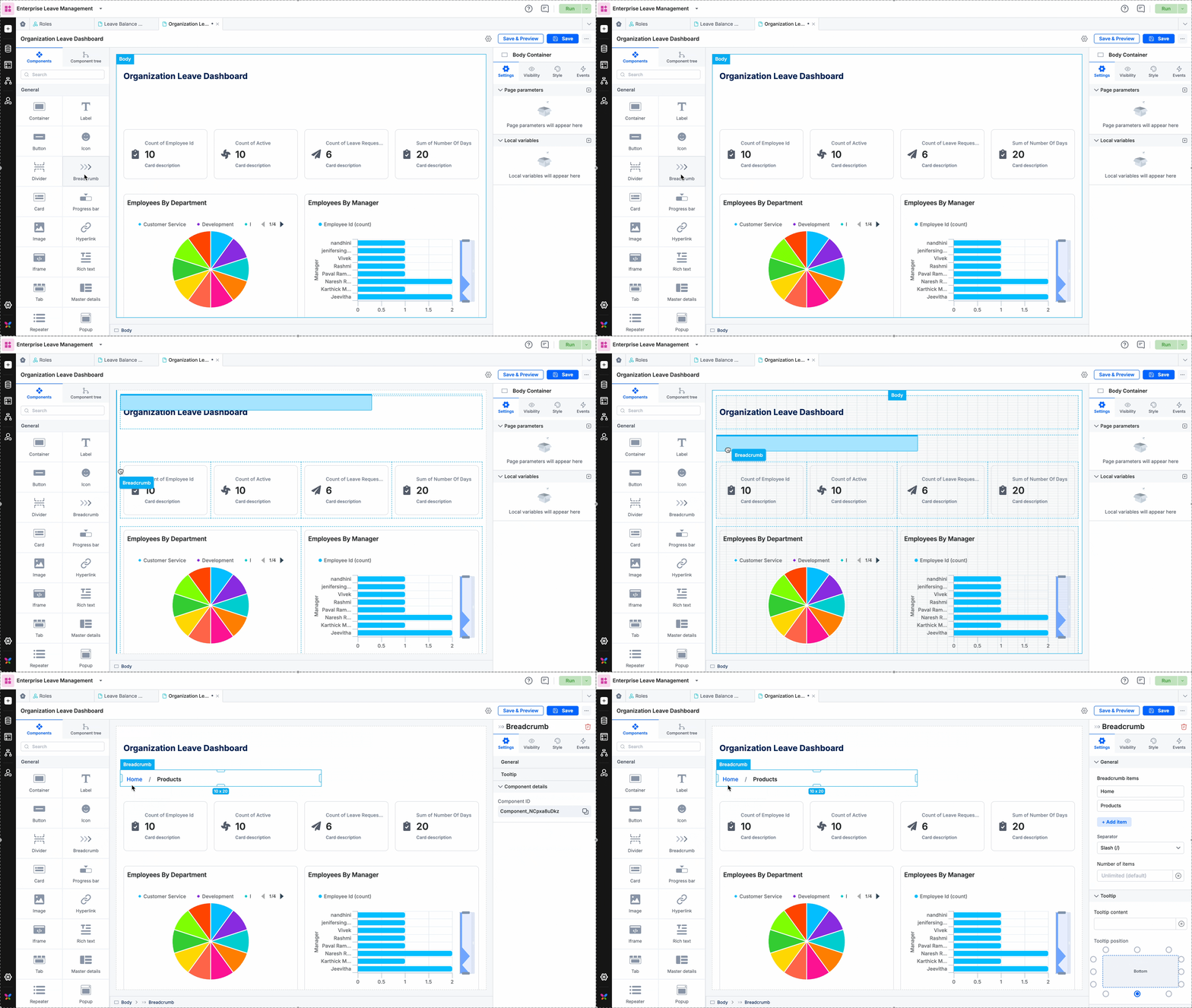
Let us know your feedback about this enhancement in the comments below. Your input will help us fine-tune this feature for an even better experience.

If you have any Kissflow support queries, you can post them in the Get Help section. Rest assured, you'll receive immediate attention and assistance from our support team.

View on Kissflow Community

January 2024

Copy link

We have exciting news! We have significantly improved the comments section to enhance collaboration on process forms. Here is what you can expect from the latest enhancements: 
 

Thread Assignment Control:

  • Assign comment threads to specific users within the item, customizing collaboration and priority. 

  • Once a comment is assigned to a user, it cannot be reassigned to other users. 

  • Both users assigned to a comment and those assigning it can resolve comments at their discretion. 

Streamlined Organization: You now have a dedicated "Assigned comments" tab, which provides a consolidated view of all comments assigned to you for effortless tracking and management. 

Enhanced Visibility and Notification: Everyone gets more visibility and accountability by assigning comments to specific users. This also provides improved notifications to those assigned, as they have a separate tab for items with assigned comments. 

Use Case: 
Let's consider an invoice approval process with an approval step involving three step-approvers: James, Bucky, and Stark. 

If James requires further details about an item, he can assign a comment to Bucky. This ensures accountability since Bucky must address the assigned comment for James to proceed. When Bucky checks his assigned items, he can conveniently view associated comments, streamlining the review process. This system enhances clarity, accountability, and efficiency in the approval workflow.

To know more about this feature, click here

We would love to know how these enhancements make collaborating on process forms easier for you. Go ahead and tell us in the comments below.

Have a query? Head to the Get Help section. Our dedicated support team is ready to provide prompt assistance.

View on Kissflow Community
Copy link

We’ve introduced three new actions to Xero connectors, providing greater flexibility and control over your financial processes.

  • Create a bill - This action creates a new bill in Xero

  • Create an item - This action creates a new item and retrieves the item code in Xero

  • Get tracking categories - This action retrieves the tracking categories in Xero 

 
Learn more about the Xero Connector and its configuration here

We encourage all Xero users to explore these new actions and share your feedback in the comments. Your feedback is essential as it helps us improve our integration connectors to suit your needs better. We are eager to hear your thoughts on how we can further enhance your experience.

Have a query? Head to the Get Help section. Our dedicated support team is ready to provide prompt assistance.

View on Kissflow Community
Copy link

We're thrilled to share an exciting enhancement to Kissflow integrations tailored for our board users - Subitem Triggers and Actions.

With this new feature, you can set up actions and customize them according to the activities performed within subitems. This feature is ideal for users managing interconnected workflows across various boards and processes. You can automate workflows and actions within your board subitems and improve efficiency. Additionally, you can also automate the creation and assignment of subitems for a more streamlined workflow.

Read more about the triggers and actions here

We're eager to hear how you plan on integrating your subitems today. Your creative ideas always inspire
others, so don't hold back!

Share your thoughts in the comments - tell us what you liked and suggest improvements in Kissflow Boards to enhance your experience. Your insights are invaluable for refining and optimizing our features.

View on Kissflow Community
Copy link

Hello everyone,

We’re excited to announce a significant revamp of the Kissflow Integration Builder, enhancing both usability and interface intuitiveness. The updated space now boasts an infinite canvas, allowing you to craft integration workflows without constraints. For added convenience, we've relocated the properties panel to the right side of the builder, making it easy to customize each step.

While errors during the integration-building process can be expected, our new builder simplifies error management. You can swiftly view a comprehensive list of errors across your integration configuration, ensuring seamless navigation and efficient resolution.

Experience real-time enhancements with the revamped Integration Builder, designed to offer unparalleled flexibility in designing, building, monitoring, and optimizing your automation workflows.

Express your excitement by liking this post and sharing emojis or GIFs in the comments! Should you have any questions, drop them in the comments below–we're always here to assist.

For Kissflow support queries, please head to the Get Help section. Our dedicated support team is ready to provide prompt assistance. For more details, click here.

View on Kissflow Community
Copy link

We are excited to announce a highly requested improvement to Kissflow process forms - enhanced control over the child table import feature. 

In response to your valuable feedback, we have introduced a new permission feature, allowing flow admins to enable or disable the import option for child tables. You can customize the import functionality in the child table settings, providing more flexibility to manage your workflow according to your specific needs

Previously, the import option was enabled by default, limiting flow admins' control over access restrictions. We have now recognized the need for more precise control and introduced this new option. You can now customize access based on specific requirements.

We're eager to know how beneficial you find this feature.
Have you previously had to manage access for importing data into child tables?

Your opinion matters to us. Please sign in to give the post a thumbs up and share your feedback in the comments section. 

Got a question about Kissflow? Post it in the Get Help section, and our support team will promptly assist you.

View on Kissflow Community
Copy link

We're excited to introduce a significant update for our App and Portal admins – the arrival of Audit Logs! This powerful feature allows you to gain unparalleled visibility into events, simplifying the tracking of activities within your apps and portals. This is an effective step towards ensuring better transparency and accountability across all user activities in Kissflow!

The Audit Log now provides app and portal admins with a detailed record of events, functioning similarly to the account and flow audits. This provides a comprehensive overview of all activities occurring within your apps and portals. Enhance security and management by monitoring and managing events within your apps and portals.

Show your excitement by signing in and liking this post. Try the Audit Logs and let us know your thoughts on this release. What additional features do you want to see in future updates?

Your insights, shared in the comments below, are invaluable in helping us refine and enhance your experience further.

View on Kissflow Community
Copy link

We've introduced two new triggers in the Dataform Connector, and we can't wait for you to try it!

  • When an item is updated in a Dataform - Triggers when a user edits a previously submitted item using the Edit option.

  • When an item is deleted in a Dataform - Triggers when a user deletes a submitted item using the Delete option.

Stay up-to-date and enhance your workflow with these dynamic triggers. If you want to learn more about these triggers, click here

Please show us your excitement by liking this post. What creative ways will you leverage these triggers? Drop your thoughts below, and let's make automation even more amazing together!

Help us improve Kissflow Forms by sharing your feedback through our survey. Let us know what you liked and disliked the most about the latest form enhancements. 

Wondering how to do something in Kissflow? Post your question in the 'Get Help' section, and our support team will assist you.

View on Kissflow Community
Copy link

Hello, Kissflow community! As we step into 2024, we've compiled a special 'Year in Review' video highlighting the key features and updates that shaped Kissflow in 2023.

Share in the comments which features from 2023 were your favorite, significantly impacting your organizational efficiency. What stood out, and how did these features elevate your workflow?

As we enter this new year, we want to express our deepest gratitude for being part of the Kissflow community. What features are you eagerly anticipating in 2024? Your comments and suggestions matter, helping us shape the future of Kissflow to meet your needs better. Thank you, and let's make 2024 extraordinary together!

View on Kissflow Community
Copy link

Are you tired of the challenges that come with managing IT assets? Are you looking for a reliable and efficient solution to simplify the process of IT asset management?

Look no further! Kissflow's IT Asset Management app is here to solve all your IT asset-related challenges. Let us change how you handle your assets and shift to seamless tracking, efficient assignment, and hassle-free management.

Here are some key features included in our application:

  • Asset requests, returns, and complaints

  • Asset Disposal tracking

  • Asset Usage reports

  • QR Code generation for assets

  • Software Renewal insights

  • Asset Loss complaints and closure

Read more about the app and its features in detail here.

To install the app:

  • Go to the App Store and click Enquire on the app tile.

  • Fill in the details of the required features and specify your team's size in the enquiry form.

  • Click Submit.

Our dedicated support team will contact you to learn more about your requirements, ensuring a seamless and customized installation process.

Show your excitement by signing in, liking, and following this post.

View on Kissflow Community

December 2023

Copy link

Introducing the latest addition to Kissflow's integration connectors - the Jira connector.

This connector allows you to connect and synchronize your Jira account with third-party and Kissflow apps. All you need is a valid Atlassian or Jira account and an active Kissflow account.

Note: Jira connector's trigger connection expires in 30 days. You can re-establish the connection by simply turning the integration off and on.

Read more about the connector and the configuration process here.

Please show us your excitement by liking this post and adding emojis or GIFs in the comments below. Let us know your feedback in the comments below. Your input will help us fine-tune this feature for an even better experience.

If you have any Kissflow support queries, you can post it in the Get Help section. Rest assured, you'll receive immediate attention and assistance from our support team.

View on Kissflow Community
Copy link

The highly sought-after feature is now live. Say goodbye to the hassle of downloading attachments for printing. We're excited to announce the release of one of our most requested enhancements: the ability to print attachments directly in preview mode.

Downloading files can be time-consuming and take up space. This new enhancement simplifies workflow and gives you more control over system space. This lets you print form attachments directly from the preview mode without downloading them to your device. Simply click the Print icon, and that's all it takes.

Note: We only support the download of PDFs, images, and text files in formats such as CSV and TXT.

We would love to hear your thoughts as you explore this new feature. Your feedback is valuable to us, and we are committed to improving Kissflow for you.

Log in to like this post and comment. We'd love to know if this could make a big difference and save you valuable time.

View on Kissflow Community
Copy link

Kissflow Apps users often require access to data from external systems. Previously, there were challenges in importing data from external platforms to Kissflow. 

We're excited to announce our latest feature, External Data Object, which enables Kissflow Apps users to directly access data from external systems without storing it in Kissflow. This means you can now effortlessly access data from third-party systems and integrate it into your Kissflow App without hassle.

https://vimeo.com/896461161/e49273a51b?share=copy

Once you've set up an external data connection, you can configure corresponding external data to make it accessible to various modules in your app's data layer, including Processes, Boards, and Data forms.

Using the current lookup field, you can look up data from an external system through the external data object you have set up. Moreover, Integrations offers an external data connector that enables you to send, update, or read data from the external system with ease.

Please note that this feature is currently available for MySQL only. We will eventually implement it with other third-party connectors based on user requirements.

Read more about this here

We will implement this feature in Kissflow Apps to customers on the enterprise plan on a need basis. If you're interested, please comment below. Our dedicated Kissflow support team will contact you to discuss this further.

Show your excitement by signing in and liking this post, and don't forget to share emojis or GIFs in the comments below! 

View on Kissflow Community
Copy link

We are excited to announce the enhanced report creation experience in all the report builders of Kissflow across flows, including process, boards, apps, and analytics, with more improved capabilities.

We have introduced a new look for the Create report interface, making report creation more intuitive and seamless. 

We have added a new Style tab with a range of customization options. You can now personalize your reports to match your preferences and requirements. We have also introduced a new color palette to enhance the visualization experience of your chart reports. 

https://vimeo.com/895720107/bed979649b?share=copy

Excited about our enhanced report creation experience on Kissflow? We want to hear from you!
Try out the new features and share your feedback in the comments below the post. Your insights matter as we continue to improve your experience. Log in to leave your comment and show us some love!

View on Kissflow Community
Copy link

Kissflow app builder is revamped with a fresh and user-friendly interface. We're excited for you to try out the new and intuitive app building experience on Kissflow!

Enhanced and uninterrupted app development experience with tabs:
The new App Builder offers the convenience of developing multiple app features at the same time in separate tabs. This means that you can work on one page of your app and simultaneously modify a process by navigating from the left panel. The process opens in a new tab, which allows for easy editing. You can switch between these tabs without any loss of progress.

Modular components for enhanced flexibility: 
You can now easily drag and drop flow components from the library without having to select a source flow first. This means you can change the source flow of a component without affecting the page layout.

We have revamped the left navigation panel and introduced new features and styling options to customize your app according to your needs, with a wide range of styling choices.

https://vimeo.com/895505275/a14e626a12

We would love to hear your valuable feedback, so please comment below and let us know what you think! If you love the changes we've made, we'd appreciate your support by giving this post a like. Just log in to leave your comment and show us some love!

View on Kissflow Community
Copy link

We're excited to announce that Kissflow has revamped its Form Builder for a more seamless and intuitive form-building experience. Our redesign, driven by comprehensive UX analysis, industry standards, and usage metrics, lays the groundwork for exciting new features.

We've introduced two significant enhancements within this new framework:
Grid Widget for Customizing Form Layout: Tailor your form layouts effortlessly with our new Grid Widget, giving you greater control and flexibility.
Expanded Style Settings for All Fields: We've extended style settings to all fields, allowing you to customize the appearance of your forms like never before.

Here's a sneak peek: 
https://vimeo.com/888568869/4106278220

Read more about the changes here

We invite you to try the new Form Builder and share your valuable feedback in the comments below. If you love these changes, show your support by liking this post. Please log in to leave a comment and like this post.

Stay tuned for more exciting improvements in the future!

View on Kissflow Community
Copy link

We understand the importance of safeguarding your sensitive information, be it employee data or details of external parties like customers and vendors. To ensure we offer you data privacy and confidentiality, we have introduced AI-identified sensitive data to Kissflow Governance, designed to prevent unwanted exposure to your sensitive data.

Accessible in Kissflow governance, this AI-powered feature highlights potentially sensitive fields to help manage sensitive data in your Kissflow forms and protect the confidentiality of your data.

The AI classifies form data based on the names of the fields provided. If these names are changed, our system will update them in real-time. This way, you can always stay up-to-date and keep your data accurate.

AI-Driven Categories:

Our AI diligently categorizes sensitive data into three types:

  1. Personal Data: Information identifying a specific individual, such as names, addresses, and contact details.

  2. Confidential Data: Information that requires heightened security, including proprietary business information, financial data, and login credentials.

  3. Health Data: Information about an individual's physical or mental health, medical history, or treatment records.

Below is an example of a medical appointment form with fields such as Name, Contact Number, Symptoms, Blood Group, and more. When you click AI Identify, our AI analyzes the field names and adds the relevant categories for each field. In the GIF below, you can see that details like name and contact number are categorized as Personal, while medical information like symptoms and blood group are categorized as Health.

Read more about this here.

Please log in to like this post if you found this new addition useful, and share your feedback in the comments below, telling us how beneficial this feature is.

If you have any questions on how to use this feature, feel free to ask in the comments below – we're here to help.

For Kissflow support queries, we recommend posting in the Get Help section. Rest assured, you'll receive immediate attention and assistance from our dedicated support team.

View on Kissflow Community
Copy link

Do you need help with intricate leave management processes? Look no further than the Kissflow Leave Management app. Tailored and practical, this app provides a customized solution for effectively managing employee leave in your organization. Explore its streamlined features to simplify your leave management processes.

This app simplifies the intricate process of tracking and managing employee leave requests, approvals, and balances. With an expansive leave calendar and reporting system, the app ensures seamless monitoring of employee leave schedules, contributing to enhanced leave management practices. Additionally, the app incorporates a leave tracker and reporting system for transparent visibility into all leave-related activities, including requests, approvals, and remaining balances.

A standout feature of this app is its Leave Policy functionality. Customized based on the organization's demographics, it allows managers to handle requests swiftly and employees to request leave and monitor their balances seamlessly.

The app offers an extensive list of features including:

  • Leave application

  • Leave policy

  • Leave calendar

  • Leave repository

  • Employee leave maintenance

  • Role-wise leave management

  • Leave policy management

  • Dashboards, reports, and more

Read more about the app and its features in detail here.

To install the app:

  • Go to the App Store and click Enquire on the app tile.

  • Fill in the details of the required features and specify your team's size in the enquiry form.

  • Click Submit.

Our dedicated support team will contact you to learn more about your specific requirements, ensuring a seamless and customized installation process.

Show your excitement by signing in, liking, and following this post.

Streamline leave tracking, approvals, and balance monitoring effortlessly. Download the app now for a seamless experience – your path to efficient leave handling begins with a simple click.

View on Kissflow Community
Copy link

We have some exciting news to share with you! The Google Chat Connector is now live in Kissflow Integrations. This feature is designed to take your team collaboration to the next level! With this connector, you can seamlessly integrate with Google Chat and enjoy a range of features that will simplify your interactions, automate workflows, and monitor progress.
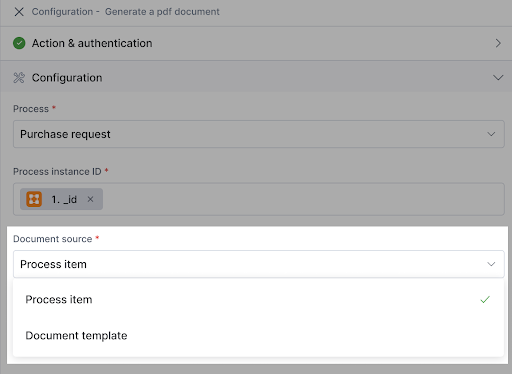
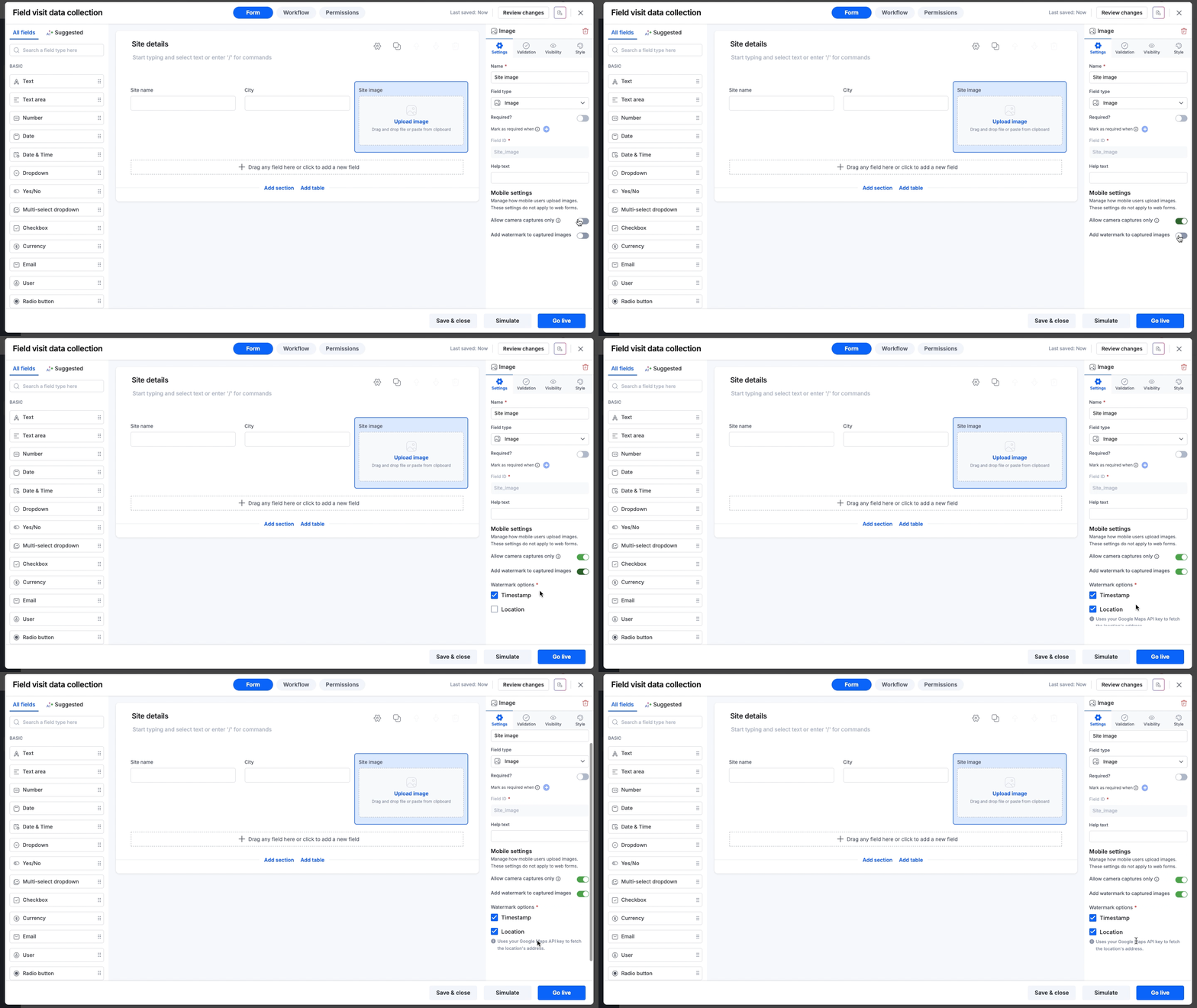
 

Effortless Integration: Kissflow's Google Chat Connector offers a seamless integration experience with various third-party applications and Kissflow workflows. All you need is a valid Google Chat account, and as a paid Kissflow customer, you can easily integrate with Google Chat.
 

Streamlining Workflows: If your workflow involves responding to specific events in Google Chat, such as sending messages or triggering automated processes, the Google Chat Connector simplifies these tasks. By connecting Google Chat with other applications and workflows, you can automate actions and ensure a smooth flow of work.
 

We offer the following supported actions in the Google Chat Connector:

  • Send a message 

  • Send a message via webhook
     

Read more about this here.
 

Tell us which action you are most excited to configure with our new Google Chat Connector first - Send a message or Send a message via the webhook? 

We'd love to hear your thoughts! Let us know your feedback in the comments below. We're all ears! 
View on Kissflow Community
Copy link

We are excited to announce a significant upgrade to Kissflow Forms, introducing a more intuitive and user-friendly interface. The changes ensure a seamless transition without affecting existing form behaviors or data.

  • Unified User Experience Across Modules:

The form runtime view is unified for consistency between Process, Boards, and Dataform, both within and outside of apps. These changes will only impact the runtime layout. Public forms, simulated forms, existing print forms, and mobile functionality will remain unaffected. 

  • Streamlined Navigation for Enhanced Efficiency:

The forms are revamped with a right navigation strip for easy access and seamless tab-switching. The details panel will continue to show relevant information based on the selected tab.

  • Maximized Workspace with Collapsible Navigation:

Our latest update includes a collapsible right navigation which allows you to quickly show or hide your item details, maximizing your screen space.

  • Quick Access Section Panel: 

We've added a colabsible quick access menu to Process forms, making the sections panel easily accessible. This feature is now available for Board forms too, simplifying navigation to specific sections within board items.

 These updates will provide a more streamlined and intuitive experience. Show your excitement by signing in and liking this post, and don't forget to share emojis or GIFs in the comments below! 

We encourage you to explore these enhancements and share your feedback in the comments. Your insights are invaluable in helping us refine and enhance your experience further. 

View on Kissflow Community

November 2023

Copy link

We're excited to announce some significant changes to how access control functions within Kissflow. These changes are designed to offer you more flexibility and control over user roles and permissions.

Here's what's new:

  1. Optional User Role Assignment: User role assignment is now optional. Users can be assigned multiple roles if needed, giving you greater control over access.

  2. Introducing IAM Admin and App Store Admin Roles:

    • IAM Admin: This role manages access control within Kissflow and is responsible for security and user provisioning.

    • App Store Admin: This role oversees the App Store, ensuring apps are managed efficiently.

  3. User Group Role Assignment: Now, you can add roles to user groups, and all group members will inherit these roles, simplifying management.

To know more, click here.

We invite you to explore these changes and share your valuable feedback in the comments below. If you appreciate these enhancements, please show your support by liking this post. Remember to log in to leave a comment and like the post. Your input helps us improve your Kissflow experience!

View on Kissflow Community
Copy link

We are excited to share that we have made significant improvements to managing Kissflow Integrations. It can be complex to manage integrations without access to detailed information, and navigating through them can be a hassle. That's why we have introduced a range of powerful capabilities to improve your experience by making it more efficient, user-friendly, and organized than ever before!

  • Search Functionality - You can now easily search for a specific integration name in our new search bar, eliminating the need to manually scroll through a long list.

  • Viewing Integrations - You can now view integrations in two ways:

    • Integration-based view - This view allows you to view your integrations in a list format. 

    • Connector-based view - This view lets you categorize and view your integrations based on connectors, triggers, and actions. This allows for a more customized and streamlined user experience.

  • Sorting Capabilities - You can sort the list of automations based on different parameters such as alphabetical order, date created, or status in a preferred order.
     

  • Automation Details and Metadata - You can quickly access all automation details without opening each integration separately. Information such as name, description, owner, last modified date, and status are readily available. 


You can read more about this here.

Please show us your excitement by liking this post and adding emojis or GIFs in the comments below. Let us know your feedback in the comments below. Your input will help us fine-tune this feature for an even better experience.

If you have any Kissflow support queries, you can post it in the Get Help section. Rest assured, you'll receive immediate attention and assistance from our support team.

View on Kissflow Community
Copy link

As part of our goal to provide the simplest-to-use low-code platform, we have decided to discontinue Kissflow Chat and Kissflow Spaces. Chat and Spaces were great collaboration tools, but we’ve decided we can better meet your needs by focusing all our efforts on building an AI-powered Low-Code No-Code (LCNC) platform.

Please note the following schedule for the sunset of these services:

  • Admin-only phase: Starting 20 December 2023, Kissflow Chat and Kissflow Spaces will transition to an admin-only mode. During this period, users will be able to access and view content but will not be able to create new content or modify existing content. However, admins can post communication. This will be useful for communicating transition plans or alternative arrangements.

  • Read-only phase: Starting 15 January 2024, Kissflow Chat and Kissflow Spaces will transition to a read-only mode. During this period, all users, including admins, can access and view content but cannot create new content or modify existing content. 

  • Service closure: Starting 1 July 2024, we will discontinue all functionalities of Kissflow Chat and Kissflow Spaces, rendering these services inaccessible. 

We understand this transition may pose challenges and are committed to supporting our users through this change. Our decision to sunset these services is a strategic step towards dedicating our resources and focus on building a more robust and innovative LCNC platform. Kissflow will be available in the Microsoft Teams, Google Chat, and Slack environments by Q1 2024 as part of this strategy. We are thrilled about the upcoming enhancements and possibilities, offering our users more options and an improved experience at their existing point of presence.

We appreciate your understanding and support as we evolve our services to meet your needs better. If you have any questions or require assistance, please do not hesitate to contact our customer success team or your account manager.

Thank you for your continued trust and support for Kissflow.

View on Kissflow Community
Copy link

Have you ever felt the frustration of unclear objectives and misaligned teams?
Well, Kissflow's OKR App is here to transform your experience! With this app, you can now seamlessly set company-wide and team-specific objectives within defined time frames, ensuring everyone is on the same page. 

This app boasts a variety of features and capabilities, including:

  • Objective Setting: Define, sort, modify, or delete strategic goals across the company and for specific teams.
  • KPI Measurement: Set KPIs aligned with organizational goals, supporting various metrics such as percentages, numerical values, or multiple currencies.
  • Team-Centric Objectives: Track progress, view and set specific OKRs and KPIs, and align goals with objectives or OKRs using status cards.
  • Individual Objectives: View individually assigned OKRs and KPIs and prioritize actions based on individual objectives.
  • Insightful Reports: Access comprehensive charts and tables to overview OKR statuses and team progress.

Why Kissflow's OKR App?
Say goodbye to confusion and hello to streamlined success. The OKR App is your digital ally, providing a clear direction for your team and company to reach their goals efficiently.

To install the app:

  • Go to the App Store and click Enquire on the app tile.
  • Fill in the details of the required features and specify your team's size in the enquiry form.
  • Click Submit.

Our dedicated support team will contact you to learn more about your specific requirements, ensuring a seamless and customized installation process.

Show your excitement by signing in, liking, and following this post.

Embark on an exciting journey with our new OKR App! We're eager to hear your thoughts. Explore the app and drop your feedback in the comments below. Share your experiences or challenges in goal setting, and let us know the features you'd find valuable in our new OKR App.

To know more, click here.

View on Kissflow Community
Copy link

Are you tired of manually building boards from scratch?
We’ve just made your life a little easier. We're excited to introduce AI-powered board creation with Kissflow. This feature simplifies the process of building boards, creating forms, and setting up workflows. With just a few clicks, you can easily create comprehensive boards, forms, and workflows. This saves the time and effort of creating a board from scratch, allowing you to focus on the actual task. 

Wondering how it works?
Simply provide a title and a brief description of the purpose of the board. Click "Create using AI," and you're done. Our AI-powered feature analyzes your inputs and generates a fully functional board tailored to your specifications. This includes customized forms and workflows optimized for your specific use case.

Let us know how excited you are about this new feature by liking this post and adding emojis or GIFs in the comments below. We'd love to hear your feedback as well, so be sure to try this feature and let us know your thoughts. Your input will help us fine-tune this feature for an even better experience.

To know more, click here.

Please post your Kissflow support queries in the Get Help section. Our support team is always ready to assist you.

View on Kissflow Community
Copy link

Are you tired of manually managing expenses in your organization? 

Kissflow is here to simplify your journey with our brand-new Expense Management app. 

Say goodbye to the stress of manually managing expenses and say hello to seamless and efficient expense management. Our latest app is designed to handle everything from employee reimbursement claims to overall expenditure reconciliation, ensuring an accurate expense-tracking solution. 

  • Expense Claim Processing: Handle various expense claims, ensuring a smooth workflow with our multi-tiered approval system.

  • Advanced Payment Requests: Simplify the process of managing advance payment requests from your employees, ensuring a streamlined approval process every step of the way.

  • Budget Allocation: Manage all expense and advance claims within your allocated budget, giving you complete control over your financial resources.

  • Hassle-free Travel Booking: Process and manage business trip requests, making corporate travel a breeze with user-friendly multi-tier approvals.

Our app also comes with a range of exciting features like expense reimbursement, multi-currency conversion capabilities, effortless bulk expense additions, insightful dashboards and reports, and much more, all designed to make your expense management journey smoother and more efficient than ever before.


To install the app:

  • Go to the App Store and click Enquire on the app tile.

  • Fill in the details of the required features and specify your team's size in the enquiry form.

  • Click Submit.

Our dedicated Kissflow support team will contact you to learn more about your specific requirements, ensuring a seamless and customized installation process.

Show your excitement by signing in and liking this post, and don't forget to share emojis or GIFs in the comments below!

We encourage you to explore this app and share your feedback in the comments. Your insights are invaluable in helping us refine and enhance your experience further.

View on Kissflow Community
Copy link

We're thrilled to introduce three new enhancements to Kissflow Boards, designed to elevate your workflow and collaboration experiences!

  • Copy-paste Text to Create Items and Subitems
    Previously, creating multiple items required numerous interactions. With the latest enhancement, creating new items or subitems is faster and more convenient. You can easily copy and paste a text onto the board and click Create. This automatically creates a new item or subitem, eliminating the time and effort required to create an item from scratch.

  • Direct Link to Comments
    With the new comment link-sharing feature, you can now directly share comments from a board item's Notes section. This ensures your team can effortlessly share insights and keep the conversation flowing.

  • Effortless Subitem Rearrangement
    Organizing your workflow is now a breeze with the new enhancement that allows you to rearrange subitems within an item. Whether you're prioritizing tasks by due date, assignee, or any other parameter or simply customizing your board, this feature ensures swift and easy adjustments to your board's structure.


Show your excitement by signing in and liking this post, and don't forget to share emojis or GIFs in the comments below! We encourage you to explore these features and share your feedback in the comments.

Your insights are invaluable in helping us refine and enhance your experience further. 

View on Kissflow Community

October 2023

Copy link

Struggling with data field mapping in integrations? It's a common challenge that can consume time and effort. Navigating through fields from different steps and mapping them with multiple fields in actions often leads to less efficient workflow setups.

We're thrilled to introduce our latest AI-powered solution designed to streamline field mapping
AI field mapping! Say hello to this feature that automatically identifies the optimal fields based on Trigger and Action outputs, making mapping effortless and accurate.

Our AI technology delves into identifying patterns, relationships, and transformations for precise mapping, ensuring a seamless integration experience. We use two types of mapping: the first type performs the best possible match across steps, while the other matches all possible matches across steps, allowing the user to remove unnecessary fields that were mapped.

Ready to simplify your data mapping journey? Try our AI field mapping and let us know how this enhancement transforms your work! If this feature has made your life easier, react to this post. Your feedback is invaluable to us. We can't wait to hear from you.

You can read more about this here

Login to like this post and comment. We would greatly appreciate it if you could let us know whether this new AI feature will make a significant difference for you and if it will help save you time.

View on Kissflow Community
Copy link

We're thrilled to announce the latest feature in Kissflow Apps - the "Edit" role permission for data forms. This new addition allows you to manage user access and actions within your app with greater precision, ensuring the security and integrity of your data.

With the "Edit" role permission, you can grant specific roles the ability to create, read, and update entries while limiting the deletion of data. This feature has been designed to meet your evolving needs and provide you with the flexibility to allow users to perform any operation on data except deletion.

Kissflow app developers can now set access privileges at the dataform and view levels. For example, at the dataform level, users can control and interact with data across the dataform without deletion rights. Whereas, at the view level, users can only manage the data filtered inside the view. The "Edit" permission is role-based and adapts dynamically to users' roles, automatically adjusting the user interface to match their privileges.

With the "Edit" role permission, you can streamline workflows, manage data efficiently, and maintain security.

To know more, click here.

Please show us your excitement by liking this post and adding emojis or GIFs in the comments below. Try this feature, and let us know your feedback in the comments below. Your input will help us fine-tune this feature for an even better experience.

We recommend you post your Kissflow support queries in the Get Help section. Rest assured, you'll receive immediate attention and assistance from our support team.

View on Kissflow Community

September 2023

Copy link

We are thrilled to introduce Resource Manager in Apps, a comprehensive file management system created to store, organize, and access visual assets within Kissflow Apps. 

With the Resource Manager, you can easily upload your visual assets from your local drive or external cloud services such as Box, OneDrive, Dropbox, or Google Drive and keep them organized inside folders within your apps. The resource manager feature allows you to upload up to ten files at a time, each with a maximum size of 5 MB. You can even create nested folders to organize your resources better. 

Once uploaded, you can directly refer to them from pages. You can also upload images directly from your local drive to pages. These images will be automatically stored in the root directory of the Resource Manager.

Here are some advantages of using Resource Manager in apps:

1. Consolidation: Provides a repository to store all app-specific images and icons, making it easier to manage them.

2. Speed and efficiency: Loads resources faster on pages since files are hosted within Kissflow. 

3. Organization: Lets you rename files, move them between folders, and create nested folders for further organization.

4. Quick and Efficient Search: Offers search and sort functions to help you find files quickly and efficiently.

https://vimeo.com/866371033/fa6de3ec61?share=copy

Note: The resource manager and its files are unique to each app within your Kissflow account. Hence, resources cannot be shared or accessed across different apps, even if they are part of the same Kissflow account.

Read more about resource manager here

Your opinion matters to us. Please sign in to give the post a thumbs up and express your excitement by adding emojis or GIFs in the comments section. 

We recommend you post your Kissflow support queries in the Get Help section. Rest assured, you'll receive immediate attention and assistance from our support team.

View on Kissflow Community
Copy link

We're thrilled to announce that Kissflow Integrations has undergone some major upgrades and fixes! If you’re a frequent user of integrations, you may have already noticed these changes. In case you missed it, these updates aim to make managing integrations, connections, and your overall workflow a breeze. With improved data viewing and an enhanced run history, our updates offer a wide range of benefits. We hope you enjoy the new and improved Kissflow Integrations!

Check out what's new:

1. Optimized Space: The All Integration landing page is optimized to provide a more spacious and user-friendly layout.

2. Enhanced Data Viewing: The read-only grid component is replaced with a data table for better data visualization.

3. Empty State Improvement: The empty state display is updated for integration, connection, and run history sections for cases with no data available.

4. Simplified Navigation: The Create Integration/Connection button is now easily accessible in a circular tab section.

5. Integration Navigation Refinement: Several issues in the Integration navigation are resolved, including the error message that appeared when switching views. The connected apps column has been redesigned to provide a smoother experience, and disabled integrations are now displayed in a light gray shade.

6. Connection Management: Managing connections is significantly easier with a revamped connection navigation system with a scrollable segment view and improved search function.

7. Run History Enhancement: The run history filter has been improved to make finding and tracking your runs easier.  We have fixed the error message issue when selecting custom date ranges, ensuring uninterrupted progress.

Your feedback is important to us. Please log in to like this post if you found these enhancements useful, and leave your feedback in the comments below.

If you have any questions, please ask in the comments below – we're here to help.

We recommend you post your Kissflow support queries in the Get Help section. Rest assured, you'll receive immediate attention and assistance from our support team.

View on Kissflow Community
Copy link

We're happy to introduce the newest addition to Kissflow Apps - Board system metrics - Status performance report & Aging report. We understand the need for gaining insights from boards within apps, and that's why we've incorporated the system metrics as widgets in Kissflow Apps. These widgets can be easily accessed on the left-hand side under board components.

During runtime, you have the flexibility to choose from various options such as time periods, filters, exports, refreshes, and list layouts. 

Additionally, by clicking a number in the report, you can view it in full-screen mode. Once you enter the full-screen pop-up, view the metrics in a more detailed and organized manner. These include expand and collapse, search, filter, sort, show/hide fields, and pagination.

Please note that Board system metrics - Status performance report & Aging report are currently only available in the web version of Kissflow Apps.

Please log in to show us your excitement by liking this post and adding emojis or GIFs in the comments below. Try this feature, and let us know your feedback in the comments below. Your input will help us fine-tune this feature for an even better experience.

To know more, click here.

View on Kissflow Community

August 2023

Copy link

Hello Kissflow Community!

We're thrilled to unveil another exciting AI feature in Kissflow processes. Expanding on the functionality of AI-suggested fields, which automatically generates form fields based on the user-entered form name, we're taking it a step further. Now, with our enhanced AI capabilities, the system can create an entire workflow process consisting of workflow steps.

This feature is now available in beta and will be accessible to all accounts in KF Work Platform plans. Please show us your excitement by liking this post and adding emojis or GIFs in the comments below. Try this feature and let us know your feedback in the comments below. Your input will help us fine-tune this feature for an even better experience.

To know more, click here.

Please post your Kissflow support queries in the Get Help section. Rest assured; you'll receive immediate attention and assistance from our support team.

View on Kissflow Community
Copy link

Hello Kissflow Champions, 

We're thrilled to introduce a game-changing addition to Kissflow – Multilingual Forms! Form creators can seamlessly display their forms in multiple languages by adding manual translation to the forms' labels. This feature widens your reach and elevates the user experience.

Imagine designing a form catered to English speakers, then effortlessly extending its impact to engage with Chinese users. With this feature, your form dynamically adjusts, providing a seamless experience for users who choose different languages in their profile settings.

Note: 

  • This feature is available in our Work Platform - Corporate and above plans.
  • You can access both the standalone Process and Boards modules within Kissflow.
  • Only the languages supported at the platform level will be accessible at the form level.

Please show us your excitement by liking this post and adding emojis or GIFs in the comments below. If you have any questions, please ask in the comments below – we're here to help. 

We recommend that you post your Kissflow support queries in the Get Help section. Rest assured, you'll receive immediate attention and assistance from our support team.

To know more, click here

View on Kissflow Community
Copy link

Dear Kissflow Community,

Exciting news about Kissflow’s SAML configuration! We've heard your feedback and addressed the challenges you faced while configuring Azure AD and Kissflow. 

We've refined the setup process for SAML configuration to ensure a seamless experience. No more worrying about mismatched orders, extra spaces, or incorrect slashes while pasting the configuration setup and SAML signing certification – it's just a click away. We've got you covered!

Smoother Setup: We've streamlined the setup process to make things more convenient for you. 

  • Downloading metadata is a click away – in your Kissflow account, select Download metadata, then upload it to Azure AD.
  • Upload the downloaded Azure AD Federation Metadata XML file in Kissflow by clicking Upload XML file.


All fields under IdP Configuration will be automatically populated, ensuring a seamless setup experience. And that's not all – for existing users who've completed the setup, data auto-populates in Kissflow's SAML configuration.

Visual Enhancement: Beyond the smoother setup, you'll notice a subtle yet impactful UI improvement, enhancing your interaction with Kissflow.

Email Notifications: Super Admins can now choose whether to send email notifications or not for SSO providers when enabling and disabling. This provides more communication control, allowing you to decide if users should be notified when SSO changes.

Your feedback matters! Like this post if you find these enhancements valuable. Share your feedback in the comments below. Your input refines Kissflow for you.

To know more, click here

Hold on tight, because something massive is releasing soon! Keep an eye on this space for some exciting updates.

View on Kissflow Community
Copy link

Hello Kissflow Champions! 

We're thrilled to introduce the newest addition to Kissflow Integrations - Custom Triggers. We understand that sometimes, setting up an integration with an existing trigger can be a challenge. With Custom Triggers, you can now create your own trigger for specific workflows. You can define input parameters and effortlessly apply them in subsequent actions. Moreover, this customizable trigger can be utilized as an action across numerous integrations.

For example, consider the Employee Onboarding and Offboarding processes tied to the Employee Dataset. Instead of managing separate integrations for these processes, custom triggers streamline it all into one.

 Benefits:

  • Ability to create a personalized input payload structure that aligns precisely with your needs.
  • Unleash the potential to associate a single integration with multiple events (e.g., Item Submission or Item Rejection), thereby overcoming the challenge of trigger redundancy.
  • Say goodbye to redundant integration configurations; no more need to recreate the same setup for different triggers.

Give it a try today and share your thoughts with us in the comments below. We eagerly await your feedback. If you're excited to give this feature a try, be sure to like this topic!

To know more, click here

View on Kissflow Community
Copy link

Hello Kissflow Champions, 

We're excited to announce the latest addition to the Kissflow Twilio Connector - the "Send WhatsApp Message" action! 🎉 This feature allows seamless integration of WhatsApp messaging into your workflows and boards, allowing better communication with your users. 

We are committed to providing the finest user experience, and your feedback is always invaluable to us. If you're excited about using this new action, please give this post a like and feel free to share your feedback in the comments. Keep an eye out for more exciting release updates to come. 

Click here to learn more about this new feature. We recommend reading the Twilio documentation before using this action to know about the rules and restrictions. 

Just a friendly reminder to follow the Product Announcement category! By following this category, you'll receive email notifications whenever a new post is added. This ensures that you won't miss out on any important release updates. 

If you have any questions or doubts about Kissflow, please ask a question in the Get Help forum, and our support team will be more than happy to assist you.

View on Kissflow Community

July 2023

Copy link

Hello everyone,

We're thrilled to announce the release of the Timeline Layout feature in Kissflow Boards!

The all-new timeline layout provides a panoramic view of all tasks, including subitems, within boards to help you efficiently plan and meet deadlines with precision, ensuring no tasks slip through the cracks.

With its user-friendly navigation and comprehensive task overview, this layout helps you streamline your tasks seamlessly.

Here’s one of many use cases where the timeline layout can be very effective.

  • Content production and marketing campaigns 

  • Event planning

  • Product development

  • Construction

  • Manufacturing

  • Agile project management

In this release, we have introduced a start date system field in Kissflow Boards. This allows you to effortlessly set the precise date and time for when a board item or subitem should begin.

Activities related to the start date system field are recorded in the Activity section of the item.

Read more about the timeline layout here.

Please try it out and let us know your feedback in the comments. If you're as thrilled as we are about the new additions, show your support by liking this post. We look forward to hearing from you 😁

Remember to follow the Product Announcements category to receive email notifications when there's a new post.

View on Kissflow Community
Copy link

Hello Kissflow Champions, 

We are excited to announce the release of Kissflow Governance, a powerful tool that empowers Super Admins to efficiently manage their Kissflow account from a single, centralized entity. With this feature, you can maintain data security within your Kissflow account and gain insights into all users, groups, flows (processes, boards, and apps), datasets, lists, and authentication keys through an intuitive dashboard-based design.

Kissflow Governance is available on Enterprise plans upon request. To request access, reach out to your Kissflow Account Managers. Alternatively, you can comment on this post, and our team will promptly contact you.

Don't forget to like this post if you're eager to try this new feature addition. If you have any questions regarding Governance, feel free to comment below, and we'll be more than happy to assist you.

Here's a quick preview of Kissflow Governance: https://vimeo.com/845915768/3347d48889

For additional help, please refer to our help docs: https://helpdocs.kissflow.com/governance/account-governance-overview

Remember to follow the Product Announcements category to receive email notifications when there's a new post.

View on Kissflow Community

June 2023

Copy link

Introducing Edit and Rerun Transactions in Kissflow Integration

We are thrilled to announce the launch of a new feature in our integration module:  Edit and Rerun Transactions . This exciting addition provides enhanced flexibility and control over your failed integration transactions, ensuring a smoother and more efficient user experience.


With this feature, you can effortlessly edit and rerun transactions, saving valuable time and streamlining your integration processes. No more starting from scratch or dealing with the frustration of failed transactions! Please note that this feature will only apply to future transaction integrations.


Here's how it works:

  1. Edit Transaction Details: Imagine encountering a failed integration transaction while completing an item in a "Payment Request" process. Our new feature allows you to easily navigate to the run history page and select the failed item. From there, you can modify crucial details such as the payment method, shipping address, or even item quantities.
  2. Rerun Transactions: Once you have made the necessary adjustments, you can effortlessly rerun the edited transaction. Rerunning the transaction gives it another chance to integrate and complete the desired action successfully. This eliminates the need to repeat the entire process from scratch, saving you time and effort.

Please reply to this post if you have questions, require assistance, or want to learn more about the Edit and Rerun Transactions feature. 

View on Kissflow Community
Copy link

Introducing Improved Date & Time field Display for Assignees!

We are thrilled to announce a significant enhancement to the Date and Time field display. Starting today, assignees will be able to view timestamps in their own local time zone, regardless of the time zone of the user who submitted the form. This update eliminates the need to indicate the assignee's time zone in the field, making the process even more streamlined and intuitive.

Do upvote and comment if you like this much needed new enhancement.

View on Kissflow Community
Copy link

Introducing the Bug Tracker App

We are excited to announce the release of our Bug Tracker App, designed to empower you with a robust system for tracking and monitoring bugs more effectively.

  • Track Bugs with Ease
  • Efficient Bug Monitoring
  • User-Friendly Interface
  • Collaborate and Communicate

Ready to take your bug tracking to the next level? The Bug Tracker App is now available for download on the App Store. Get started today and experience a more streamlined bug management process. Do share your feedback in the comments below.

View on Kissflow Community
Copy link

Introducing Copy and Paste Actions in Kissflow Integration!

We're thrilled to announce the ability to copy and paste actions in your integration sequence. You can now copy pre-configured actions effortlessly, eliminating the need to recreate them from scratch. 


The copy-and-paste functionality goes beyond duplication, allowing you to rearrange your integration sequences effortlessly. Say goodbye to the nightmare of deleting and recreating subsequent actions when introducing an "If condition" between your sequence. 


Do upvote and comment if you love this new addition. How helpful do you find this feature in terms of saving time and effort? Does it provide the flexibility you need to rearrange your sequences easily? We would love to hear your feedback.

View on Kissflow Community
Copy link

Release Alert: Introducing the Board Viewer Role in Kissflow!

We are excited to announce a new role in Kissflow Boards: Viewer role. The Board Viewer role is designed for individuals who need access to view board items and information but do not require the ability to make changes or modifications. This role is perfect for stakeholders, clients, or team members who need a bird's-eye view of the board without requiring active editing.


Help docs: https://helpdocs.kissflow.com/managing-board/managing-members-and-roles-boards#viewer


If you're excited to try this new role in Kissflow Board, please upvote this post. We would love to hear how you plan to use this feature in your boards, so feel free to share your thoughts in the comments below.


If you need assistance, please comment on this post and we'll be happy to help.

View on Kissflow Community
Copy link

Release Alert: Introducing Xero Connector for Kissflow Integration!

We're happy to reveal another new addition to the Kissflow integration family: Xero Connector


With Kissflow's Xero Connector, you can now seamlessly connect Xero with Kissflow apps and other popular third-party applications, unlocking a whole new level of data sharing and workflow automation.

At present, the Xero Connector does not support trigger events. However, you can still utilize the connector to perform various actions and search operations within Xero.


Do share your feedback in the comments below. 

View on Kissflow Community
Copy link

Release Alert: Introducing AI-Suggested Fields in Kissflow! 🎉

We're thrilled to unveil an exciting new feature in Kissflow: AI-suggested fields! We now use AI(Artificial Intelligence) and ML(Machine Learning) to create customized form fields for you, making form creation faster and better. 


These AI-suggested fields are generated by analyzing user input and form requirements, saving you time and effort.


Unlike basic and advanced fields that require manual configuration, AI-suggested fields come pre-populated with the appropriate field name and type, based on the context you provide. For example, if you're creating a board for bug tracking, the AI-suggested fields may include Bug Summary and Bug Classification. Instead of manually dragging and dropping a text field for Bug Summary and a dropdown field for Bug Classification, the AI-suggested fields not only recommend these fields but also determine their field types and names.


If you have any questions or need assistance with AI-suggested fields or any other aspect of Kissflow, we are here to help. Do upvote this post if you're excited to try out this 


To know more, click here. This feature is available in Corporate and higher plans.

https://vimeo.com/833551058/e2d5cfb3ac

View on Kissflow Community
Copy link

Release Alert: Introducing Asana Connector and Additional QuickBooks Actions for Kissflow Integration!

We're thrilled to announce two major updates in Kissflow connectors: the Asana Connector and additional QuickBooks actions! 


Asana Connector: With the all-new Asana Connector, you can seamlessly connect and synchronize your Asana projects and tasks with popular third-party apps and Kissflow apps. 

To know more, read here.

Additional QuickBooks Actions:   We've listened to your feedback and are thrilled to announce the release of additional actions in the QuickBooks Connector for Kissflow Integration. 


These new actions empower you to take control of your financial processes directly from within Kissflow. 

Here are the latest additions: Create a Sales Receipt, Create a Purchase Order, Create an Expense, Create an Item, Find Account(s), and Find Tax Code(s). 

To know more, read here.


We value your input! We're eager to hear your thoughts on these new additions and gather feedback on any other actions you'd like to see in the QuickBooks Connector. 


If you have any questions or need assistance, reply to this post, and we'll help you.

View on Kissflow Community
Copy link

We're excited to announce that you can now preview videos shared in Kissflow Chat, form attachments, comments, notes, and in Apps without the hassle of downloading them! Simply click the video to preview it instantly.

Supported video formats include MP4, MOV, AVI, WMV, and MPEG. For videos in other file formats, rest assured that you can still download them for a preview.

Try out the video preview feature and let us know what you think in the comments below! If you find this new video preview enhancement beneficial, please upvote and show your support.

View on Kissflow Community

May 2023

Copy link

We are thrilled to share that the search functionality on the Process Administration Page has been upgraded to provide an even better user experience.

Now, when you access the search bar, you will find a drop-down menu listing all the fields within your processes. You can simply select a specific field from the drop-down menu and enter a corresponding value in the search bar. The system will display items that match the entered value within the chosen field. This enhancement aims to streamline your search process and help you find the exact information you need, faster and more efficiently than ever before.

We would love to hear your thoughts on this enhancement and how it has improved your experience with Kissflow. If you find this new search functionality beneficial, we kindly request you to upvote and show your support.

View on Kissflow Community
Copy link

We are thrilled to announce the release of the Salesforce Connector for Kissflow Integration. This robust connector lets you effortlessly connect and synchronize your Salesforce folders and files with popular third-party apps and Kissflow apps.

Imagine you run your online store through Shopify. With the Salesforce Connector, you can automatically create a new opportunity in Salesforce whenever a sale occurs in Shopify. Set up a webhook trigger in Kissflow and add the Salesforce connector as your action. Utilize the Salesforce connector to receive data from other flows or apps and perform specific actions. Please note that the Salesforce connector currently does not support any trigger events.

 Click here to learn how to set up a Salesforce connector in Kissflow. 

Let us know which other connectors you would like to see in Kissflow. We will consider the most upvoted connector request in the comments for future development. Your feedback is greatly appreciated! Also, let us know if you need any other actions for the Salesforce connector.

View on Kissflow Community
Copy link

We are excited to announce that we have added a new capability in Kissflow Analytics - the ability to sort data in chart reports.

Previously, data in chart reports was plotted based on how the data was stored, without any particular order. This new capability allows users and report creators to configure the charts' data with greater clarity and visual appeal.

When creating or editing a chart report, you can select a field for sorting like the other field settings, such as Measure, Dimension, or Legend. For all chart types, you can set the sort order as Ascending or Descending. Additionally, you can change the sort order during runtime based on your needs.

Note that the sort is only available in the Analytics module's Chart reports for all Work Platform plans.

Please leave your feedback in the comments below. We’d love to hear your thoughts on this! We hope this will enhance your data visualization experience on Kissflow!

View on Kissflow Community
Copy link

We're excited to announce some exciting updates on the Kissflow Board!

Our goal is to make the user experience as seamless and personalized as possible by enabling you to customize your Board to your specific context and requirements. With these enhancements, you'll be able to get the most out of it and will make your time on Board more efficient and enjoyable.

Here's what's new:

  • Workflow settings: Customize status colors, add Icons and emojis to represent different statuses.
  • Kanban layout: Access workflow settings by clicking the More options button (..) beside the status name. You can also delete that particular status from your board from this menu.
  • Item card: Set or change assignees and due dates directly from the item card. Click the More options button (...) to clone an item, copy its link, and delete it. You can also mark an item as closed directly from the top of the item and it will be moved to the first status under the closed category. 

We've also made additional UI enhancements to improve the overall user experience and help you interact with your board more efficiently. 

Kissflow Board users, do check them out and let us know what you think in the comments below. Your feedback is invaluable in helping us fine-tune and improve our product.

View on Kissflow Community

April 2023

Copy link

We are excited to announce a powerful new feature in Kissflow Apps that allows developers to easily fetch data from one application to another. You can also link multiple applications to your application and provide varying levels of lookup permissions to enable them to utilize the data available in other applications. In addition to other applications in your account, you can link portals to your application.  

To know more, click here

In addition, we have also introduced local variables that will allow developers to create and manage variables in their application pages. Local variables are created within specific pages and can be used only within the page where they are created, limiting their scope. Other than the scope, a local variable can be used any number of times within the page where it is defined. 

To know more, click here

Use Kissflow Apps to build robust applications that leverage the latest technology! Please upvote and comment if you want to know more about Kissflow Apps, and we'll assist you.

View on Kissflow Community
Copy link

Hello, 

Introducing one of the most asked features - Not in the future validation in Date, Date and Time Fields. With this new feature, you can ensure that the date entered is either today or in the past and not in the future. 

We value your input and would love to hear your comments. Upvote this post if you’re excited about this feature.


View on Kissflow Community
Copy link

We're excited to announce our latest feature update: Decimal Places in Aggregation Fields. This allows you to set decimal places in aggregation fields, just like you can with number and currency fields. With this enhancement, you can avoid creating additional fields to apply decimal formatting, allowing you to achieve the results you need more quickly.

Here's how you can add decimal places to aggregation fields:

  • Select the aggregation field, Field properties > Settings.
  • Configure the field based on your requirements. 
  • In the Number of decimal places field, enter the number of decimal places you want the field to display.

 Here's how it works once the form is live:

If you have been waiting for this feature, give us a 👍 in the comments.
Read our help article here

Please share your thoughts on this, we'd love to hear from you :)

View on Kissflow Community

March 2023

Copy link

We are happy to announce that we have added Metrics to Kissflow Boards. Metrics offers prebuilt reports that give you understandable and useful insights. Get the following reports to create a comprehensive dashboard:

  • The Status Summary report gives you a quick overview of how items are distributed across statuses.
  • The Priority Summary report shows you the distribution of your items by priority level, so you can quickly identify which ones need your immediate attention.
  • The Due Date Summary report shows you the number of items that are due over time, so you can ensure you meet your deadlines.
  • The Aging report shows you how long each item has been on your board, so you can keep track of your progress and prioritise your work effectively.
  • The Status Performance report measures how well your team is performing in terms of completing items on time.
    You can also add filters, set time ranges, print and share reports as PNGs, and more.

Learn more about Board Metrics here. Have a question? Do drop them in the comments below. Love this new addition? Do drop a GIF in the comments. 🎉

View on Kissflow Community
Copy link

The print form gets a face-lift. The new design is more compact, requires fewer pages, and is easier to consume.

In the new layout, you will no longer have to worry about fields getting split across papers while printing.
With this new enhancement, what previously took 4 print pages to print will now require only around 2 to 2.5 pages.

Note that these changes only affect the aesthetic appearance of the printed forms. This does not affect the existing layout of forms inside the product.

 How do you like this new enhancement? Let us know your feedback and suggestions in the comments. 

View on Kissflow Community
Copy link

Kissflow Boards are a great way to manage and track project tasks, tickets, and cases. While some items are straightforward and require only single-step resolutions, others need to be divided into smaller tasks. 

You can do all of that with subitems in Boards. 

Subitems let you create nested items within an item on a board. They help you plan and resolve your tasks more efficiently. You can divide individual tasks into multiple sub-tasks between different assignees, creating more clarity on responsibility and faster resolutions. 

Check out our help documentation to know more. 

Do upvote this post if you're looking forward to use this feature. Try out this feature and share your feedback in the comments below.

View on Kissflow Community

February 2023

Copy link

The much-awaited Email customization feature is now live in Kissfow, giving more control and personalization to your process notifications. 

The email customization feature lets process admins customize the templates for various emails and web app notifications sent to users when different events happen in a process.

What's New

  • Completely customize email templates with a robust template editor
  • Preview email and notification templates
  • Turn on/off emails and notifications for different events

Process admins can access this feature from SettingsNotification settings (previously Notification card settings)

Along with this release, the default template for all emails sent from Kissflow has been redesigned with a refreshing look. This feature is only available for Corporate and above plans.

Help docs: https://helpdocs.kissflow.com/administering-process/customizing-emails-and-notification-templates

If you're excited to try out the email customization, please upvote this post. Please feel free to comment and let us know feedback after trying out this feature. We want to hear from you.

View on Kissflow Community
Copy link

Introducing the all-new DocuSign connector for Kissflow - the perfect solution for streamlining your document signing processes!

This powerful integration lets you connect your Kissflow workflows easily with DocuSign's industry-leading eSignature solution. Say goodbye to the hassle of manual document signing and enjoy a seamless, automated experience.

The DocuSign connector for Kissflow allows you to initiate eSignature requests within your Kissflow workflows, eliminating the need for manual intervention. You can easily send documents for signature and track their progress from within the Kissflow platform. Plus, the integration ensures that all signed documents are automatically stored in the right place, saving you time and effort.

Help docs: https://helpdocs.kissflow.com/app-connectors/docusign-connector

Do upvote for this post if you're looking forward to using this feature. If you have any questions on the configuration, do drop them in the comments below.

View on Kissflow Community
Copy link

We are very excited to announce the release of Kissflow's Service Account feature. This feature is only available on Enterprise plans. You can create only up to 25 service accounts. Under each service account, you can create 50 access keys that can be used for access.

A service account is a non-user account used to automate integrations, access shared resources from outside your account, or approve Kissflow items on your behalf. It has an impersonation feature that allows you to impersonate a user and perform actions. Based on the use case, service accounts can access shared resources such as My Items, User and Group Management, Processes, Boards, Dataset, Integrations, and Chat. Each action by the service account is audited in a dedicated log, allowing Account Admins to govern them.

Ways you can use the Service Account:

  • Automate the integration between two processes so that the initiator of the item in the first process is considered the initiator of the second process rather than the owner of the integration.
  • Integrations authenticated with service account credentials run seamlessly and without interruption, but integrations authenticated with user credentials can fail if the user is disabled/deleted by her Kissflow.
  • Service accounts can automate certain aspects of Kissflow without requiring manual intervention. 
  • Programmatically access internal Kissflow resources without using Kissflow.

 To know more, read our help articles:

https://helpdocs.kissflow.com/service-accounts/service-account-overview

https://helpdocs.kissflow.com/service-accounts/creating-and-managing-service-accounts

https://helpdocs.kissflow.com/service-accounts/impersonation-in-service-accounts

https://helpdocs.kissflow.com/service-accounts/creating-and-managing-access-keys

https://helpdocs.kissflow.com/service-accounts/user-impersonation-using-a-service-account

Do upvote to this post, if you're excited to try this feature. If you have any questions, do comment them below. We'll help you out. We really want to hear your feedback, so please try this feature and share your feedback with us.

View on Kissflow Community
Copy link

We are excited to announce the addition of data sheet view to the Kissflow Apps. The data sheet view in data forms lets you visualize form data as a grid. The column headings represent the selected data form fields and system fields, whereas the rows display the values captured in each field.You can add up to 100,000 rows in a data sheet view.

Here's how you can create a data sheet view:

  1. Sign into Kissflow > open your App > Application builder.
  2. Navigate to the data form tab > open a data form.
  3. Click Views > Create view.
  4. Click Data sheet.
  5. Enter a name for the data sheet > click Create.

To know more, read our help docs.

With this feature, you can seamlessly edit data in bulk without leaving the app, eliminating the tedious process of exporting data to a spreadsheet, making changes, and importing it back into the system.

We'd love to know how you use this view in your app. Let us know by commenting on this topic.

View on Kissflow Community
Copy link

We're excited to announce the addition of four new stacked charts to Kissflow Process, Boards, and Analytics. 

  • 100% stacked horizontal bar chart
  • 100% stacked vertical bar chart
  • Stacked horizontal bar chart
  • Stacked vertical bar chart 

These new chart options will help you effectively display and compare the proportion of different data series within each category.

Here's a sneak peek at these new charts:


If you like this new chart addition, please upvote this post. Try them out today and leave your feedback in the comments. If you have any questions, add them in the comments below. We are here to help :)

View on Kissflow Community

January 2023

Copy link

The most requested enhancement to the PDF document template editor—the ability to configure the formatting for the Number, Currency, Date, and DateTime fields is now live.

With this enhancement, you can

  1. Configure to display either the currency code after the value or the currency symbol before the value in currency fields.
  2. Format how numbers are separated inside the Number and Currency fields
  3. Format the way the Date and DateTime fields are displayed inside the document template. 
    To know more, click here

View on Kissflow Community
Copy link

We’ve got a cool new enhancement for you to check out before you head into your weekend.

The pick item feature enables assignees to pick items themselves and move them out of other assignees’ queues. You can enable this for individual steps and is applicable only when the process step has multiple assignees, but only one has to approve. With this feature turned on, admins can ensure multiple assignees don’t work on the same item simultaneously, reducing redundant actions and improving data integrity. Learn more about the feature here.

Do react if you're excited about this feature release. Do try this feature out and let us know your feedback in the comments below.

View on Kissflow Community
Copy link

We are excited to introduce two new chart types in our reports: the Stacked Vertical Bar Chart and the Stacked Horizontal Bar Chart.

In a stacked chart, each stack consists of the total divided into parts (present in legend) for each category.

Some of the applications of stacked charts:

  • Representation of data grouped as categories for comparison
  • Viewing total as well as parts
  • Analysis of changes in data over a period of time

 Do try this and let us know your feedback in the comments below. We look forward to hearing from you. 

View on Kissflow Community
Copy link

We are excited to announce the addition of the Radio button field in Kissflow. The Radio button field allows users to select one option from a list of options, making it easy to gather specific information. The values for this field can only be retrieved from the list.

To know more, click here.

We believe this new field addition will make it easier to collect the data you need. Give it a try and let us know your feedback in the comments below. You can suggest enhancements. React to this post if you're looking forward to using this field in your Kissflow forms. 

View on Kissflow Community
Copy link

The Scanner field is an advanced form field that allows you to scan and fetch barcodes and Quick Response (QR) codes. You can enable barcode/QR code in your web and mobile applications. You can either scan the code instantly from the real world using your device’s camera or enable image upload for the system to fetch the code value.

For example, you can use the scanner field if you’re building a process to streamline asset procurement or a library management app to scan and track book borrowings. Find how you can fetch asset details in an Asset procurement process by automating barcode scanning.

Note: This feature is available only for Corporate and above plans in Kissflow.

To learn more about the feature, check out this help documentation.

Also, learn how to automate barcode scanning in a process form.

If you're excited about this feature release, please react to this post.Tell us in which processes and boards you plan to use this field. Try out this feature and let us know your feedback in the comment below.

View on Kissflow Community
Copy link

We are pleased to introduce a highly requested feature: Kissflow Portals. This feature allows you to extend access to specific parts of your Kissflow account, such as apps or flows inside an app, to external users who are not part of your organization, such as vendors, partners, or customers.

Kissflow Portals eliminates the need to add external users to your Kissflow account, protecting the privacy of your internal workflows and communications, as well as the integrity of your business-sensitive data. At the same time, it gives you the flexibility to involve external users in specific parts of your workflows inside apps. Kissflow Portals are powered by the full capabilities of Kissflow apps, and offer a wide range of possibilities.

Customers on Kissflow Work Platform Enterprise plan will have access to create Portals with up to 10 external user licenses. To purchase additional external user licenses, contact us via the support chat.

To know more about this feature, check out https://helpdocs.kissflow.com/portal/portal-overview
Do react to this post if you're excited about this release. Feel free to ask questions in the comment below. We want your feedback if you have already tried out this feature. 

View on Kissflow Community
Copy link

Do you use boards within Apps? If so, things just got better.

You can now create views in your boards within Apps. Board views let you display a subset of your board data to have better context while working. While creating a view for a Board within an app, you can configure a combination of filters, group items and pick layouts. You can then add this view to any page on your app.

Board Views enable developers to expose data on a need-to-know basis, thereby enhancing data security and privacy and making it easy for the end-user to consume information relevant to them easily.

View on Kissflow Community
Copy link

The user management table, part of Account administration in Kissflow, now has new features that give account admins and user admins more control over the fields in the table and make it easy to carry about actions in bulk. 

With this release, you can now:

  • Create custom fields in the user management table
  • Select all users in the entire table at once to carry out bulk actions
  • Add users to user groups directly from the table

You can also execute the following actions in bulk in the user management table

  • Add and remove users from user groups
  • Assign managers to users
  • Modify the value of custom fields
  • Change user roles

To know more, check out our help documentation.

View on Kissflow Community
Copy link

Super admins can now delegate future tasks of users who are out of the office or on vacation. Earlier, only users could create task delegations for themselves and no one else. This can be tricky if a user forgets to create a delegation before they leave. Super admins can now solve this problem by creating task delegations for the user.

Super Admins can find the Task Delegation menu under Account administration and can

  • Delegate all the tasks of a user to another
  • Delegate tasks from specific processes to different users
  • Edit delegations set by other Super admins
  • Override existing delegation set by the user

After a user joins back, they can review and cancel the delegation set by the Super admin and continue acting on items.

Note: Task delegation is only supported for Processes currently and is available in Kissflow Work Platform Corporate and above plans. 

Help Article: https://helpdocs.kissflow.com/admin/task-delegation-admins

View on Kissflow Community

December 2022

Copy link

The new and improved File Preview feature is now live.

With this update, we’ve improved the user experience and accessibility in previewing files you attach in Kissflow.
You can now:

  • Preview images and attachments in fullscreen mode. 
  • Preview files in a new tab in your browser
  • Preview files attached to process and board forms in resizable picture-in-picture mode
  • Preview files attached to process forms in split-screen

With these improvements, you get enhanced flexibility to view attachments and compare data. Learn more.

React to this post if you're excited to use this. Do try this feature and let us know thoughts and feedback in the comments 👇. We want to hear from you.

View on Kissflow Community
Copy link

We’ve got more exciting releases this week. Adding more power to Kissflow Integrations, we have the all-new Adobe Sign connector. With this connector, you can create and share PDF agreements using templates and documents in your Adobe Acrobat Sign account. Learn more about the connector here.

 Wait, there’s more.

You can now filter your Integrations' run history by their name, when they were performed, and their status. This comes in handy when you’re trying to find run history details of specific integrations or when you want a list of all the failed integrations.

React to this post if you like this new addition. Do try these and let us know your feedback in the comments below.

View on Kissflow Community

November 2022

Copy link

After a long wait, the much-requested Microsoft connectors are now live. With these connectors, you can easily integrate with your Microsoft applications with minimal effort. Here’s the full list of connectors and what you can do with them based on triggers from your Kissflow account.

  • Microsoft Outlook: Use this connector to send emails and create contacts and events in your Outlook account. Learn more
  • Microsoft OneDrive: Use this connector to create folders and upload files to your OneDrive account.  Learn more. 
  • Microsoft Teams: Use this connector to create channels and send messages in your Teams account. Learn more. 
  • Microsoft Entra ID: Use this connector to add users and update user details in your Azure Active Directory. Learn more. 
  • Microsoft Excel: Use this connector to create workbooks and add and update rows in your Excel documents. Learn more.
  • Microsoft SharePoint: Use this connector to create folders and upload files to your SharePoint account. Learn more.
    Let us know in the comments which of these connectors you would like to integrate with your Kissflow account. 
    If you have any questions about these connectors' capabilities or limitations, we encourage you to post them in the comments. We'll be happy to answer them.

View on Kissflow Community
Copy link

Take a look at the enhanced pivot reports in Kissflow. With new features and an improved user interface, you have more control than ever over what data you wish to see in your pivot reports.
What’s new
You can now:
- Organize your rows and columns in a custom hierarchical order.
- Collapse and expand rows and columns to display specific data.
- See the sub-totals of rows and columns.
- See details of a value by hovering over it.

These changes apply to all the Pivot reports in all Kissflow plans. To know more, read our help documentation:

Analytics:https://helpdocs.kissflow.com/working-kissflow-analytics/analytics-reports#pivot_report

Boards: https://helpdocs.kissflow.com/custom-reports-boards/pivot-tables-boards#rows_columns_and_values

View on Kissflow Community
Copy link

We are happy to introduce pinned columns in form tables.

Users can now pin table columns within forms. Pinning allows you to freeze any column of your choice to the leftmost. This comes in handy when you have to constantly look up and compare a specific column(s) against another. 

Here’s the help doc to learn more about this update. 
Note: This feature is available for all forms across processes, boards, and apps.

Find out which feature will be shipped next.
https://championsforum.kissflow.com/view/team/announcement/channel/Product_updates_and_feature_announcement/post/Po69v77Uq0aJ

View on Kissflow Community

October 2022

Copy link

It’s raining new releases at Kissflow this week!

Kissflow Admins  have a lot of unique tasks to complete, such as approving a new process or reassigning tasks of deactivated or deleted users. However, earlier there wasn’t a single place to see all of these tasks together. 

We are introducing a new Admin actions tab in the global My Items section as a one-stop solution for all your administrative actions. 

When you click on this section, you can:

  • approve or reject process or board creation requests
  • assign admins to flows without admins
  • accept join requests to your account

Process admins can also utilize this page to reassign items from deactivated or deleted users. With this new functionality, admins can see all of their tasks in one place, ensuring that their tasks are never overlooked and increasing governance efficiency.

Help docs: https://helpdocs.kissflow.com/guides/my-items#admin_actions

We would love to hear your thoughts on this feature. Go on and comment away. React to this post if you are excited to use this feature.

View on Kissflow Community
Copy link

It's a brand new week and that means brand new features!

You can now play audio files inside Kissflow without leaving your browser. The new audio player feature lets you preview audio files from your chats, forms, feeds, and forums. You can also speed up or slow down the file while playing it. This helps you save time by not having to download files every time and helps you keep your work inside Kissflow and not rely on external audio players, which in turn improves governance and alleviates privacy and data security concerns. 

Kissflow currently supports MP3, WAV, and OGG files up to 60 minutes in length and less than 30 MB in size. 

Let us know what you think about this feature by commenting or reacting with GIFs below. We would like to hear your feedback.

View on Kissflow Community
Copy link

We’ve just made your life a little easier. Now you can import data from a CSV file into a child table in a form. Child tables are tables you can use inside Process forms to collect data. While child tables are a great way to collect information from users, manually entering large amounts of data can be tedious. You can now solve this challenge using the new CSV import feature in child table. This feature lets your form users import up to 1,000 rows of data from a CSV file.

Available to users of Kissflow Work Platform Corporate and above plans and Kissflow Workflow Fully Loaded plan, this feature strives to save time and effort and in turn drive up efficiency for your users. 

For more information, check out our helpdocs - https://helpdocs.kissflow.com/forms/creating-a-form#child_tables

Do try out this feature and let us know your feedback in the comments below.

View on Kissflow Community

September 2022

Copy link

We are happy to announce that the Email Actions feature in Process is now live.

Here is what you can expect from Email Actions:-

  1. Users can Approve or Reject items directly from their inboxes. They won’t have to leave their inbox or sign into Kissflow.
  2. This feature will be enabled by default, so Process admins need not enable it for each step in every process.
  3. If email actions aren’t required, Process admins can turn it off per process step or Super admins can turn off email actions at the account level. 

In addition to this, you can now add up to 18 fields inside notification cards for processes.

This feature is available for users of Kissflow Work Platform Corporate and above plans, and Kissflow Workflow Fully loaded plan. It also works with any email client you may be using.

Here is a quick walkthrough on how this works –

For more information, check out our help documentation. 

We hope this makes your life a little easier. Let us know what you think in the comment section below.

View on Kissflow Community
Copy link

We are thrilled to announce that we have introduced a new field to Kissflow called the Geolocation field. You can find the Geolocation field under Advanced fields in the form.

You can record the user's location data with their consent and view the recorded location in a Google Maps view embedded into the form. You can also choose to record the user’s current location, set a constant location for all users, or allow users to manually enter their location using the map.

Help Docs: https://helpdocs.kissflow.com/field-types/geolocation

Do try out this new addition and let us know your feedback in the comments below :)

View on Kissflow Community

August 2022

Copy link

We are excited to announce that our most requested user export feature is finally available in Kissflow! 

Account Admins can now export their account's user management data as a CSV or JSON file. After exporting, you will receive an email with a link to download the exported file. Alternatively, you can access the associated notification card and download the exported file. 

Note: This feature is also supported in Employee Management for accounts with Employee Management. 

 Help Docs: https://helpdocs.kissflow.com/user-management/exporting-user-data

Try out the export feature and give us your feedback in the comments below. We look forward to hearing from you.

React to this post and tell us if you like this new addition. 

View on Kissflow Community
Copy link

We are pleased to announce that the all-new Explore page is live now. Let's quickly see what has changed. We have reorganized the tabs and the template gallery gets a new Create button. 

Reorganized tabs
The Explore page now has just three tabs: Live, Managed by me, and Others. 
In each of these tabs, you can sort the flows by Recently opened, Name, Type, and so on. Adding to this, you can now switch between Grid and List views. You can access archived flows through the More options button near the tabs.

 New Templates Gallery and Create button
You can now find all your marketplace templates inside the new Templates Gallery, which you can access from the top right corner of the Explore page. The new Create button is next to the Templates Gallery, where you can create flows from scratch. 

To know more about the changes, check out the changelog

Let us know your feedback on the new design by reacting and commenting on this post. We enjoy GIFs, so feel free to use them in the comment section 😬 Was the new onboarding tour guide helpful?

View on Kissflow Community
Copy link

We are happy to announce that we have introduced a new connector in Kissflow integration. The FreshBooks connector for Kissflow Integration allows you to connect and sync your FreshBooks account with popular third-party apps and Kissflow apps. Use the FreshBooks connector to receive data from other flows or apps to perform specific actions.

For example, let's say you manage a B2B apparel company with a few regular customers. Once the transaction completes the workflow in Kissflow Process, you can create a new invoice in FreshBooks by adding the FreshBooks connector as your action.  

 Help docs: https://helpdocs.kissflow.com/app-connectors/freshbooks-connector

Try out this new connector and give us your feedback in the comments below. Also, tell us if you want us to add any events to this connector. 

React to this post if you would like to see a video example of this connector.

View on Kissflow Community
Copy link

We've upgraded the rich text editor field for the following entities in Kissflow:

  • Process form field
  • Case system form field and notes
  • Project form field and notes
  • Feed posts
  • Forum topics
  • Integration email action body

 
To know more, click here.

These changes are live. Try out the enhancement and let us know your feedback in the comments below.

Do you reuse saved Lists in Kissflow? Then take this feature feedback survey now.
https://championsforum.kissflow.com/view/team/announcement/channel/Feature_Feedback/post/Po5ZH8KMB9Aq

View on Kissflow Community
Copy link

Do you use System for Cross-domain Identity Management (SCIM) in Kissflow for user provisioning? We recently made some behavioral changes to Kissflow’s SCIM-based user provisioning. Kindly take a few moments to read and understand this change. 

Previously, new users added using SCIM were ‘activated’ by default. There were various limitations to this approach to SCIM user provisioning. Specifically, if the number of new users pushed from your SCIM-based identity provider (IdP) to Kissflow exceeds the number of available Kissflow user licenses, only a subset of new users was added to Kissflow. 

As a result, users that were unable to be accommodated due to user license limits were omitted and were not added to Kissflow. Furthermore, Account Admins require control over who can be activated. The previous behavior prevented them from inviting all of their users via SCIM and then selecting and activating a handful of them.

Users who are added to Kissflow via SCIM will now be assigned the 'Invited' status by default, thanks to the new behavior update. Account Admins can then choose whether to activate all or a subset of the users added through the user management table.

We encourage you to check out our help docs to learn more about this change.

If you have any questions or feedback do let us know in the comments below. We'll be happy to answer them.

View on Kissflow Community

May 2022

Copy link

Good news! We are pleased to announce that the Okta, Recruitee, and Twillio connectors are now live on Kissflow. You can instantly connect to other Kissflow apps and popular third-party apps to automate your work.

Okta Connector:
Kissflow Integration's Okta connector lets you connect Okta instantly with Kissflow apps and other popular third-party applications. You can use the Okta connector to provision and manage users inside your Okta directory.
Help docs: https://helpdocs.kissflow.com/app-connectors/okta-connector

Twilio Connector:
Twilio allows you to engage with customers intelligently with the help of their flexible APIs and connect with them on their preferred channels. 
For example, Twilio can automatically send an SMS to a unique phone number when the status of a case is updated in a Kissflow case system. 
Help docs: https://helpdocs.kissflow.com/app-connectors/twilio-connector

Recruitee Connector:
Recruitee is the collaborative hiring software that delivers the complete solution to help internal HR teams work with the rest of their organization to hire better together.
For example, you can initiate an interview process in Kissflow Process and, upon completion of the process, use the Recruitee connector to create a job offer for the selected candidate.
Help docs: https://helpdocs.kissflow.com/app-connectors/recruitee-connector

Let us know your feedback about these connectors. If you have any questions, please feel free to comment on this post and we'll be happy to answer them. Please react to this post and show your enthusiasm :)

View on Kissflow Community
Copy link

We have revamped the look and feel of the Kissflow File picker. You can check it out when you try to attach a file in Kissflow Chat.  

  • The Account admins can enable the services their users can use to upload files to Kissflow. 
  • We improved the attachment speed and reduced the file uploads, now 2-3x. 
  • We have improved the file preview option. You now preview file types like .py and .json.

PDF generation supports headers, footers, page numbers, and page counts 

The most requested additions are now live. You can now add headers and footers to your document template. 

To know more, click here

We hope you're just as excited about these updates as we are. If yes, please visit the community and react to this post. Show us your support as we only learn your likes and dislikes through your reactions and comments. Share your feedback and thoughts with us in the comments below.

View on Kissflow Community

April 2022

Copy link

With this feature you can decide to limit the number of preceding steps in your workflow to which an item can be sent back from a particular step in your process.

This option allows additional control over the workflow. To enable this, turn on the toggle button and select the steps from the dropdown menu; the current step’s send-back functionality will then be limited to these steps.

To know more, click here.

React and let us know if you like this new addition.

View on Kissflow Community
Copy link

We have introduced 2 new connectors and 1 new action in the dataset connector. Check the release notes below.

Kissflow Teams Connector

The Kissflow Teams connector will allow you to create a new post in your Teams' feed.

https://helpdocs.kissflow.com/app-connectors/kissflow-teams

Basecamp Connector

The Basecamp connector of Kissflow Integration enables you to connect and synchronize your Basecamp projects with popular third-party apps and Kissflow apps. 

https://helpdocs.kissflow.com/app-connectors/basecamp-connector

Kissflow Dataset Connector

The new action "Bulk update dataset records" for the dataset will allow you to bulk insert or update up to 200 records.

https://helpdocs.kissflow.com/app-connectors/dataset-connector

Do let us know if you're excited to try these new connectors and actions.

View on Kissflow Community
Copy link

We have released one of the most sought-after action for dataset connectors that will help us eliminate many of our the existing app script implementations. This action allows you to read through a dataset and fetch the matching records based on the filter criteria.

Use case: Scheduling AMC renewal plans, Annual appraisals, work anniversaries, birthday wishes, etc.

Help docs: https://helpdocs.kissflow.com/app-connectors/dataset-connector

Let us know your feedback in the comments below after trying this feature. If you would like to see a use case video, let us know in the comments below. We'll be happy to help. 

View on Kissflow Community
Copy link

With the upcoming release, workflow developers will have the option to limit the steps to which the item can be sent back from this step. By default, the item can be sent to all the previous steps. 

Let us know if you're excited about this upcoming feature by reacting to this post. Only by your reactions and comments we'll know that you like and find our posts informative. So go ahead and share your feedback with us.

View on Kissflow Community

March 2022

Copy link

Kissflow lets form creators restrict their users' ability to draw signatures if needed, forcing users only to insert the signature configured in their profiles. Disabling the "Allow user to draw signature" in signature widgets allows form creators to do that.

Suppose the drawing of signatures is disabled and the user does not have any signature configured in their profile. In that case, the user will first have to configure a signature in their profile to proceed with completing the form. 

Help docs: https://helpdocs.kissflow.com/field-types/image-attachment-and-signature

Do let us know if you found this feature useful.

View on Kissflow Community
Copy link

We have enhanced the system-generated reports to provide additional insights that help customers track and improve their process performance. 

With the new reports, you can

  • Evaluate the historical performance of items using the completion trend and items status charts
  • Get visibility of step level performance using the step metrics table
  • Identify bottlenecks and SLA breaches using a user performance report

Help Docs: https://helpdocs.kissflow.com/reports/reports-overview-new

We would really love you to try and let us know what you think of this enhanced system reports.

View on Kissflow Community
Copy link

We are excited to release a new field type called Smart Attachment field. This field fetches data from an attachment like a receipt or an invoice automatically thereby saving the time of the end-user from filling in the form fields manually.

Help Docs: https://helpdocs.kissflow.com/field-types/image-attachment-and-signature#smart_attachment_field

This is a must try feature that is simple yet powerful. We would really love you to try and let us know your experience on this one.

View on Kissflow Community
Copy link

Hello

We are happy to announce that we added 4 new Integration connectors in Kissflow. 

Please try these integrations connectors and give us your feedback in the comments below. If you would like a video demo of the above connectors, please leave a comment mentioning the connector name.

Note: You should now be able to access the Google connectors inside Kissflow.

View on Kissflow Community

February 2022

Copy link

Hey

We are excited to announce the Kissflow Smartsheet connector is now live. 

The Smartsheet connector from Kissflow Integration enables you to connect Smartsheet instantly and automate your work with other Kissflow apps and popular third-party apps. Use the Smartsheet connector to receive data from other flows or apps to perform specific actions.

 For example, you can use the data received on your Gmail inbox as a trigger to update a row in Smartsheets' sheet or even send a sheet as a PDF attachment to specified users.

Helpdocs: https://helpdocs.kissflow.com/app-connectors/smartsheet-connector

Do try this new connector and let us know your feedback in the comments below.

View on Kissflow Community
Copy link

Hello 

We are excited to announce the release of dependent dropdown. It is a dropdown whose values are limited or affected based on the field selected in another dropdown or any other relevant field. They can be a series of dropdowns dependent on each other to access the refined data based on your filter criteria.

Help doc:https://helpdocs.kissflow.com/dropdown-field/dropdown-checkbox-checklist
 

Why?

  • Users could not directly refer to a dataset’s field while creating a dropdown (list is static).
  • Users could not create dropdowns that will show options depending on any previous input by the user.
  • Users had to use a lookup field for cases that weren’t intuitive for a simple dropdown use case(where references are not required).

Example use cases:

  • John has a dataset “employee master,” all the relevant information like employee name, designation, department, manager, etc., are stored. If he wants to create a dropdown in a form that should list all the available departments in his organization, John need not create a separate list and maintain the same data there. Now, John can create a dropdown field directly and source it to the “employee master” dataset’s area (department).
  • Mike has built a form for his users to order groceries. Mike has a wide variety of grocery products in his keep, and he has appropriately categorized them into many relevant classifications. Now, mike wants his users to drill down into the appropriate classifications to select only the products relevant to the previously selected classifications. Mike previously used “lookup” fields in Kissflow to solve this problem. But it wasn’t intuitive enough for this case since lookup fields are references and not just values. Now, Mike can use the same dataset to create cascading dropdowns in the form with the help of filters. 

This enhancement is available in KF WORKFLOW - Advanced, Fully loaded

Have questions? Please drop them in the comments below. We'll be happy to answer them. Do try this feature and let us know your thoughts and feedback.

View on Kissflow Community

January 2022

Copy link

Hello

The ability to map a custom domain of your choice. For example, a customer ABC can access their Kissflow account through a URL work.abc.com instead of abc.kissflow.com.

In this first phase of release, you will not be able to do it yourself in a self-service fashion. This feature will be available only on a specific pricing plan. Please reach out to the Support team via chat to check for the feature availability and the custom domain set up. It may take at most 48 hours to have this set up in your account.

For any questions or doubts regarding this feature, please add them in the comments. We'll be happy to answer them.

View on Kissflow Community

December 2021

Copy link

Hello
The advanced filter now supports adding conditions built on different fields within the same group. This will enable the users to build equations with more advanced combinations to filter the results. 

This enhancement is available in the advanced filter module across all the products. Also, previously the reports configuration in Process did not support applying the "OR" operator across groups. Not anymore. Now users can apply "OR" operator across group of conditions in process reports configuration.

Capability of filtering the results in the process administration page/reports page by "Currently assigned to" system field comes as a bonus with this release ;) 

Here's the link to the changelog: https://helpdocs.kissflow.com/changelog/advanced-filter-revamp

Do tell us your feedback in the comments below. We can't wait for you try them.

View on Kissflow Community

November 2021

Copy link

Hey ,
Simulating a workflow lets you do a mock initiation of your process workflow and check whether its path renders well as expected before publishing it live. You can also reset the simulated data and execute the simulation again until you achieve the desired results.


Help article: https://helpdocs.kissflow.com/process-workflows/simulate-workflow

Let us know if you have any questions. We'll be happy to answer them.

View on Kissflow Community
Copy link

Hello,
We have introduced a new function to use a specific employee-related field or a custom field from the Employee management table in your form using the Employee function.

Syntax
: _employee(<system_field>).<field_name
Example: _employee(_created_by).Name
Syntax
: _employee(<email_address>).<field_name>
Example: _employee("elizamendis@starkcorp.com").Name


Check out the entire list from here

We are looking for feedback. Go ahead and try out this function and let us know your feedback in the comments below.

View on Kissflow Community
Copy link

Hey

We are thrilled to announce the release of the Kissflow Analytics add-on.

Kissflow Analytics add-on enables you to optimize your existing business operations by measuring and analyzing any qualitative and quantitative Kissflow data saved in Snowflake's cloud data warehouse using business intelligence tools such as Microsoft Power BI, Tableau, etc.

 Help docs: https://helpdocs.kissflow.com/working-kissflow-analytics/introduction-kissflow-analytics

Have questions on Analytics Add-on? Comment on this post. We'll get them answered by the Product Team as soon as possible. If needed, we'll get on a call to clarify all your questions.

View on Kissflow Community

September 2021

Copy link

Hey ,
We are excited to share that Google Drive Connector for Kissflow Integration is live.

The Google Drive connector of Kissflow Integration enables you to connect and synchronize your Google Drive folders and files with popular third-party apps and Kissflow apps. You must have a valid Google account and be a paid Kissflow customer in order to integrate with Google Drive.

 Help Article: https://helpdocs.kissflow.com/app-connectors/google-drive-connector

Note: Soon we will enhance the file/folder picker for GDrive and release other actions and triggers.

View on Kissflow Community
Copy link

Hey
You can use a document template to automate the generation of your process-related PDFs. You must be a Process Admin or a Process Developer to create these templates.

For example, if you are an HR manager in your organization and you manage the ‘Recruitment’ process in your organization’s Kissflow account, you will be able to create a document template that can help you generate offer letters automatically when the candidate progresses through the interview process and gets the offer.

 
Article: https://helpdocs.kissflow.com/administering-process/generating-document-templates

View on Kissflow Community

August 2021

Copy link

Integration Connectors

Hey ,
We have released 2 new integration connectors: Soap Connector and Zapier Connector.

Soap Connector:
SOAP (Simple Object Access Protocol) is an XML-based protocol used to access web services through HTTP. SOAP web service providers publish their underlying table structures and associated data using WSDL. WSDL (Web Service Definition Language) is an XML document that describes its table schema and available operations.
Zapier Connector:
Zapier is a platform that lets you create codeless connections to over 1,000 other cloud software. With the latest Kissflow Coral connector, you can now connect Kissflow Process data with other popular apps using Zapier.

Check these connectors and let us know your feedback.

View on Kissflow Community

June 2021

Copy link

Hello

We are happy to release the much-expected new Kissflow integration connectors for Quickbook, Hubspot, and Salesmate.

Help articles:

https://helpdocs.kissflow.com/app-connectors/hubspot-connector

https://helpdocs.kissflow.com/app-connectors/salesmate-connector

https://helpdocs.kissflow.com/app-connectors/quickbooks-connector

React and tell us what you think of these connectors.

View on Kissflow Community
Copy link

Hello Community, 

You asked, and we listened! Dark Mode is now live in Kissflow web and PWA. It’s been a highly requested feature by many of you, and we’re proud to release it. Dim mode is available only in Kissflow web. Do check out the themes and let us know how you like them.


Documentation:

https://helpdocs.kissflow.com/user-settings/changing-themes

View on Kissflow Community

April 2021

Copy link

Hello Community, 
We are very happy to announce two new connectors - MS Outlook and Google Calendar

Jump right in and learn how to connect to MS Outlook and Google Calendar using the Kissflow Integration connector.


View on Kissflow Community
Copy link

Hello Community, 
We are happy to announce 3 new connectors in Kissflow.

  • Kissflow Integration's Gmail connector lets you connect Gmail instantly with other Kissflow apps and popular third-party applications to automate your work. 
  • The Google Sheets connector from Kissflow Integration enables you to connect Google Sheets instantly and to automate your work with other Kissflow apps and popular third party apps. 
  • Kissflow's Slack connector enables you to connect with Slack instantly and to automate your work with other Kissflow apps and popular third party apps. 


View on Kissflow Community