
Fix
Short answer: Add an Iteration over the table and map each field from the iteration's output. Use a trigger that fires after the rows exist.
Why it happens
- Table rows are separate records. Without a loop, an action gets only one row.
- Fields mapped from the trigger step stay fixed, so every run writes the first row.
- When an item is created fires when someone clicks New item, before any rows exist.
- Iteration needs a list of objects. A multi-select dropdown or a list of plain strings isn't one.
- Iteration processes only the first 100 rows.
How to fix it
-
Use a trigger such as When a draft item is submitted or When an item completes its workflow. See the Kissflow Process connector.
-
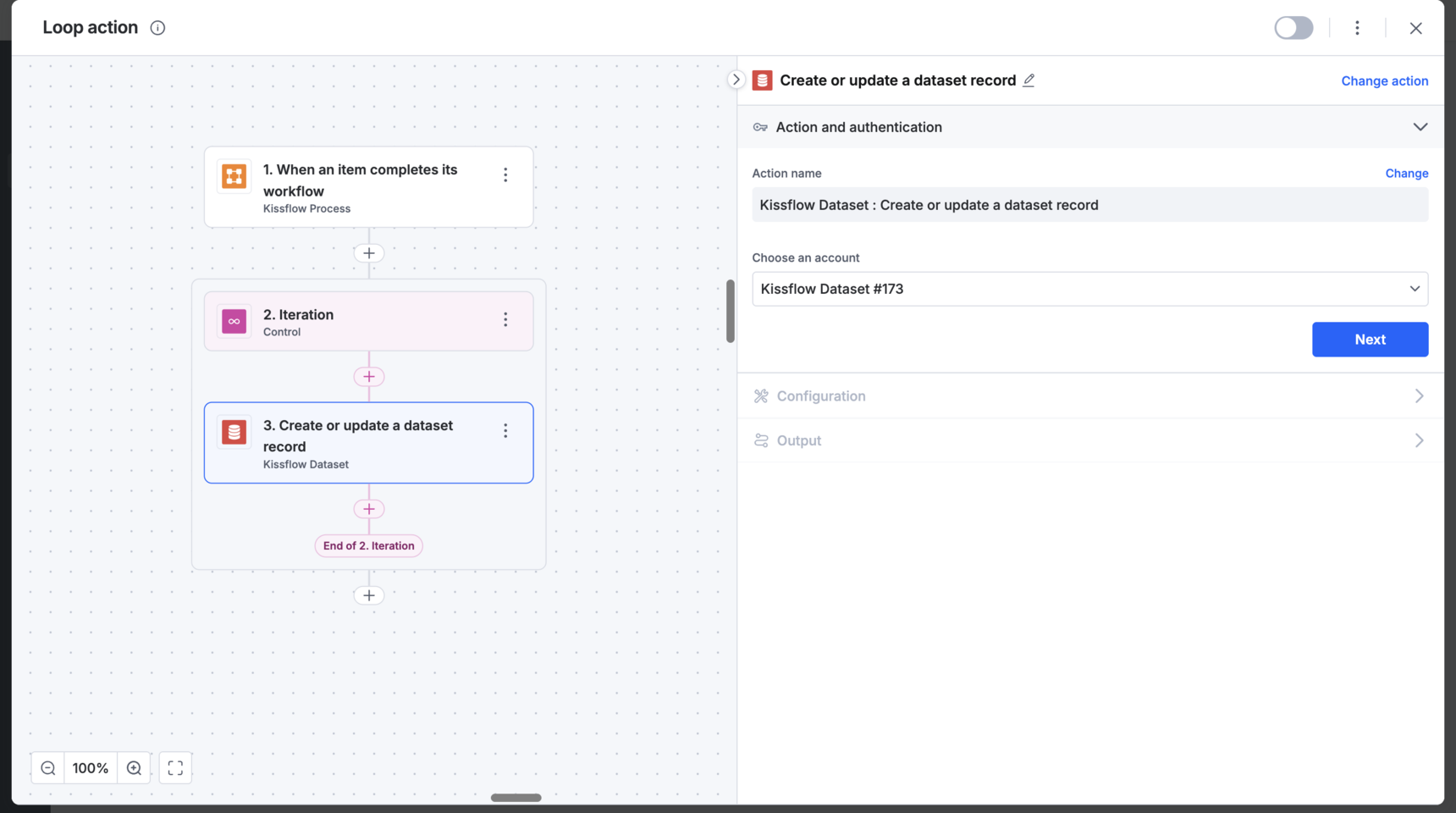
Add the Control connector's Loop action, which appears in the flow as an Iteration step, and choose the table as the source. See the Loop action.
-
Inside the loop, add the action, for example a spreadsheet row or a dataset record.
-
Map every field from the iteration output, not from the trigger. If an existing action repeats the first row, remap each field.
Other cases:
- Copy a table into another process's table: you don't need a loop. Map the trigger's table columns to the target table's columns.
- Send all rows in one HTTP request: with an iteration, each row goes out as its own request. Use Make an HTTP call (Custom) and map the table into the body. See the HTTP connector.
- Send table data as one value: add an aggregation field that concatenates the column, publish the form, refresh fields in the integration, and map it.
- Compute values per row: you can't put formulas in the HTTP body. Add a computed column in the table instead, using
Parent.Field_IDfor header fields. - Loop over a multi-select dropdown: add a Run Script Run JavaScript code step that turns the values into a list of objects, for example
names.map(name => ({ name })), returns it, and iterate over that list. - Webhook arrays: send arrays of objects, such as
[{"code":"A"},{"code":"B"}]. Flatten nested lists first; only top-level payload fields can be mapped.
Important
Iteration ignores rows after the 100th. Rows written by two items approved at the same time can interleave in a sheet, because both runs execute at once.