
How-to
Short answer: Give development environment access only to the people who should build apps. Users without it are told to ask a Super Admin when they try to create one.
Why it happens
- Apps are built in the development environment. Only Super Admins and users mapped to it can create apps.
- Users added to production sync to the other environments, but they can't use the development environment until someone maps them to it.
How to fix it
-
Click your profile icon > Environments.
-
Click Manage under the development environment.
-
Review the mapped users, and use Add users to map only your developers.
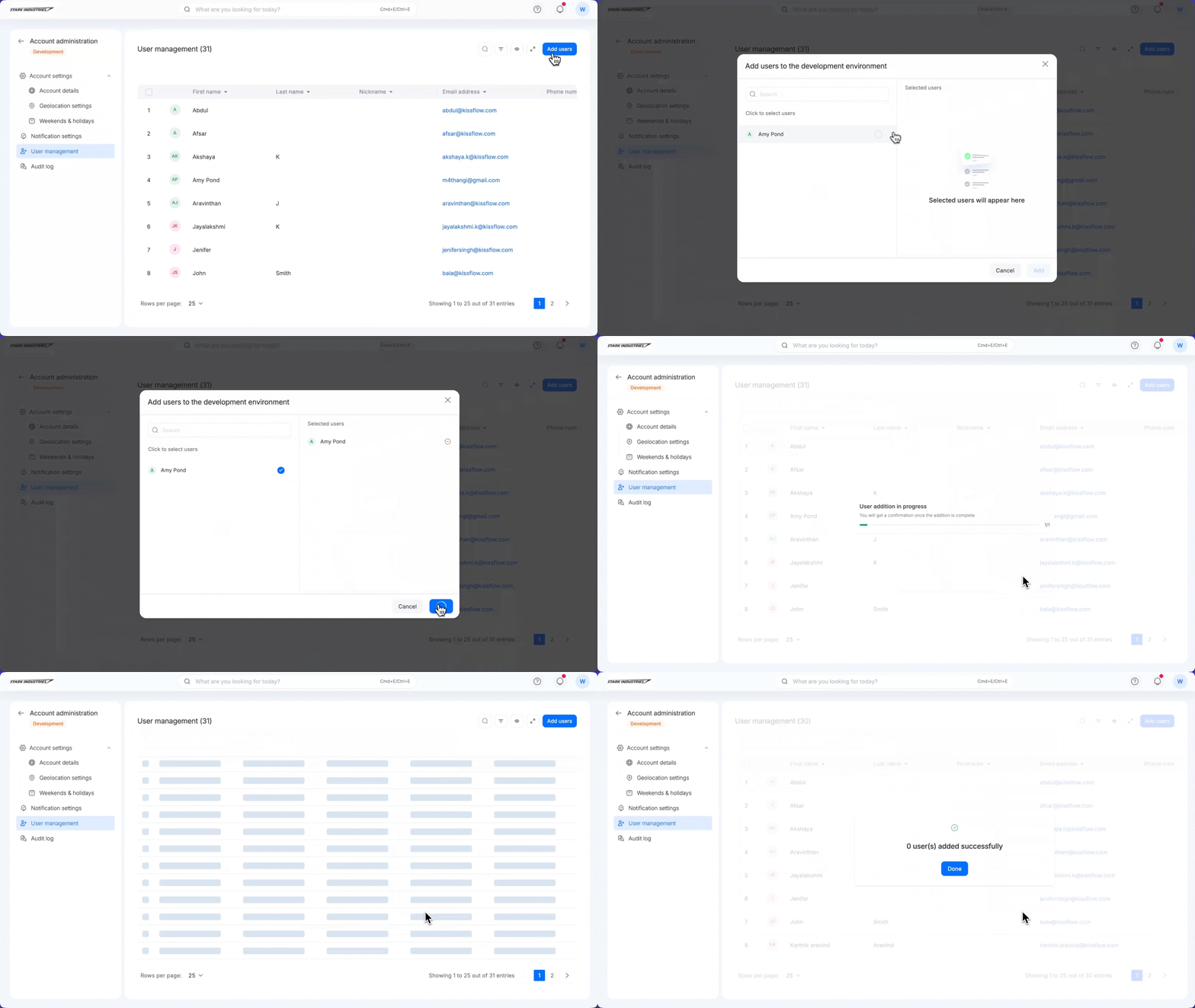
See adding users to the development environment.
To also control who creates processes, boards, and datasets:
- A Super Admin can require approval for new flows in flow settings.
Important
Users who have access only through a group can't be mapped to the development environment. Add them to the User management table first.