
How-to
Short answer: A public form lets anyone with the link start an item without a Kissflow account. Visitors can only submit; they can't save drafts, approve or edit later steps.
Why it happens
- Public form visitors aren't signed in, so there's no one to tie a draft to.
- Step assignees must be users in your account. Guests can't be assigned steps.
- A form left open for a long time can lose its session. Submitting then fails with a reCAPTCHA or authorization error.
- Browsers that block third-party cookies can stop the form from loading, especially when it's embedded on another site.
How to fix it
To enable a public form:
- Make sure public forms are enabled for your account. Kissflow support turns them on for Enterprise accounts.
- As a Process Admin, open the process and click Manage > Settings > Public form settings.
- Turn on Public form URL and share the link, or embed the iframe code. See enabling a public form.
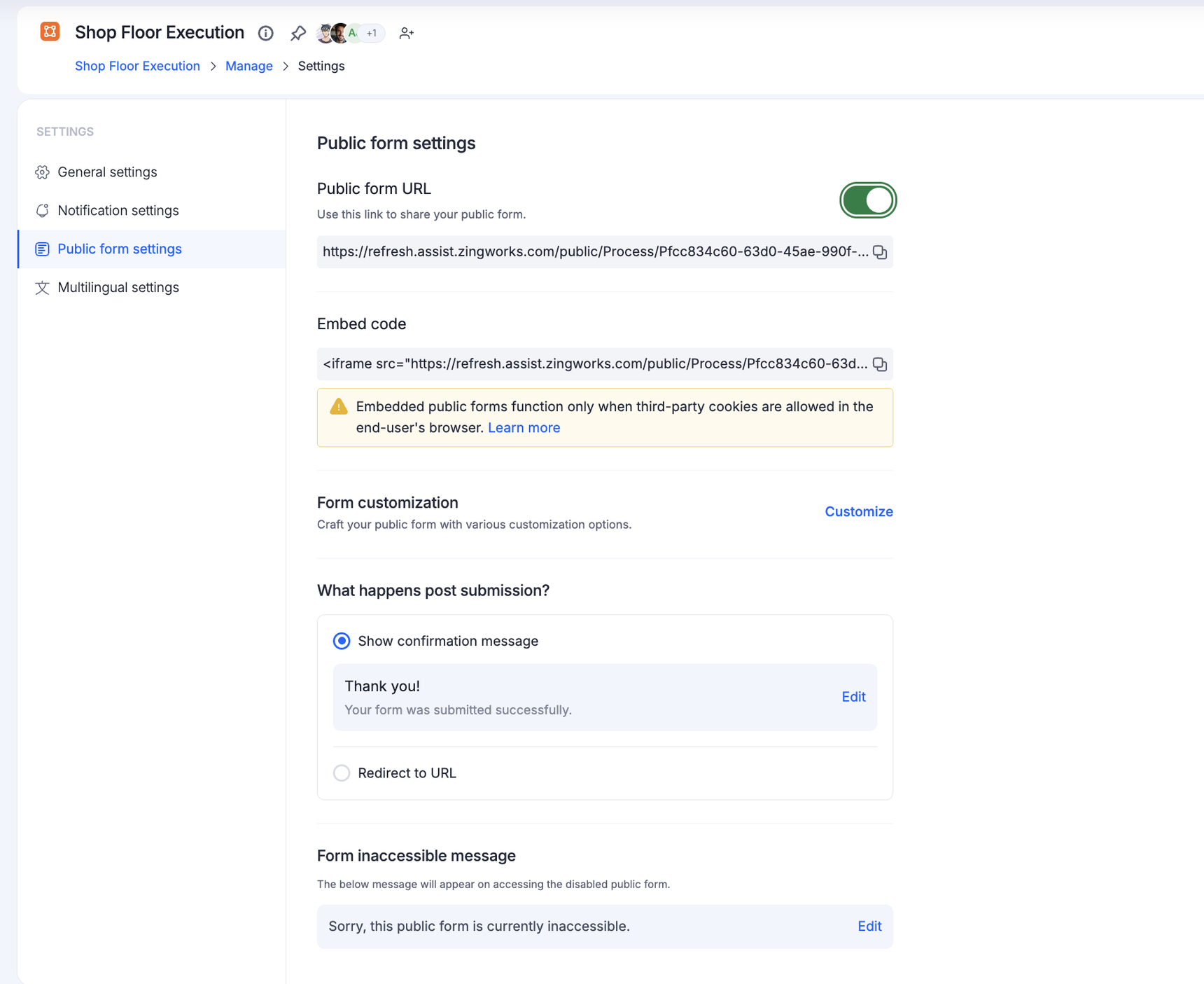
- In an app, enable the public form in all three environments and share the production URL. See public form.
If visitors get a reCAPTCHA or access error:
- Reopen the form in a fresh or incognito window, or clear cookies and cache.
- Confirm the public form is still enabled. Turning it off breaks the old link.
- Allow third-party cookies for the site. See enabling third-party cookies.
- If the error follows a change in one field, check that field for a configured event.
If visitors are asked to sign up, they're using the account URL instead of the public form URL. Share the public form URL itself.
Important
Public forms are an Enterprise feature. Drafts, CSV import into tables and automatic IP capture aren't available. The print option always shows on public forms. If people need to return and continue, have them sign in or use a portal.