
Short answer: Process items deleted from Administration can be restored from the Deleted items tab for 30 days. Deleted dataset records, deleted processes, deleted forms and deleted fields can't be recovered. An archived process can be unarchived.
Why it happens
- Process item deletion has a 30-day restore window. After that, items are permanently deleted.
- Other deletions are permanent once you confirm them.
- Deleting a form field and publishing removes that field's data, attachments included, from existing items.
How to fix it
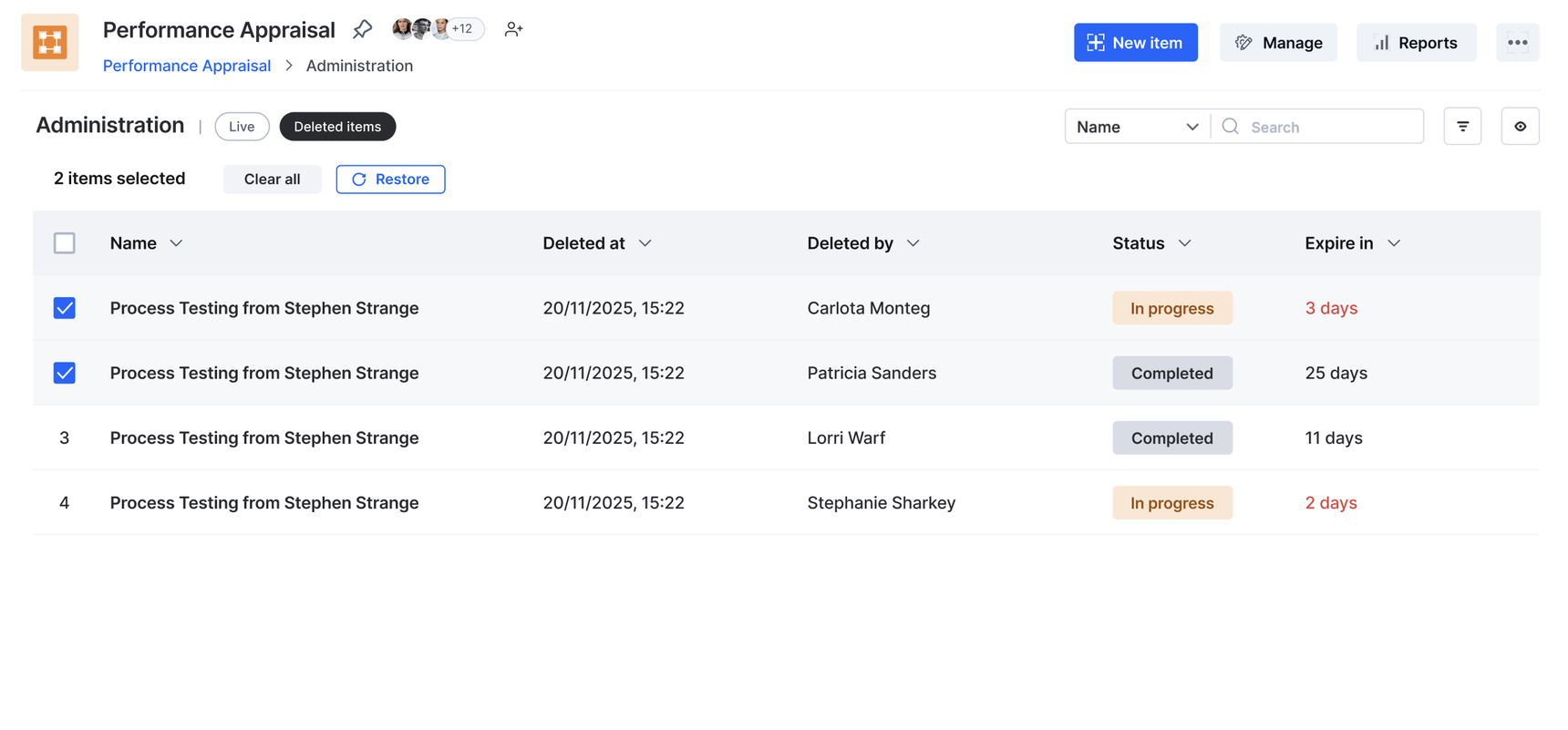
To restore deleted process items:
- Open the process and click the Deleted items tab.
- Select the items and click Restore.
To bring back an archived process:
- Go to Explore > Managed by me (or Others) > Processes.
- Filter the status to Archived, select the process and click Unarchive.
A process must be archived before it can be deleted. Once deleted, it's gone with all its data. See archiving and deleting a process.
For dataset records, check the dataset audit log to see what was deleted and by whom, then re-import the rows from a backup if you have one. The audit log keeps only the last 90 days.
If an integration already sent the data or attachments to another system, that copy is your only other source.
To prevent data loss next time:
- To retire a form field, hide it with visibility settings instead of deleting it.
- Export datasets to CSV before bulk deletes.
- Set up data backup for the account.
Important