
Short answer: Development and production each have their own domain, account ID and access keys. After you deploy, open the app in production, reconnect every connection with the production details, and turn the integrations back on.
Why it happens
- Each environment has its own domain, account ID, access keys and connections. Dev URLs and Dev credentials don't work in production.
- After the first deployment, every integration in the app is turned off. Later deployments also turn off integrations that are new, were unarchived, or have updated triggers.
- App flows (processes, boards and dataforms built inside the app) and flows outside the app run separately, so an app integration may not find a dataset or flow that lives outside the app.
How to fix it
-
Open the app in the production environment and go to Manage > Integrations.
-
Under Connections, click Connect now for each connection. Enter the production account ID, account domain, access key ID and access key secret. Don't reuse the Dev details. You find these under My settings > Security settings > API authentication. See API authentication.
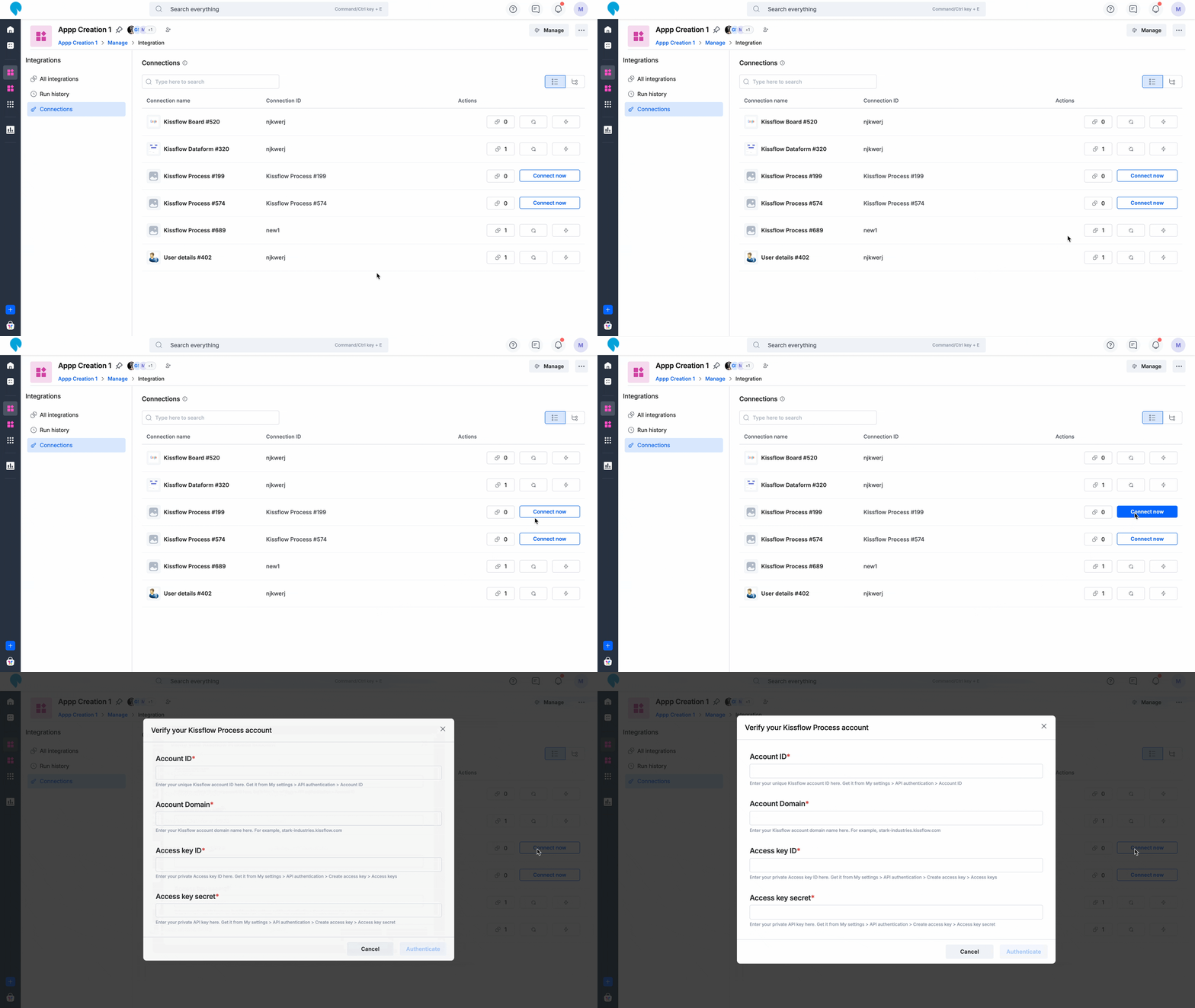
-
Test each connection, then turn on the integration.
-
Repeat steps 1–3 after every deployment.
-
Connect app processes to dataforms and processes inside the same app.
If a remote lookup calls an integration webhook:
- Copy the production webhook URL. Its domain and account ID differ from Dev.
- Update the remote lookup URL in production. Nothing switches the URL between environments for you.
If you call the API from outside, use the access key that belongs to the environment you're calling.
To see production runs, go to Manage > Integrations > Run history. For more, see managing integrations in apps and app deployment.
Important