
How-to
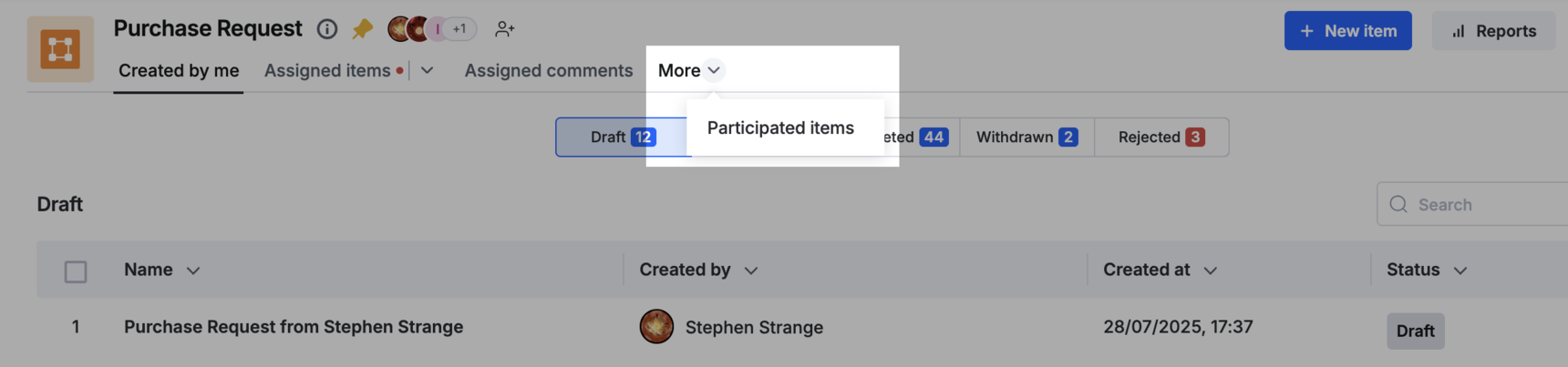
Short answer: Your own items are under Created by me and More > Participated items. To let a manager or auditor see every item without editing, share a process report with them and allow View form.
Why it happens
- Without report or admin access, you see only items you created, took part in, or have assigned to you now. Being on the approver's team doesn't add access.
- A user who has a shared report sees its rows but can't open the form until you allow it.
- The Administration section is only for Process Admins and Data Admins.
How to fix it
To find your own items:
-
Open the process. The Created by me tab lists the items you've been active on.
-
For items you acted on, click More > Participated items. See member actions in a process.
To find any item as an admin:
- Click More options > Administration.
- Use the search bar, or Show/hide fields to add filters such as status. See admin actions.
- For older or bulk lookups, open Reports > the All Items report and filter by created date and status. Add those fields to the report if they're missing.
To give read-only access to all items:
- Create or open a process report, such as All Items, with the fields and filters they need.
- Share the report and add the users. They get view-only access by default.
- Click More options beside a user's name and turn on view the form. They can now open each item and its progress without editing.
- In an app, add the report to a page so users can search it.
For wider access, add the person to the process with a role. A Process Admin can edit and administer everything; a Data Admin can view and edit data and reports. See process roles. For people outside your organization, add them to a portal and share the report with their role.
Important
The Data Admin and Report Admin roles are on the Enterprise plan only. The Participated items tab isn't in the mobile app; use the web version. Completed items stay until someone deletes them.