
Fix
Short answer: Development and production are separate environments, and records don't move between them. Deploying an app moves its design, not its data.
Why it happens
- Records you add to a dataform in development stay in development.
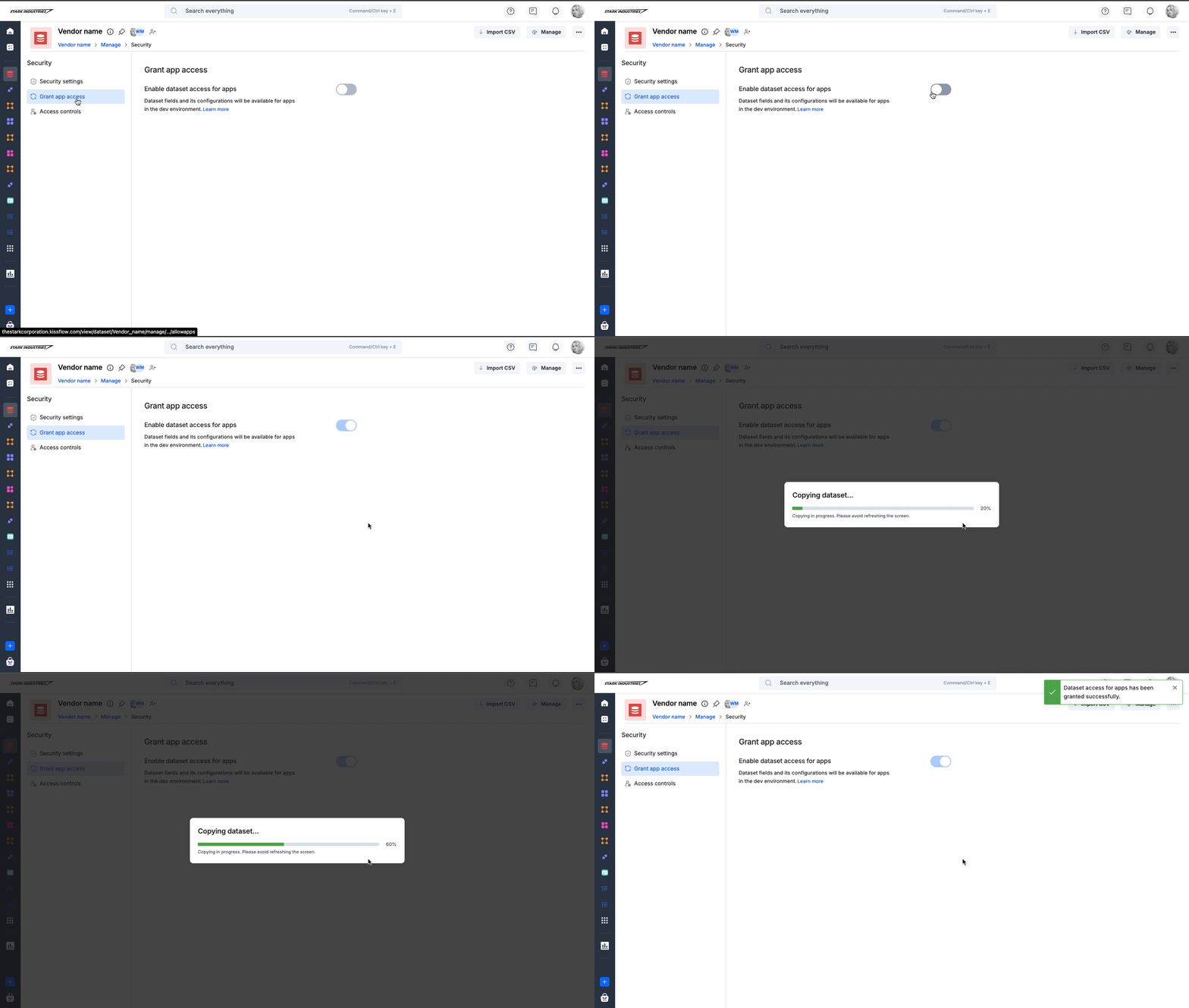
- When you grant a dataset app access, apps get a blank copy with the fields and configuration only.
How to fix it
If a dropdown or lookup reads from a dataform:
- Create the source records in the production dataform as well.
- Check the dropdown or lookup in production after you add them.
If a shared dataset is empty in development:
-
Make sure app access is on for the dataset. In the dataset's Security settings, turn on Grant app access.
-
Open the dataset copy in the development environment.
-
Click Import CSV and upload the data you need for testing, or auto-generate sample records.
See app environments and grant app access.
Important
Granting app access can't be turned off once it's on.