
Short answer: The _request_number system field can't be reset. For numbering you control, add a Sequence number field. You can reset it to any starting value and give it a formula-based prefix, such as one that includes the year.
Why it happens
_request_numberis a running count of submitted items in the process, including items you later deleted. It never restarts.- A Sequence number field keeps its own counter for each prefix, and Process Admins can reset it.
How to fix it
To set or reset the starting value:
-
Add a Sequence number field to the form and choose the step where it's generated.
-
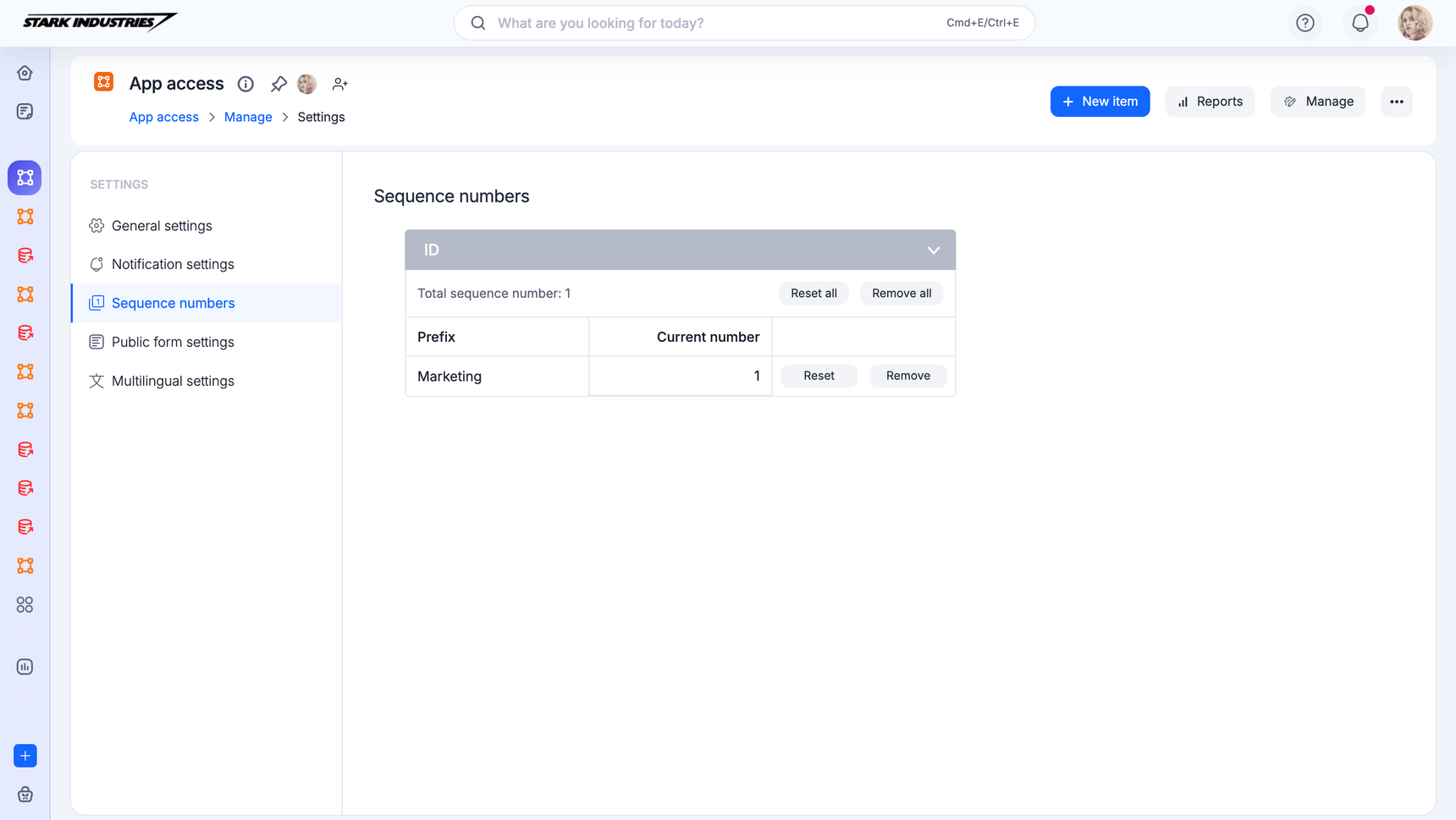
On the process, click Manage > Settings > Sequence numbers. Each prefix row shows its Current number.
-
Click Reset on a prefix row, or Reset all.
-
Enter one less than the number you want next. For example, enter 7999 so the next item gets 8000.
To include the year, put a formula in the field's Prefix:
concatenate("LR/", _created_at.year().toText(), "/")The field adds the running number after the prefix. Note that toText("y") returns a two-digit year.
To keep one sequence across several values, such as offices:
- Each distinct prefix starts its own sequence, so use a constant prefix, for example
concatenate(" "). - Build the full ID in another text field, for example
concatenate(Office_Location, Sequence_Number.trim()).
To generate a number only under a condition, put the generating step in a parallel branch and set the condition on the branch. Steps and branches with conditions can't be chosen as the generating step itself.
See Sequence number and process settings.
Important
_request_number count, duplicate the process and use the copy. Don't rely on randBetween() for unique IDs.