
Fix
Short answer: Board field permissions are set per status. The field is probably read-only or hidden in the status the item is in now, even if it's editable in the first status.
Why it happens
- Each field is Editable, Read-only, or Hidden separately for every status.
- A required field that is read-only and empty can block a status change without a clear error.
How to fix it
-
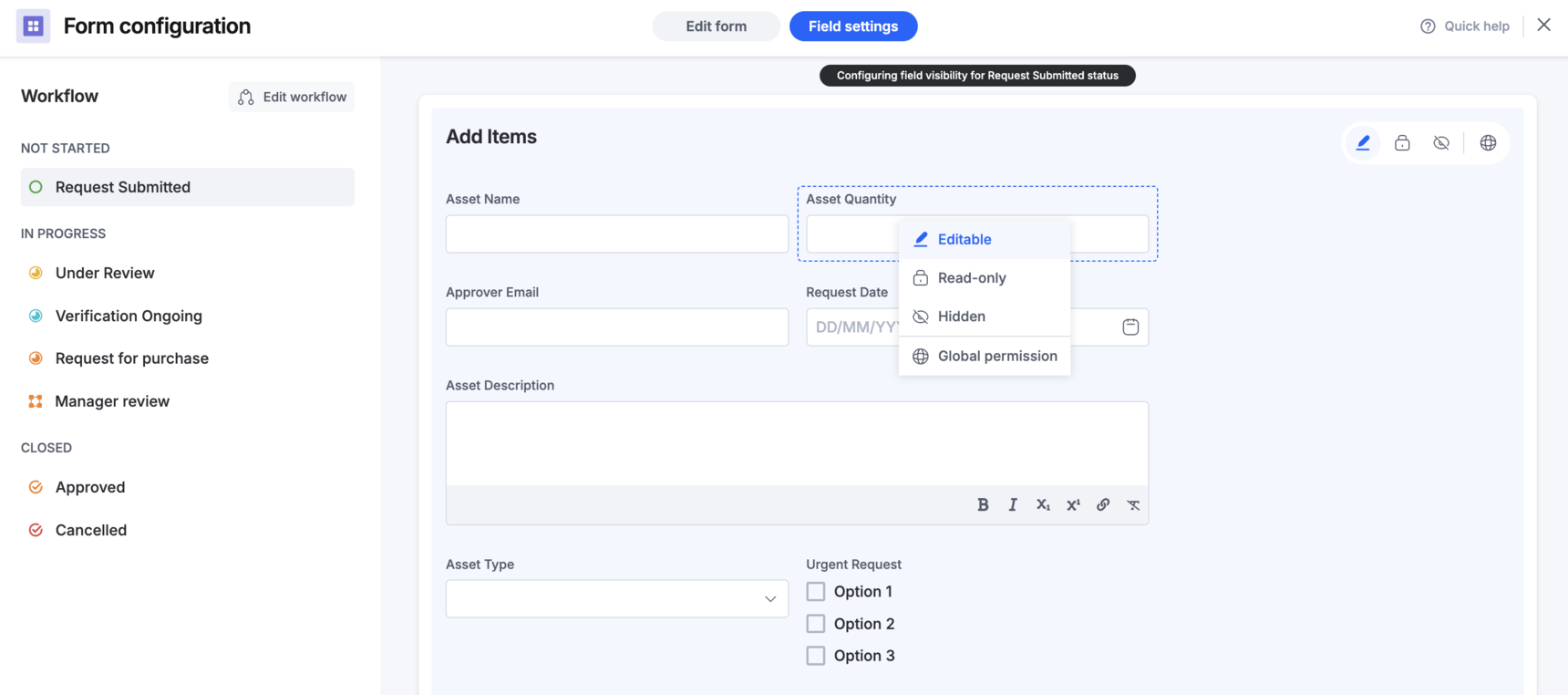
Click Manage > Edit form, then open Field settings. Statuses are listed on the left and fields on the right.
-
Select the status the item is in now and hover over the field to see its permission.
-
Change it to Editable if users should edit it there. Use Global visibility to set a field across several statuses at once.
-
Click Go live.
If a required field blocks a status change:
- Find statuses where the field is read-only and items can arrive with it empty.
- Set the field to Hidden in those statuses, or make it editable so users can fill it in.
To show fields only on reopened items:
- Add a dedicated "Reopened" status.
- Hide the fields in every other status and make them editable in "Reopened".