
How-to
Short answer: Set the URL, request type and headers, then click Test API. If the response type is reported as wrong, treat the response as JSON. For a SQL database, use an external data object instead of a remote lookup.
Why it happens
- The JSON path finder only works once the field has a valid response to read, from a live test or a sample.
- POST body values come from other form fields, and only some field types can be sent.
- A remote lookup calls a web API. It can't query a database directly.
How to fix it
If the response type is reported as incorrect:
-
Test the endpoint in a tool such as Postman first, so you know what it returns.
-
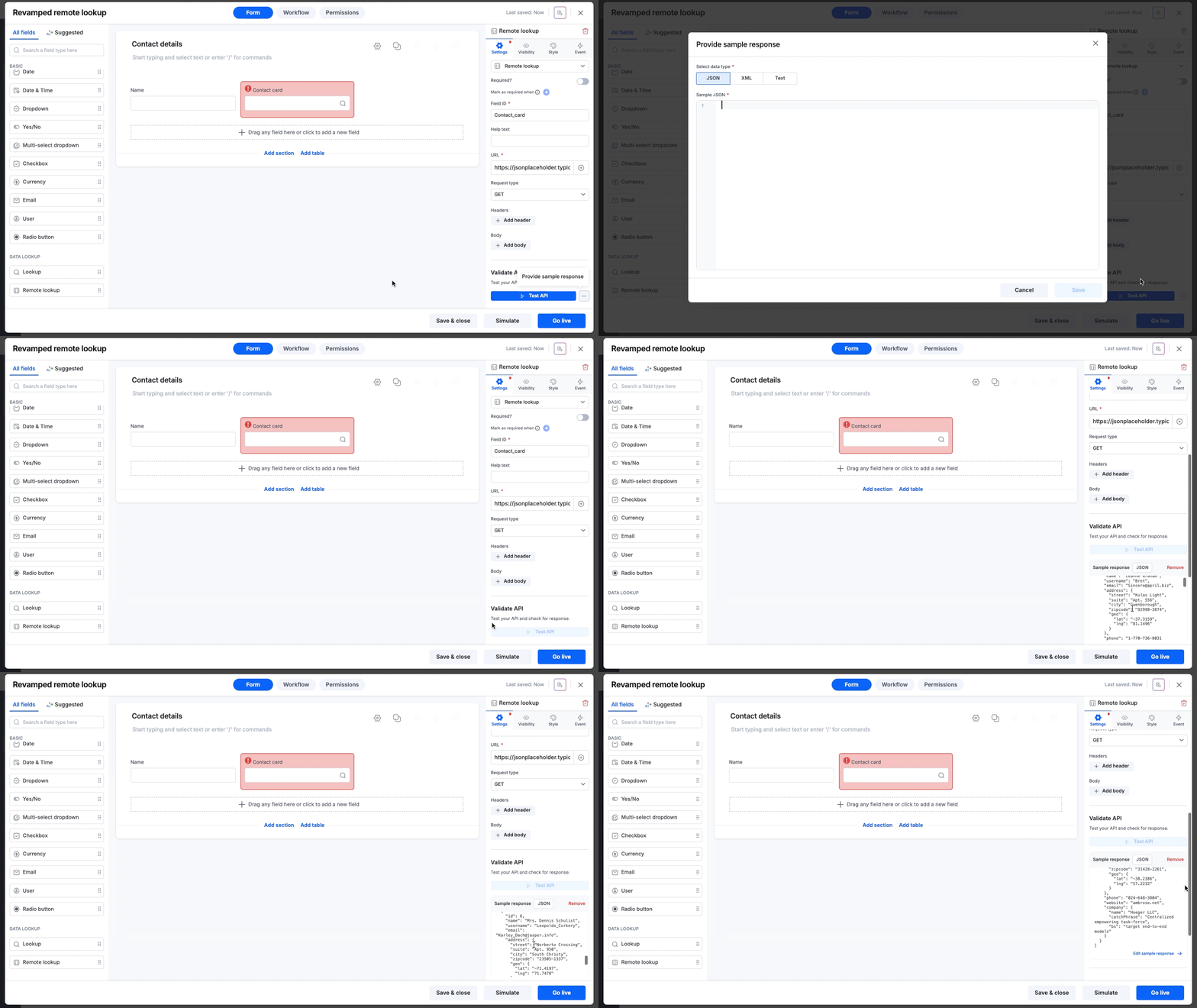
In the field, click Test API. If you can't run a live test, click More options > Provide sample response and choose JSON.
-
Click Set path to value and pick the value you need.
If a POST lookup fails:
- Check the fields you use in the Body. Use fields that hold text or number values.
- Click Test API again. Any change to the URL, headers or body needs a fresh test.
If you need data from MySQL or MSSQL:
- Set up an external data connection.
- Create an external data object and look it up from your form.
See remote lookup field overview.
Important
External data objects work only inside apps, support MySQL and MSSQL (2017 and later), and are an Enterprise feature turned on by request.