
How-to
Short answer: Select every column you need in one lookup field, then read each into another field with a formula like Lookup_Field.Column. To fill the lookup without the user picking, add a filter and turn on Automatically select the first value based on the filters.
Why it happens
- A lookup brings in only the columns chosen under Select fields to use in this lookup.
- Other fields don't fill themselves; each needs a formula that points at the lookup column.
How to fix it
To fill other fields from a lookup:
- In the lookup field, pick the flow and select all needed columns under Select fields to use in this lookup. You don't need a second lookup.
- In each target field, enter a formula such as
Material_Lookup.Name_of_Material. It fills when a value is picked. - To total a number from a lookup, put
Lookup_Field.Amountin a Number field and aggregate that field.
To fill the lookup automatically:
- Add a filter that matches a dataset column to a form field, for example Unit equal to the field Unit.
- Turn on Automatically select the first value based on the filters.
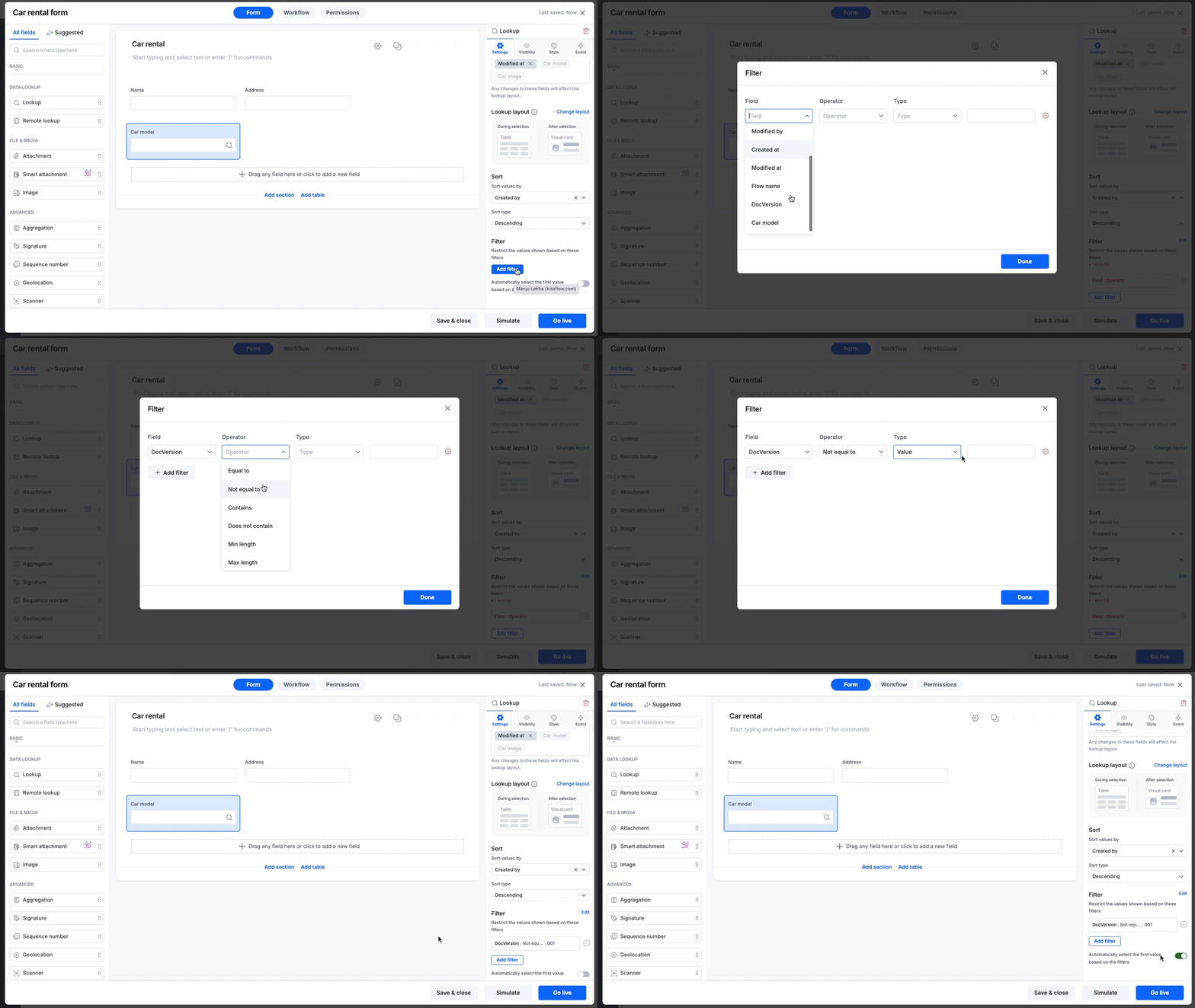
Common variations:
- From a dropdown: make a dataset with the key and related columns, use it as the dropdown's source, then add an auto-select lookup filtered on that dropdown.
- Logged-in user's details: keep user emails and details in a dataset, filter on the creator's email, and read values with
Lookup.Address. - Initiator in a User field: add a hidden text field with
_created_by.Name, filter the User field on Name equal to that field, and turn on auto-select. - Chained lookups: copy the first lookup's value into a text field, such as
Lookup1.Column, and filter the second lookup on that text field. - Search finds too much: search runs across the columns shown. Remove extra columns from Fields to display and read them with a formula instead.
See lookup field and user field.
Important
Fields filled from a lookup are read-only. To change the source data, edit the dataset, or write changes back to it with an integration.