
Fix
Short answer: You can only start items in a process you're a member of. Your own organization's admins control that access, not Kissflow support. If the process says it's locked, a process admin has turned off new submissions.
Why it happens
- The process isn't shared with you, or your role doesn't let you initiate items.
- A process admin turned on the lock-submission setting. New items can't be started, and drafts can't be submitted.
- A form error blocks submit. Common causes are a lookup field with no valid data source (often after duplicating a process), a formula error, or table validations.
How to fix it
If you can't find the process:
- Search for it by name in the search bar on the home page.
- If it doesn't show up, or shows without New item, ask your organization's Kissflow admin or the process owner to add you as a member.
If you're a process admin adding a member:
- Open the process and click Manage > Share > + Add members.
- Enter the user or group, pick a role that can initiate items, such as Member, and click Add. See add a member to a process.
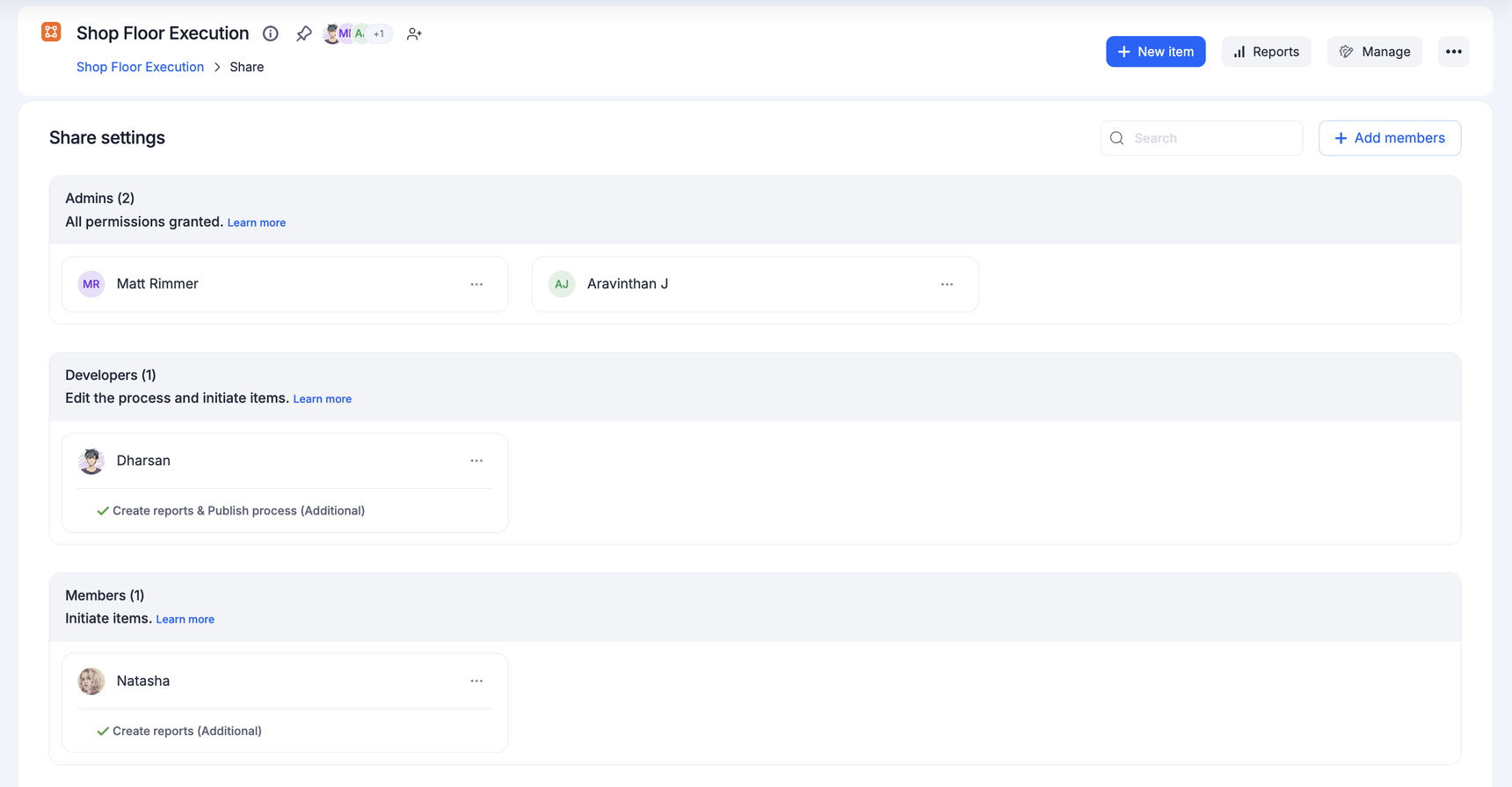
If the process says it's locked for new submissions:
- Process admins: open Manage > Settings > General and clear Do not allow new submissions, then Save. In an app, run the app again. See lock submission.
- Members: ask the process admin to unlock it, or which process to use instead.
If New item greys out or submit fails:
- Open Edit process and fix any errors the form shows.
- Check that each lookup field points to a valid data source, then go live again.
- Check formulas in computed fields and in step conditions or assignees.
- Make sure each table row meets its validations.
Tip
Questions about your own company's workflows, such as who approves or which form to use, go to your organization's Kissflow admin. If you don't know who that is, contact Kissflow support and they can share your admins' contact details privately.