
Short answer: Add an aggregation field to the form, turn on Aggregate table data in the context of a single item of the process, and sum the table column. The total updates as users fill in rows.
When to use this
Use this when a form collects line items in a child table and you need a total. For example, an asset request lists each asset's type, quantity and price, and the requester needs the total price of everything requested.
Set it up
-
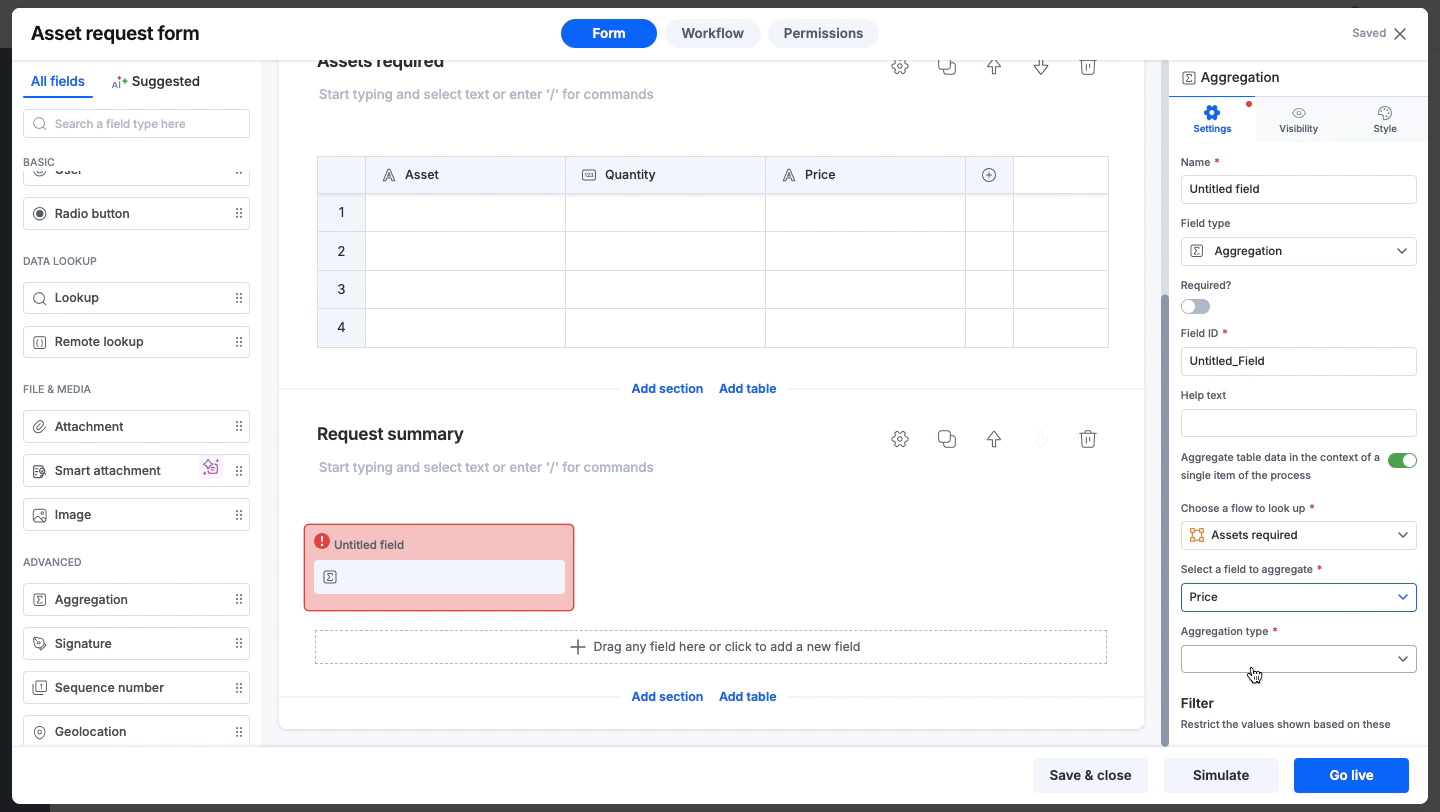
Open the process form and add an aggregation field outside the table.
-
Turn on Aggregate table data in the context of a single item of the process.
-
Under Choose a flow to look up, select the child table.
-
Under Select a field to aggregate, select the column to total, for example Total price. It must be a Number, Currency or Slider column.
-
Under Aggregation type, choose SUM.
-
Optionally, set Number of decimal places in the field's settings.
-
Publish the form.
Tip