
Short answer: By default, you can @mention only people who have taken part in the item so far: the initiator, earlier approvers and the current step's assignees. Assignees of later steps are non-participants, so a Process Admin has to allow mentioning them.
Why it happens
- A participant is the initiator or anyone who has acted on the item up to the current step.
- Future assignees and users outside the process are non-participants.
- Mentions of non-participants are off unless the process allows them.
How to fix it
To mention someone in a comment:
- Open the item and click the Comments tab in the right strip.
- Type @ and the person's name. They get a notification. See Process comments.
To let assignees mention non-participants (Process Admin):
-
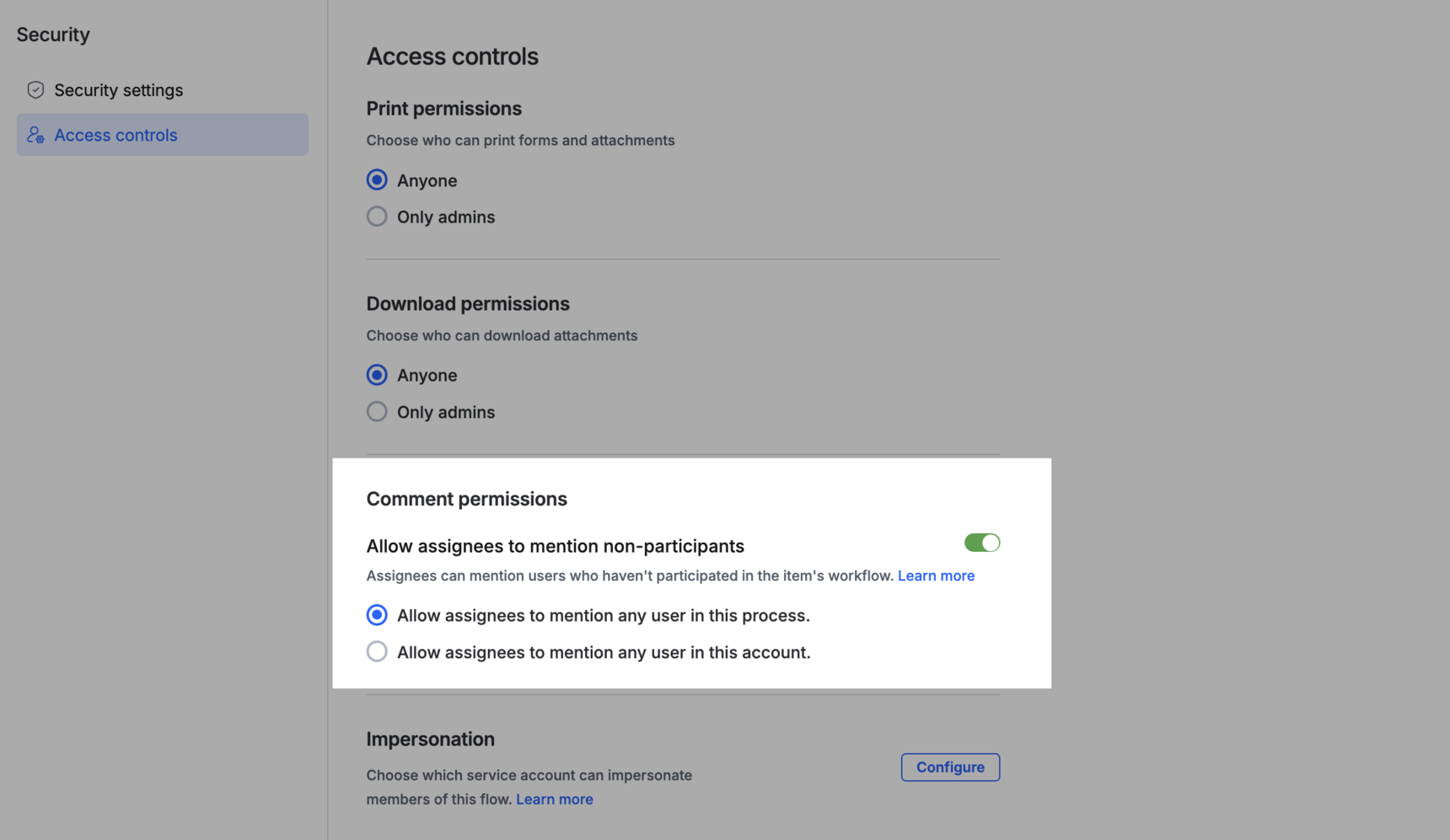
Go to Manage > Security > Access controls > Comment permissions.
-
Turn on Allow assignees to mention non-participants.
-
Choose whether assignees can mention any user in this process, or any user in the account. See Comment permissions.
A mentioned non-participant can read all the item's comments and the item data as shown at the step where they were mentioned, and reply only in that thread. They aren't added to the workflow.
To get a quick answer from someone, check Assign to when you mention them. They see it under Assigned comments on the process home page.
Important