
Short answer: Form fields and child table fields are stored as separate tables, and a process pivot reads only the form table. Use Kissflow Analytics, where each child table is its own data source.
Why it happens
- A process pivot offers custom form fields and system fields only.
- Child table rows live in a separate table from the main form fields, so the pivot doesn't offer them.
How to fix it
-
Click Analytics in the left navigation. Under Data explorer > My tables, each child table appears as its own card named after the process and the table, for example Purchase Order Item Details. See child tables in Analytics.
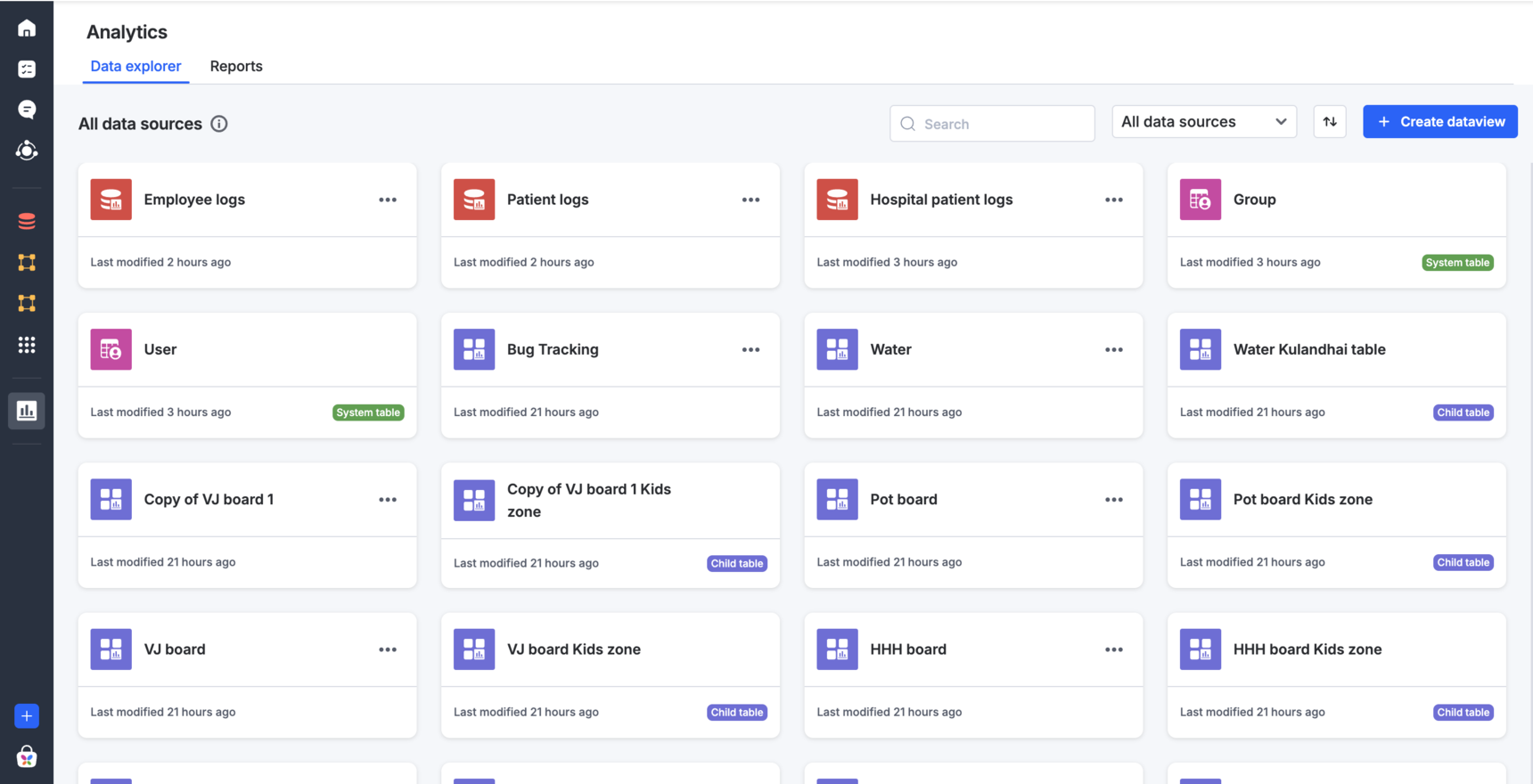
-
To pivot child table data on its own, create a pivot report on the child table data source.
-
To combine child table rows with form fields, create a dataview that joins the child table to the process table on
_instance_id(child table) =_id(process table), then build the pivot on the dataview. See SQL use cases. -
If you don't see Analytics, ask your Kissflow account manager about it. Analytics is part of the Enterprise plan.